Halo H27BE [V1] 3-pack | BE3600 Whole Home Mesh Wi-Fi 7 System

_EU_1.0_overview_01_normal20250225013747.jpg)
_EU_1.0_overview_02_normal20250225013715.jpg)
_EU_1.0_overview_03_normal20250225013650.jpg)
_EU_1.0_overview_04_3_pack_normal20250225013622.jpg)
_EU_1.0_overview_05_normal20250225013600.jpg)
_EU_1.0_overview_06-3_pack_normal20250225021336.jpg)
_EU_1.0_overview_07_normal20250225013508.jpg)
_EU_1.0_overview_08_normal20250225013447.jpg)
_EU_1.0_overview_09_normal20250225013417.jpg)
_EU_1.0_overview_11_3_pack_normal20250225013404.jpg)

_EU_1.0_overview_01_thumb20250225013747.jpg)
_EU_1.0_overview_02_thumb20250225013715.jpg)
_EU_1.0_overview_03_thumb20250225013650.jpg)
_EU_1.0_overview_04_3_pack_thumb20250225013622.jpg)
_EU_1.0_overview_05_thumb20250225013600.jpg)
_EU_1.0_overview_06-3_pack_thumb20250225021336.jpg)
_EU_1.0_overview_07_thumb20250225013508.jpg)
_EU_1.0_overview_08_thumb20250225013447.jpg)
_EU_1.0_overview_09_thumb20250225013417.jpg)
_EU_1.0_overview_11_3_pack_thumb20250225013404.jpg)

_EU_1.0_overview_01_large20250225013747.jpg)
_EU_1.0_overview_02_large20250225013714.jpg)
_EU_1.0_overview_03_large20250225013649.jpg)
_EU_1.0_overview_04_3_pack_large20250225013622.jpg)
_EU_1.0_overview_05_large20250225013600.jpg)
_EU_1.0_overview_06-3_pack_large20250225021335.jpg)
_EU_1.0_overview_07_large20250225013508.jpg)
_EU_1.0_overview_08_large20250225013447.jpg)
_EU_1.0_overview_09_large20250225013417.jpg)
_EU_1.0_overview_11_3_pack_large20250225013404.jpg)
Halo H27BE
BE3600 Whole Home Mesh Wi-Fi 7 System
- Blazing-Fast 3.6 Gbps Dual-Band Speeds: Enables your devices to run at full speed. Enjoy fluent 4K/8K streaming, immersive AR/VR gaming, and blazing-fast downloads.‡
- Newest WiFi 7: Armed with the 4K-QAM, MLO, Multi-RUs, and other features that WiFi 7 offers, your network will arrive with a jaw-dropping performance.△
- Seamless Roaming for a Smooth Network Experience: No more sudden signal drops or lagging WiFi when you're walking around the house.†
- Multi-Link Operation (MLO): Increases throughput, reduces latency, and improves reliability for emerging applications.△
- Multi-Gigabit Port: 1× 2.5 Gbps WAN/LAN and 2× 1 Gbps auto-sensing ports break through the 1G bottleneck, driving your devices to peak performance.**
- Whole Home Multi-Gigabit Coverage: Halo mesh units work as a unified network to fill your home up to 7,000 ft2/650 m2 (ideal for 4-7 bedroom houses).‡
- Easy Setup and Use: Network management has never been easier with the MERCUSYS app.
*Please note that the Halo H series and S series cannot work together.
-
watch video: How to Set Up MERCUSYS Whole Home Mesh Wi-Fi System (H90X as an example)
How to Set Up MERCUSYS Whole Home Mesh Wi-Fi System (H90X as an example)
Unleash WiFi 7 Speeds, Anywhere in Your Home!
BE3600 Whole Home Mesh WiFi 7 System
Halo H27BE

Dual-Band WiFi 7 Speeds up to
3.6 Gbps
Connect over
150 Devices
Easy App Control
Whole Home Multi-Gigabit Coverage up to
7,000 ft2 / 650 m2 (3-pack)
5,000 ft2 / 460 m2 (2-pack)
Multi-Gigabit Port
Faster Speed
More Reliable
High Efficiency
High Capacity
3.6 Gbps Dual-Band WiFi 7 for Exceptional Experiences
WiFi 7, the latest WiFi standard, has arrived with jaw-dropping performance-offering accelerated throughput, lower latency, stronger anti-jamming, and higher efficiency. By upgrading the QAM from 1024 to 4096, WiFi 7 enables the Halo H27BE to achieve speeds of up to 3.6 Gbps. Join the pros and experience the power of the next generation of WiFi.△

4× Lower Latency

Connects Over 150 Devices

Multi-Link Operation

Packs 20% More Data Than WiFi 6
 2880 Mbps
 688 Mbps
A Whole Home WiFi Solution
Nothing’s worse than unreliable connections and internet speeds unable to keep up with your digital lifestyle. Halo works as a unified system to guarantee a strong WiFi signal in every corner of your home, providing an incredibly fast and stable network experience. Interruption and buffering will be a thing of the past.†
-
3-pack Covers up to
7,000 ft2 / 650 m2 -
2-pack Covers up to
5,000 ft2 / 460 m2
Improved Capacity
Enhanced by WiFi 7 technology, Halo H27BE lets you connect over 150 devices at once. Enjoy a more efficient network that loads faster without dragging down performance.†
-
Connect over 150 devices
True Seamless Roaming with One Unified Network
The Halo system automatically connects your phones or tablets to the fastest node, delivering a truly seamless network experience. No more sudden signal drops or lagging WiFi when you’re walking around the house.†


Ultra-Fast Multi-Gig Internet Connection with 2.5 Gbps Port
One 2.5 Gbps port and two Gigabit ports make full use of the Gigabit speeds from your local ISP. Break through the 1G bottleneck and drive your devices to peak performance. Plug your PCs, smart TVs, or game consoles into the ports for blazing-fast wired connections.

① 2.5 Gbps Internet Access

② 2.5 Gbps Wired Connection
Easy Setup and Management via the MERCUSYS App
Follow the on-screen directions to set up your network.


-
Step 1
Find what you’ll need in the box
 Halo Power Cable Ethernet Cable
 -
Step 2
Plug in your devices

-
Step 3
Follow the on-screen directions with the app to configure the main Halo

-
Step 4
Power up the included add-on unit and it will automatically join the network


Parental Controls

Check the Status of Connected Devices

Quality of Service

Guest Network

New Device
Access Alert
Monthly Reports
Easily Extend Your Coverage
The Halo Whole Home WiFi kit includes multiple units to fit any type of your house. If that’s not enough, you can expand Mesh WiFi coverage anytime by simply adding more Halos.
*Please note that the Halo H series and S series cannot work together.
Powerful and Beautiful
†Seamless roaming requires clients to support 802.11k/v/r and may require additional setup. Performance may vary depending on the client device. ‡Maximum wireless signal rates are the physical rates derived from IEEE Standard 802.11 specifications. Over 150 device connections is based on laboratory test data, which analyzed the connections of different devices on the 5 GHz and 2.4 GHz bands simultaneously. These devices simulated a typical home scenario by running simultaneous applications in the same room that included 4K video, 1080p video, 720p video, file downloading, web browsing, IP cameras, and other loT devices. Actual wireless data throughput, wireless coverage, and connected devices are not guaranteed and will vary as a result of internet service provider factors, network conditions, client limitations, and environmental factors, including building materials, obstacles, volume and density of traffic, and client location. △Use of Wi-Fi 7 (802.11be), Wi-Fi 6 (802.11ax), and features including Multi-Link Operation (MLO), 4K-QAM, Multi-RUs, and OFDMA requires clients to also support the corresponding features. This Halo may not support all the mandatory features as ratified in the IEEE 802.11 ax/be specification. Further software upgrades for feature availability may be required. §Use of WPA3 requires clients to also support the corresponding feature. *Please note that the Halo H series and S series cannot work together. Halo H27BE is compatible with other units from the Halo H series to form a Mesh network. **2.5 Gbps internet speeds require compatible service plans and equipment. All WAN/LAN ports will operate as either WAN or LAN ports. Only one port can serve as a WAN port at a time. ***Actual network speed may be limited by the rate of the product's Ethernet WAN or LAN port, the rate supported by the network cable, internet service provider factors, and other environmental conditions.
MERCUSYS
La app MERCUSYS muestra una forma más facil para configurar en minutos el WiFi estando en casa o fuera de ella, a traves de tu dispositivo iOS o Android.
MERCUSYS te Ayuda a Configurar en Pocos Pasos
Sin conocimientos tecnicos previos o instrucciones complicadas, solo sigue las intrucciones del app. Configura tu red mesh en minutos.
-
 Halo Power Cable Ethernet Cable
Paso 1
Encuentra lo que necesites en la caja
-

Step 2
Conecta los dispositivos
-

Step 3
Luego sigue las intrucciones que aparecerán en la pantalla del app MERCUSYS
Administra tu WiFi en Tiempo Real
Con el app MERCUSYS experimenta la gestión de la red en vivo. Mira que dispositivos estan conectados en tu red WiFi en cualquier momento desde tu celular iOS o Android.
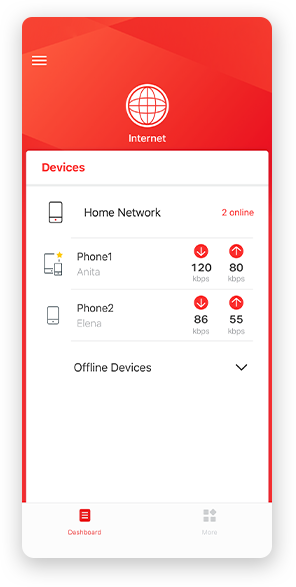
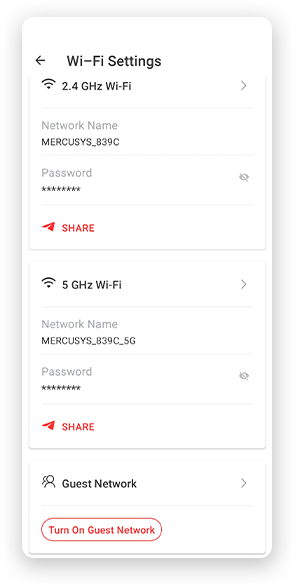
Nota: La página de configuración de los diferentes modelos puede ser diferente, por favor refiérase a la real.
Robusto Control Parental
Administra el tiempo de conexión de los niños y el contenido creando un espacion seguro y saludable en el ambiente.
-
Creación de Perfiles de Usuarios
Cree un perfil para cada miembro de la familia que desee gestionar. Asigna dispositivos al perfil para establecer controles de acceso y límites de tiempo para ellos.
-
Tiempos Limites
Pon límites diarios al tiempo que tus hijos pasan conectados y evita que accedan a Internet en sus dispositivos durante mucho tiempo para crear un hábito saludable en la red.
-
Bloquea Paginas Web Inapropiadas
Controla los sitios que visitan tus hijos estableciendo una lista de bloqueo.
-
Pausa la conexión de Internet
Suspenda las conexiones a Internet de los miembros de la familia para tomarse un descanso del mundo virtual y disfrutar de un rato en familia.
Administra y Proteja su Red domestica
La app MERCUSYS te ayuda a gestionar la red WiFi de tu casa y los dispositivos que estan conectados.

Revisa el estado de Dispositivos Conectados
Revisa el estado de conexión de tus equipos HALO. Bloquea dispositivos que necesites.

Calidad de Servicios
Prioriza los dispositivos que selecciones para un mejor rendimiento.

Alerta de nuevos dispositivos
La app MERCUSYS enviará mensajes de alerta para informar cuando un dipositivo nuevo se conecte a la red WiFi.

Configura Red de Invitados
Provee una red separada para los invitados con la finalidad de proteger la privacidad de tu Red.
Todo en Una App
Ya sea que esté buscando controlar una amplia gama de enrutadores, extensores o sistemas de malla Halo MERCUSYS, encuéntrelo todo en la aplicación.
Equipos CompatiblesProductos Compatibles
Nota: El firmware del dispositivo requiere la última versión. Click Aquí para aprender como actualizar tu firmware.
Nota: Tanto las versiones de hardware enumeradas como las superiores de estos modelos son compatibles con la aplicación MERCUSYS.
CATEGORIA
-
Halo Mesh
-

Halo H50G V1
AC1900 Whole Home Mesh Wi-Fi System
-

Halo H30G V1
AC1300 Whole Home Mesh Wi-Fi System
-

Halo H80X V1
AX3000 Whole Home Mesh WiFi 6 System
-

Halo H70X V1
AX1800 Whole Home Mesh WiFi 6 System
-

Halo H30 V1
AC1200 Whole Home Mesh Wi-Fi System
-

Halo H90X V1
AX6000 Whole Home Mesh Wi-Fi System
-
-
Wi-Fi Routers
-

MR70X V1
AX1800 Dual Band Wi-Fi 6 Router
-

MR80X V1
AX3000 Dual-Band Wi-Fi 6 Router
-

MR50G V1
AC1900 Wireless Dual Band Gigabit Router
-

AC12G V2
AC1300 Wireless Dual Band Gigabit Router
-

MR30G V1
AC1200 Wireless Dual Band Gigabit Router
-
MR1200G V1
AC1200 Wireless Dual Band Gigabit Router
-
MR1900G V1
AC1200 Wireless Dual Band Gigabit Router
-

MR1800X V1
AX1800 Dual-Band WiFi 6 Router
-

MR90X V1
AX6000 8-Stream Wi-Fi 6 Router
-
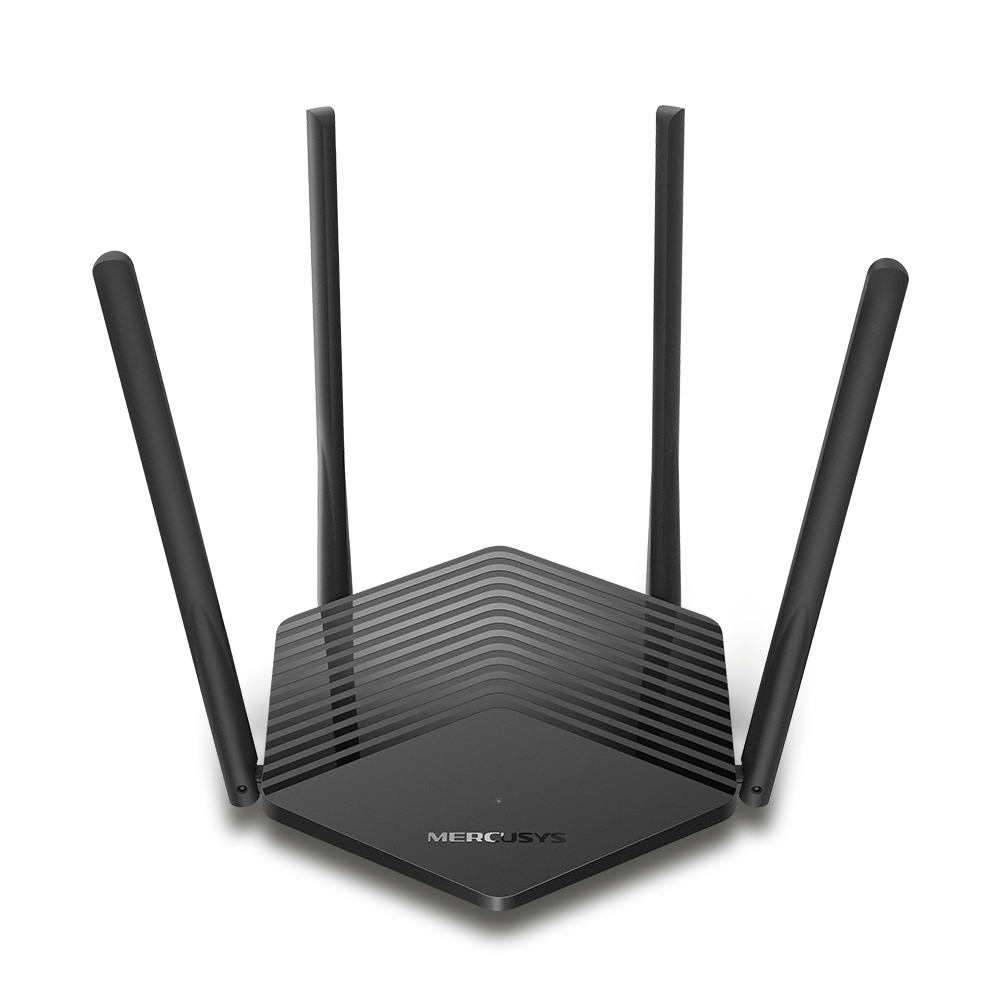
MR60X V2
AX1500 Wi-Fi 6 Router
-
2.0_01_large20200513030154.jpg)
AC12 V3
AC1200 Dual Band Wireless Router
-
1.0_01_large20200616070042.jpg)
AC10 V1
AC1200 Wireless Dual Band Router
-

MW325R V3
300Mbps Enhanced Wireless N Router
-
_1906_02_large20200513090024.jpg)
MW305R V3
300Mbps Wireless N Router
-
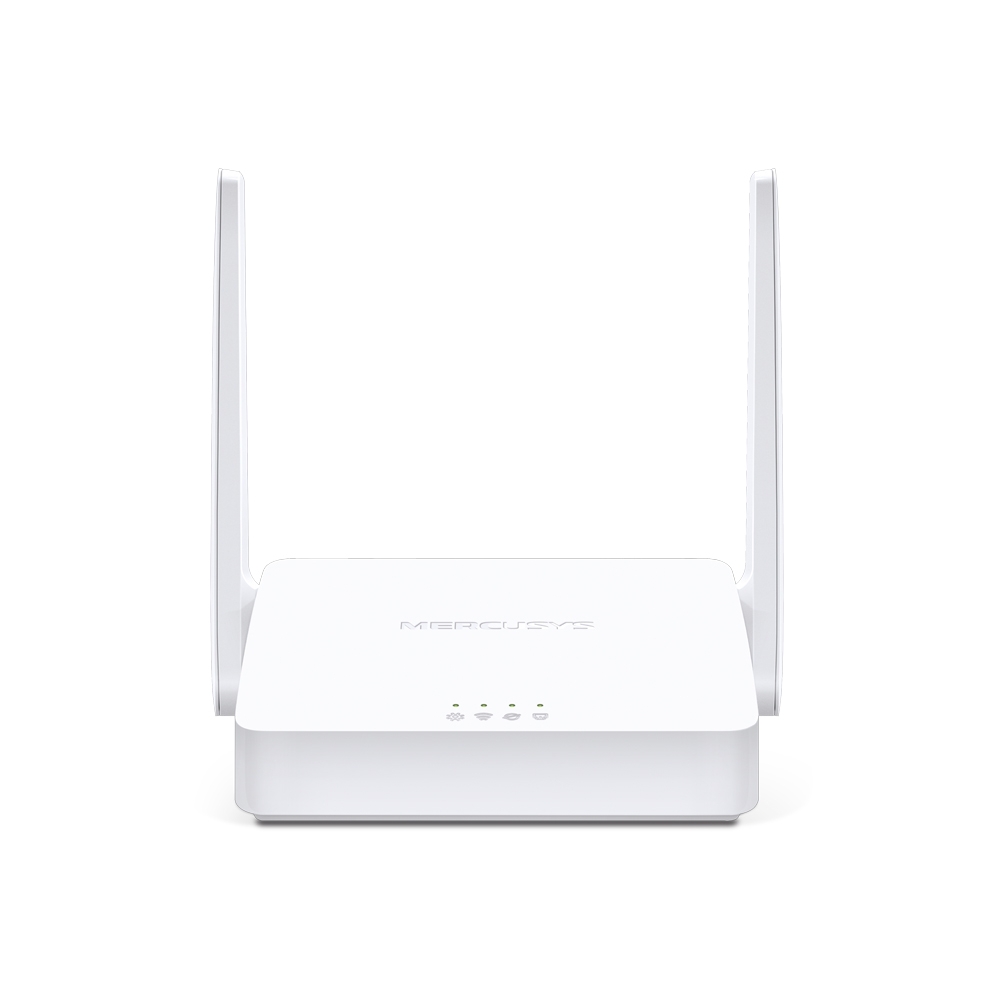
MW301R V3
300Mbps Wireless N Router
-
-
Range Extenders
-

ME70X V1
AX1800 Wi-Fi 6 Range Extender
-

ME50G V1
AC1900 Wi-Fi Range Extender
-

ME30 V1
AC1200 Wi-Fi Range Extender
-
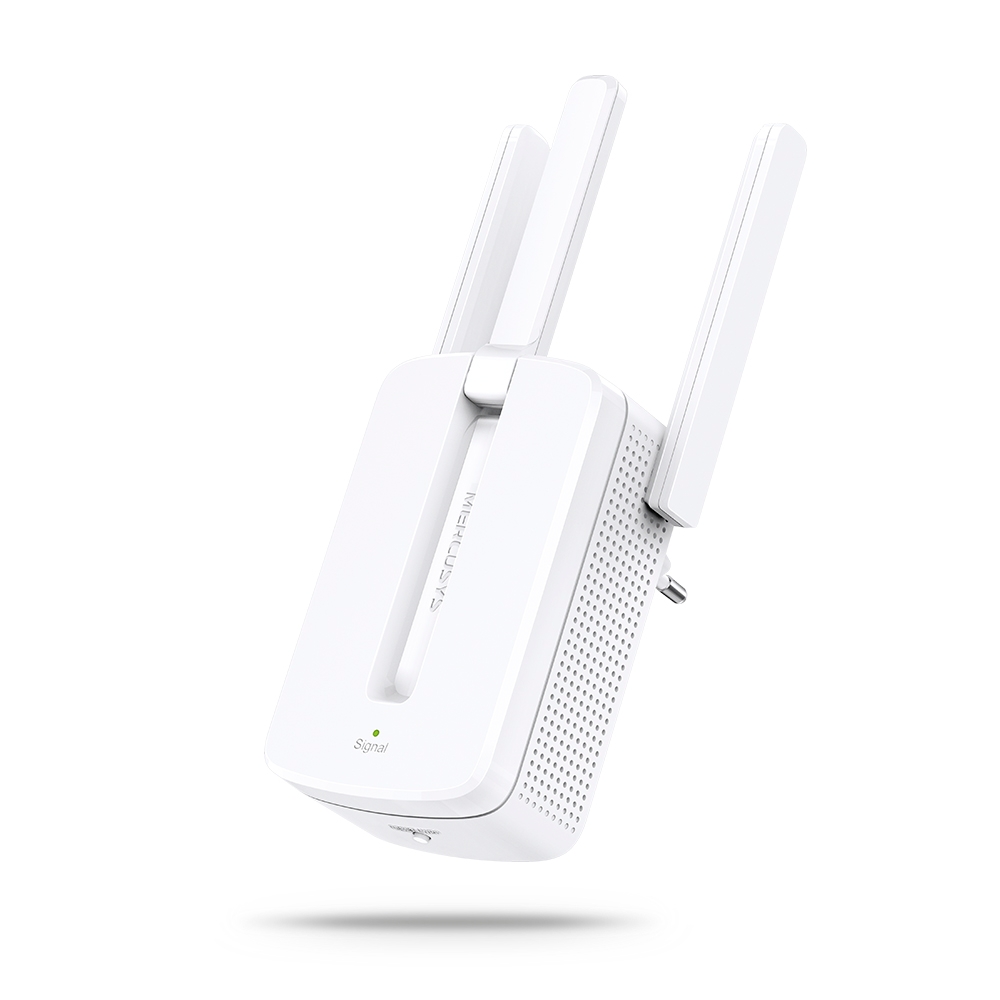
MW300RE V4
300Mbps Wi-Fi Range Extender
-
Compatible con varios idiomas
La aplicación MERCUSYS admite hasta 26 idiomas, lo que permite una fácil administración de la red para usuarios de todo el mundo.
-
English
-
Nederlands
-
Français
-
Deutsch
-
Italiano
-
日本語
-
한국어
-
Português
-
Español
-
繁體中文
-
Русский язык
-
Português Brasil
-
Español
(Latinoamérica) -
Български
-
Українська мова
-
Polski
-
Română
-
Slovenčina
-
ไทย
-
Türkçe
-
Čeština
-
Tiếng Việt
-
Eλληνικά
-
Bahasa Melayu
-
Magyar
-
עברית
-
Wireless

| Wi-Fi (6 GHz) | / |
|---|---|
| Wi-Fi Class | BE3600 |
| Wi-Fi (2.4 GHz) | 688Mbps |
| Wi-Fi (5 GHz) | 2880Mbps |
| Wireless Standards | 802.11be/ax/ac/a/b/g/n |
| Reception Sensitivity | 5GHz: 11BE EHT20 MCS0:-98dBm 11BE EHT20 MCS13:-63dBm 11BE EHT40 MCS13:-59dBm 11BE EHT80 MCS13:-56dBm 11BE EHT160 MCS13:-56dBm 2.4GHz: 11BE EHT20 MCS0:-97dBm 11BE EHT20 MCS11:-68dBm 11BE EHT40 MCS 0:-95dBm 11BE EHT40 MCS11:-64dBm |
| Max Channel Width | 160MHz |
| Max Wi-Fi Modulation | 4096 QAM |
| Wireless Security | WPA-PSK/WPA2-PSK/WPA3-SAE |
| Wireless Functions | MLO Multi-RUs Beamforming |
-
Software
| Operation Modes | Router/AP |
|---|---|
| WAN Mode | Dynamic IP/Static IP/PPPoE/L2TP/PPTP |
| DHCP | Address Reservation Server |
| NAT Forwarding | Port Forwarding UPnP |
| Protocols | IPv4/IPv6 |
| IPTV | IGMP Proxy IGMP Snooping bridge Tag VLAN |
| Guest Network | 2.4G Guest Network 5G Guest Network |
| Parental Controls | Profile Settings Time Control Pause the Internet Website Filtering |
| DDNS | MERCUSYS |
| QoS | Time Settings Priority Control |
| Easy Mesh | / |
| Security | SPI Firewall Access Control |
| ISP Feature | CWMP ISP Preset (Agile Config) |
| System | Firmware Upgrade Backup and Restore Administration System Log Time Settings Reboot |
| Diagnostics | / |
| LED Management | LED Control Night Mode |
| Device Management | MERCUSYS APP |
| Cloud | MERCUSYS ID |
| Language | / |
| Advanced Features | / |
-
Hardware
| Dimensions (W X D X H) | 128*81.3*83.7 mm(5*3.2*3.3 in) |
|---|---|
| Interfaces | 1× 2.5 Gbps Ports (WAN/LAN auto-sensing) 2× 1 Gbps Ports (WAN/LAN auto-sensing) |
| Antenna | Internal Antennas |
| Button | 1× RESET Button |
| External Power Supply | Power Adapter Output: 12V/1.5A |
| Installation | / |
| LED | 1× SYS |
| Retail Package Dimension | 323*161.5*155.5 mm |
| Units per Carton | 6 |
| Carton Dimension | 495*330*320 mm |
| Max Power Consumption | 13.32W |
-
Others
| Network Services Enabled by Default | Web Server |
|---|---|
| Package Contents | • 3× Halo H27BE Units • 1× RJ45 Ethernet Cable • 3× Power Adapters • Quick Installation Guide |
| Environment | • Operating Temperature: 0°C~40°C (32°F~104°F) • Operating Humidity: 10%~90% Non-Condensing • Storage Humidity: 5%~90% Non-Condensing |