MR80X [V1] | Router Wi-Fi 6 AX3000 Doble Banda


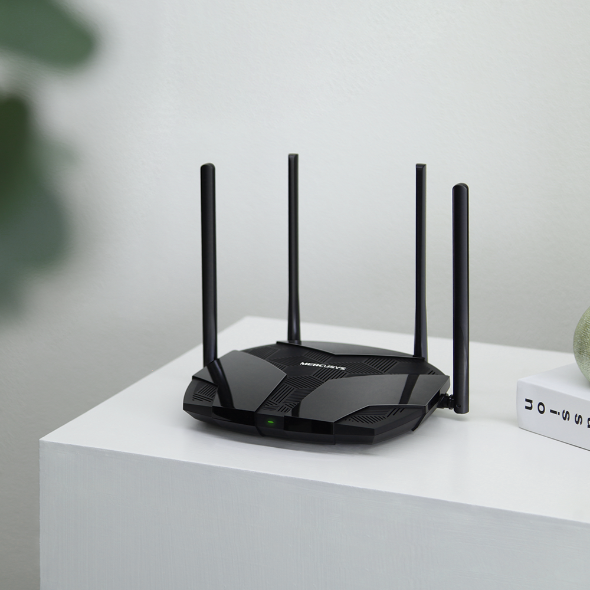


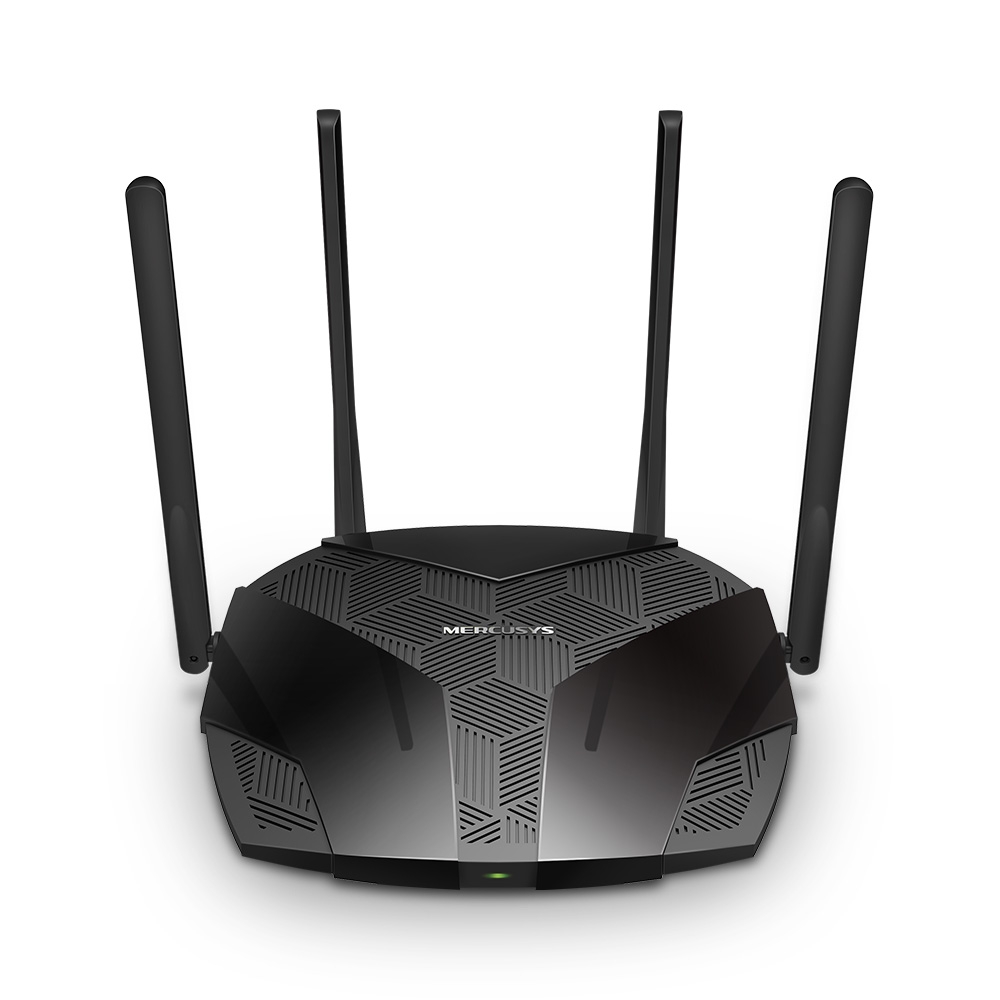




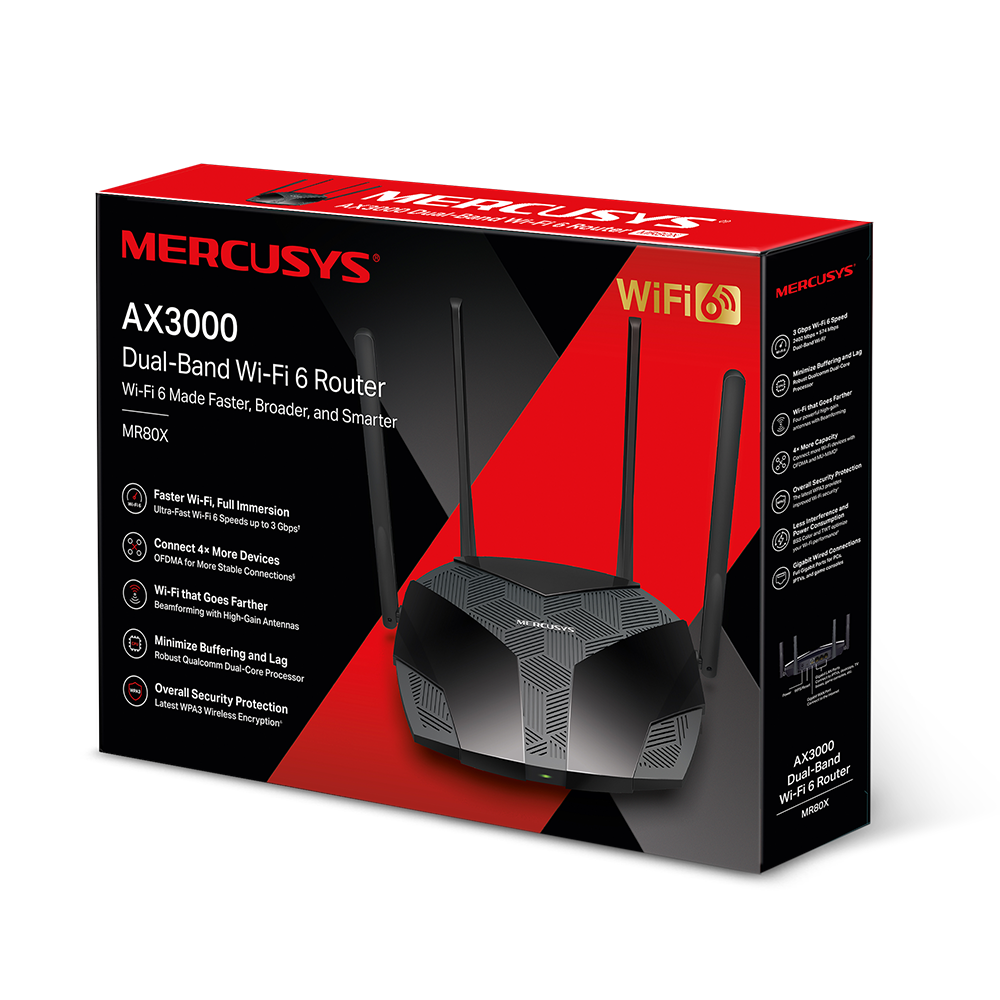
MR80X
Router Wi-Fi 6 AX3000 Doble Banda
- Velocidades Wi-Fi 6 Óptimas – Disfruta velocidades de hasta 3 Gbps para navegar, hacer streaming y descargar contenido de forma rápida y simultánea.
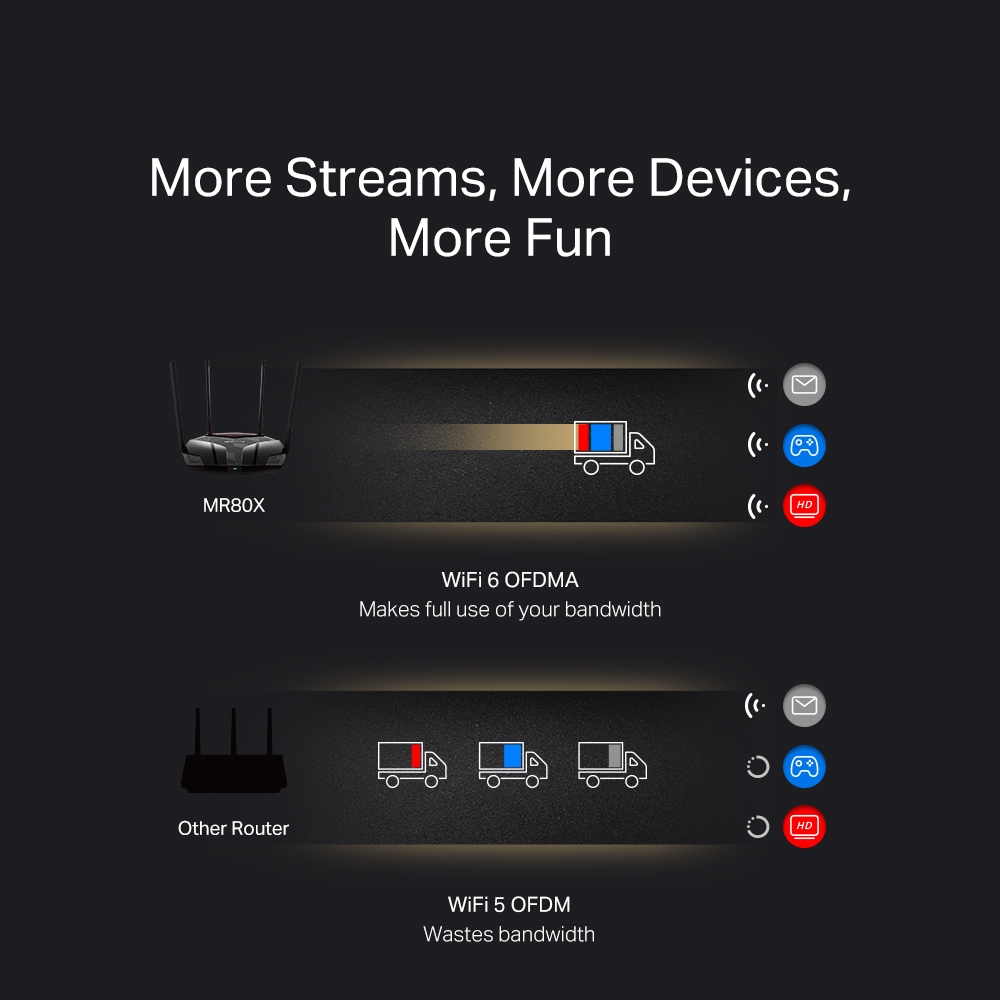
- Más Dispositivos, Más Diversión – Compatible con tecnologías MU-MIMO y OFDMA para reducir la congestión y mejorar el rendimiento hasta 4 veces.
- Wi-Fi Más Rápido y Estable – Sus 4 antenas de alta potencia con tecnología Beamforming ofrecen una conexión Wi-Fi más estable y con mayor cobertura en todo el hogar.
- Protección de Seguridad Integral – La seguridad WPA3 proporciona una protección Wi-Fi más avanzada y confiable.
- Conexiones Cableadas Gigabit – Aprovecha conexiones de alta velocidad para internet y transferencia de datos con máximo rendimiento.
- Ahorro de Energía Inteligente – La tecnología Target Wake Time (TWT) reduce el consumo energético de smartphones y dispositivos IoT durante la transmisión de datos.
- Menos Interferencias Wi-Fi – La tecnología BSS Color reduce las interferencias causadas por redes vecinas para mejorar la eficiencia de la señal.
- Smart Connect – Amplía la red mediante conexión cableada y crea una cobertura inalámbrica más amplia y eficiente.
-
watch video: Setup Video for MERCUSYS Dual Band Wi Fi 6 Router
Setup Video for MERCUSYS Dual Band Wi Fi 6 Router
Faster Speeds. Broader Access. Higher Capacity.
A New Era of Home WiFi
AX3000 Dual-Band Wi-Fi 6 Router
MR80XOptimal
WiFi 6 Speeds
up to 3 Gbps
WiFi that Goes Farther
High-Gain Antennas with Beamforming
Qualcomm
Dual-Core CPU
Minimal Latency
160 MHz Channel
Doubled Bandwidth
Connect 4×
More Devices
OFDMA and MU-MIMO
Overall Security
Protection
Access
Point Mode
Gigabit Ports
Parental
Controls
WiFi 6 – The Future is Lagless
-
ความเร็วสูงขึ้น
-
เชื่อมต่อได้มากขึ้น
-
สัญญาณรบกวนลดลง
-
ใช้พลังงานอย่างมีประสิทธิภาพ
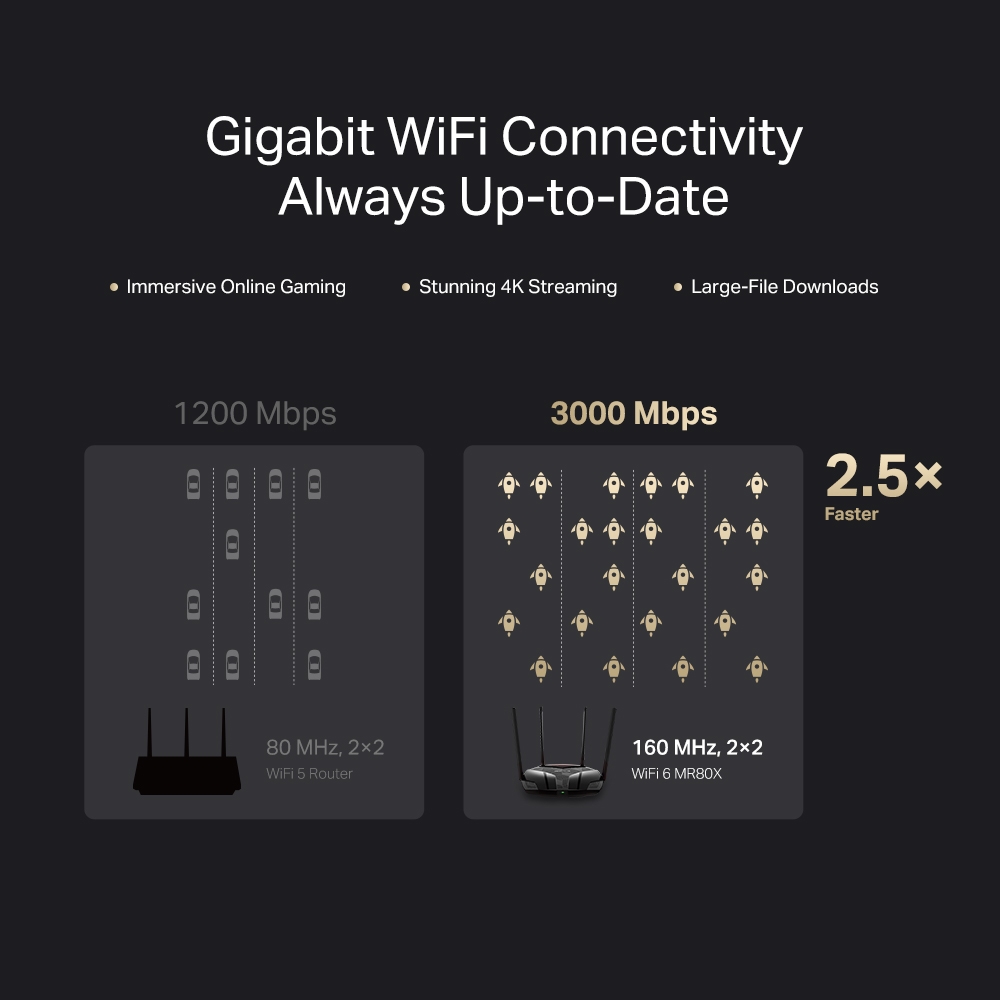
Gigabit WiFi Connectivity, Always Up-to-Date
ให้แบนด์วิธที่เพิ่มขึ้นเป็น 2 เท่าด้วยช่องสัญญาณ 160 MHz1 ทำให้ MR80X สามารถทะลายขีดจำกัดของความกว่างช่องสัญญาณก่อนหน้าและให้ความเร็วที่เหนือขึ้นไปอีกระดับเพื่ออุปกรณ์ของคุณด้วย WiFi 6 ที่ความเร็วสูงขึ้นถึง 3 Gbps2 ให้คุณดาวน์โหลดไฟล์ขนาดใหญ่เสร็จในเวลาไม่กี่นาที และให้ประสบการณ์ในการับชมวิดีโอสตรีมมิ่ง 4K โดยไม่สะดุด
1200 Mbps
80 MHz, 2×2
เราเตอร์ WiFi 5
3000 Mbps
160 MHz, 2×2
WiFi 6 MR80X
เร็วขึ้น
2.5 เท่า
More Targeted Signals that Penetrate Walls
เสารับส่งสัญญาณกำลังสูง 4 เสา พร้อมตัวขยายสัญญาณเพื่อให้สัญญาณ WiFi ที่แรงและครอบคลุมพื้นที่มากขึ้น พร้อมเทคโนโลยี Beamforming ตรวจจับอุปกรณ์ที่เชื่อมต่อและบีบสัญญาณตรงไปยังอุปกรณ์นั้น เพื่อให้การเชื่อมต่อของคุณเสถียรมากขึ้น
เราเตอร์ทั่วไป
ไม่มี Beamforming
MR80X
The Latest WPA3 Protects Your Personal Network
WPA3 มาตรฐานรักษาความปลอดภัยล่าสุด ให้การป้องกัน WiFi ที่ครอบคลุมที่ได้รับการปรับปรุงเพื่อปกป้องอุปกรณ์และข้อมูลส่วนตัวของคุณจากการโจมตีแบบ Brute-Force4
-
ป้องกันการโจมตี Brute-Force
ให้การป้องกันที่แข็งแกร่งแม้ว่าคุณจะใช้รหัสผ่านที่ไม่รัดกุมก็ตาม
-
ระบบส่งต่อความลับขั้นสูง
ป้องกันข้อมูลไม่ให้ถูกสอดแนม
-
การเข้ารหัส 128 บิตที่ไม่สามารถเจาะได้
สร้างการป้องกันอย่างแข็งขันจากภัยคุกคามความปลอดภัยและผู้บุกรุก
Smart Connect
Assigns Devices to the Best Band Automatically
ฟังก์ชัน Smart Connect ให้เครือข่ายไร้สายของ MR80X ใช้การตั้งค่าเครือข่ายไร้สายร่วมกัน ช่วยรักษาสมมดุลของความต้องการเครือข่ายและกำหนดให้อุปกรณ์ของคุณเชื่อมต่อกับคลื่นสัญญาณที่ให้คุณภาพสัญญาณและความเร็วที่ดีที่สุด ช่วยรักษาการเชื่อมต่อของอุปกรณ์ของคุณให้ทำงานได้อย่างเป็นปรกติแม้ว่าคุณจะเดินไปรอบบ้านก็ตาม
Powerful Qualcomm Chipset Minimizes Buffering and Lag
ด้วยการรวมกันของชิปเซ็ต WiFi 6 ของ Qualcomm กับ CPU ดูอัลคอร์ 64 บิต และโปรเซสเซอร์เครือข่ายขั้นสูงที่ตั้งโปรแกรมได้ 12 เธรด ทำให้ MR80X สามารถเชื่อมต่ออุปกรณ์ด้วยความเสถียรได้สูงถึง 256 อุปกรณ์5 เครือข่ายของคุณสามารถจัดการกับปริมาณการรับส่งข้อมูลจำนวนมหาศาล ช่วยให้งานที่ใช้แบนด์วิธจำนวนมากทำงานได้อย่างราบรื่นในเวลาเดียวกัน
เชื่อมต่อได้สูงถึง
256 อุปกรณ์
Easy Setup with MERCUSYS App
แอปพลิเคชัน MERCUSYS มอบวิธีที่ง่ายที่สุดเพื่อการตั้งค่าอุปกรณ์ในเวลาไม่กี่นาที สามารถจัดการ WiFi ของคุณจากที่บ้านหรือนอกบ้านได้ ผ่านอุปกรณ์ iOS หรือ Android ของคุณ


Easily Manage Your Home Network
-
ระบบควบคุมโดยผู้ปกครอง
กำหนดนโยบายที่เหมาะสมเพื่อปกป้องเด็กในการเข้าใช้งานอินเทอร์เน็ตอย่างมีความรับผิดชอบและปลอดภัย
-
Guest Network
อนุญาตให้แขกเข้าใช้งาน WiFi ของคุณ—พร้อมปกป้องความเป็นส่วนตัวของคุณ—เพื่อการใช้งานที่ง่ายและปลอดภัย
-
Quality of Service
กำหนดความสำคัญให้กับอุปกรณ์เพื่อการใช้งานที่ดียิ่งขึ้น
Multi-Mode for Flexible Application
-
 อินเทอร์เน็ตอุปกรณ์ที่เชื่อมต่อ
โหมด Router
สร้างเครือข่ายไร้สายเพื่อการเชื่อมต่ออุปกรณ์ผ่าน WiFi
-
 อินเทอร์เน็ตเราเตอร์อุปกรณ์ที่เชื่อมต่อ
โหมด Access Point
ขยายเครือข่ายผ่านสายและสร้างเครือข่ายไร้สาย
Rigorous Testing for High-Quality Products
-
ทดสอบความเสถียร UES
≥ 1500 ชั่วโมง
การทำงานในสภาพแวดล้อมที่มีอุปกรณ์มากมาย
-
ทดสอบการ เปิด/ปิด อุปกรณ์
≥ 10,000 รอบ
จำนวนสะสมมากกว่า 3 สถานการณ์
-
ทดสอบในสภาพแวดล้อมที่รุนแรง
≥ 7200 ชั่วโมง
อุปกรณ์ทำงานอย่างต่อเนื่องในสถาพแวดล้อมที่รุนแรง
-
ทดสอบการสั่นสะเทือน
≥ 100 รอบ
การทดสอบสะสมร่วมกับอุปกรณ์หลายชิ้นเพื่อความทนทานของผลิตภัณฑ์
-
ทดสอบการตก
≥ 30 รอบ
ทดสอบการตกจาก 6 พื้นผิว ในระดับความสูง 80 ซม. ไปบนพื้นคอนกรีต
-
ทดสอบการใช้งานหน่วยความจำ
≥ 900,000 รอบ
ทดสอบการอ่านและเขียนหน่วยความจำแบบต่อเนื่อง
*ข้อมูลทั้งหมดจากการวิจัยทดสอบของ MERCUSYS
El uso de 802.11ax (Wi-Fi 6) y funciones como OFDMA, canales de 160 MHz, MU-MIMO, 1024-QAM, BSS Coloring y Target Wake Time (TWT) requiere dispositivos compatibles con estas tecnologías. El ahorro de energía mediante TWT puede variar según las condiciones de la red, los dispositivos conectados y factores ambientales. Los canales de 160 MHz pueden no estar disponibles en la banda de 5 GHz en algunos países o regiones debido a regulaciones locales. Las velocidades máximas de transmisión inalámbrica se basan en las especificaciones del estándar IEEE 802.11. El rendimiento real y la cobertura Wi-Fi pueden variar dependiendo de las condiciones de la red, las limitaciones de los dispositivos conectados y factores ambientales, incluyendo materiales de construcción, obstáculos físicos, nivel de tráfico y ubicación de los dispositivos. El estándar 802.11ax (Wi-Fi 6) está diseñado para mejorar significativamente el rendimiento en entornos de alta densidad de usuarios, ofreciendo hasta 4 veces más capacidad promedio por dispositivo en comparación con generaciones anteriores. Para utilizar WPA3, los dispositivos conectados también deben ser compatibles con WPA3. “256 dispositivos” corresponde al número total de dispositivos conectados simultáneamente en las bandas de 2.4 GHz y 5 GHz bajo condiciones de prueba. La velocidad real de la red puede verse limitada por la velocidad de los puertos Ethernet WAN o LAN del equipo, la capacidad del cable de red, las condiciones del proveedor de internet y factores ambientales. Los dispositivos compatibles con EasyMesh pueden crear una red Mesh junto con otros equipos compatibles con EasyMesh. La compatibilidad puede variar según el firmware de cada fabricante. Algunas funciones EasyMesh aún están en desarrollo y podrán habilitarse mediante futuras actualizaciones de software. Este producto es compatible con la tecnología EasyMesh, pero no cuenta con la certificación oficial Wi-Fi EasyMesh™.
MERCUSYS
The MERCUSYS app provides the easiest way for you to set up in minutes and manage your WiFi at home or away through your iOS or Android devices.
MERCUSYS Helps You Set Up in A Few Steps
Without any technical know-how or reading complicated instructions, simply follow the in-app instructions. Set up your mesh network in minutes.
-
 Halo Power Cable Ethernet Cable
Step 1
Find what you’ll need in the box
-

Step 2
Plug in your devices
-

Step 3
Follow the on-screen directions with the MERCUSYS app
Manage Your WiFi in Real Time
With the MERCUSYS app, experience live network management. See who’s connecting to your network and manage it at any time with your iOS or Android devices.


Notice: The configuration page of different models may be different, please refer to the actual one.
Powerful Parental Controls
Easily manage your kids’ online time and content to create a safe and healthy online environment.
-
Create User Profiles
Create a profile for each family member you would like to manage. Assign devices to the profile to set access controls and time limits for them.
-
Online Time Limits
Set daily limits on how long your kids spend online and prevent them from accessing the internet on their devices for a long time to build a healthy network habit.
-
Block Inappropriate Websites
Control which sites your kids visit by setting a block list.
-
Pause Internet Connection
Suspend family members’ internet connections to take a break from the virtual world to enjoy some family time.
Manage and Secure Your Home Network
The MERCUSYS app helps you manage your WiFi at home or away through your iOS or Android devices.

Check the Status of Connected Devices
Intuitively view the working status of your Halo network and see what is connected. Prioritize or block devices as needed.

Quality of Services
Prioritizes devices you select to perform better.

New Device Access Alert
The MERCUSYS app proactively sends out an alert to inform you when an unfamiliar device is connected. Tap to block the device if it is a security risk.

Set Up a Guest Network
Provides a separate network for guests to ensure your security and privacy.
Everything in One App
Whether you’re looking to control a wide range of MERCUSYS routers, extenders, or Halo mesh systems, find it all on the app.
See what’s compatibleCompatible Products
Note: The device's firmware requires the latest version. Click here to learn how to upgrade your firmware.
Note: Both listed and higher hardware versions of these models are compatible with the MERCUSYS app.
Supporting Multiple Languages
MERCUSYS app supports up to 26 languages, enabling easy network management for users all over the world.
-
English
-
Nederlands
-
Français
-
Deutsch
-
Italiano
-
日本語
-
한국어
-
Português
-
Español
-
繁體中文
-
Русский язык
-
Português Brasil
-
Español
(Latinoamérica) -
Български
-
Українська мова
-
Polski
-
Română
-
Slovenčina
-
ไทย
-
Türkçe
-
Čeština
-
Tiếng Việt
-
Eλληνικά
-
Bahasa Melayu
-
Magyar
-
עברית
-
Wireless

| Wireless Standards | Compatible with 802.11ax/ac/a/b/g/n Wi-Fi standards |
|---|---|
| Signal Rate | 2402 Mbps (5 GHz) + 574 Mbps (2.4 GHz) |
| Reception Sensitivity | 11g 6Mbps: -97dBm |
| Transmission Power | 2.4 GHz < 20dBm (EIRP) |
| Wireless Security | WEP, WPA / WPA2-Personal, WPA2 / WPA3-Personal |
| Wireless Functions | Enable/Disable Wireless Radio, WMM |
-
Software
| WAN Type | Dynamic IP/Static IP/PPPoE/L2TP/PPTP |
|---|---|
| Management | Access Control |
| DHCP | Server, DHCP Client List |
| NAT Forwarding | Port Forwarding, Port Triggering, UPnP, DMZ |
| Firewall Security | SPI Firewall, IP and MAC Address Binding |
| Guest Network | 2.4 GHz Guest Network, 5 GHz Guest Network |
| VPN Sever | OpenVPN, PPTP supported |
-
Hardware
| Dimensions (W X D X H) | 8.2 × 6.8 × 1.6 in |
|---|---|
| Interfaces | 1× Gigabit WAN Port + 3× Gigabit LAN Ports |
| Button | Reset/WPS Button |
| Antenna Type | 4× 5 dBi Fixed Omni-Directional Antennas |
-
Others
| Package Contents | • AX3000 Wi-Fi 6 Router MR80X |
|---|---|
| Environment | • Operating Temperature: 0°C~40°C (32°F~104°F) |