What can I do if I forget my password of MERCUSYS account (MERCUSYS ID)?
Introduction
If you have forgotten the password of the MERCUSYS account, you can refer to the following steps to create a new password so that you can log in to the MERCUSYS app to control the MERCUSYS devices.
Requirement
Scan the QR code below or go to Google Play or the App Store to download the MERCUSYS App. Install the App on your Android or iOS smartphone or tablet.

Troubleshooting
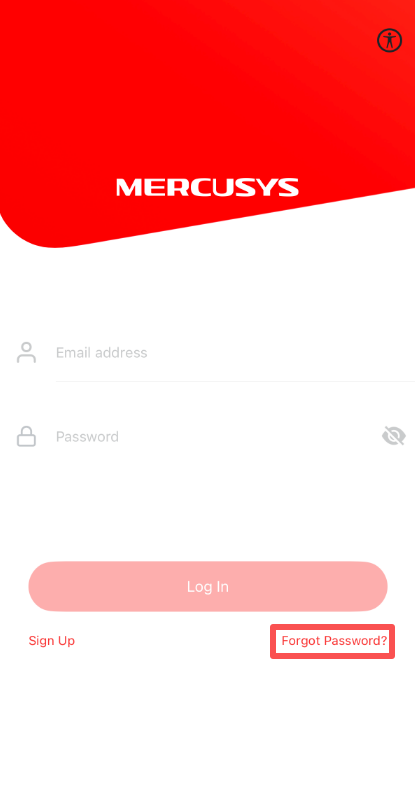
Step 1. On the “Log In” page, click on “Forgot Password”.
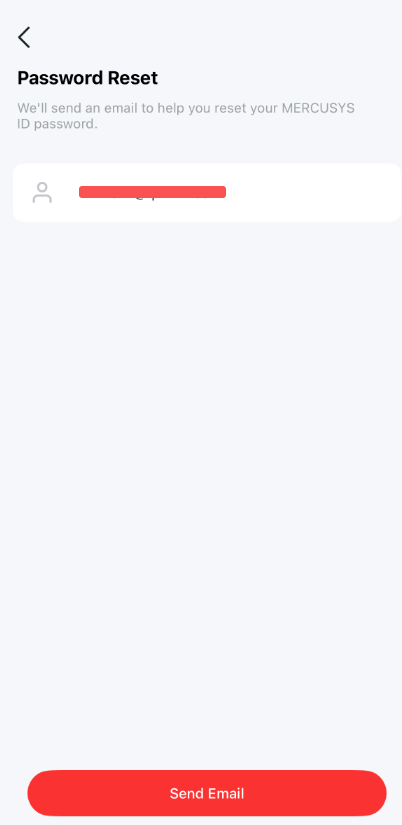
Step 2. Input your MERCUSYS account, then click on “Send Email”.
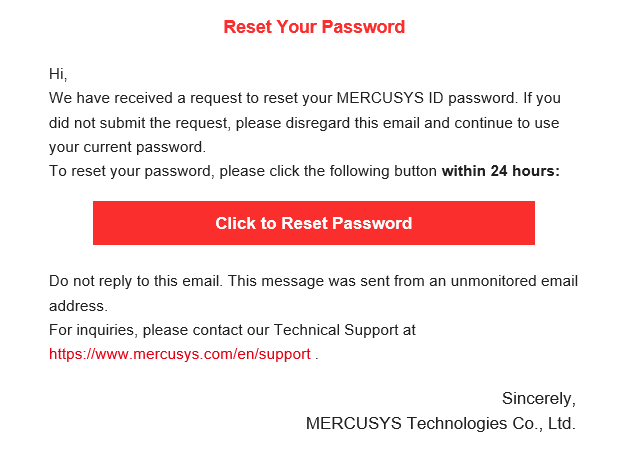
Step 3. Open the email, click on “Click to Reset Password”, it will lead you to a reset password page on the cloud website.
Step 4. Input the new password for your MERCUSYS account and confirm the password, then click on “Save”.
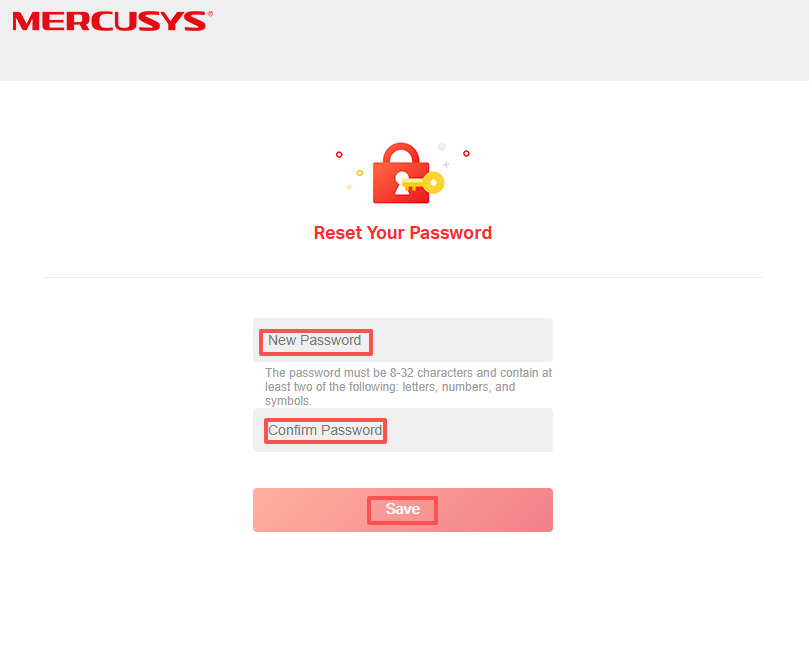
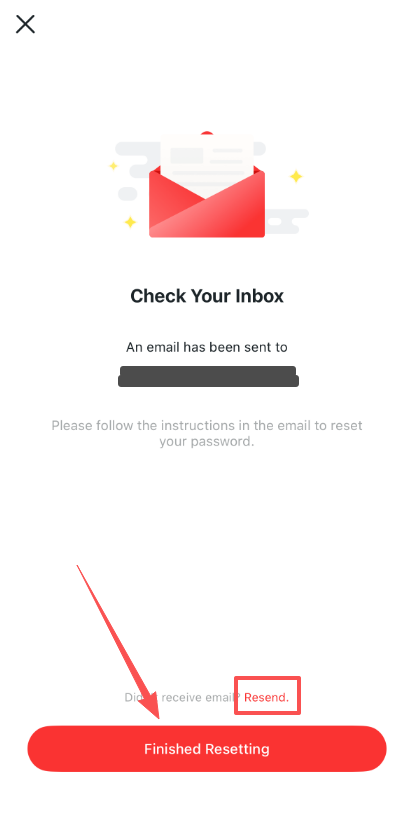
Step 5. Now you have finished password reset steps. Please go back to MERCUSYS App, click on “Finished Resetting”, then you can log into your MERCUSYS App with your new password.
If you don’t receive the reset email within 60 seconds, please click on “Resend” on the App, and please ensure you have entered the correct email address.