-
Produse
Modem/GatewayExtinderea rețelei
- Suport
- Despre noi
- Cumpără
- România / română
How to change the password of my MERCUSYS account (MERCUSYS ID)
A MERCUSYS cloud account, which is also called a MERCUSYS ID, is used to bind and remotely manage MERCUSYS devices. This article explains how to change the password of your MERCUSYS ID.
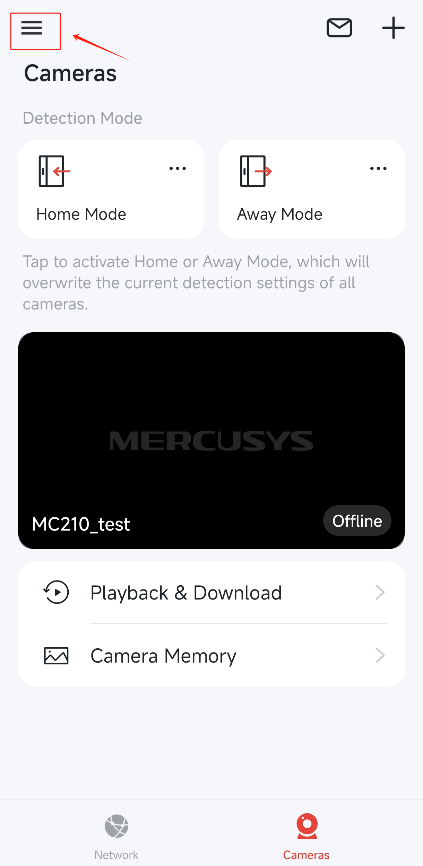
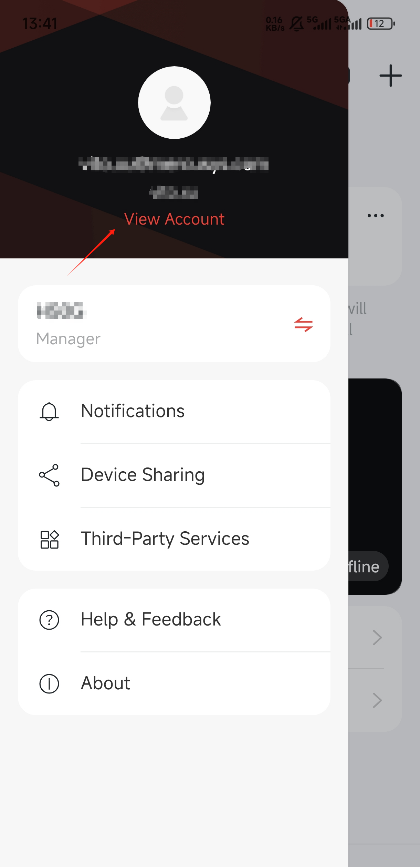
1. Log in to the MERCUSYS App, tap the icon on the upper left corner of Home page. Tap View Account to check your account information.
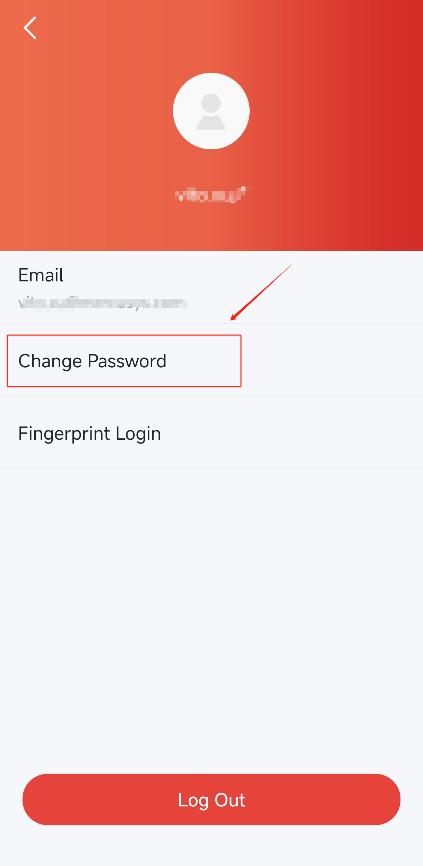
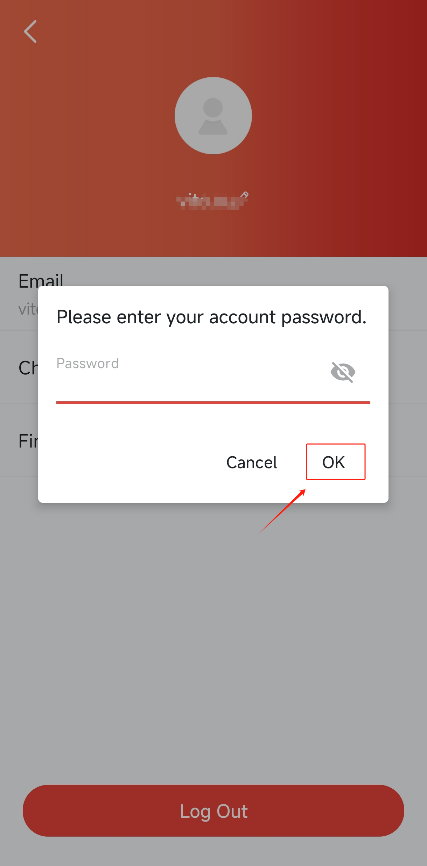
2. Tap Change Password, and enter your current account password on the window that pops up, then click OK.
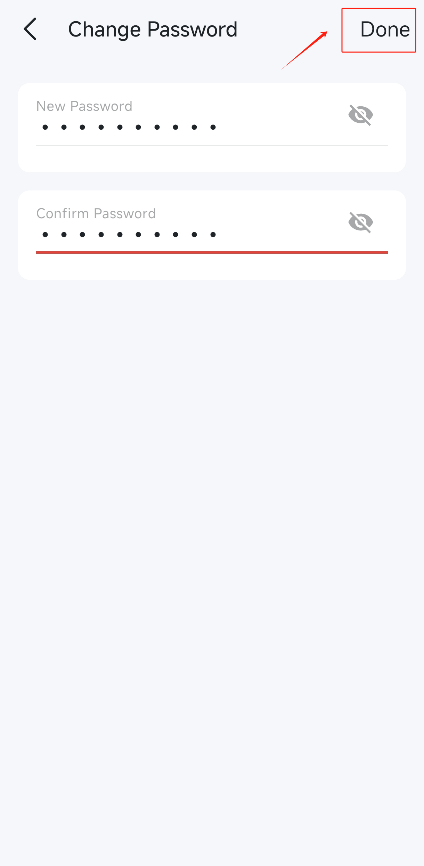
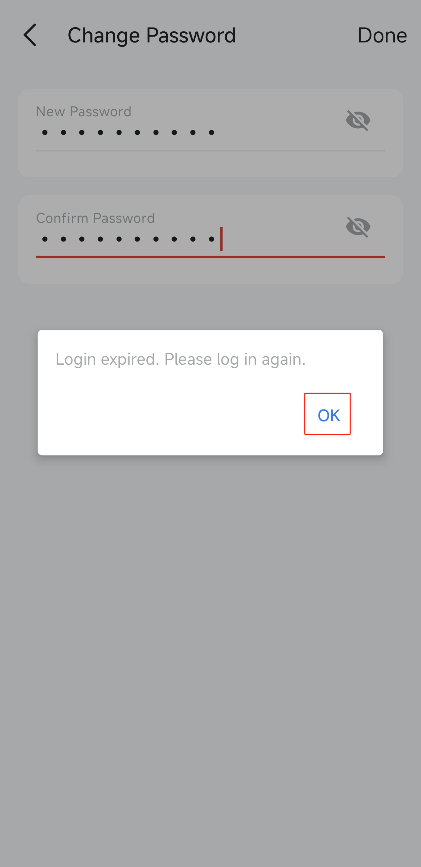
3. Enter your new password, and click Done. Then Log in again with the new password of your MERCUSYS ID.
If you forget the password, please refer to What can I do if I forget my password of MERCUSYS account (MERCUSYS ID)? to create a new password.
Get to know more details of each function and configuration please go to Support Center to download the manual of your product.