MB135-4G [V1] | AC1200 Wireless Dual Band 4G LTE Router
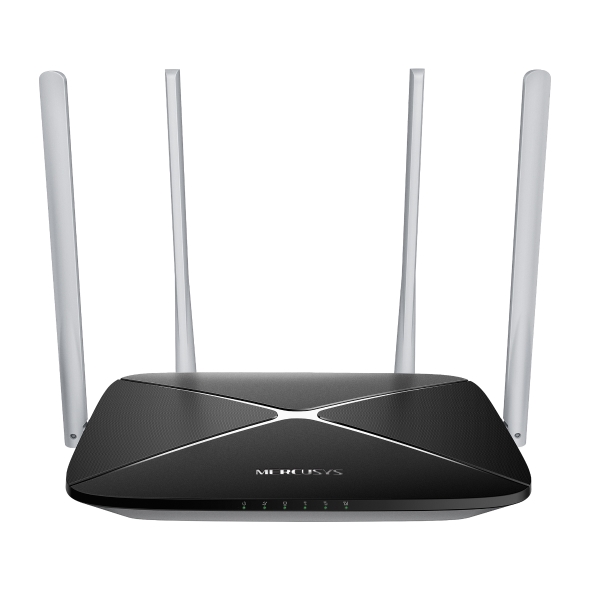
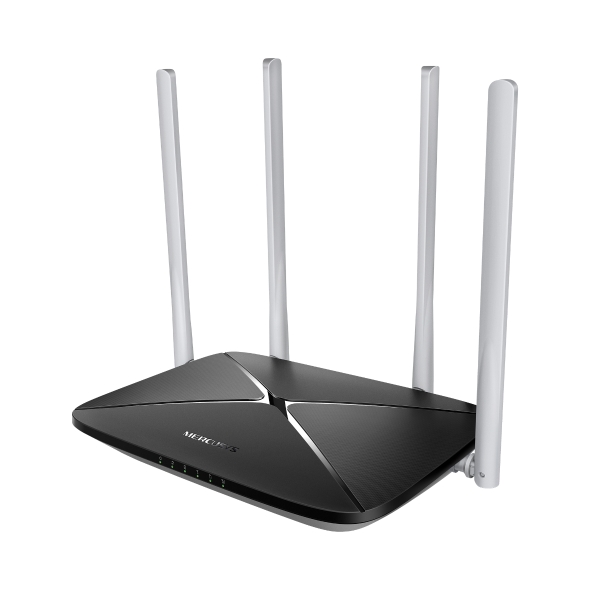

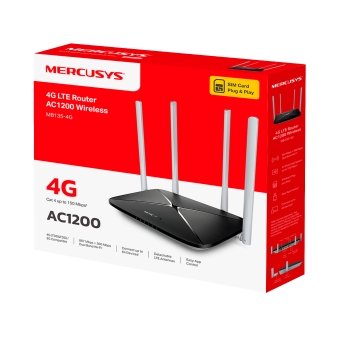
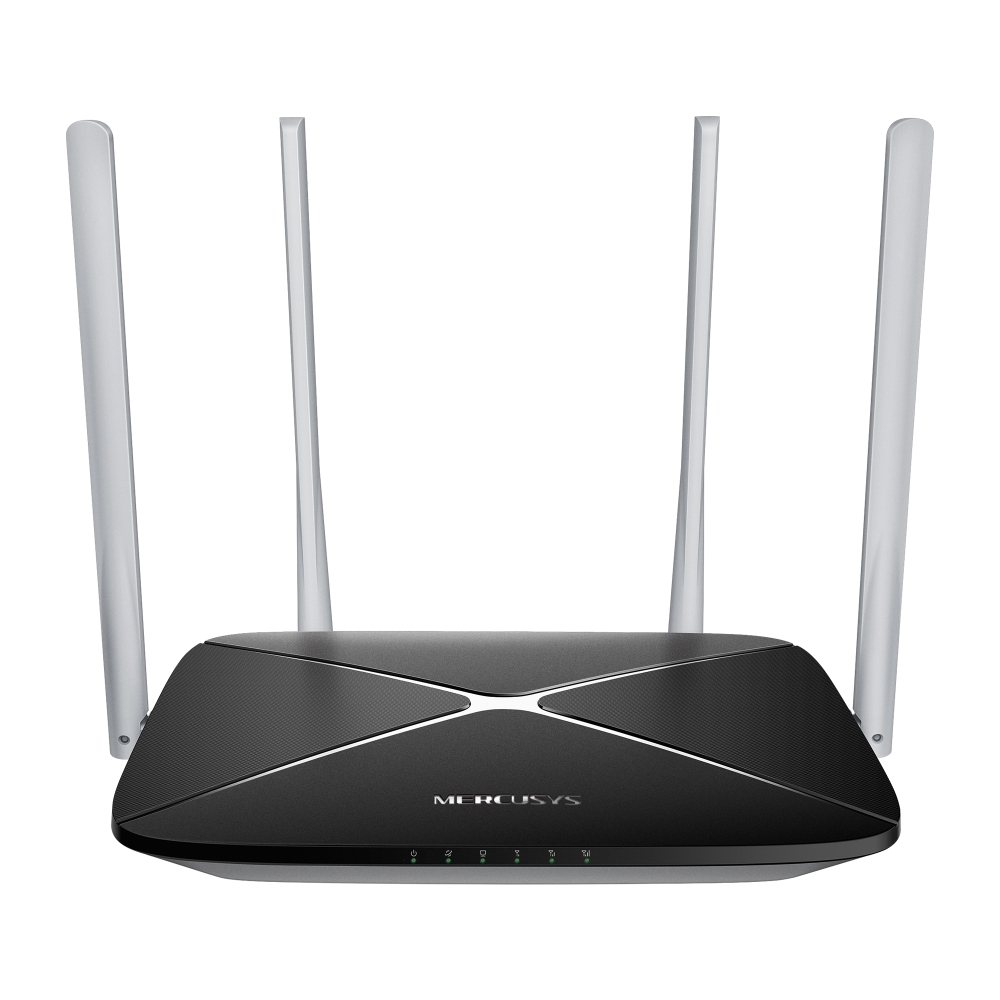
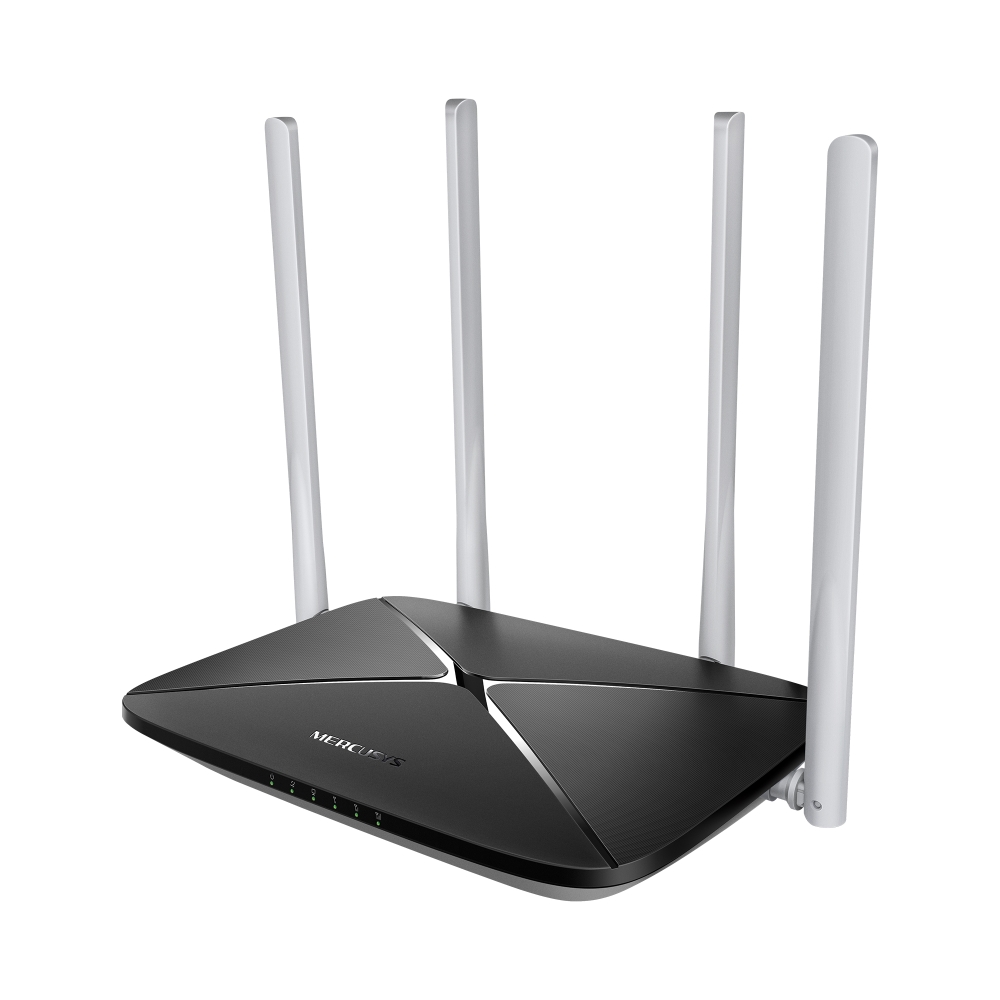
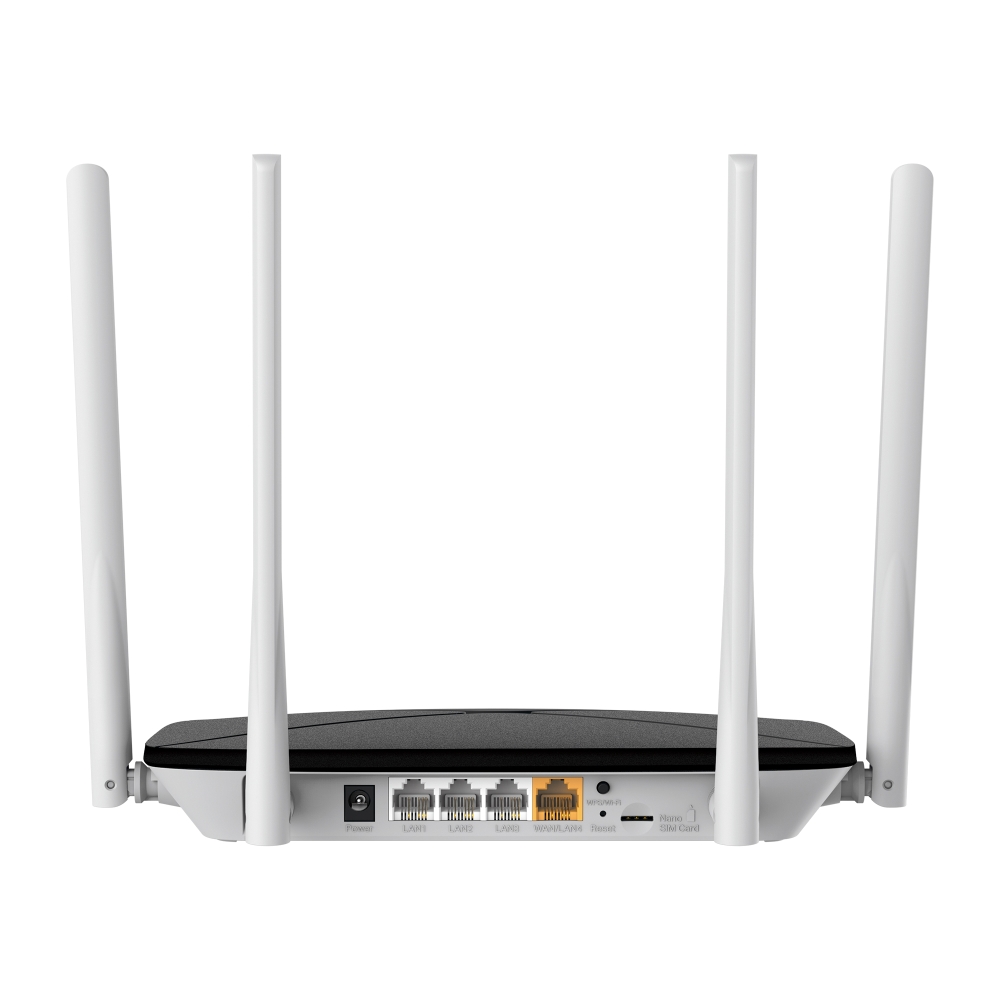

MB135-4G
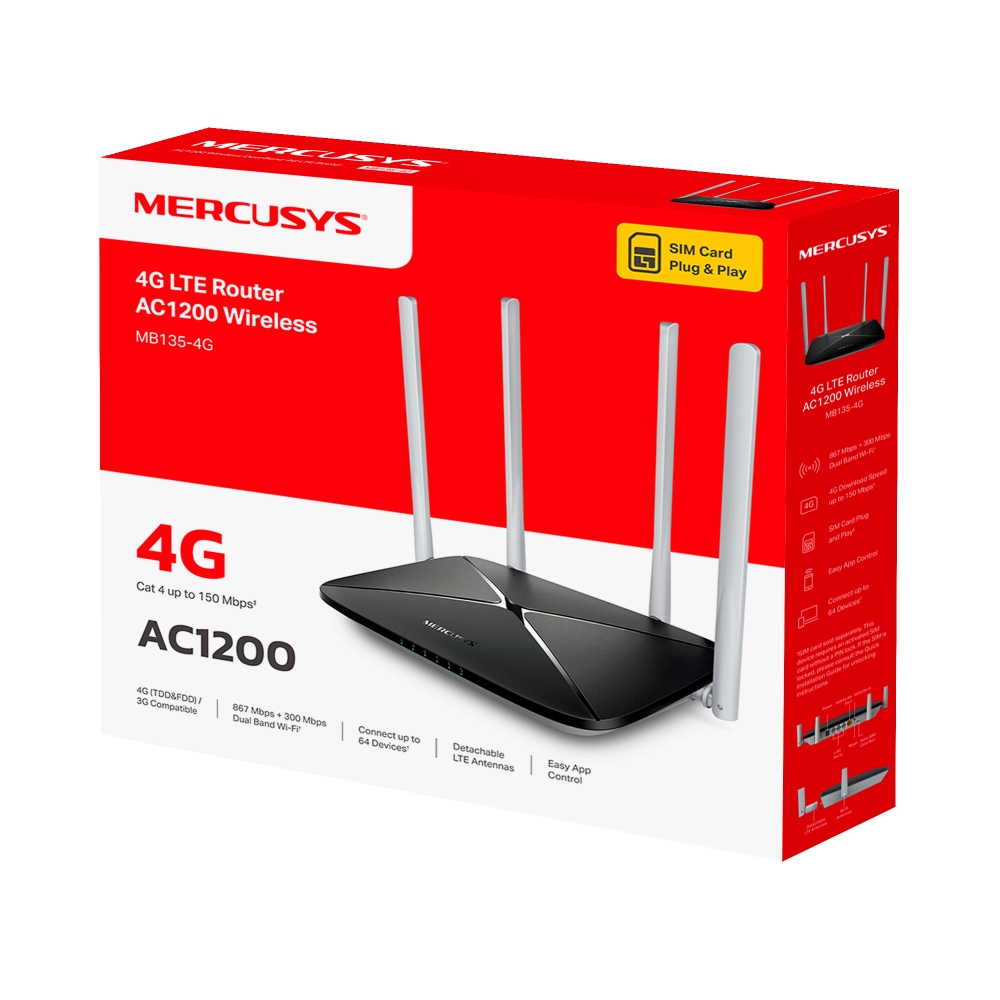
AC1200 Wireless Dual Band 4G LTE Router
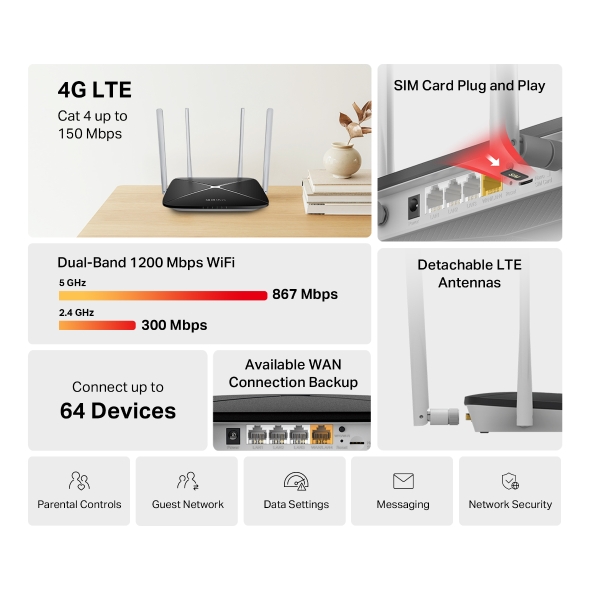
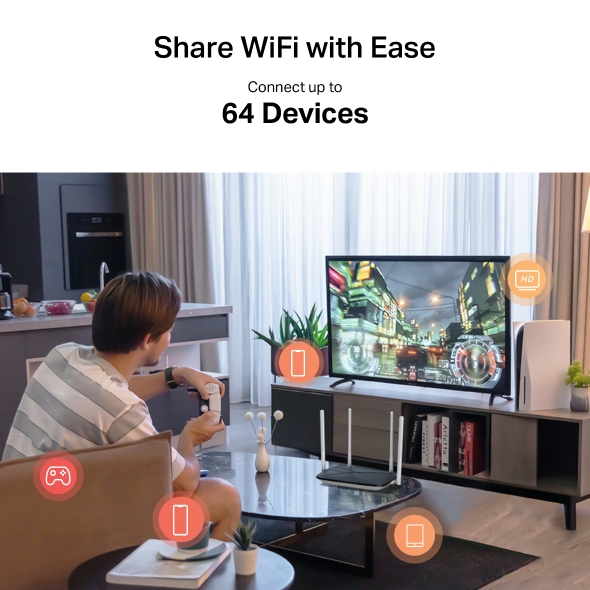
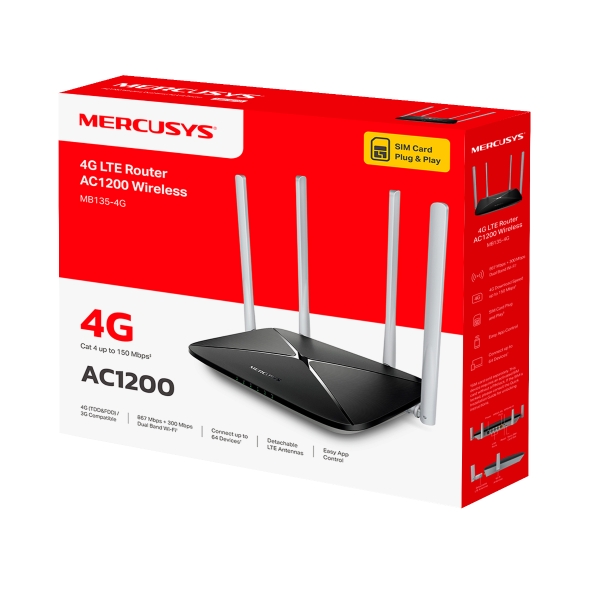
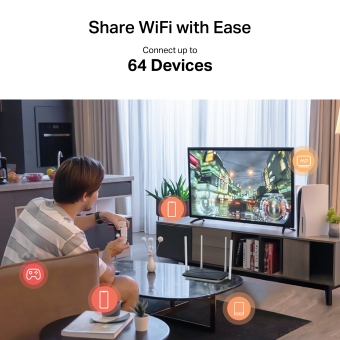
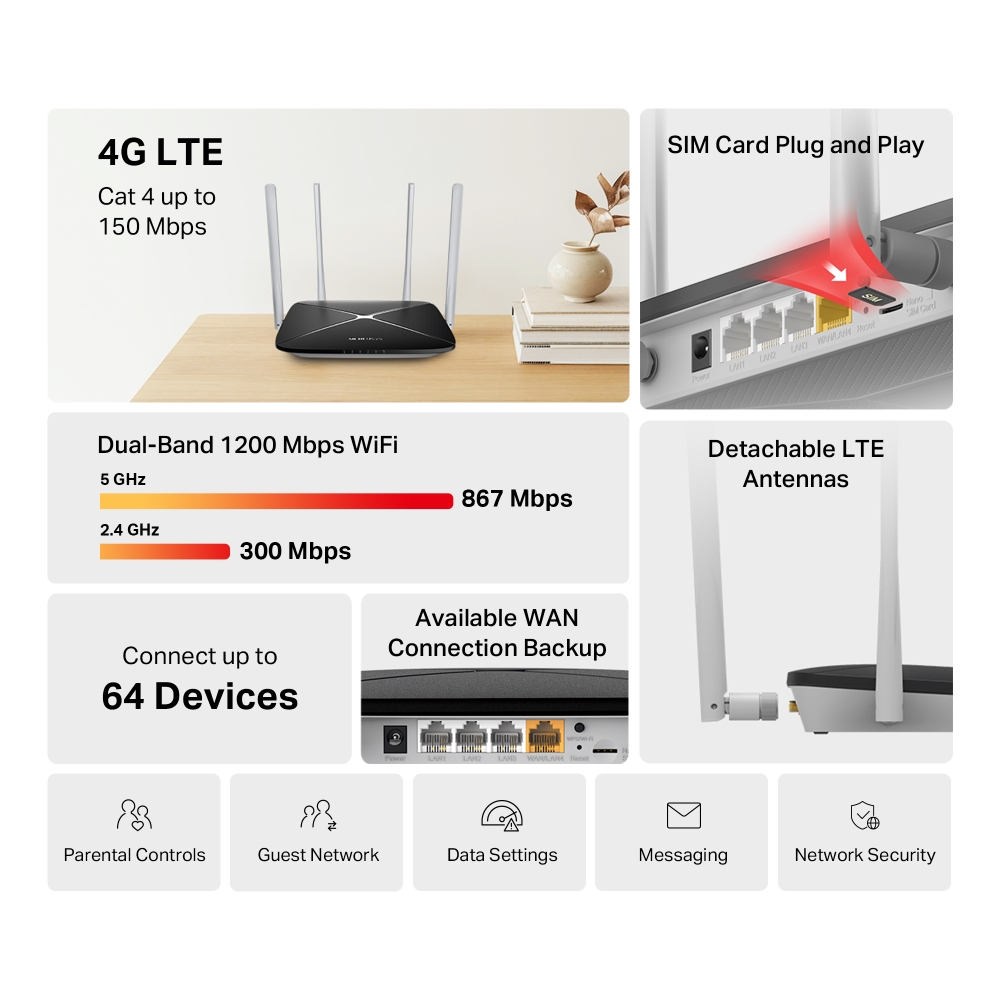
- Rețea 4G – Partajează accesul la internet cu până la 64 de dispozitive Wi-Fi și bucură-te de viteze de descărcare de până la 150 Mbps
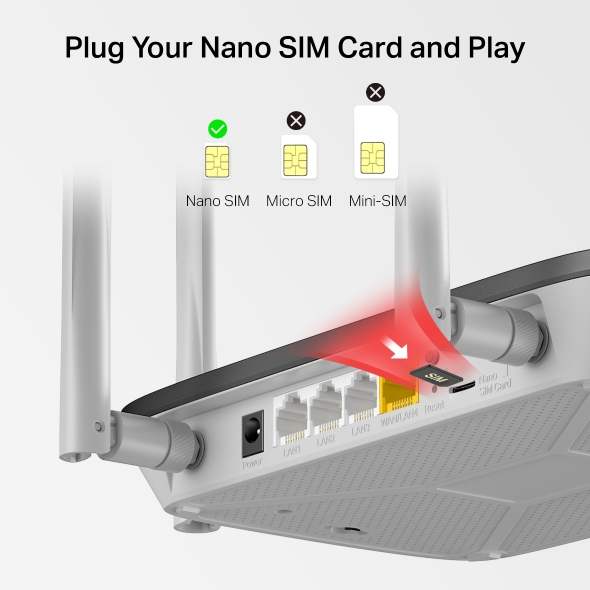
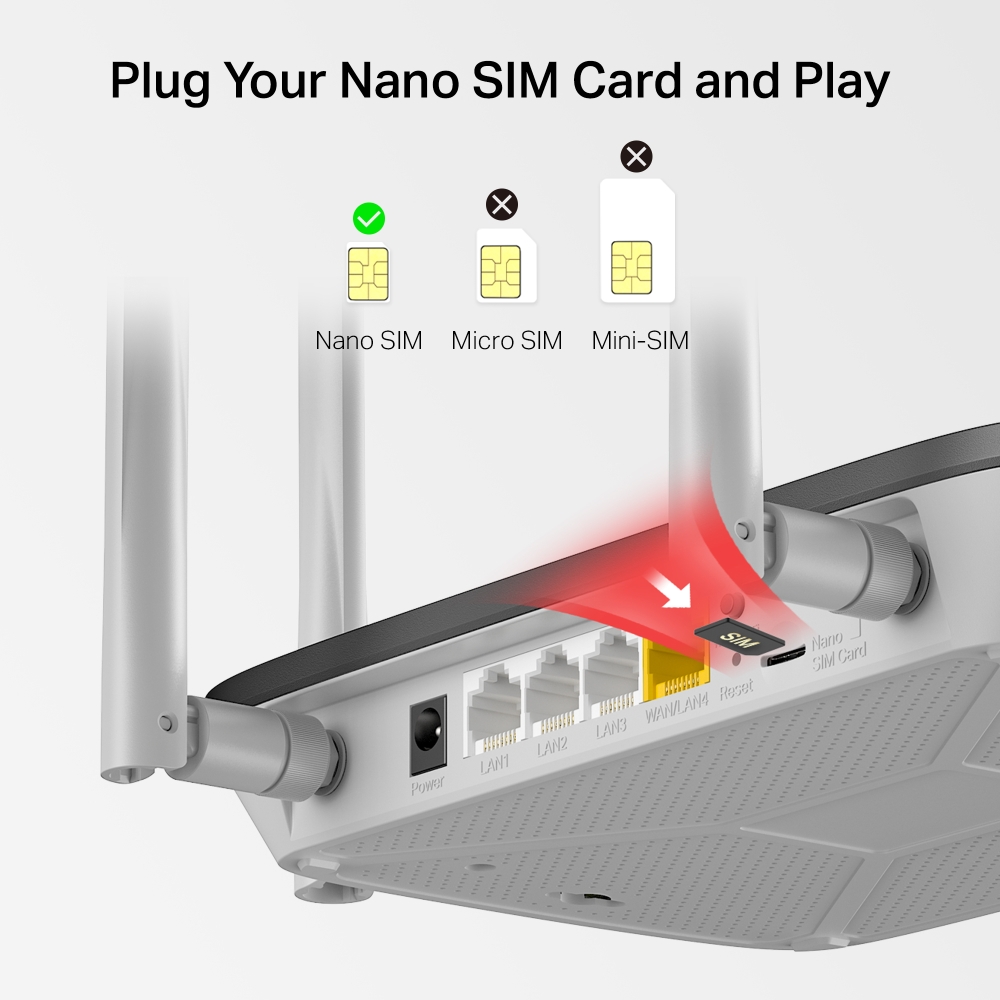
- Introdu cartela SIM și folosește-l direct – Nu sunt necesare configurații, compatibilitatea cartelelor SIM este asigurată de ani de teste pe teren*
- WiFi Dual Band 1200 Mbps – Viteze de conectare WiFi rapide de până la 300 Mbps pe banda de 2.4 GHz și 867 Mbps pe banda de 5 GHz.
-
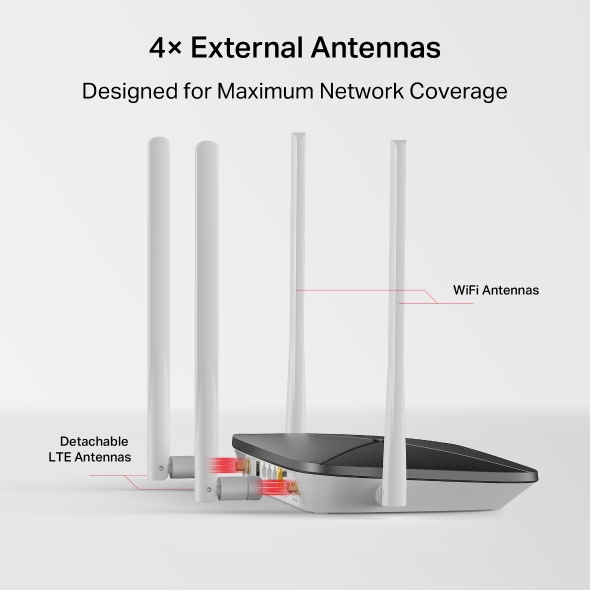
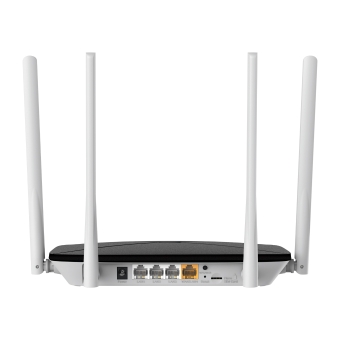
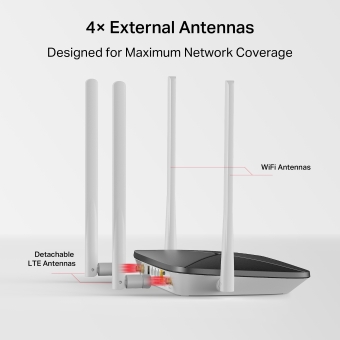
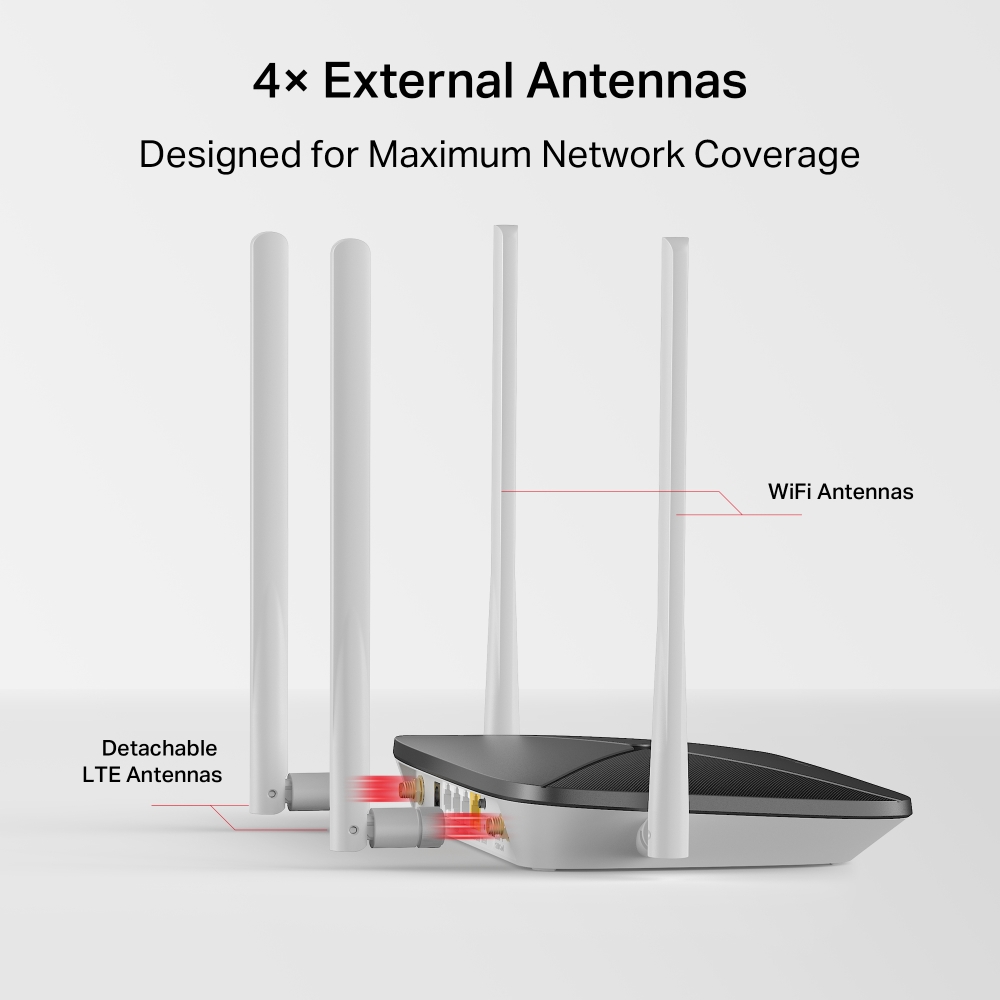
Acoperire maximă a rețelei – Bucură-te de conexiuni stabile și eficiente cu fiecare dispozitiv datorită celor patru antene externe
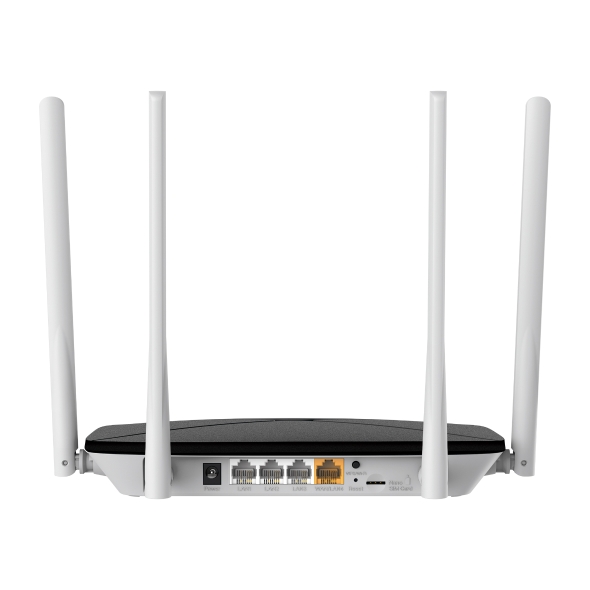
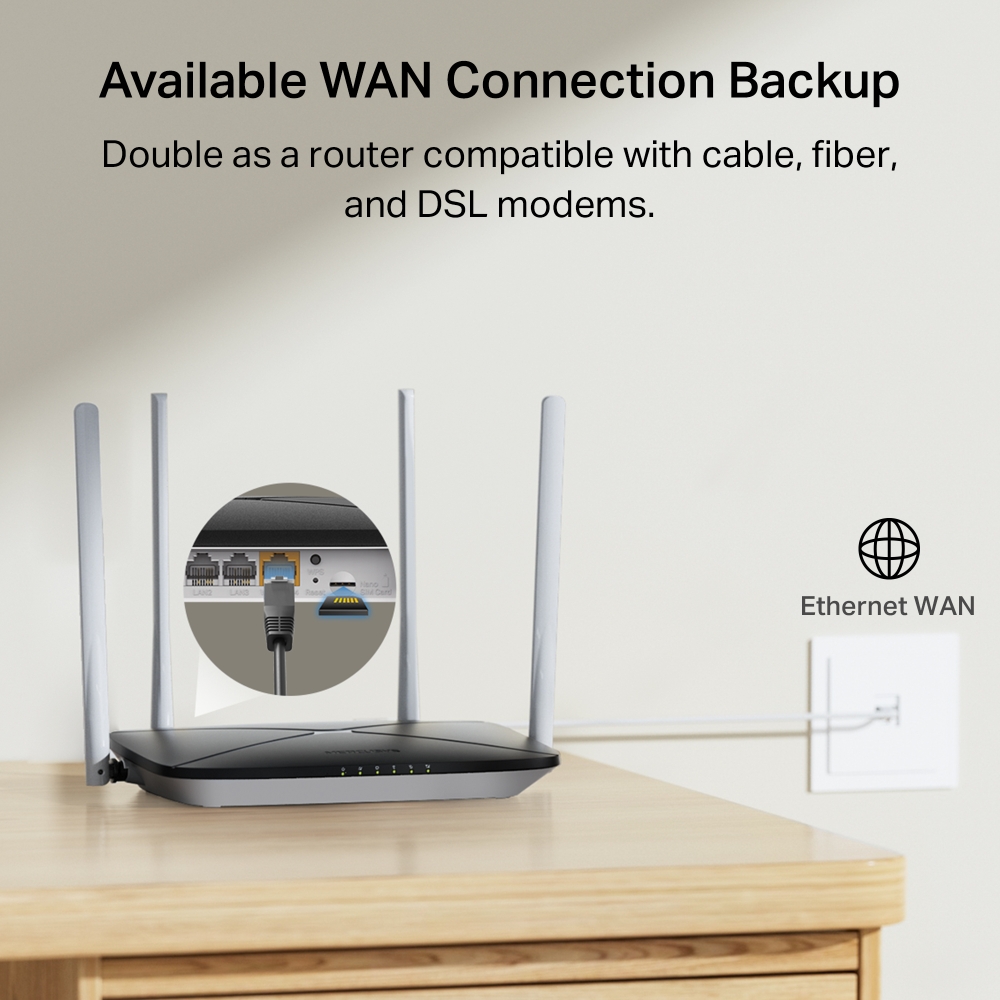
- Mod router Wi-Fi – Conectează un cablu Ethernet la portul LAN/WAN pentru acces flexibil dacă nu poți obține o conexiune 4G
*Notă: Asigură-te că este deblocată cartela SIM.
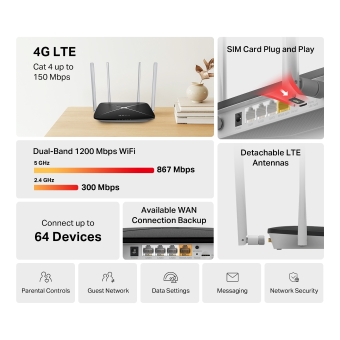
4G LTE
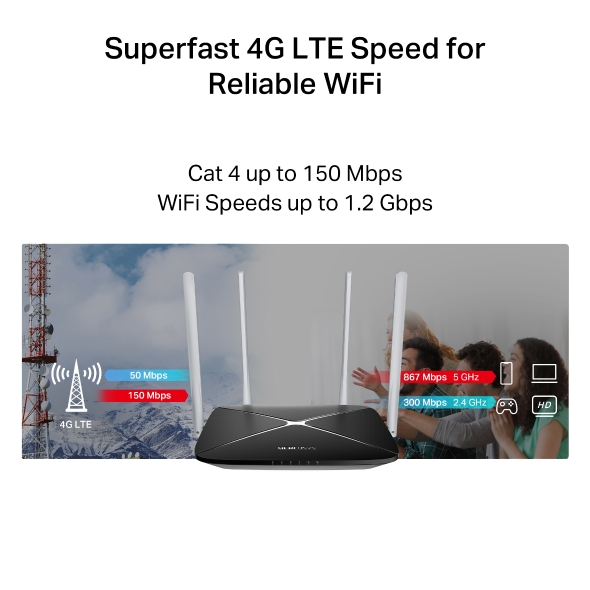
Cat 4 până la 150 Mbps
Card SIM Plug and Play
Antene LTE detașabile
Dual Band 1200 Mbps WiFi
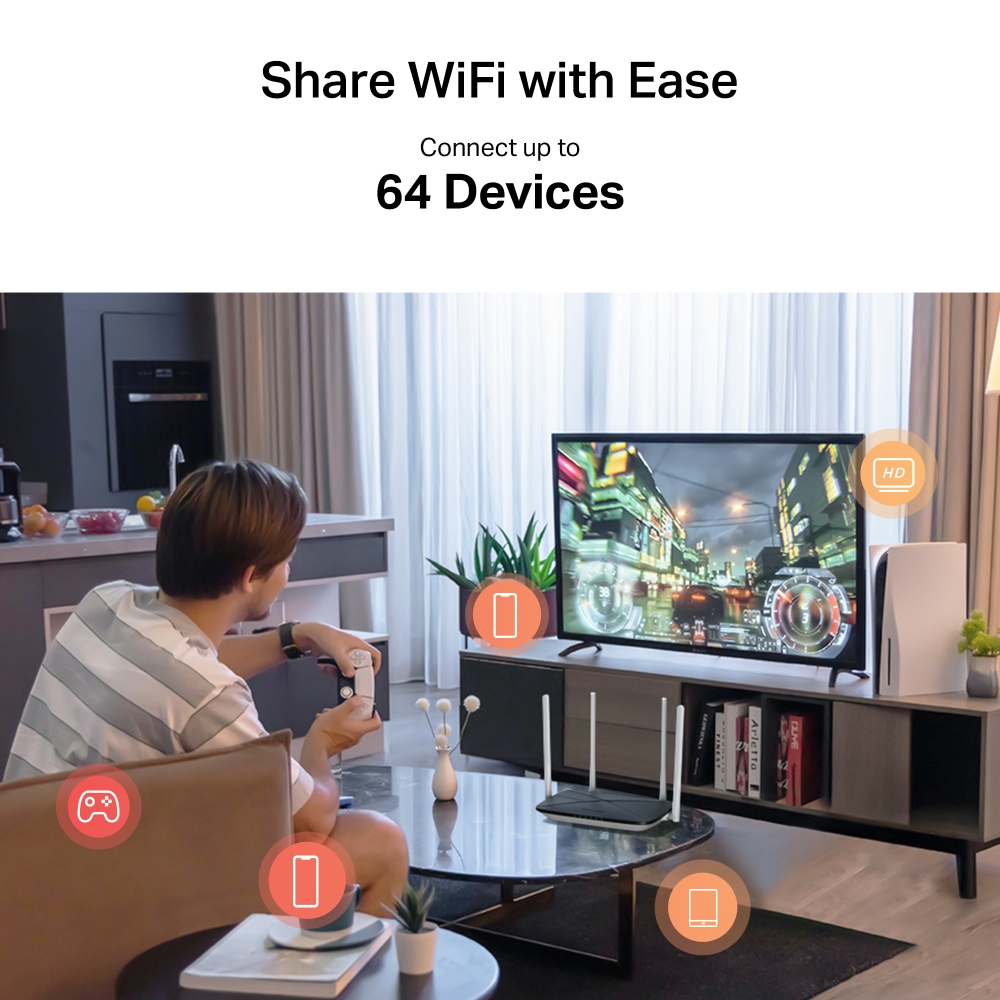
Conectează până la 64 Devices
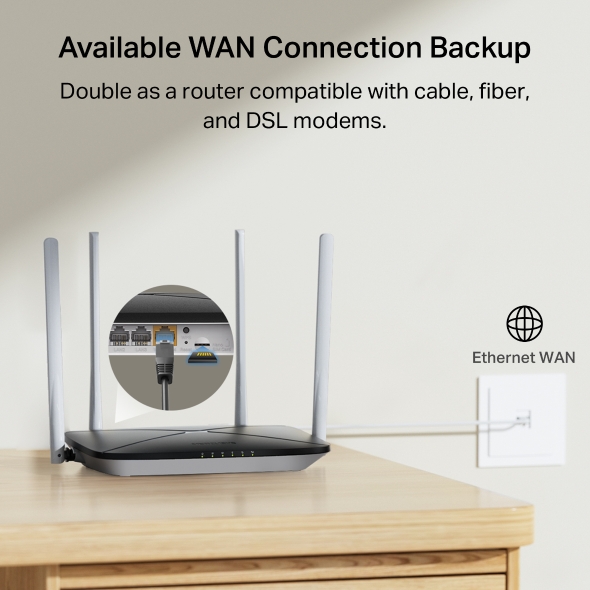
Conexiune backup WAN disponibilă
Control parental
Rețea oaspeți
Setări date
Mesagerie
Securitate rețea
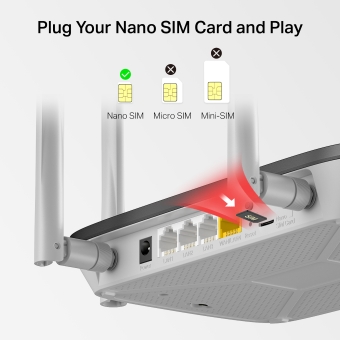
Doar introdu cardul tău Nano SIM
Complet compatibil cu FDD-LTE și TDD-LTE pentru utilizare cu majoritatea furnizorilor de servicii din întreaga lume. Introdu o cartelă nano SIM și pornește routerul pentru a converti rețeaua 4G LTE în WiFi și a o partaja cu mai multe dispozitive WiFi..*
*Notă: Asigură-te că este deblocată cartela SIM. Dacă nu, poți
a. Configura routerul prin aplicația MERCUSYS și urmează instrucțiunile aplicației pentru a debloca cartela SIM..
b. Să te conectezi la pagina de administrare web a routerului și accesează Avansat > Rețea > Administrare PIN pentru a verifica.
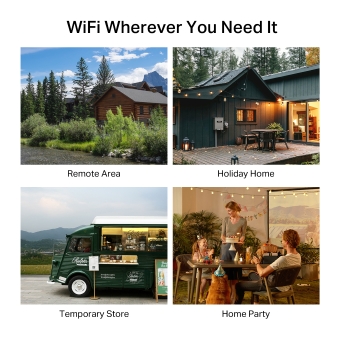
WiFi oriunde ai nevoie
Bucură-te de confort și versatilitate de neegalat cu WiFi rapid și stabil - perfect pentru acasă sau pentru munca la distanță.
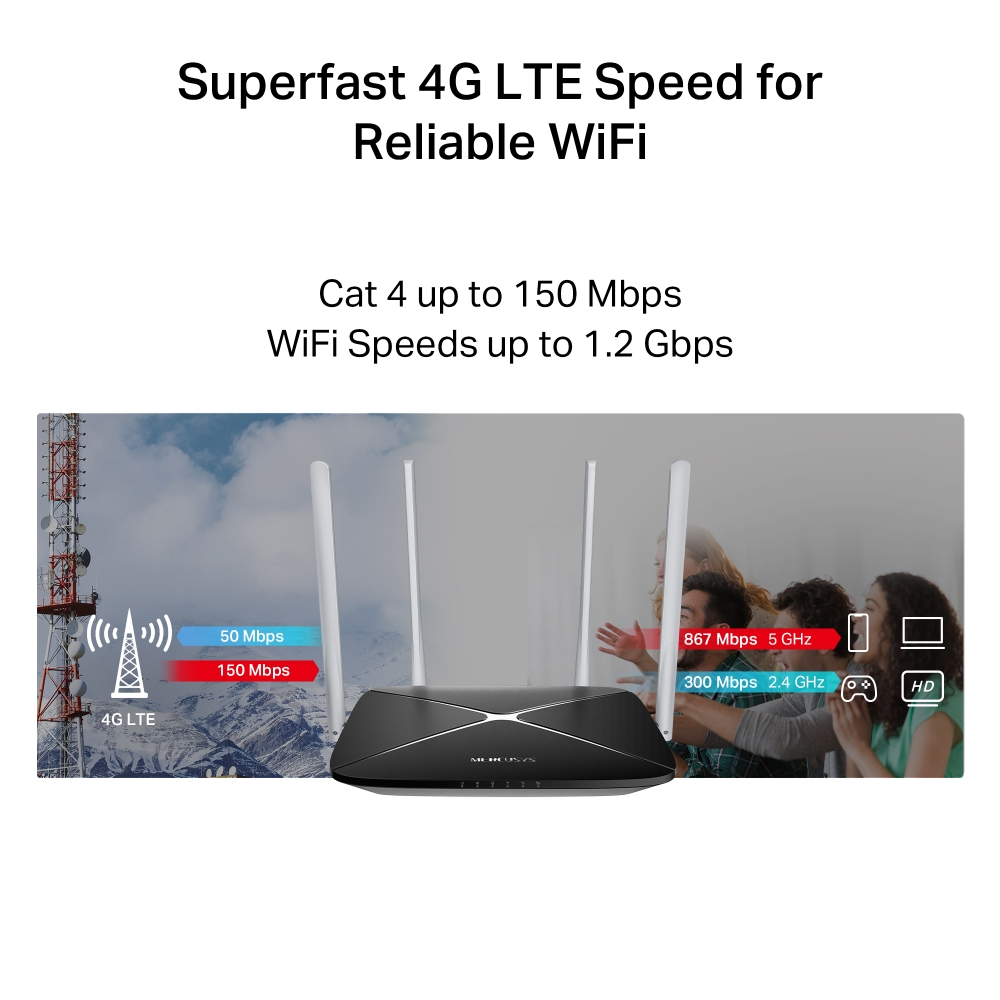
Viteză 4G LTE super rapidă pentru WiFi fiabil
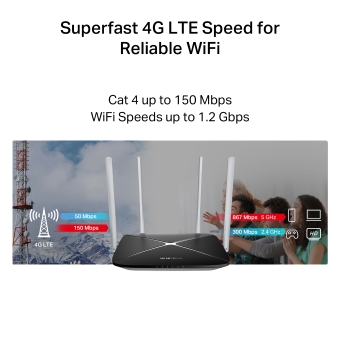
Funcționând ca un router 4G, MB135-4G utilizează tehnologia 4G LTE pentru a atinge viteze de până la 150 Mbps la descărcare și 50 Mbps la încărcare. De asemenea, poate avea viteze de conectare WiFi dual-band de până la 867 Mbps pe 5 GHz pentru sarcini care necesită multă lățime de bandă, cum ar fi streaming HD și jocuri, și 300 Mbps pe 2.4 GHz pentru navigare pe internet, e-mail și social media..
Conceput pentru acoperire maximă a rețelei
Antenele externe avansate oferă conexiuni stabile și eficiente pe toate dispozitivele. Antenele LTE pot fi înlocuite cu alternative de mare putere pentru o intensitate și o acoperire îmbunătățite a semnalului 4G LTE.
Conexiune WAN backup disponibilă
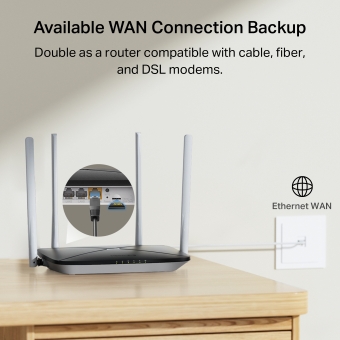
Echipat cu un port LAN/WAN versatil, MB235-4G funcționează și ca router, compatibil cu modemuri prin cablu, fibră optică și DSL, asigurând conectivitate neîntreruptă..
Instalare și administrare facilă folosind aplicația MERCUSYS
Configurează și administrează rețeaua WiFi prin aplicația MERCUSYS de pe smartphone (Android, iOS)).


Administrare completă

Control parental
Stabilește politici eficiente pentru a te asigura de acces sigur și responsabil la internet pentru copiii tăi.

Rețea oaspeți
Oferă o rețea separată pentru oaspeți, pentru a îți asigura securitatea și confidențialitatea.

Setări date
Setează o limită maximă de date pentru a preveni cheltuielile excesive și monitorizează utilizarea lunară cu funcția Statistici lunare de date.

Mesagerie
Configurează Centrul de mesaje pentru a accesa funcțiile SMS și a primi alerte când te apropi de limita de date..
†Ratele maxime ale semnalului wireless sunt ratele fizice derivate din specificațiile standardului IEEE 802.11. Debitul real al datelor wireless și acoperirea wireless, precum și numărul de dispozitive conectate nu sunt garantate și vor varia în funcție de condițiile rețelei, limitările clientului și factorii de mediu, inclusiv materialele de construcție, obstacolele, volumul și densitatea traficului și locația clientului. ‡Vitezele maxime de descărcare 4G depind de factori externi, cum ar fi acoperirea rețelei 4G locale, planul de date, capacitatea rețelei în timp real, limitările clientului și factorii de mediu. §Cartela SIM se vinde separat. Acest dispozitiv necesită o cartelă SIM activată fără blocare PIN. Dacă cartela SIM este blocată, consultați Ghidul de instalare rapidă pentru instrucțiuni de deblocare. △Viteza reală a rețelei poate fi limitată de rata portului Ethernet WAN sau LAN al produsului, de rata acceptată de cablul de rețea, de factorii furnizorului de servicii de internet și de alte condiții de mediu.
Aplicația Mercusys
Aplicația Mercusys oferă cea mai ușoară cale pentru a configura și gestiona rețeaua Wi-Fi acasă, direct prin dispozitivele iOS sau Android.
Configurare în câțiva pași simpli
Fără a fi nevoie de cunoștințe tehnice sau de un manual cu instrucțiuni complicate, doar urmează simplu din aplicație, iar rețeaua va fi configurată în doar câteva minute.
-
 Unitate Halo Cablu alimentare Cablu Ethernet
Pasul 1
Scoate conținutul pachetului
-

Pasul 2
Conectează dispozitivul
-

Pasul 3
Urmărește instrucțiunile din aplicație
Management în timp real
Cu aplicația Mercusys, ai parte de un control complet al rețelei în timp real. Poți afla cine se conectează la rețea sau poți bloca sau restricționa anumite dispozitive.


Notă: Imaginile cu aplicația Mercusys sunt cu titlul de prezentare. Cele afișate pot varia în funcție de tipul dispozitivului.
Control parental
Gestionezi ușor conținutul și timpul petrecut online al copiilor tăi, pentru a crea un mediu mai sigur.
-
Profiluri de utilizator
Creează un profil personalizat pentru fiecare membru al familiei. Atribuie dispozitive fiecărui profil și setează drepturi de acces la rețea.
-
Limite de timp online
Poți seta limite pentru accesul zilnic la internet al copiilor tăi, prevenind timpul excesiv în online și construind obiceiuri mai sănătoase.
-
Blocarea site-urilor periculoase
Blochează conținutul nepotrivit și protejează-ți familia.
-
Pauză de la internet
Oprește conexiunea la internet a membrilor familiei tale pentru a oferi o pauză de la lumea virtuală, pentru a vă putea bucura împreună de lumea reală.
Management și securitate pentru rețeaua de acasă
Aplicația Mercusys ofertă un control complet al rețelei, direct de pe telefon sau tabletă, de oriunde te-ai afla.

Statusul dispozitivelor conectate
Vezi detalii despre dispozitive și restricționează-le sau blochează-le în funcție de nevoi.

Quality of Service
Prioritizezi anumite dispozitive pentru a avea parte de performanțe wireless mai bune.

Alerte pentru dispozitive noi
Aplicația trimite notificări atunci când un dispozitiv necunoscut se conectează la rețea și poți alege să-l blochezi instant.

Rețea de vizitatori
Oferă o rețea separată pentru musafiri, pentru a proteja rețeaua principală.
Totul într-o singură aplicație
Control complet pentru toate dispozitivele Mercusys, de la sisteme mesh la routere și range extendere.
Vezi dispozitivele compatibileDispozitive compatibile
Dispozitivele trebuie să dispună de cea mai recentă versiune firmware. Click aici pentru a afla cum poți actualiza firmware-ul unui dispozitiv Mercusys.
Pentru dispozitivele listate, atât versiunile hardware de mai jos, cât și cele ulterioare, sunt și vor fi compatibile cu aplicația Mercusys.
Categorie
-
Sisteme Mesh Wi-Fi
-

Halo H50G V1
AC1900 Whole Home Mesh Wi-Fi System
-

Halo H30G V1
AC1300 Whole Home Mesh Wi-Fi System
-

Halo H80X V1
AX3000 Whole Home Mesh WiFi 6 System
-

Halo H70X V1
AX1800 Whole Home Mesh WiFi 6 System
-

Halo H30 V1
AC1200 Whole Home Mesh Wi-Fi System
-
-
Routere Wi-Fi
-

MR70X V1
AX1800 Dual Band Wi-Fi 6 Router
-

MR80X V1
AX3000 Dual-Band Wi-Fi 6 Router
-

MR50G V1
AC1900 Wireless Dual Band Gigabit Router
-

AC12G V2
AC1300 Wireless Dual Band Gigabit Router
-

MR30G V1
AC1200 Wireless Dual Band Gigabit Router
-
MR1200G V1
AC1200 Wireless Dual Band Gigabit Router
-
MR1900G V1
AC1200 Wireless Dual Band Gigabit Router
-

MR1800X V1
AX1800 Dual-Band WiFi 6 Router
-
-
Range Extendere
-
*More compatible devices are coming soon.
-
Disponibilă în multiple limbi
Prezența globală a brandului Mercusys este regăsită și în cele
26 de limbi disponibile pentru aplicația Mercusys.
-
Engleză
-
Neerlandeză
-
Franceză
-
Germană
-
Italiană
-
Japoneză
-
Coreeană
-
Portugheză
(Europa) -
Spaniolă
(Europa) -
Chineză
(tradițională) -
Rusă
-
Portugheză
(Brazilia) -
Spaniolă
(America Latină) -
Bulgară
-
Ucraineană
-
Poloneză
-
Română
-
Slovenă
-
Thailandeză
-
Turcă
-
Cehă
-
Vietnameză
-
Greacă
-
Malaeză
-
Maghiară
-
Ebraică
- Wireless
- Network Type
EU:
FDD-LTE: B1/B3/B5/B7/B8/B20/B28 (2100/1800/850/2600/900/800/700 MHz)
TDD-LTE: B38/B40 (2600/2300 MHz)
HSPA+/UMTS: B1/B5/B8 (2100/850/900 MHz)UN:
FDD-LTE: B1/B2/B3/B4/B5/B7/B8/B28/B66 (2100/1900/1800/1700/850/2600/900/700/1700 ΜHz)
TDD-LTE: B40 (2300 MHz)
HSPA+/UMTS: B1/B2/B4/B5/B8 (2100/1900/1700/850/900 MHz)
- Wi-Fi Class
AC1200
- Wi-Fi (2.4 GHz)
300 Mbps
- Wi-Fi (5 GHz)
867 Mbps
- Standarde Wireless
IEEE 802.11ac/a/b/g/n
- Frecvență
5 GHz, 2.4 GHz
- Sensibilitate Receptor
11g 6Mbps: -95dBm
11g 54Mbps: -77dBm
11n HT20 MCS7: -74dBm
11n HT40 MCS7: -71dBm
11a 6Mbps: -92dBm
11a 54Mbps: -75dBm
11ac VHT20 MCS8: -70dBm
11ac VHT40 MCS9: -65dBm
11ac VHT80 MCS9: -61dBm
- Putere de Transmisie
2.4 GHz < 20dBm (EIRP)
5 GHz < 23dBm (EIRP)
- Securitate Wireless
WPA-PSK / WPA2-PSK
- Funcții Wireless
smart connect
WPS
Program wireless
Statistici clienți wireless
- Software
- Securitate
IPv4 SPI Firewall
Protecție DoS
Filtru Servicii
Control Acces
Asociere IP & MAC
IPv6 Firewall- Operation Modes
Router 3G/4G
Router wireless- Cellular Mode
4G Preferat
Numai 4G
Numai 3G- Cellular APN
Roaming de date
Căutare rețea
Creare profil
Setări APN
Actualizare fișier ISP
Gestionare PIN- WAN Mode
Dynamic IP
Static IP
PPPoE
PPTP
L2TP- DHCP
Server
Listă de clienți DHCP
Rezervare adresă- NAT Forwarding
ALG
Virtual Server
Port Triggering
UPnP
DMZ- Protocoale
IPv4, IPv6
- Data Settings
Statistici de date
Limită de date- Rețea Vizitatori
Rețea pentru oaspeți de 2.4 GHz
Rețea pentru oaspeți de 5 GHz- Parental Controls
Controlul timpului
Filtrarea site-urilor web- DDNS
MERCUSYS DDNS
DynDns
NO-IP- VPN Sever
OpenVPN
PPTP
VPN Connections- SMS
Inbox
Mesaj nou
Ieșire
Schițe- QoS
√
- System Settings
Setări de timp
Control LED
Diagnosticare
Actualizare firmware
Copiere de rezervă și restaurare
Repornire
Administrare
Jurnal de sistem
Setări CWMP
Setări SNMP
Monitorizare trafic- Device Management
MERCUSYS APP
Web GUI- System Language
Engleză
Germană
Spaniolă
Greacă
Franceză
Italiană
Poloneză
Indoneziană
Rusă
Thailandeză- TR-069
√
- Hardware
- Dimensiuni
219 × 140 × 32 mm
(8.62 × 5.51 × 1.26 in)
- Interfață
1× Port 10/100Mbps LAN/WAN
3× Porturi 10/100Mbps LAN
1× Slot Card Nano SIM
- Antenna
2× Antene 4G LTE externe detașabile,
2× Antene Wi-Fi externe- Butoane
WPS/Wi-Fi、Buton reset
- Alimentare externă
12V/1A
- LED
1× Alimentare
1× Internet
1× LAN
3× Semnal- Porturi Ethernet
1× Port + 10/100 Mbps LAN/WAN Port
3× Porturi 10/100 Mbps LAN
- LTE Standard
Cat 4
150/50Mbps DL/UL
- Altele
- Conținut Pachet
Router wireless AC1200 Dual-Band 4G LTE (MB135-4G)
Adaptor de alimentare
Cablu Ethernet RJ45
Ghid de instalare rapidă
- Mediu
Temperatură de funcționare: 0°C~40°C (32°F~104°F)
Temperatură de depozitare: -40°C~60°C (-40°F~140°F)
Umiditate de funcționare: 10%~90% fără condens
Umiditate de depozitare: 5%~90% fără condens