MB238-4G [V1] | 4G+ Cat6 AC1200 Wireless Dual-Band Gigabit Outdoor/Indoor Router
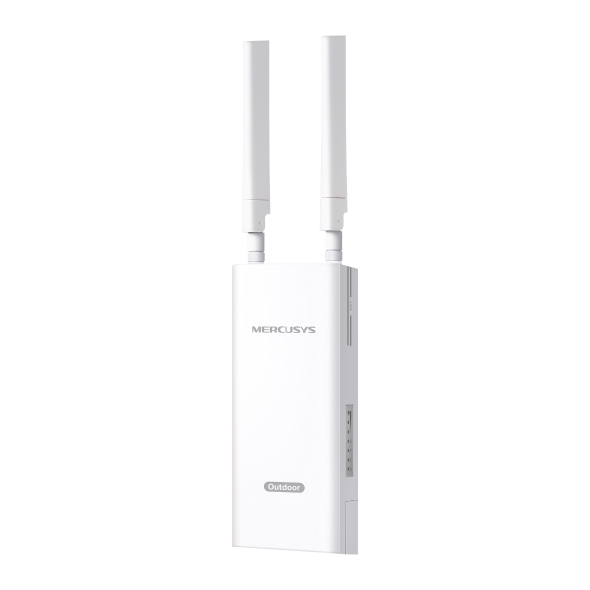
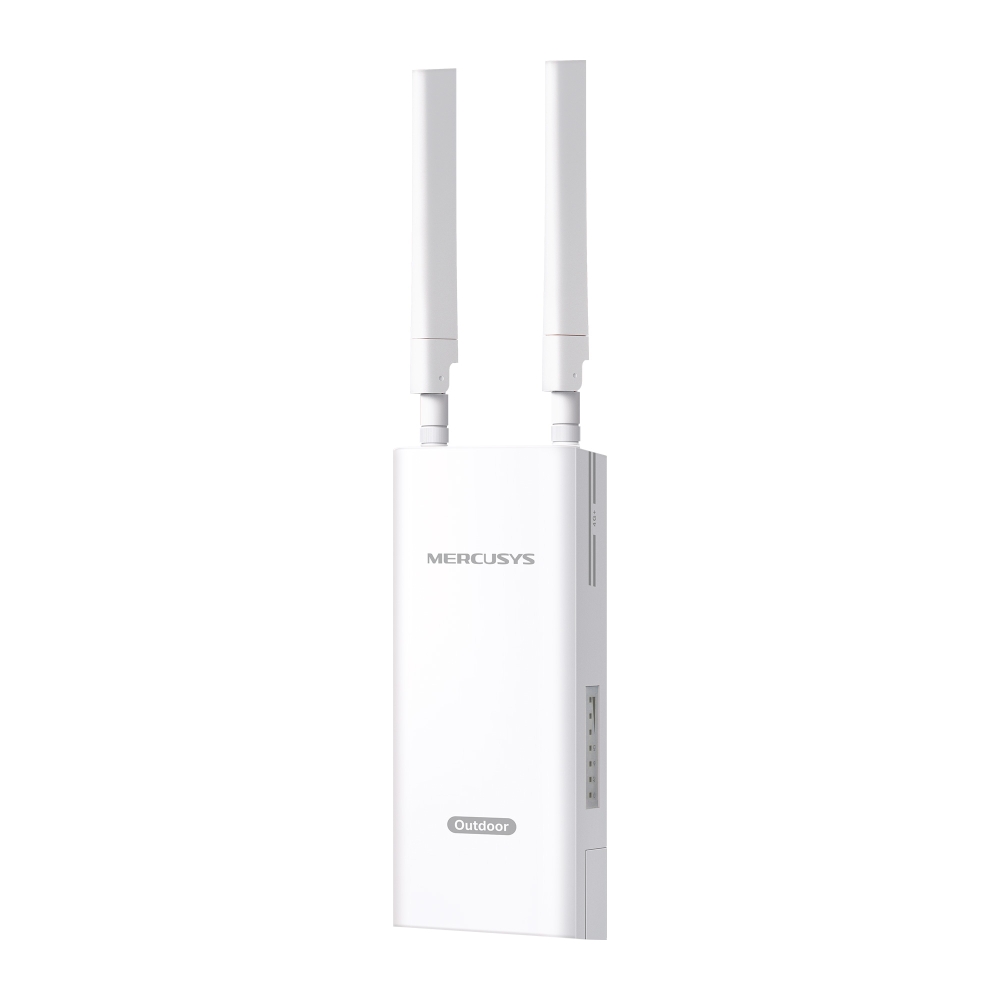
MB238-4G
4G+ Cat6 AC1200 Wireless Dual-Band Gigabit Outdoor/Indoor Router
-
4G+ Network – Enjoy the 4G+ Cat 6 download speeds up to 300 Mbps.
-
Plug a Nano SIM card and play – No configurations needed, compatibility of SIM cards are assured by years of field tests.
-
Dual Band 1200 Mbps WiFi – Fast WiFi speeds up to 300 Mbps on the 2.4 GHz band and 867 Mbps on the 5 GHz band.
-
Durable Outdoor Enclosure - Robust outdoor connectivity and reliability with IP65 weatherproof protection§ and ±6kV lightning protection & ±15kV ESD protection△.
-
Multiple Mounting Installation - Install easily anywhere with pole, wall, or window mounting for flexible, convenient use.
-
PoE/DC Power Supply - Supports 802.3at PoE and passive PoE, enabling easy deployment.*
-
Maximum Network Coverage - Enjoy stable and efficient connections to every device thanks to the external antennas. LTE antennas can be replaced with high-power alternatives for enhanced 4G LTE signal strength and coverage
-
EasyMesh Compatible – Works with EasyMesh routers and range extenders to form seamless whole home Mesh WiFi, preventing drops and lag when moving between signals.
-
watch video: How to Set Up MERCUSYS 5G/4G Router (MB110-4G as an example)
How to Set Up MERCUSYS 5G/4G Router (MB110-4G as an example)
Extra Fast 4G + Cat6 Speed for Reliable WiFi
Working as a 4G + WiFi router, MB238-4G uses 4G+ Cat6 technology to achieve superfast speeds up to 300 Mbps download and 50 Mbps upload. It can also share dual band WiFi network speeds up to 1.2 Gbps. The 2.4 GHz band is perfect for music streaming and online shopping, while the 5 GHz band, with speeds of 867 Mbps, handles bandwidth-intensive HD streaming and gaming.
Note: Maximum wireless signal rates are the physical rates derived from IEEE Standard 802.11 specifications.
Seamless Coverage for Every Inch of Outdoor Space
Perfect for outdoor events, backyard WiFi, gardens, patios, pools, cafés, barns, and sheds.
Operating Temperature△
From Outdoor Strength to Indoor Convenience
Place the 4G outdoor router where the LTE signal is strongest. Then, simply run a PoE-compatible Ethernet cable from the router's PoE port to your indoor device.*
*MB238-4G supports IEEE 802.3af/at PoE, passive PoE, or DC adapter power. IEEE 802.3af/at PoE provides up to 100m power supply distance, while passive PoE supports up to 30m. Actual distance may vary due to the environment and cable quality. For reliable performance, use Cat5e or higher, 24 AWG or thicker copper Ethernet cables.
Considerate Design for Outdoor Use
With multiple mounting options and a durable design, MB238-4G is simple to set up in various outdoor settings. LTE antennas can be replaced with high-power alternatives for enhanced 4G LTE signal strength and coverage.
-
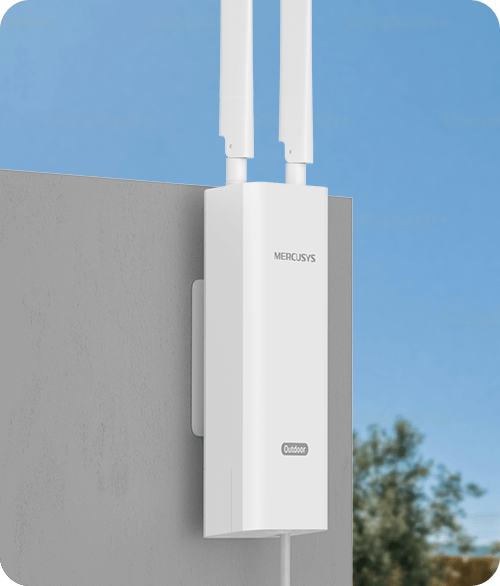
Wall Mounting
-
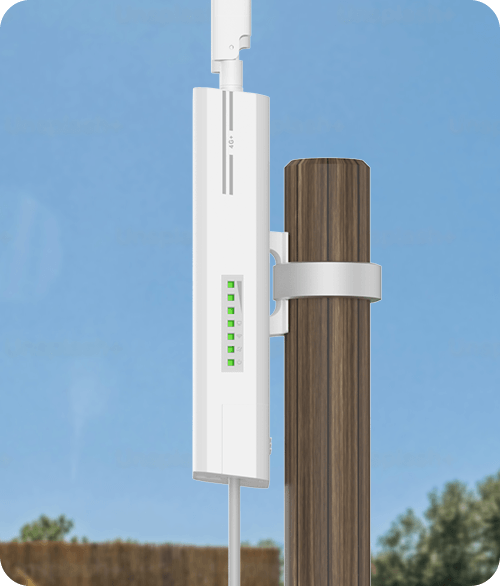
Pole Mounting
-
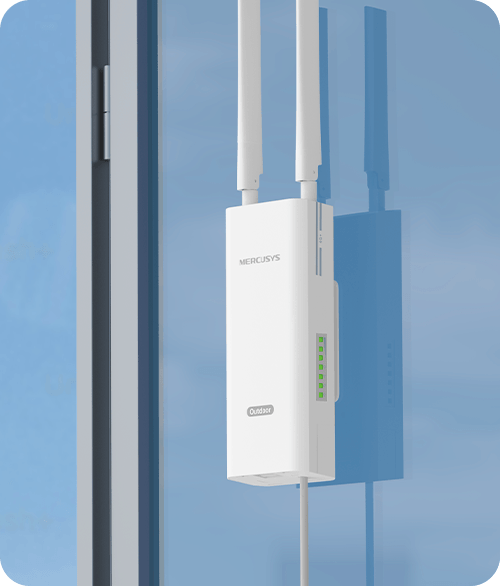
Window Mounting
Detachable External Antennas
Plug Your Nano SIM Card and Play
Fully compatible with FDD-LTE and TDD-LTE for use with most service providers worldwide. Insert a nano SIM card and turn on the router to share your 4G LTE network with multiple WiFi devices.
-
Issues with Wired Broadband
(DSL/Fiber/Cable)No Geographical CoverageRenovations and Rewiring DisruptionsHigh Expense and
Long Contract PeriodsComplex Configuration and Extra Activation Fees -
SIM Card
Plug and Play**
**SIM card sold separately. This device requires an activated SIM card without a PIN lock. If the SIM is locked, please consult the Quick Installation Guide for unlocking instructions.
Easy Setup and Management via the MERCUSYS App
Set up and manage your WiFi through the MERCUSYS app from your phone (Android, iOS).
†Maximum wireless signal rates are the physical rates derived from IEEE Standard 802.11 specifications. Actual wireless data throughput and wireless coverage, and quantity of connected devices are not guaranteed and will vary as a result of network conditions, client limitations, and environmental factors, including building materials, obstacles, volume and density of traffic, and client location. ‡Maximum 4G download speeds depend on external factors such as the local 4G network coverage, data plan, real-time network capacity, client limitations, and environmental factors. §This product has an IP65 dustproof and waterproof rating, but it is unsuitable for prolonged immersion or high-pressure water jets. Please install and use it according to the Quick Installation Guide; otherwise, the protective features may fail. △Tested under controlled laboratory conditions. Per CE standards, protection levels are: Lightning/Surge Protection at 2kV for Differential Mode (DM) and 4kV for Common Mode (CM), and ESD Protection at 4kV for Contact Protection and 8kV for Air Protection. For optimal protection, please follow the setup instructions in the manual. *The PoE Adapter supports a cable length up to 30 meters, but the value may vary due to the environment and the quality of the Ethernet cable. For reliable performance of the PoE adapter, Cat5e or above, 24AWG or thicker copper wire Ethernet cables are recommended. The included Ethernet cable is 1.2-meter long. If you need a longer cable, please purchase it separately. **SIM card sold separately. This device requires an activated SIM card without a PIN lock. If the SIM is locked, please consult the Quick Installation Guide for unlocking instructions. ***EasyMesh-compatible products can network with other devices that use EasyMesh. Failed connections may be due to firmware conflicts of different vendors. The EasyMesh-compatible function is still being developed on some models and will be supported in subsequent software updates. This product is compatible with standardized EasyMesh technology but has not obtained the Wi-Fi EasyMeshTM certification. ErP information: 1.Power consumption in networked standby: 6.0 W 2.Power consumption in networked standby when all wired network ports are connected and all wireless network ports are activated: 7.6W 3.The default period of time after which the power management function switches the equipment automatically into a condition providing networked standby: 20 minutes 4.How to activate and deactivate wireless network: Enter the webpage of product through wired connecting. The wireless function can be turn on/off via ‘Advanced ->Wireless -> 2.4GHz/5GHz Wireless Network:-> Enable Wireless Checkbox’... 5.The recommended power adapter: T120150-2C1REV3.0.0
MERCUSYS
The MERCUSYS app provides the easiest way for you to set up in minutes and manage your WiFi at home or away through your iOS or Android devices.


MERCUSYS Helps You Set Up in A Few Steps
Without any technical know-how or reading complicated instructions, simply follow the in-app instructions. Set up your mesh network in minutes.
-
 Halo Power Cable Ethernet Cable
Step 1
Find what you’ll need in the box
-

Step 2
Plug in your devices
-

Step 3
Follow the on-screen directions with the MERCUSYS app
Manage Your WiFi in Real Time
With the MERCUSYS app, experience live network management. See who’s connecting to your network and manage it at any time with your iOS or Android devices.
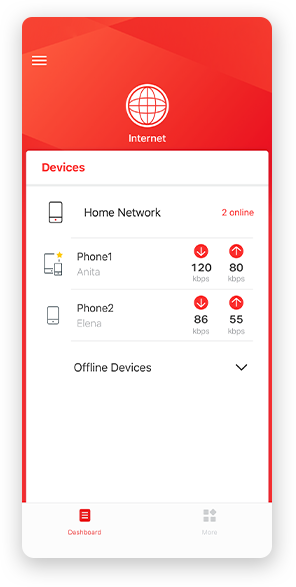
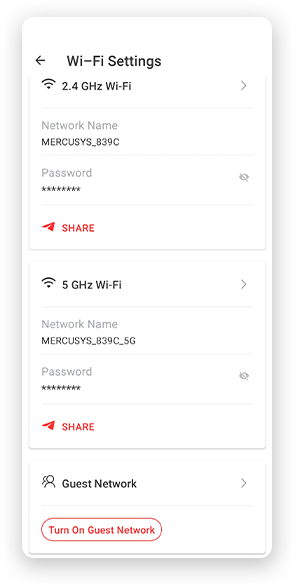
Notice: The configuration page of different models may be different, please refer to the actual one.
Powerful Parental Controls
Easily manage your kids’ online time and content to create a safe and healthy online environment.
-
Create User Profiles
Create a profile for each family member you would like to manage. Assign devices to the profile to set access controls and time limits for them.
-
Online Time Limits
Set daily limits on how long your kids spend online and prevent them from accessing the internet on their devices for a long time to build a healthy network habit.
-
Block Inappropriate Websites
Control which sites your kids visit by setting a block list.
-
Pause Internet Connection
Suspend family members’ internet connections to take a break from the virtual world to enjoy some family time.
Manage and Secure Your Home Network
The MERCUSYS app helps you manage your WiFi at home or away through your iOS or Android devices.

Check the Status of Connected Devices
Intuitively view the working status of your Halo network and see what is connected. Prioritize or block devices as needed.

Quality of Services
Prioritizes devices you select to perform better.

New Device Access Alert
The MERCUSYS app proactively sends out an alert to inform you when an unfamiliar device is connected. Tap to block the device if it is a security risk.

Set Up a Guest Network
Provides a separate network for guests to ensure your security and privacy.
Everything in One App
Whether you’re looking to control a wide range of MERCUSYS routers, extenders, or Halo mesh systems, find it all on the app.
See what’s compatibleCompatible Products
Note: The device's firmware requires the latest version. Click here to learn how to upgrade your firmware.
Note: Both listed and higher hardware versions of these models are compatible with the MERCUSYS app.
Supporting Multiple Languages
MERCUSYS app supports up to 26 languages, enabling easy network management for users all over the world.
-
English
-
Nederlands
-
Français
-
Deutsch
-
Italiano
-
日本語
-
한국어
-
Português
-
Español
-
繁體中文
-
Русский язык
-
Português Brasil
-
Español
(Latinoamérica) -
Български
-
Українська мова
-
Polski
-
Română
-
Slovenčina
-
ไทย
-
Türkçe
-
Čeština
-
Tiếng Việt
-
Eλληνικά
-
Bahasa Melayu
-
Magyar
-
עברית
-
Wireless

| Network Type | EU: |
|---|---|
| Wi-Fi Class | AC1200 |
| Wi-Fi (2.4 GHz) | 300 Mbps |
| Wi-Fi (5 GHz) | 867 Mbps |
| Wireless Standards | IEEE 802.11ac/a/b/g/n |
| Frequency | 5 GHz, 2.4 GHz |
| Reception Sensitivity | 11g 6Mbps: -95dBm 11g 54Mbps: -77dBm 11n HT20 MCS7: -74dBm 11n HT40 MCS7: -71dBm 11a 6Mbps: -92dBm 11a 54Mbps: -75dBm 11ac VHT20 MCS8: -70dBm 11ac VHT40 MCS9: -65dBm 11ac VHT80 MCS9: -61dBm |
| Transmission Power | 2.4 GHz < 20dBm (EIRP) 5 GHz < 23dBm (EIRP) |
| Wireless Security | WPA-PSK / WPA2-PSK / WPA3-SAE |
| Wireless Functions | smart connect |
-
Software
| Operation Modes | 3G/4G Router |
|---|---|
| Cellular Mode | 4G Mode |
| Cellular APN | Data Roaming |
| WAN Mode | Dynamic IP |
| DHCP | Server |
| NAT Forwarding | ALG |
| Protocols | IPv4, IPv6 |
| Guest Network | 2.4 GHz Guest Network |
| Data Settings | Data Statistics |
| Parental Controls | Time Control |
| DDNS | MERCUSYS DDNS |
| SMS | Inbox |
| QoS | √ |
| Security | IPv4 SPI Firewall |
| System Settings | Time & Language |
| Device Management | MERCUSYS APP |
| System Language | English |
| TR-069 | √ |
-
Hardware
| Dimensions (W X D X H) | 230.9 × 97.2 × 54.7 mm |
|---|---|
| Interfaces | MB238-4G: 1× 1 Gbps LAN/WAN Port (PoE In) 1× Nano SIM Card Slot 1× DC Port PoE Adapter: 1× PoE Out Port 1× LAN Port 1× AC Port |
| Antenna | 2× Detachable LTE Antennas |
| Button | Reset Button |
| External Power Supply | 12V/1.5A |
| LED | 1× Power |
| LTE Standard | Cat 6 |
-
Others
| Package Contents | 4G+ Cat6 AC1200 Wireless Dual-Band Gigabit Outdoor/Indoor Router (MB238-4G) |
|---|---|
| Environment | Operating Temperature: 0°C~40°C (32°F~104°F) Storage Temperature: -40°C~60°C (-40°F~140°F) Operating Humidity: 10%~90% Non-Condensing Storage Humidity: 5%~90% Non-Condensing |