MB430-DSL [V1] | AC1200 Wireless Gigabit VDSL/ADSL Modem Router
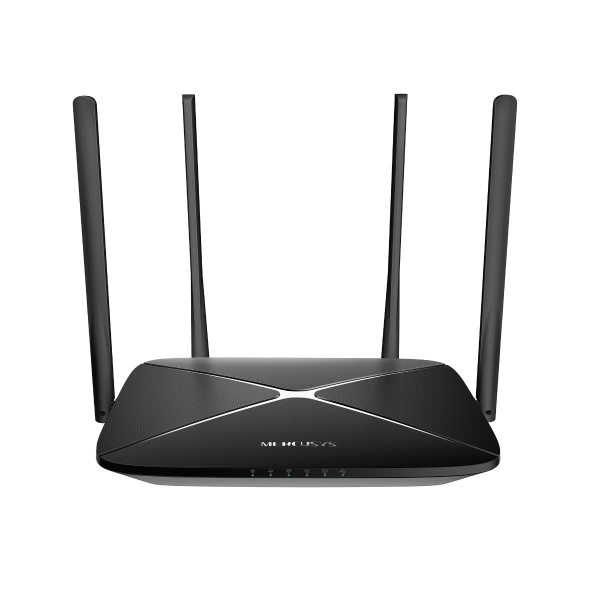
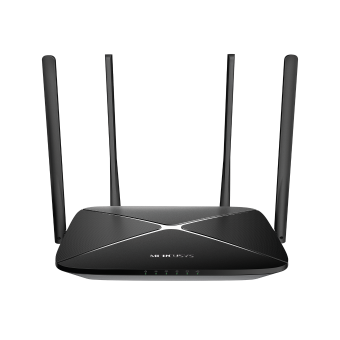
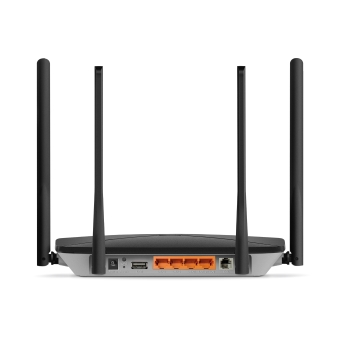
MB430-DSL
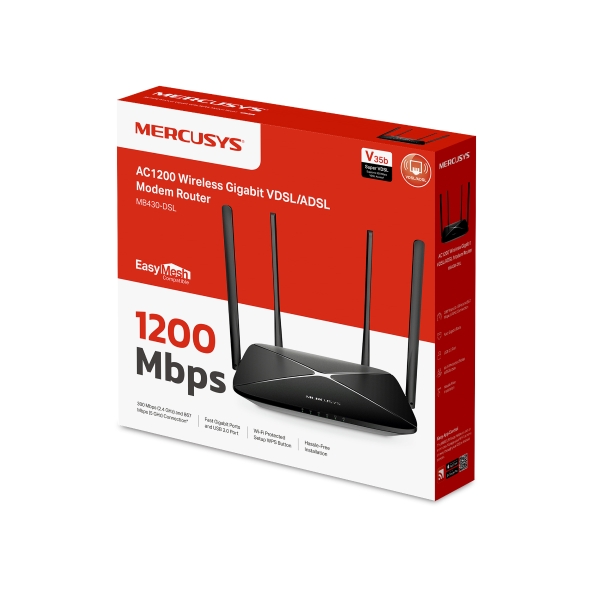
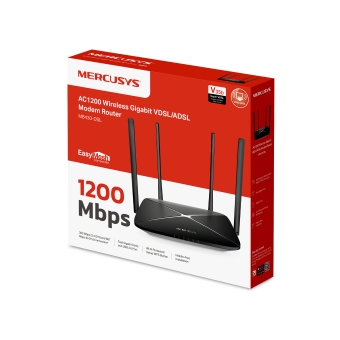
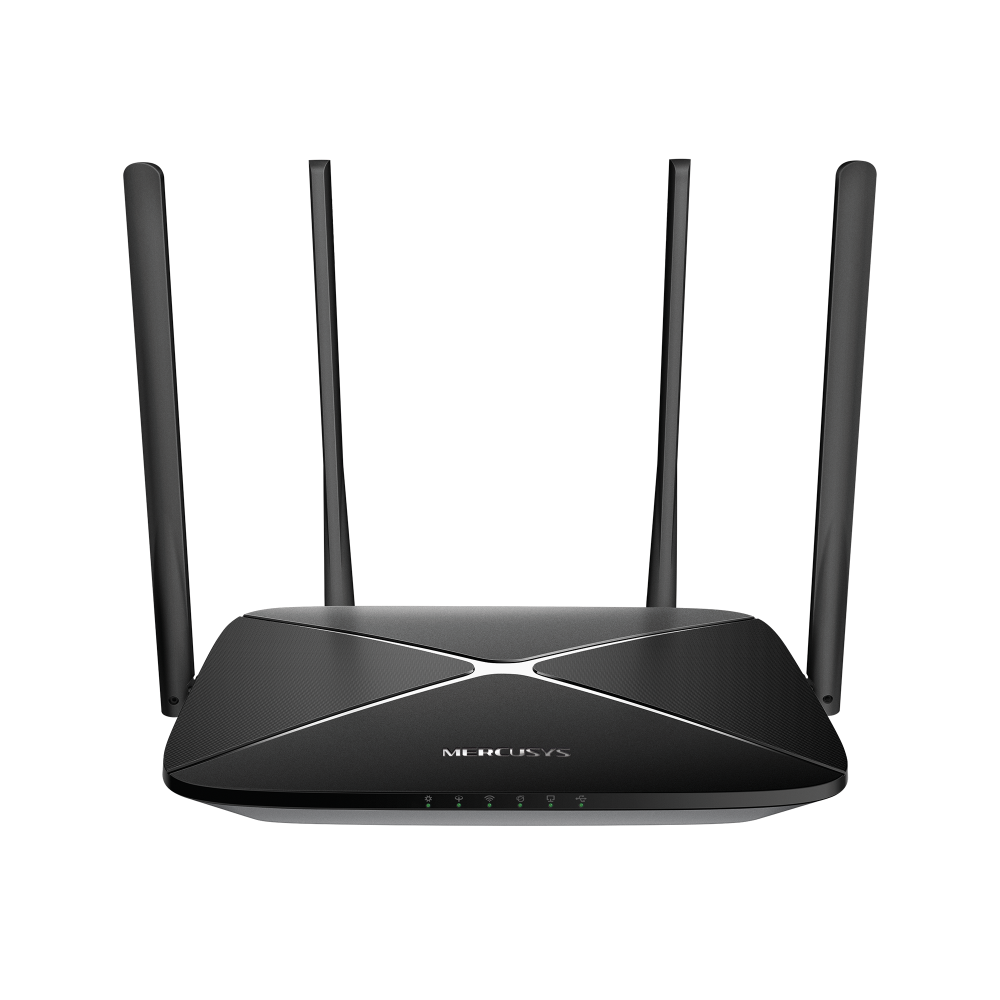
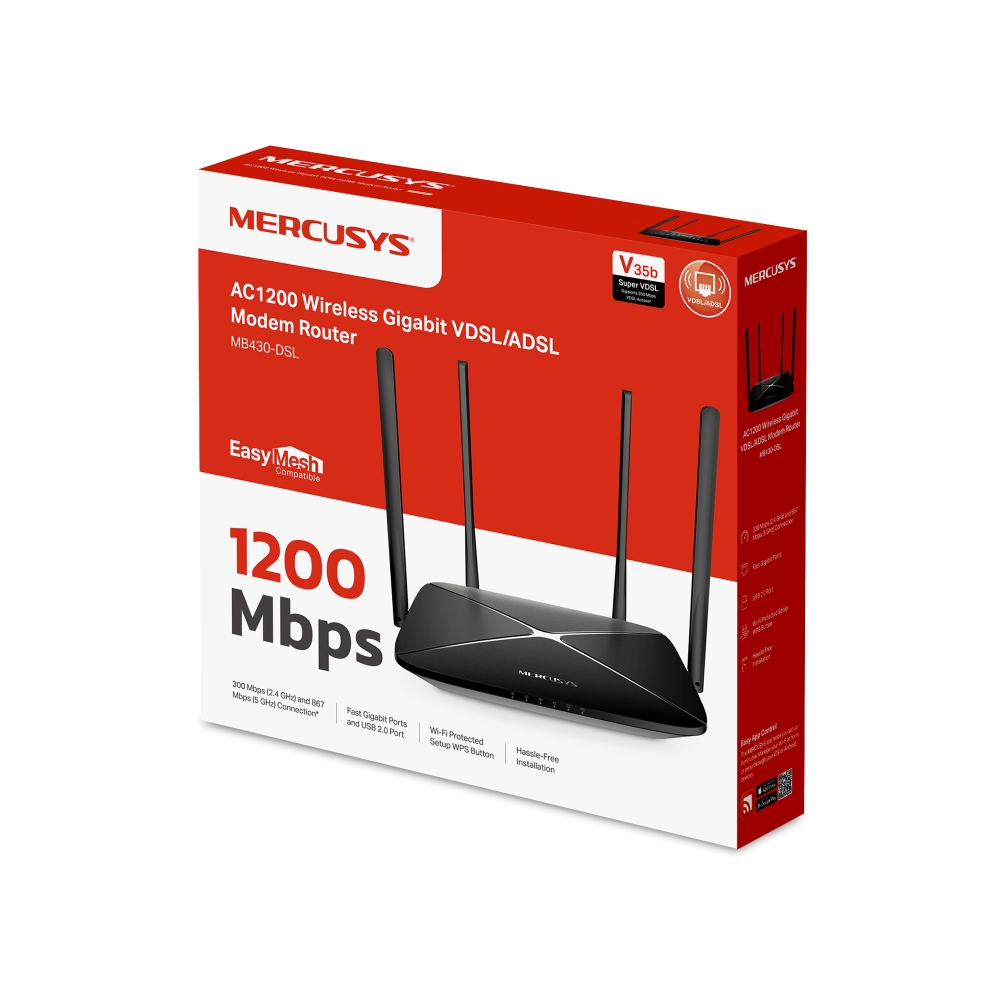
AC1200 Wireless Gigabit VDSL/ADSL Modem Router
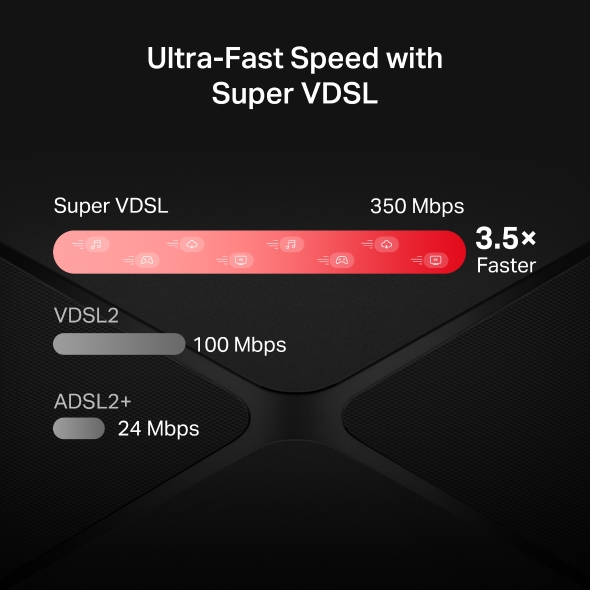
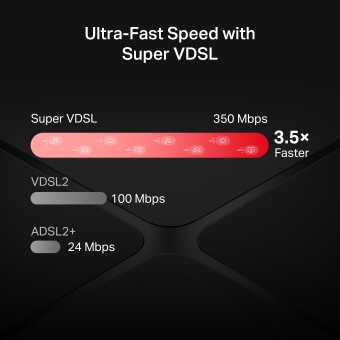
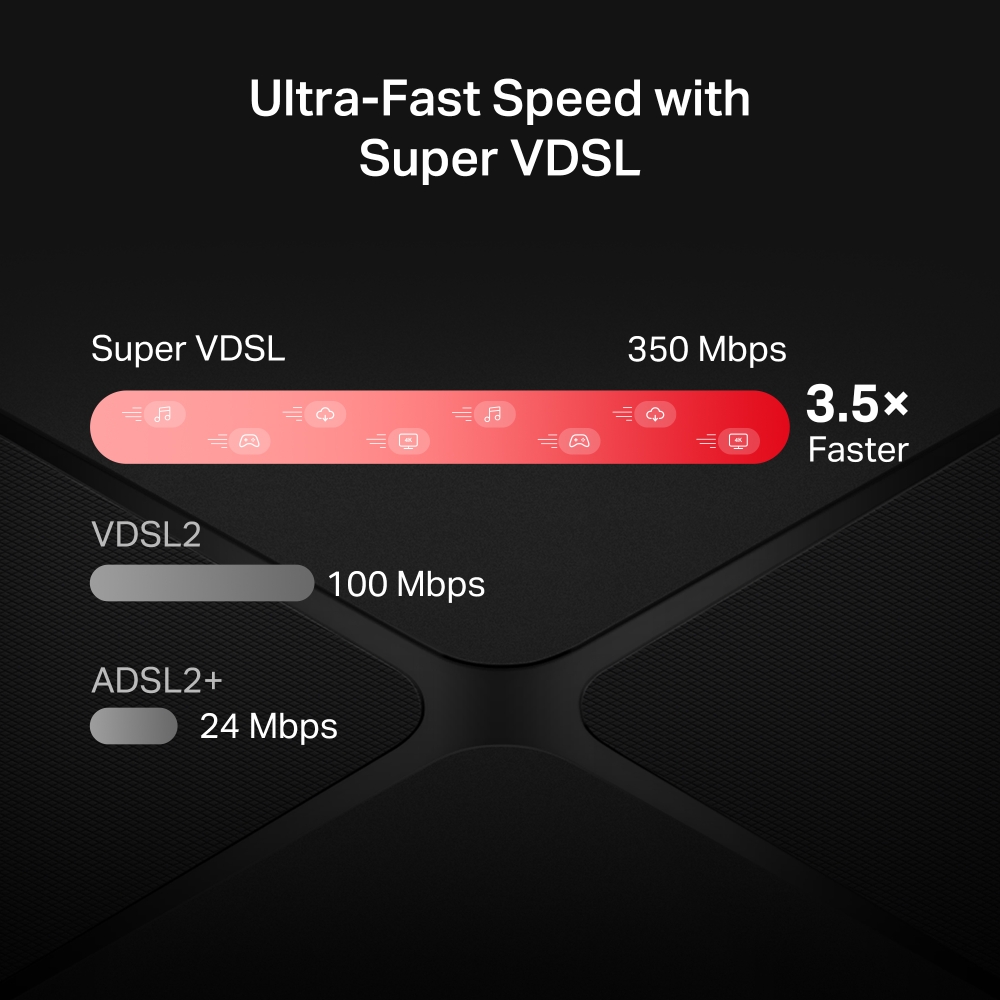
Ultra-Fast Super VDSL: Up to 350 Mbps download speed with latest VDSL2 Profile 35b technology, 3.5× faster than standard VDSL2.†
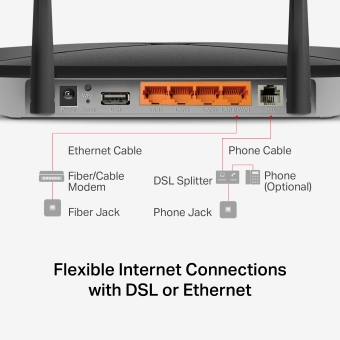
Broad DSL Compatibility: Supports VDSL, ADSL2+, ADSL2, and ADSL for flexible ISP options.
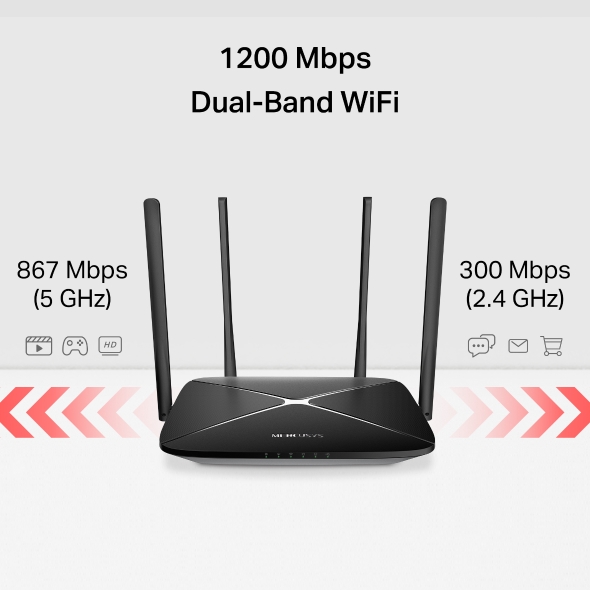
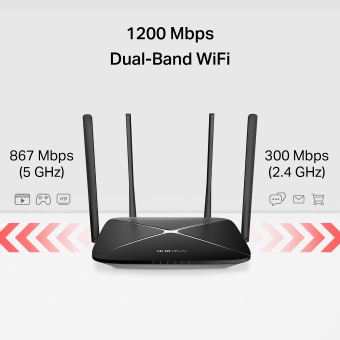
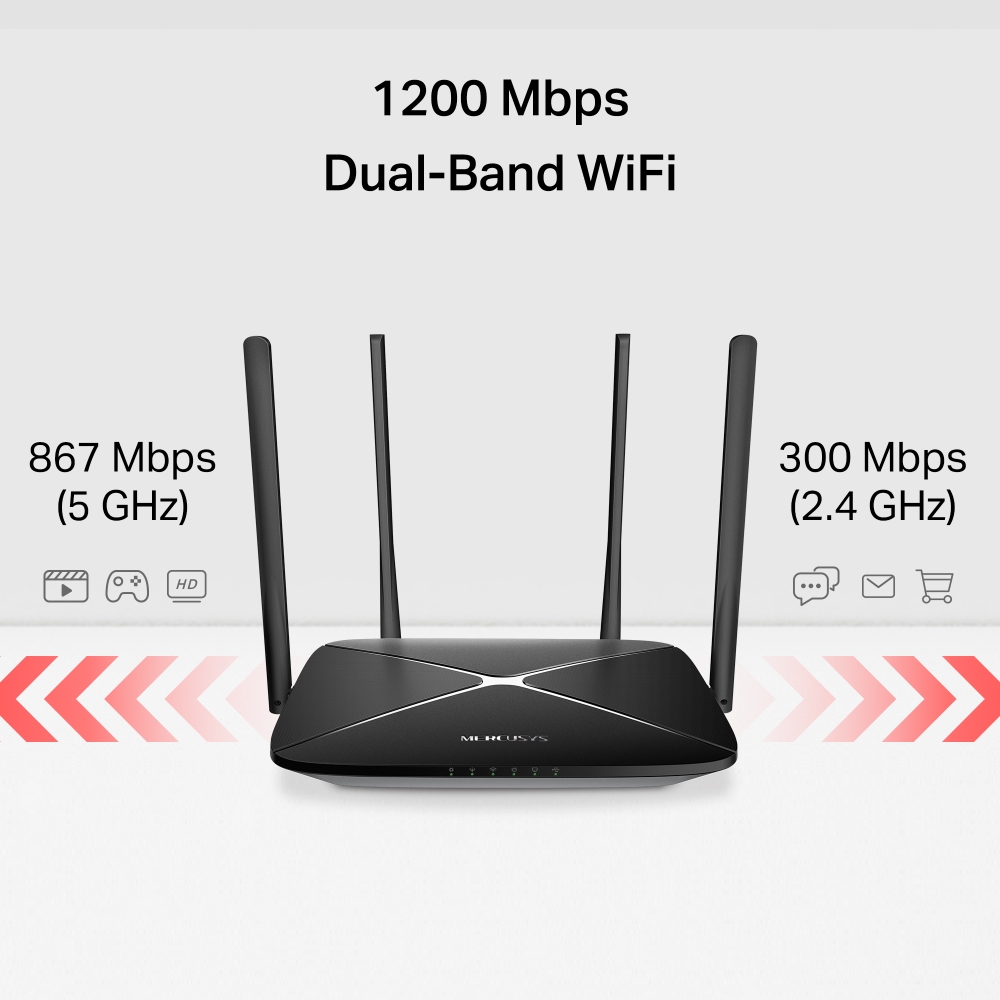
1200 Mbps Dual-Band Wi-Fi: Enjoy smooth 4K streaming and low-latency gaming across multiple devices.‡
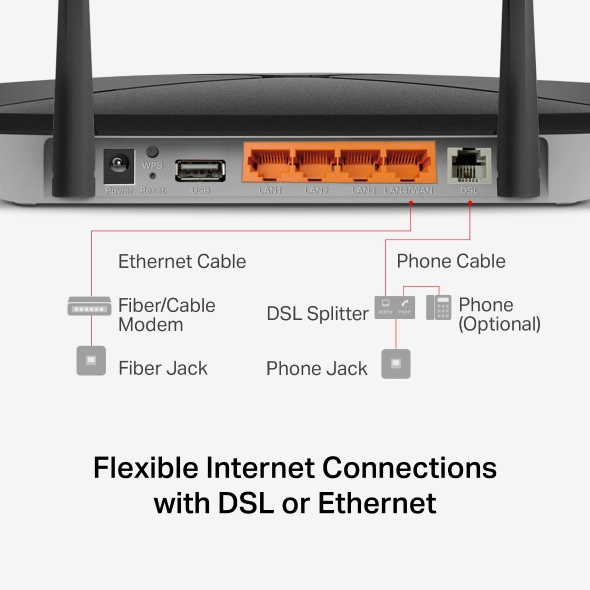
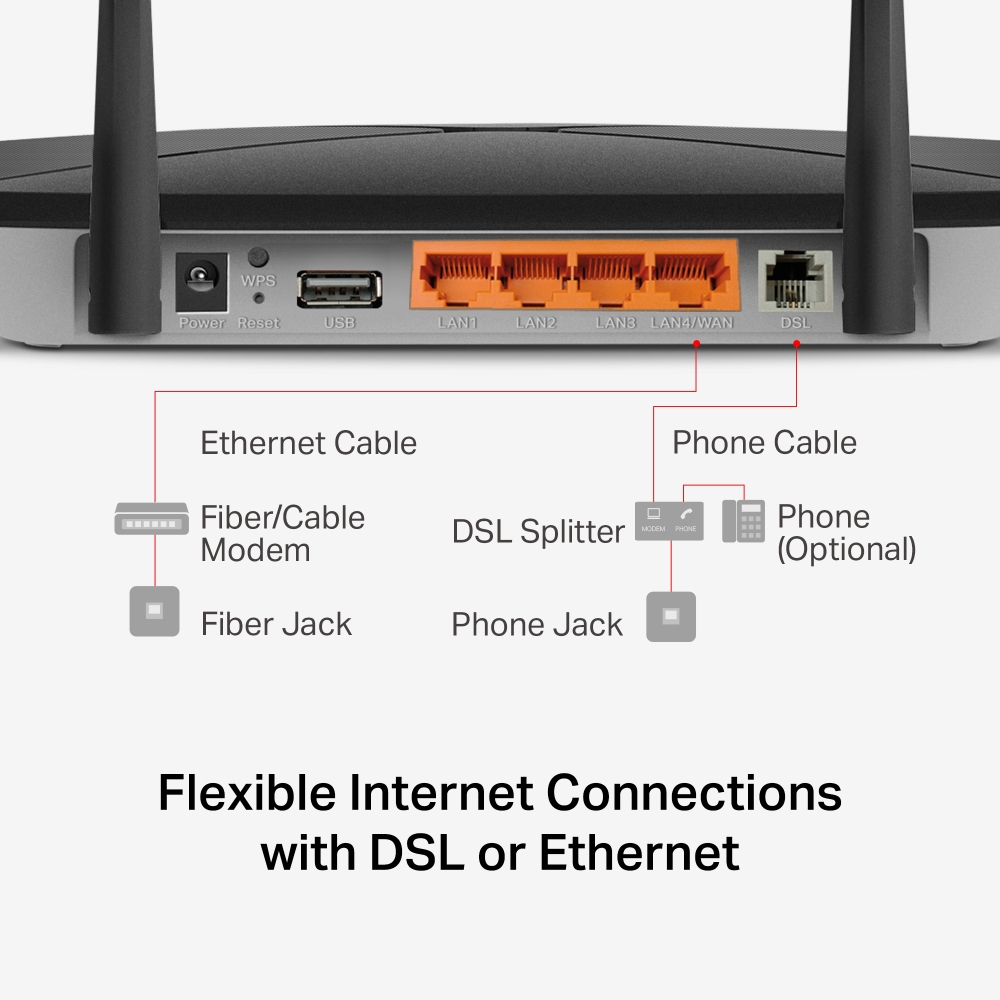
Flexible Internet Connections: Works with both DSL and fiber/cable networks for easy upgrades and provider changes.
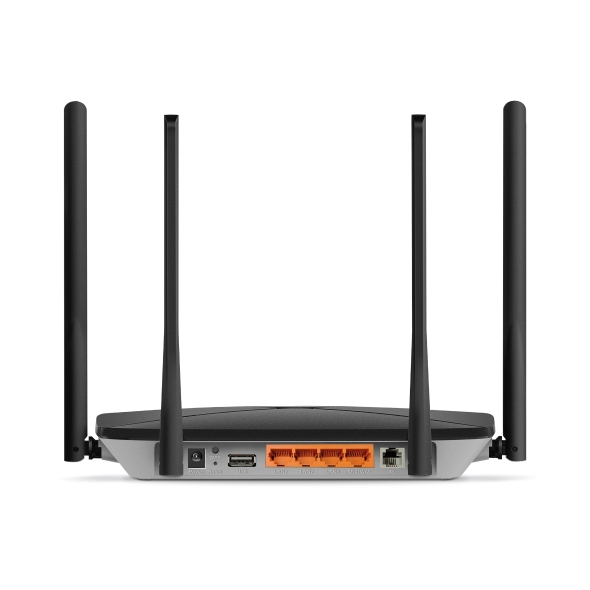
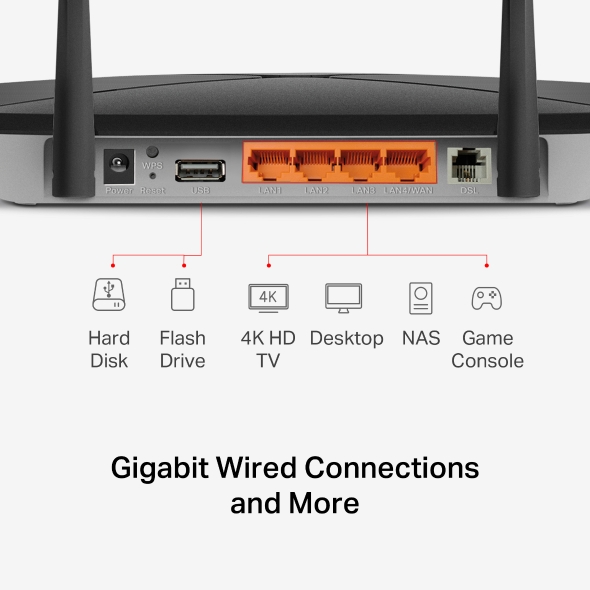
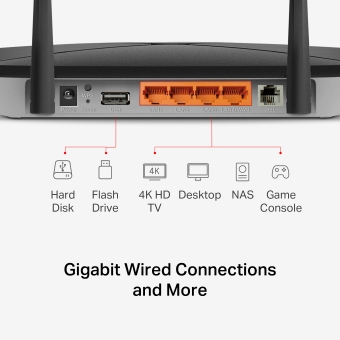
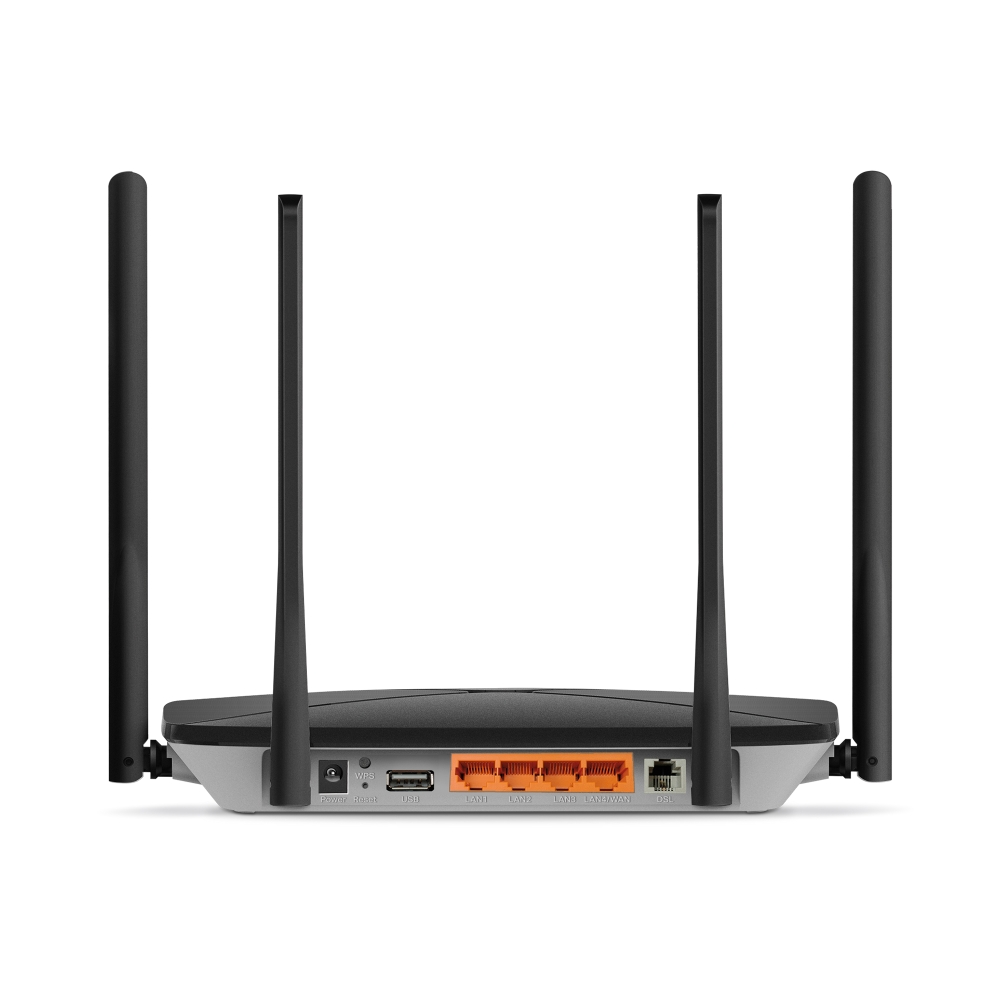
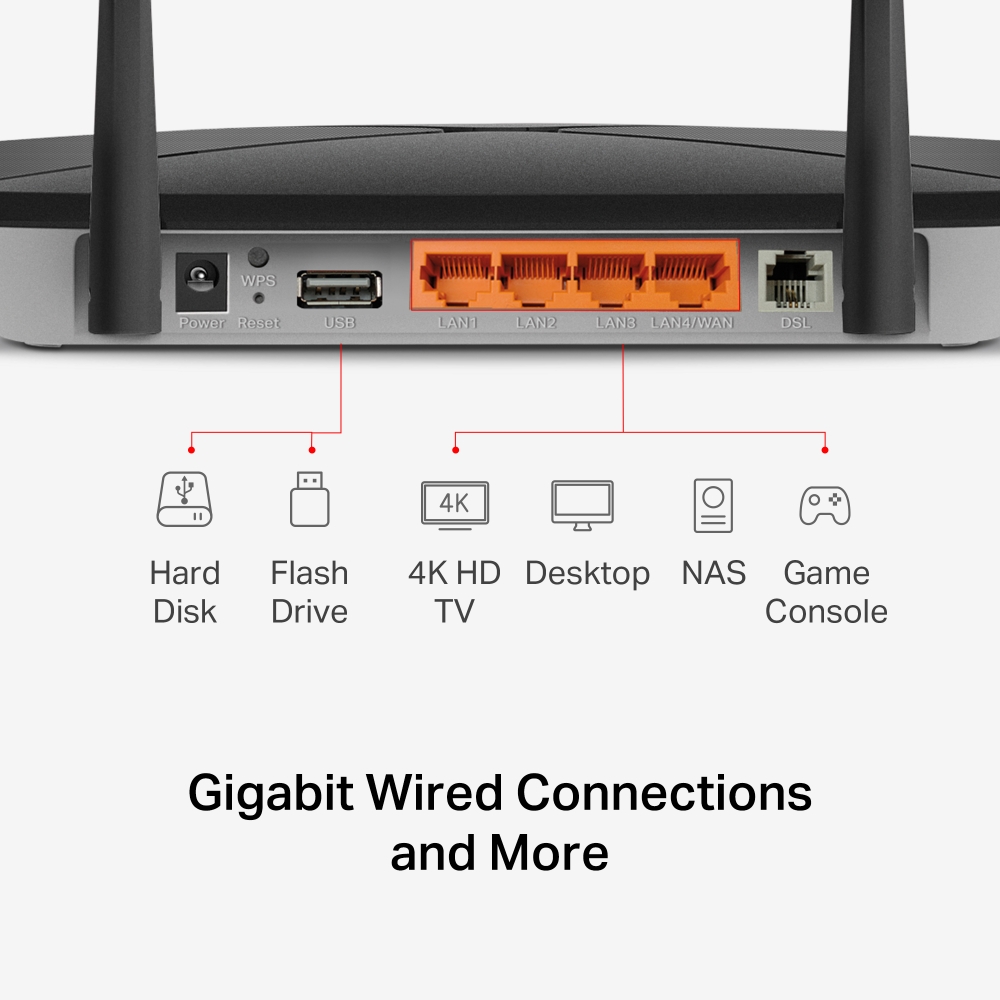
Full Gigabit Ports: Full Gigabit ports provide fast, reliable wired connections for all your devices.§
USB 2.0 Port: Multi-purpose USB port supports file sharing, printer sharing, media streaming, and more.
EasyMesh-Compatible: Works with EasyMesh routers and range extenders to form seamless whole home mesh WiFi, preventing drops and lag when moving between signals.
Easy Setup and Use: Network management has never been easier with the MERCUSYS app.
(5 GHz)
(2.4 GHz)
Security
Server
Ultra-Fast Speed with Super VDSL
MB430-DSL features Super VDSL (VDSL2 Profile 35b), the latest generation of DSL technology, delivering download speed up to 350 Mbps. Backward compatibility with VDSL, ADSL2+, ADSL2, and ADSL ensures smooth upgrades and wide support for most ISPs.†
1200 Mbps Dual-Band WiFi
With up to 867 Mbps on the 5 GHz band and 300 Mbps on the 2.4 GHz band, experience smooth 4K streaming, fast downloads, and low-latency online gaming—perfect for everyday use across multiple devices.‡
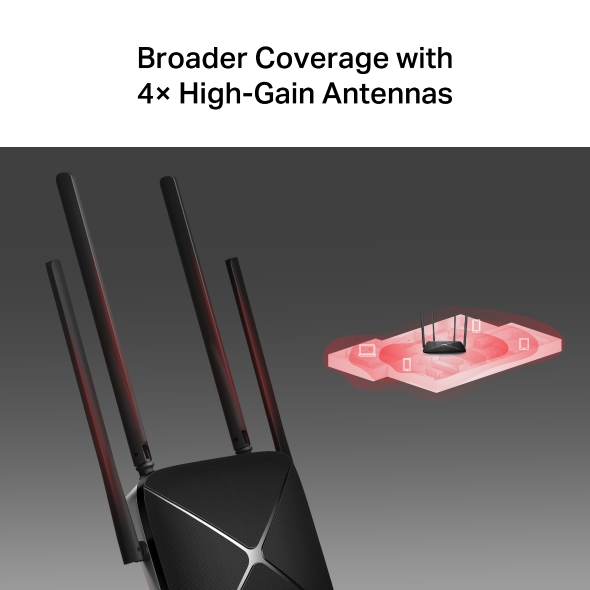
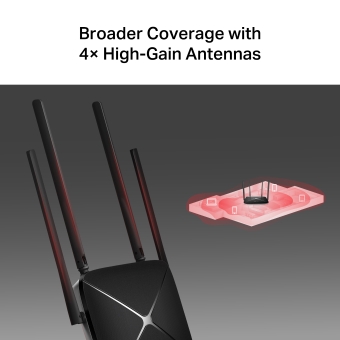
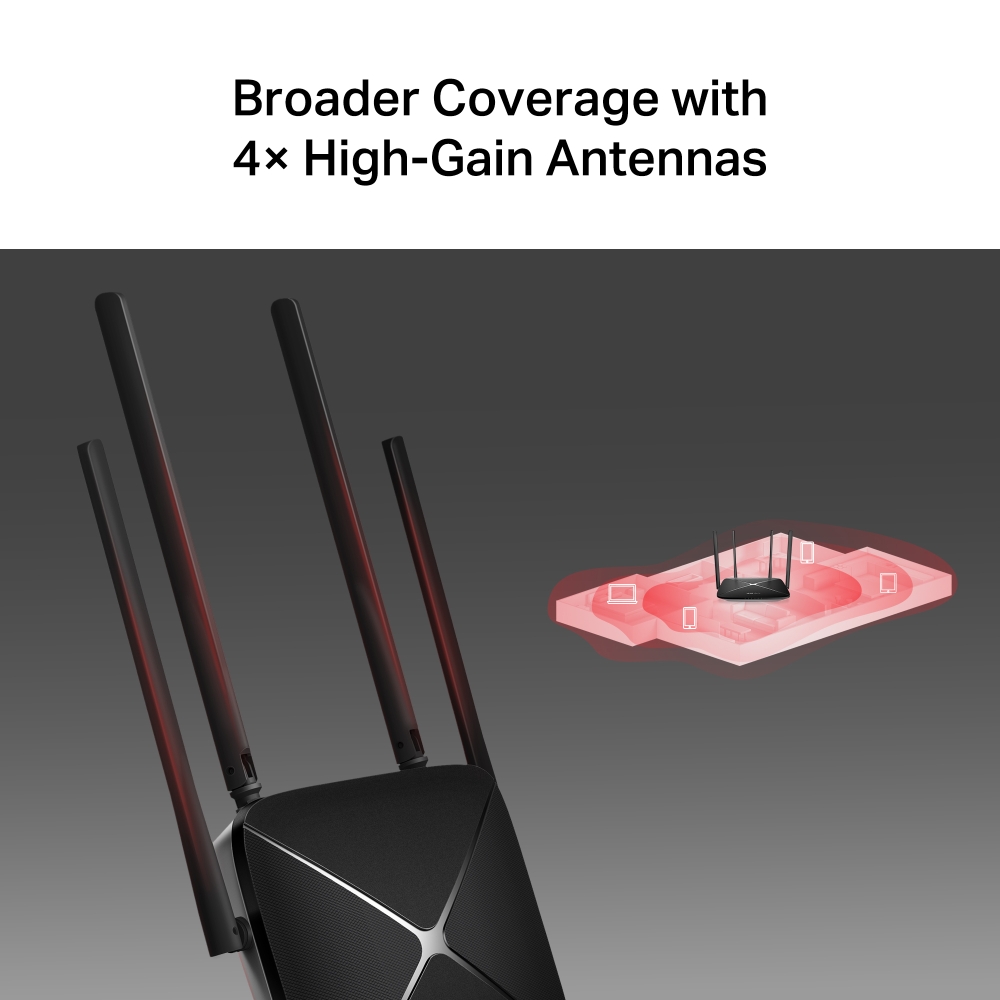
Broader Coverage with 4× High-Gain Antennas
Four external high-gain antennas deliver strong, stable signals throughout your home, eliminating dead zones for reliable coverage.
Cover Your Whole Home with EasyMesh
MB430-DSL is compatible with EasyMesh, enabling you to set up a whole home mesh network with one WiFi name and password with any other APs that support EasyMesh from multiple vendors. Enjoy flexible, scalable, and seamless mesh WiFi throughout your home!△
-

Flexible WiFi
Range Expansion -

Works with
Different Vendors -

Seamless WiFi
Connections
Easy Setup and Management via the MERCUSYS App
Without needing technical knowledge or reading installation instructions in advance, just follow the on-screen directions with the MERCUSYS app to set up your router in minutes. The MERCUSYS app helps you set and manage your WiFi at home or away through your iOS or Android devices.




†Actual DSL downlink speeds vary between households. Factors affecting DSL speeds include the internet service level, real-time network capacity, equipment and client limitations, and environmental factors. ‡Maximum wireless signal rates are the physical rates derived from IEEE Standard 802.11 specifications. Actual wireless data throughput and wireless coverage are not guaranteed and will vary as a result of 1) environmental factors, including building materials, physical objects, and obstacles, 2) network conditions, including local interference, volume and density of traffic, product location, network complexity, and network overhead, and 3) client limitations, including rated performance, location, connection, quality, and client condition. §Actual network speed may be limited by the rate of the product's Ethernet WAN or LAN port, the rate supported by the network cable, internet service provider factors and other environmental conditions. △ EasyMesh-compatible products can network with other devices that use EasyMesh. Failed connections may be due to firmware conflicts of different vendors. The EasyMesh-compatible function is still being developed on some models and will be supported in subsequent software updates. This product is compatible with standardized EasyMesh technology but has not obtained the Wi-Fi EasyMeshTM certification.
App MERCUSYS
L'app MERCUSYS ti permette di configurare e gestire in modo rapido e semplice la tua rete Wi-Fi domestica ovunque ti trovi, direttamente dal tuo smartphone.

MERCUSYS configura la tua rete in pochi step
Configurare la tua rete domestica richiede pochissimi passaggi con app MERCUSYS. Non dovrai decifrare complicati manuali o avere conoscenze tecniche pregresse: segui semplicemente le istruzioni in-app per creare il tuo network in pochi minuti.
-
 Halo alimentazione cavo Ethernet
Step 1
Apri la confezione
-

Step 2
Collega i dispositivi
-

Step 3
Segui le istruzioni di MERCUSYS app
Gestisci il tuo WI-Fi in tempo reale
MERCUSYS app ti permette di tenere sotto controllo la rete in qualunque momento. Verifica gli utenti connessi alla rete e monitorane le attività dal tuo dispositivo iOS o Android.


NB.La pagina di configurazione può variare a seconda del modello.
Parental Control
Crea un ambiente di rete sicuro per i tuoi bambini con la funzionalità Parental Control.
-
Crea Profili Utente
Crea un profilo per ogni membro della famiglia e assegna a ciascuno i suoi dispositivi per impostare il controllo accessi e le limitazioni di tempo.
-
Online Time Limit
Imposta limiti alla permanenza in rete per evitare eccessi.
-
Black-list
Blocca contenuti inappropriati limitando l'accesso a determinati siti con le black list.
-
Sospendi la connessione
Goditi qualche istante in famiglia sospendendo la connessione per tutti!
Gestione intuitiva
MERCUSYS app mette a tua disposizione una serie completa di funzionalità per gestire la rete in modo semplice e sicuro tramite dispositivo iOS o Android.

Controlla lo Status dei dispositivi connessi
Osserva in modo intuitivo lo stato della rete e dei dispositivi connessi. Puoi dare priorità o bloccare alcuni dispositivi, se necessario.

Quality of Services
Dai priorità alle applicazioni e ai dispositivi che ne hanno più bisogno per ottenere le migliori performance di connessione.

Notifica di nuovo accesso
MERCUSYS app ti informa quando un nuovo dispositivo accede alla tua rete inviando una notifica istantanea. In questo modo puoi bloccare tempestivamente il dispositivo, se ritieni che rappresenti una minaccia alla sicurezza.

Rete Ospiti
Crea una rete WI-Fi separata per i tuoi ospiti mantenendo inalterata la sicurezza del network prinipale e la tua privacy.
Prodotti compatibili
Nota: I prodotti presenti nella lista e le versioi hardware successive sono compatibili con MERCUSYS app.
CATEGORIE
-
Halo Mesh
-

Halo H50G V1 EU
AC1900 Whole Home Mesh Wi-Fi System
-

Halo H30G V1 EU
AC1300 Whole Home Mesh Wi-Fi System
-
-
Router Wi-Fi
-

MR30G V1 BR
AC1200 Wireless Dual Band Gigabit Router
-

MR70X V1 EU/US
AX1800 Dual Band Wi-Fi 6 Router
-

MR50G V1 EU/US/RU
AC1900 Wireless Dual Band Gigabit Router
-
Coming Soon

MR30G V1 EU/US/RU
AC1200 Wireless Dual Band Gigabit Router
-
-
Range Extender
-
*More compatible devices are coming soon.
-
Supporto multilingua
-
English
-
Nederlands
-
Français
-
Deutsch
-
Italiano
-
日本語
-
한국어
-
Português
-
Español
-
繁體中文
-
Русский язык
-
Português Brasil
-
Español
(Latinoamérica) -
Български
-
Українська мова
-
Polski
-
Română
-
Slovenčina
-
ไทย
-
Türkçe
-
Čeština
-
Tiếng Việt
-
Eλληνικά
-
Bahasa Melayu
-
Magyar
-
עברית
- Wireless
- Wi-Fi Class
AC1200
- Wi-Fi (2.4 GHz)
300 Mbps
- Wi-Fi (5 GHz)
867 Mbps
- Wireless Standards
IEEE 802.11ac/n/a 5GHz
IEEE 802.11b/g/n 2.4GHz- Max Channel Width
80 MHz
- Max Wi-Fi Modulation
256 QAM
- Wireless Security
WPA/WPA2/WPA3
- Wireless Functions
Guest Network
Multi-SSID
Band Steering
WPS
- Software
- Operation Modes
VDSL/ADSL Modem Router
Wireless Router- WAN Mode
DSL-WAN
Ethernet-WAN- DHCP
Server
Client
DHCP Client List
Address Reservation
DHCP Relay- NAT Forwarding
ALG
Virtual Servers
Port Triggering
DMZ
UPnP- Guest Network
2.4G Guest Network
5G Guest Network- Parental Controls
Profile Settings
Filter Level
Time Controls- DDNS
MERCUSYS
NO-IP
DynDNS- VPN Sever
OpenVPN
PPTP
IPSec- Easy Mesh
Easymesh Compatible
- QoS
Priority Control
QoS Rule List
IPTV QoS- Security
Firewall & DoS Protection
Service Filtering
Access Control
IP & MAC Binding
IPv6 Firewall- ISP Feature
CWMP
ISP Preset(Agile Config)- System
Firmware Upgrade
Backup and Restore
Administration
System Log
Time Settings
Reboot schedule
LED Control
Traffic Statistics- Diagnostics
Ping
Traceroute
Nslookup- LED Management
LED Control
Night Mode- Device Management
MERCUSYS APP
Webpage- Cloud
MERCUSYS Cloud
- Language
German
English
Italian
Polish
Russian
Turkish- Advanced Features
USB Sharing
- Hardware
- Dimensioni (W X D X H)
222 × 140 × 32mm
- Antenna
4× External Antennas
- Interfaces
1× GE WAN/LAN
3× GE LAN
1× RJ11
1× USB 2.0- Button
1× WPS Button
1× Reset Button- Installation
Desktop
Wallmount- Standards and Protocols
VDSL2:
ITU G.993.2, Up to 17a /30a/35b profile
ITU-T G.993.5 (G.vector)
ITU-T G.998.4 (G.INP)ADSL:
Full-rate ANSI T1.413 Issue 2
ITU-T G.992.1(G.DMT)
ITU-T G.992.2(G.Lite)
ITU-T G.994.1 (G.hs)ADSL2:
ITU-T G.992.3 (G.dmt.bis)ADSL2+
ITU-T G.992.5- LED
SYS
DSL
Wi-Fi
Internet
LAN
USB- Retail Package Dimension
303 × 288 × 65mm
- Units per Carton
10
- Carton Dimension
600 × 325 × 355mm
- Power Consumption
12V/1A
- Others
- Package Contents
AC1200 VDSL/ADSL Modem Router MB430-DSL
Power Adapter
Quick Installation Guide
RJ45 Ethernet Cable
RJ11 DSL Cable
External Splitter- Environment
Operating Temperature: 0°C~40°C (32°F~104°F)
Operating Humidity: 10%~90% Non-Condensing
Storage Humidity: 5%~90% Non-Condensing