MB235-4G [V1, V2] | 4G+ Cat6 AC1200 Wireless Dual Band Gigabit Router
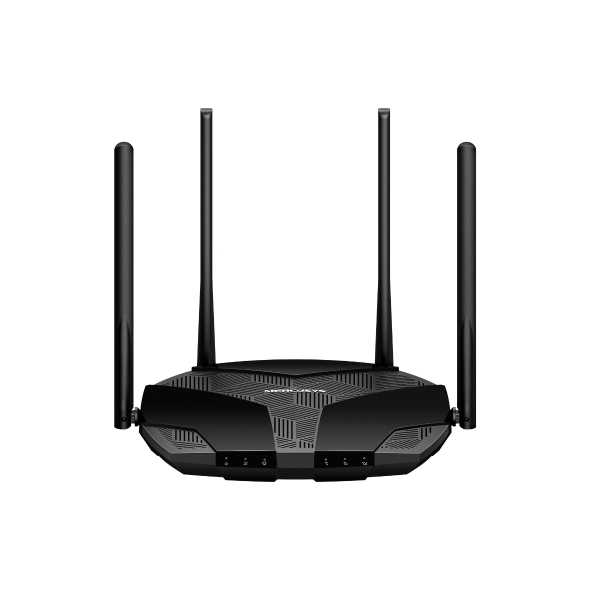

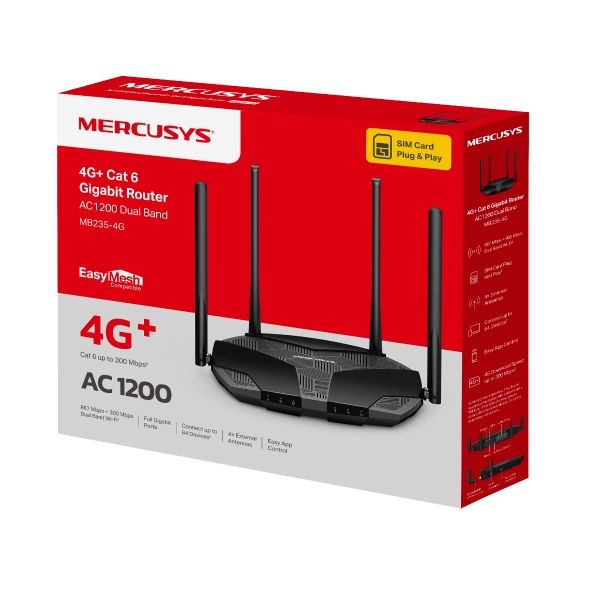
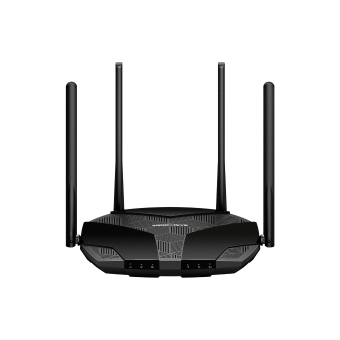
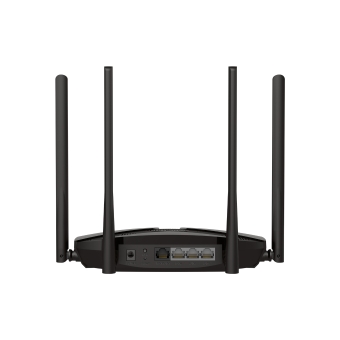
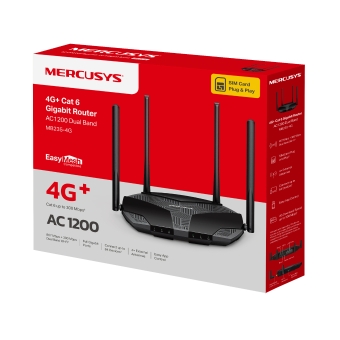
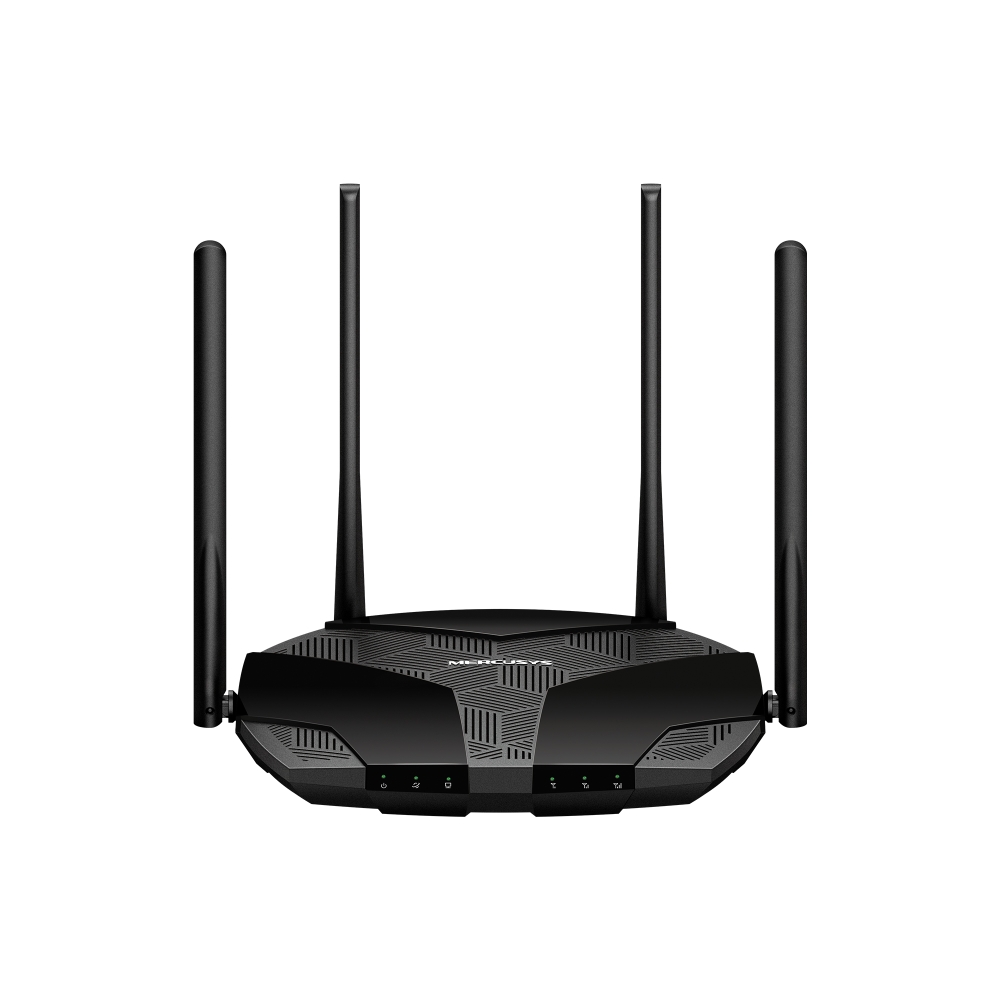
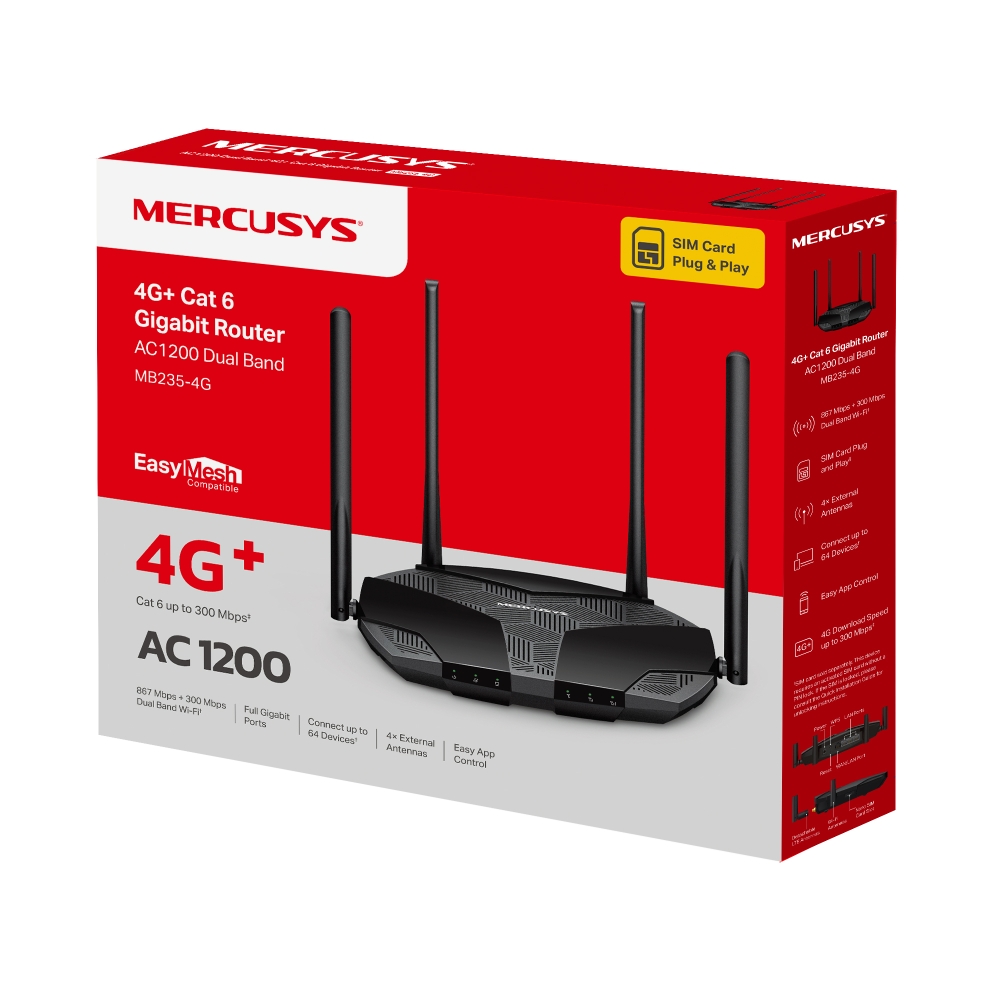
4G+ Cat6 AC1200 Wireless Dual Band Gigabit Router
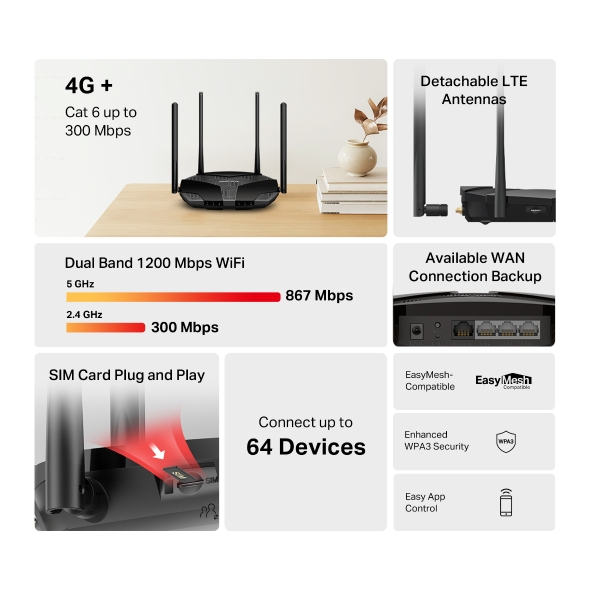
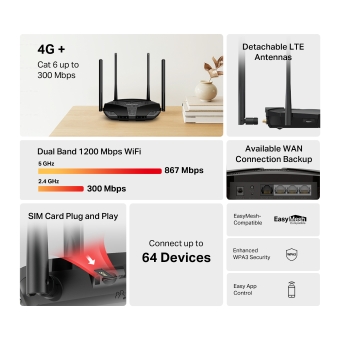
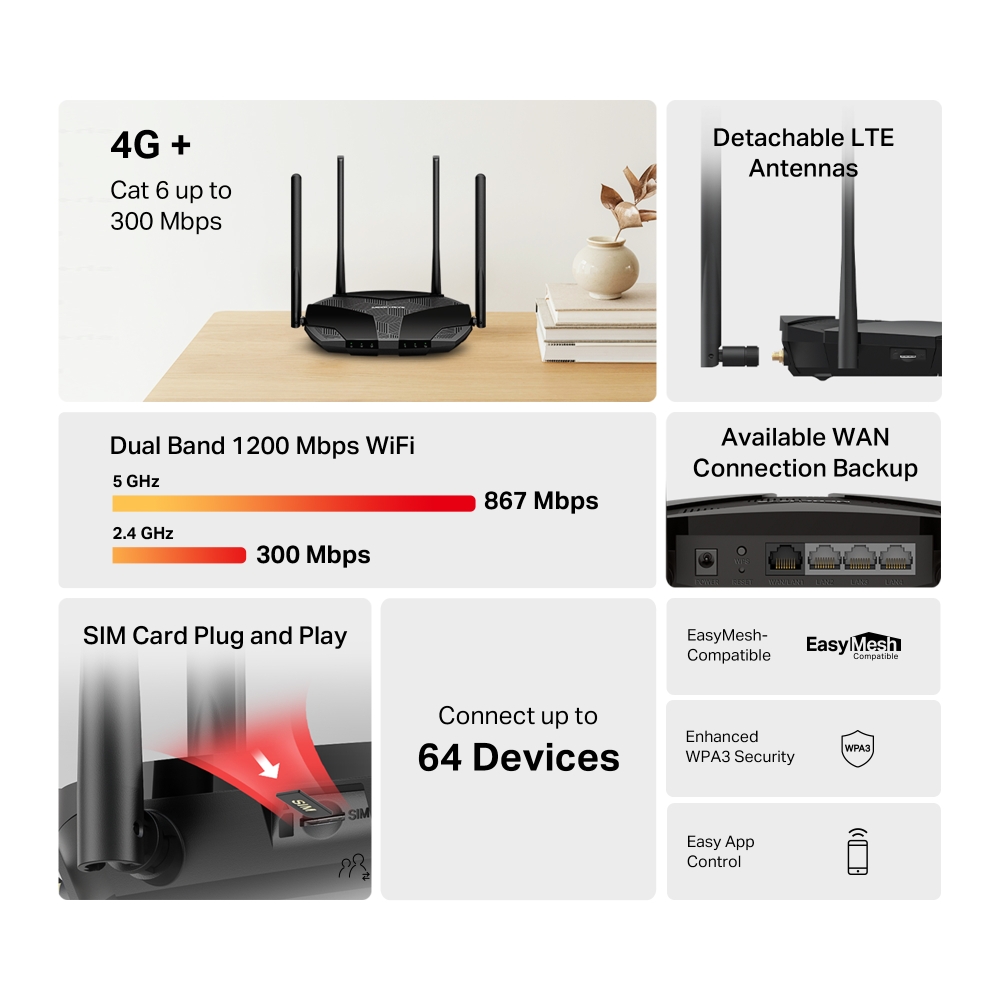
- 4G+ network – Enjoy the 4G+ Cat 6 download speeds up to 300 Mbps.
- Plug a SIM card and play – No configurations needed, compatibility of SIM cards are assured by years of field tests.
- Dual Band 1200 Mbps WiFi – Fast WiFi speeds up to 300 Mbps on the 2.4 GHz band and 867 Mbps on the 5 GHz band.
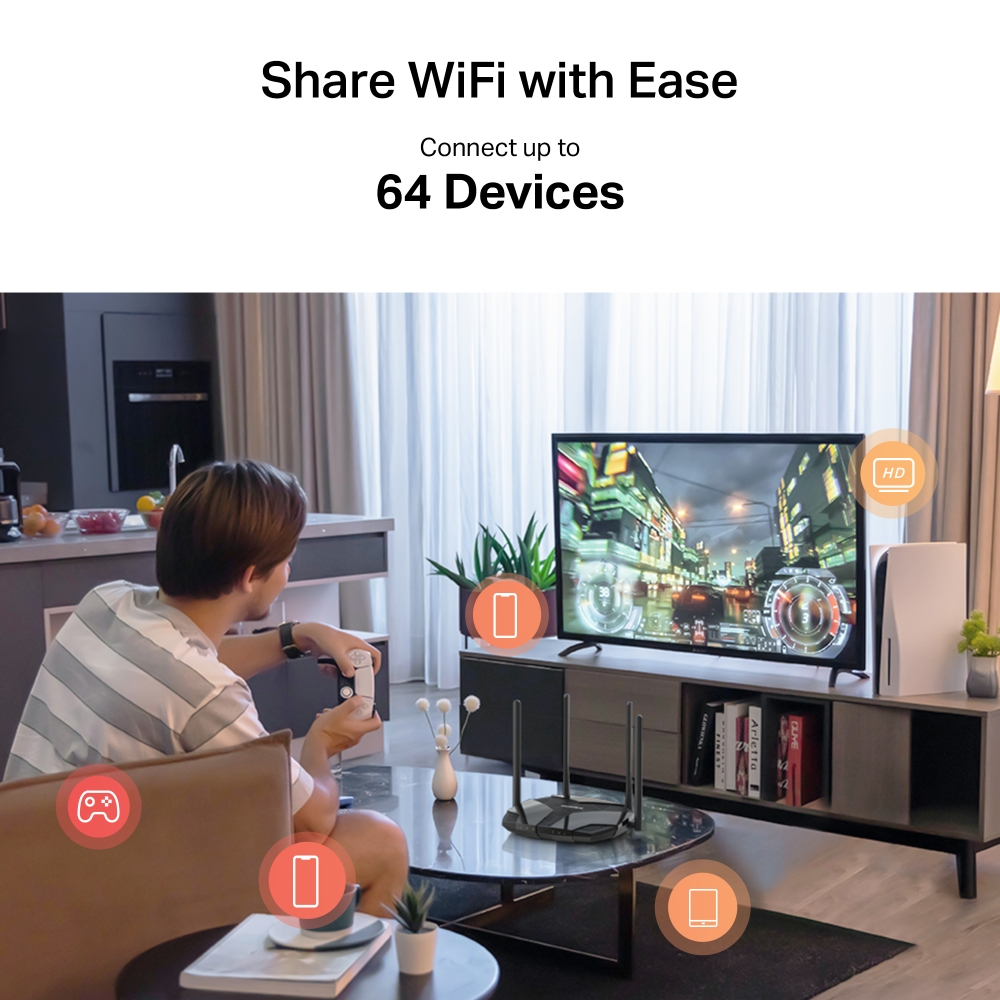
- Simultaneous Connection – Enjoy and share internet access with up to 64 Wi-Fi devices.
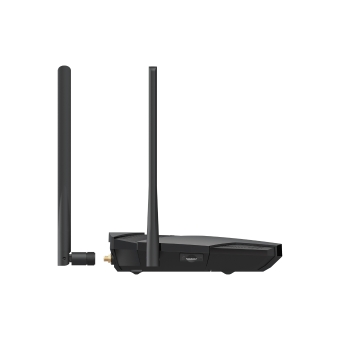
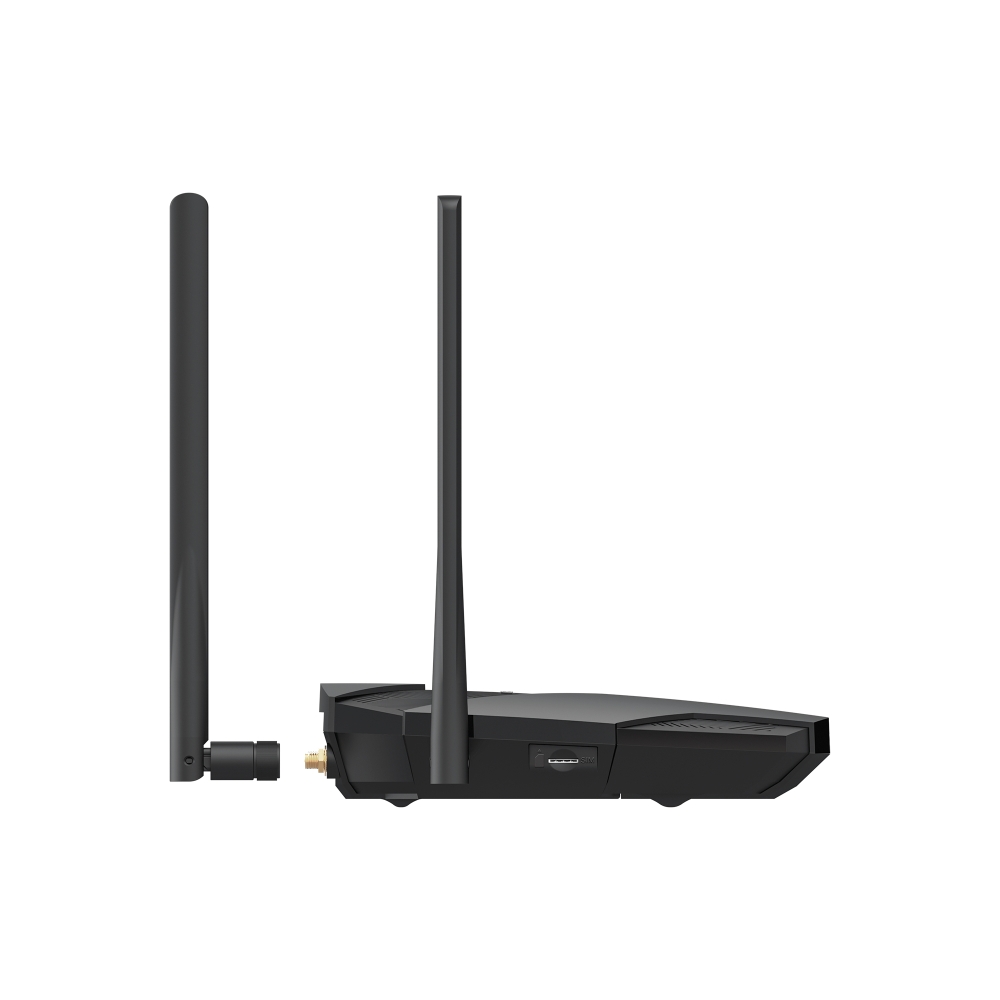
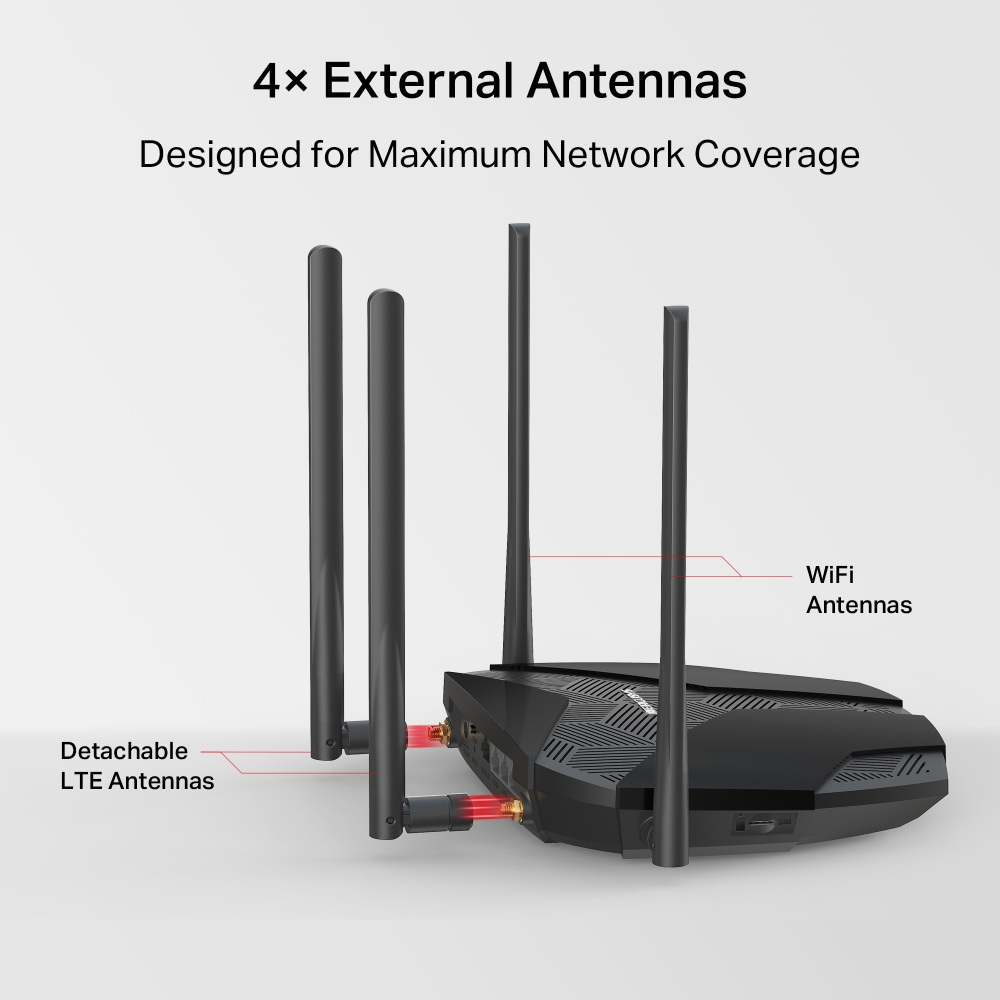
- Maximum Network Coverage – Enjoy stable and efficient connections to every device thanks to the four external antennas. LTE antennas can be replaced with high-power alternatives for enhanced 4G LTE signal strength and coverage.
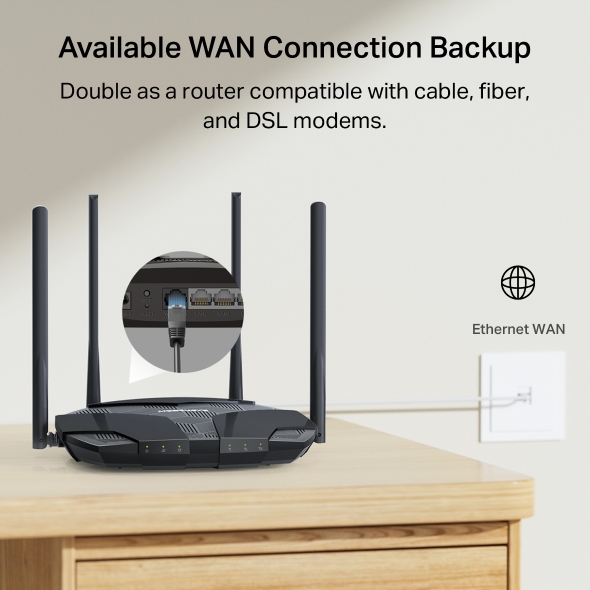
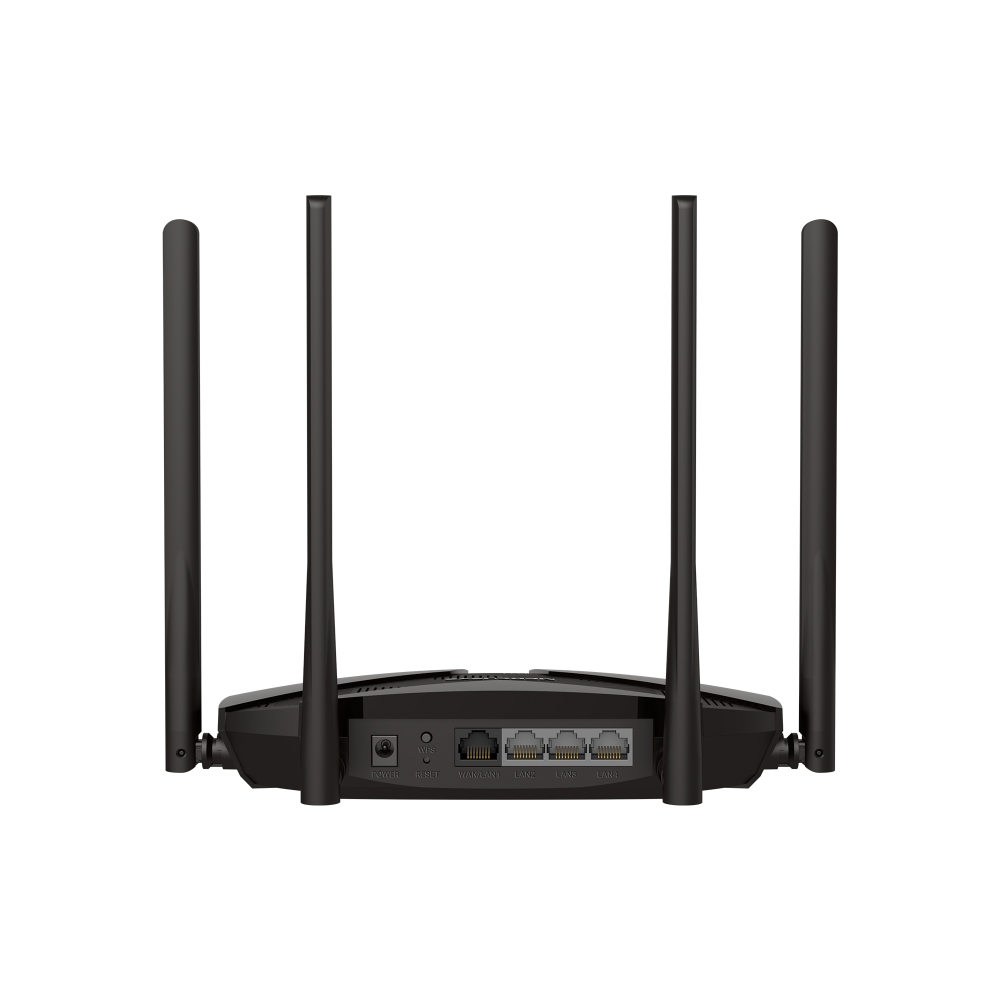
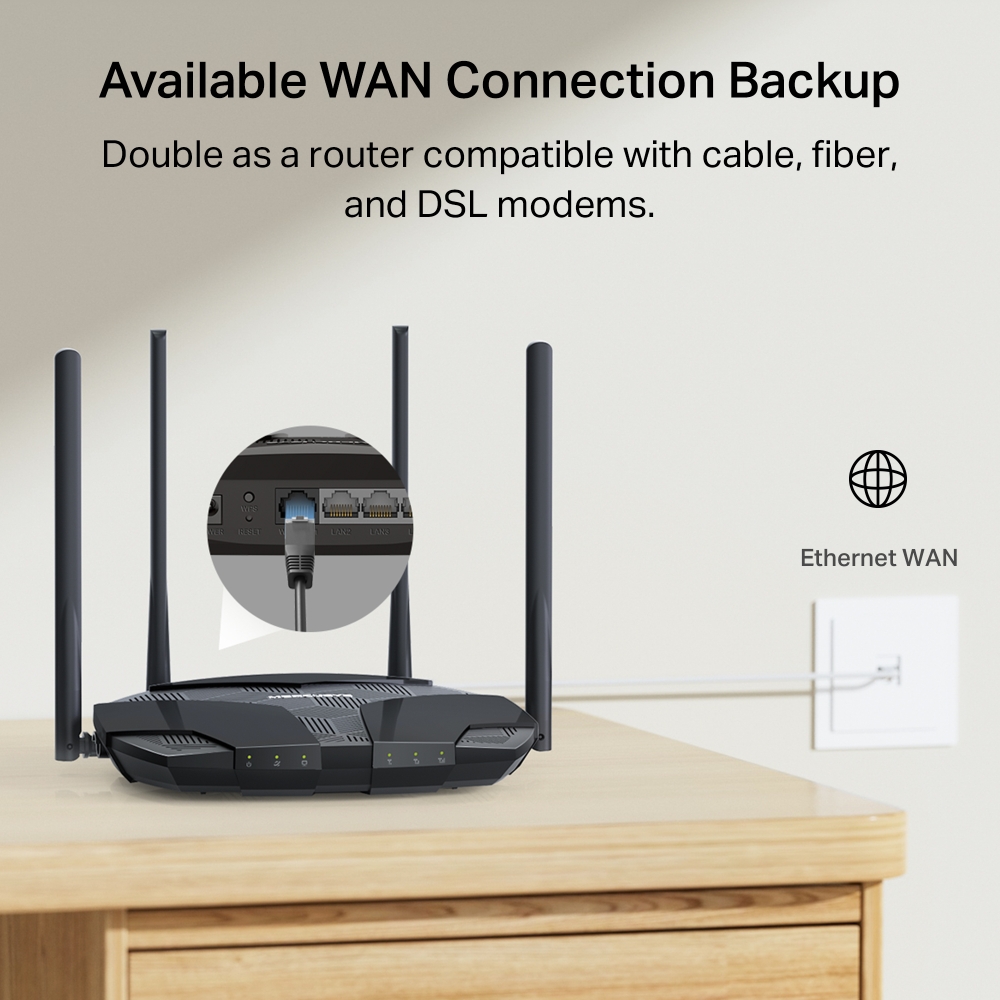
- Wi-Fi router mode – Plug an Ethernet cable into the LAN/WAN port for flexible access if you can't get a 4G connection.
- EasyMesh Compatible – Works with EasyMesh routers and range extenders to form seamless whole home Mesh WiFi, preventing drops and lag when moving between signals.△
-
watch video: How to Set Up MERCUSYS 5G/4G Router (MB110-4G as an example)
How to Set Up MERCUSYS 5G/4G Router (MB110-4G as an example)
Connect Anywhere and Unlock Superior Networking
AC1200 Wireless Dual Band 4G LTE Router
MB235-4G


4G +
Cat 6 up to 300 Mbps
SIM Card Plug and Play
Detachable LTE Antennas
Dual Band 1200 Mbps WiFi
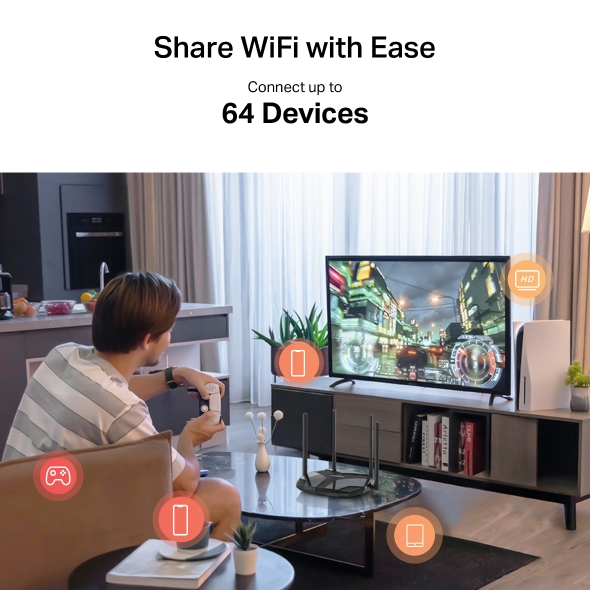
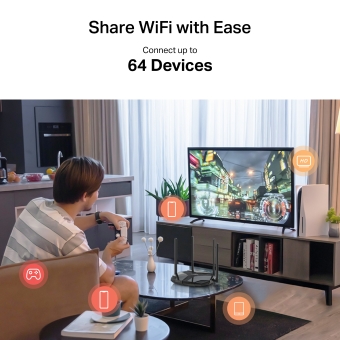
Connect up to 64 Devices
Available WAN Connection Backup
EasyMesh-Compatible
Enhanced WPA3 Security
Easy App Control
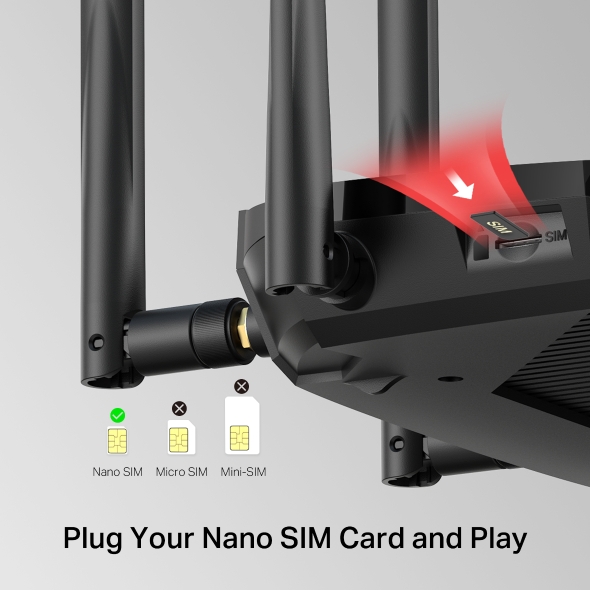
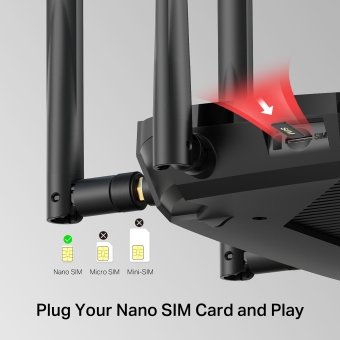
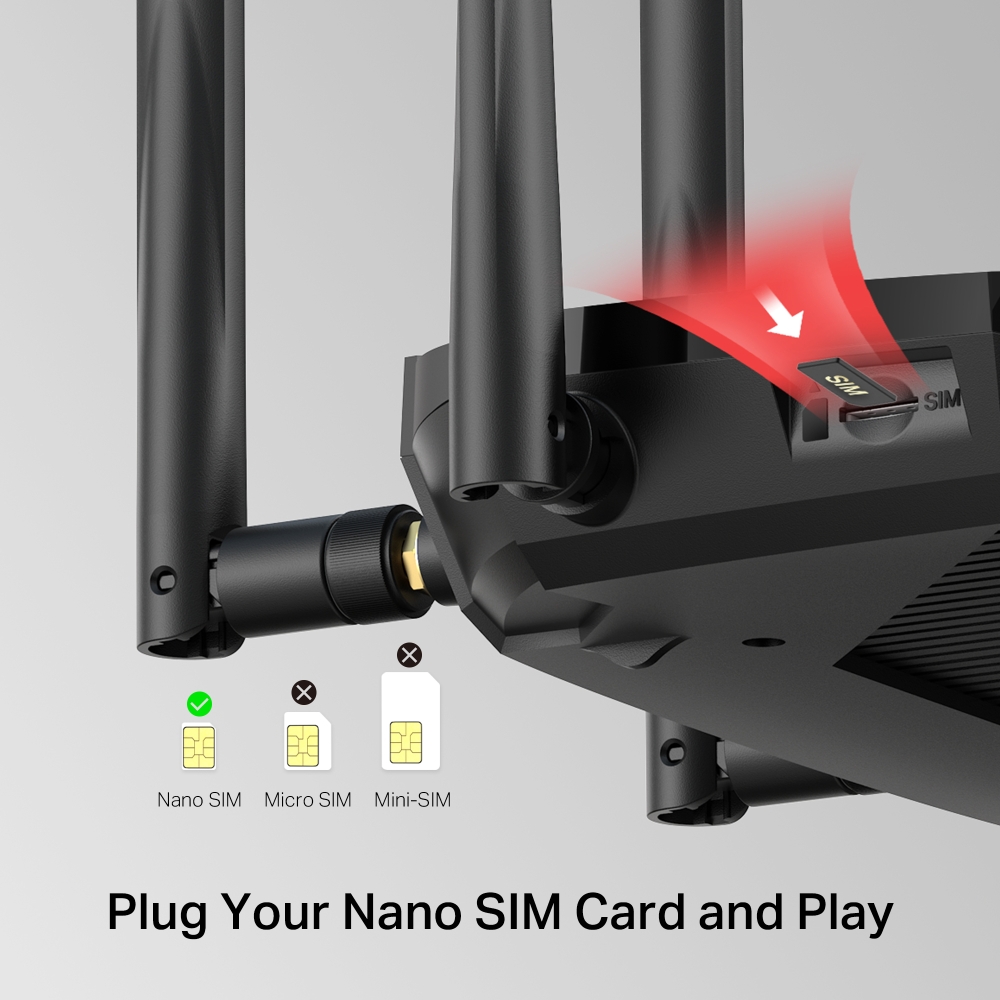
Plug and Play with Your Nano SIM Card
Compatible with FDD-LTE and TDD-LTE, working with most service providers worldwide. Simply insert a nano SIM card and power on the router to share your network with multiple WiFi devices.
Notes: Make sure your SIM card is unlocked. If not, you can:
a. Set up the router via the MERCUSYS app and follow the app instructions to unlock your SIM card.
b. Log in to the router's web management page and go to Advanced > Network > PIN Management to verify.
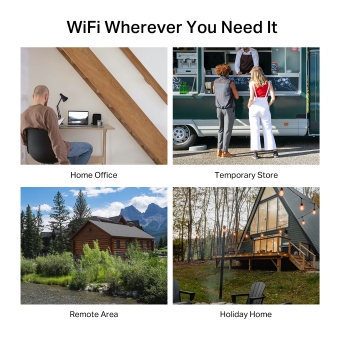
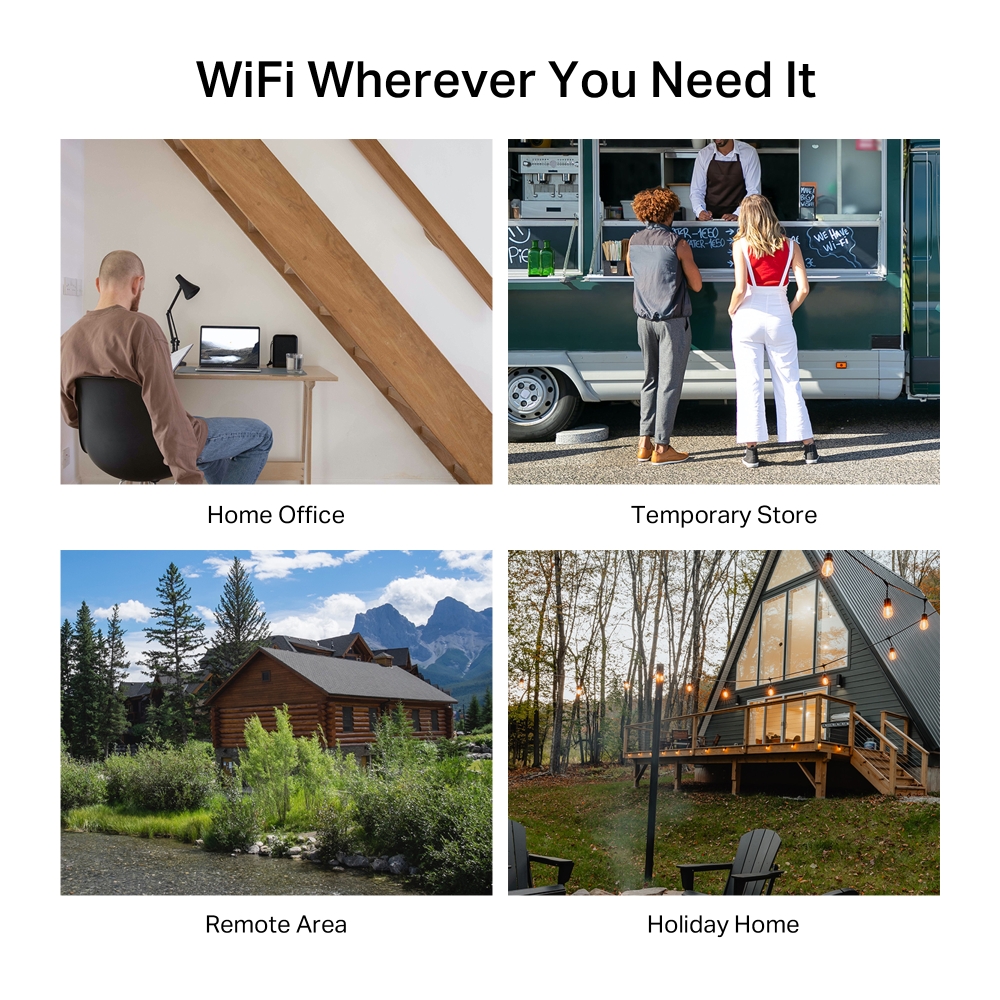
WiFi Wherever You Need It
Enjoy unmatched convenience and versatility with fast, stable WiFi whether you’re at home or working remotely.
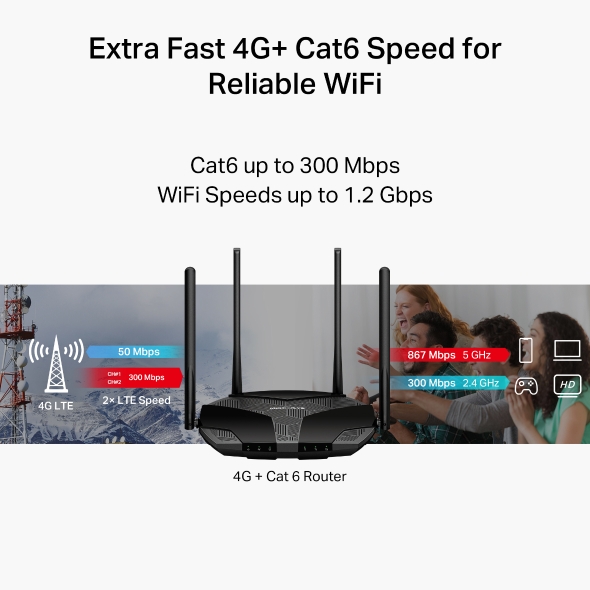
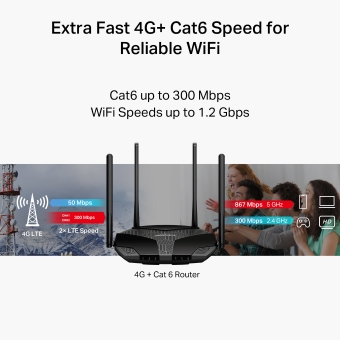
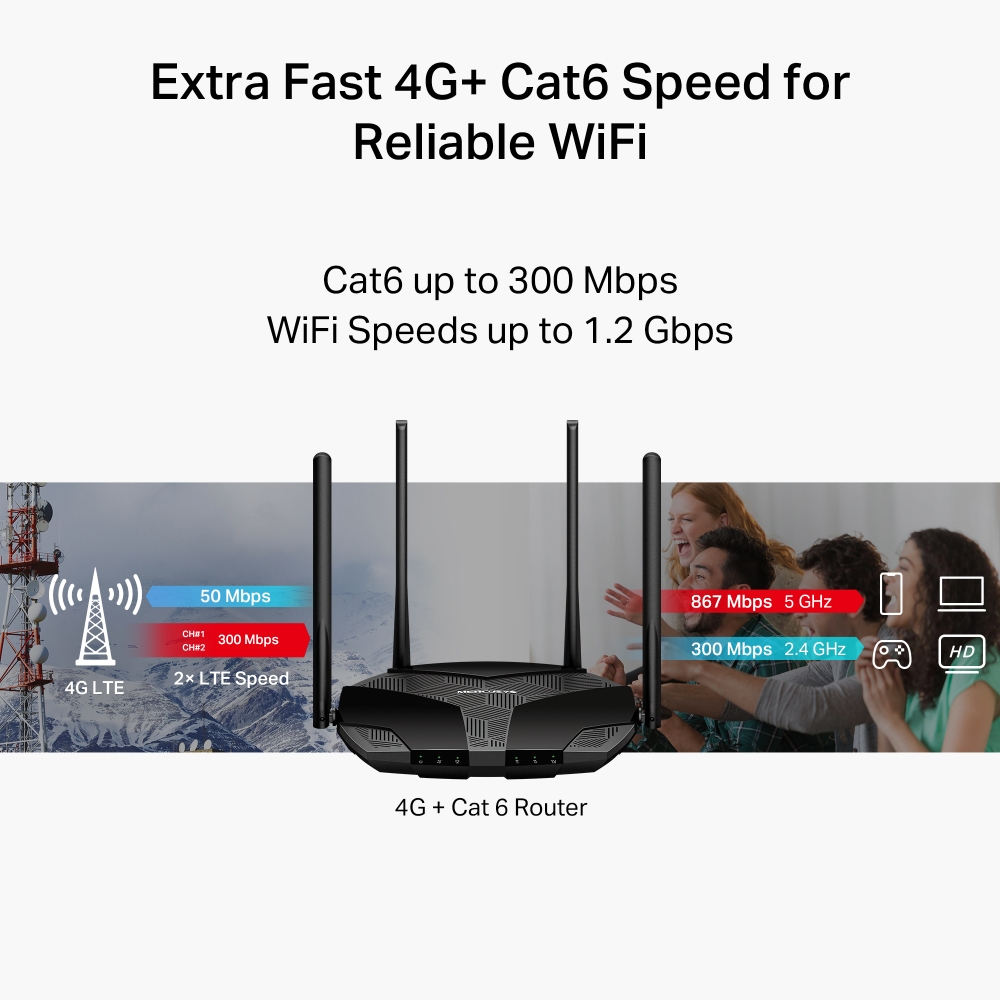
Extra Fast 4G+ Cat6 Speed for Reliable WiFi
Working as a 4G+ WiFi router, MB235-4G uses 4G+ Cat6 technology to achieve superfast speeds up to 300 Mbps download and 50 Mbps upload. It can also share dual band WiFi network speeds up to 1.2 Gbps. The 2.4 GHz band is perfect for music streaming and online shopping, while the 5 GHz band, with speeds of 867 Mbps, handles bandwidth-intensive HD streaming and gaming.
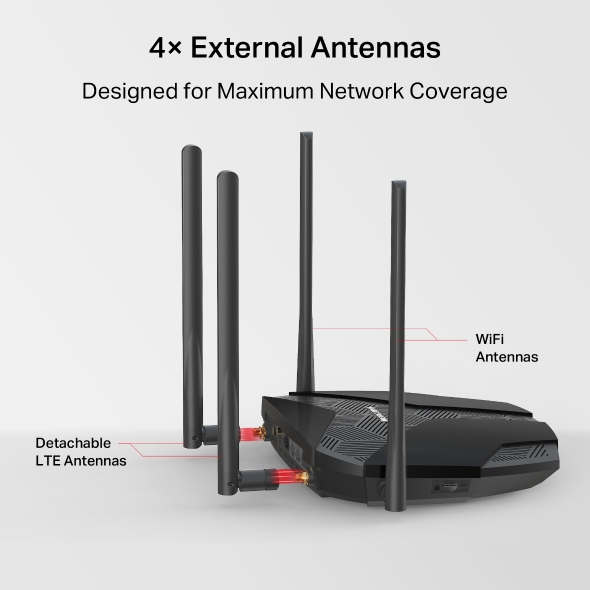
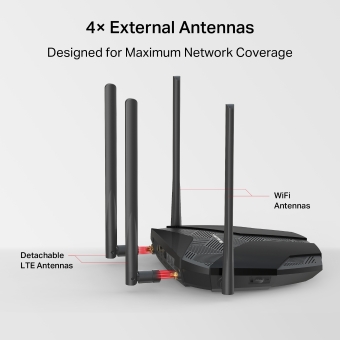
Designed for Maximum Network Coverage
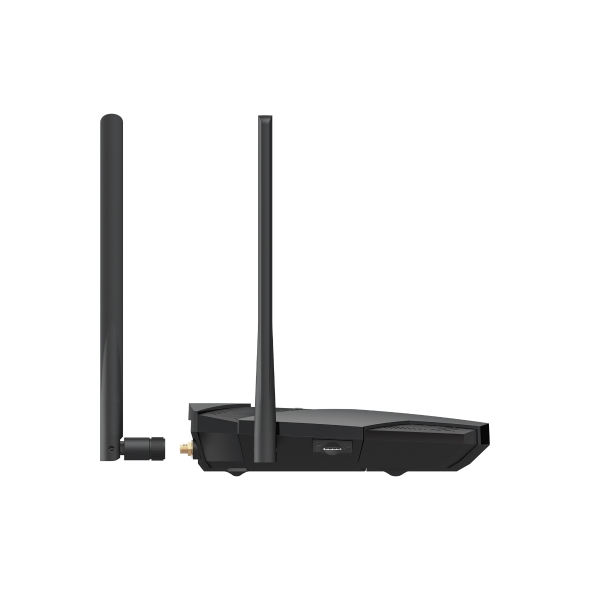
Advanced external antennas deliver stable, efficient connections across all devices. LTE antennas can be replaced with high-power alternatives for enhanced 4G LTE signal strength and coverage.
Cover Your Whole Home with EasyMesh
MB235-4G is compatible with EasyMesh, enabling you to set up a whole home mesh network with one WiFi name and password with any other APs that support EasyMesh from multiple vendors. Enjoy scalable and seamless mesh WiFi throughout your home!△
-

Flexible WiFi Range Expansion
-

Works with Different Vendors
-

Seamless WiFi Connections
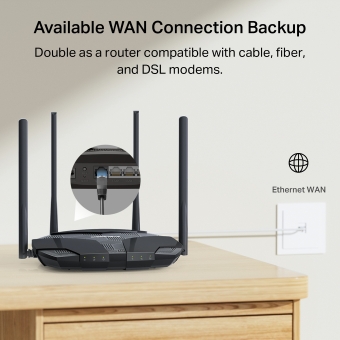
Available WAN Connection Backup
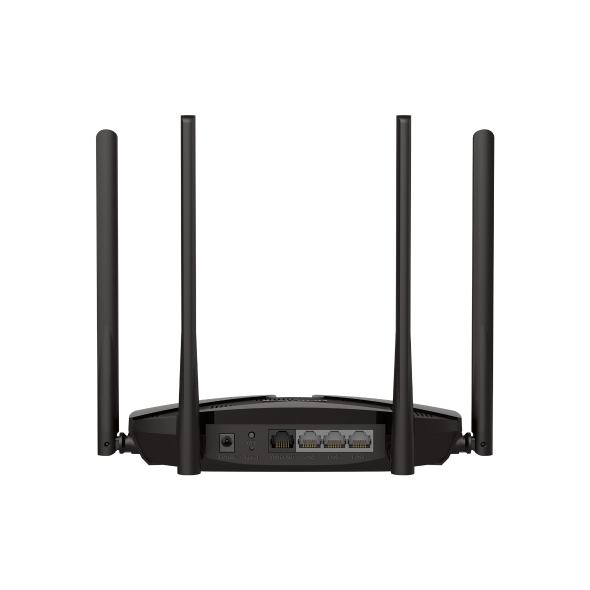
Equipped with a versatile LAN/WAN port, MB235-4G doubles as a router compatible with cable, fiber, and DSL modems, ensuring uninterrupted connectivity.
Easy Setup and Management via the MERCUSYS App
Set up and manage your WiFi through the MERCUSYS app from your smartphone (Android, iOS).


Comprehensive Mobile Data Control

Flow Switch
Turn your 4G network access on or off to avoid unexpected data usage.

Roaming Switch
If your 4G nano SIM card supports roaming, you can easily turn it on or off to access.

Setting Limit
Set a data limit to prevent overspending and receive SMS alerts as you approach it.
†Maximum wireless signal rates are the physical rates derived from IEEE Standard 802.11 specifications. Actual wireless data throughput and wireless coverage, and quantity of connected devices are not guaranteed and will vary as a result of network conditions, client limitations, and environmental factors, including building materials, obstacles, volume and density of traffic, and client location. ‡Maximum 4G download speeds depend on external factors such as the local 4G network coverage, data plan, real-time network capacity, client limitations, and environmental factors. △EasyMesh-compatible products can network with other devices that use EasyMesh. Failed connections may be due to firmware conflicts of different vendors. The EasyMesh-compatible function is still being developed on some models and will be supported in subsequent software updates. This product is compatible with standardized EasyMesh technology but has not obtained the Wi-Fi EasyMeshTM certification. *Actual network speed may be limited by the rate of the product's Ethernet WAN or LAN port, the rate supported by the network cable, internet service provider factors, and other environmental conditions. ErP information: 1. Power consumption in networked standby: 4.33 W 2. Power consumption in networked standby when all wired network ports are connected and all wireless network ports are activated: 7.12 W. 3. The default period of time after which the power management function switches the equipment automatically into a condition providing networked standby: 20 minutes 4. How to activate and deactivate wireless network: Enter the webpage of product through wired connecting. The wireless function can be turn on/off via ‘Wireless -> Extended Network -> Enable Wireless Checkbox’.
Aplicația Mercusys
Aplicația Mercusys oferă cea mai ușoară cale pentru a configura și gestiona rețeaua Wi-Fi acasă, direct prin dispozitivele iOS sau Android.
Configurare în câțiva pași simpli
Fără a fi nevoie de cunoștințe tehnice sau de un manual cu instrucțiuni complicate, doar urmează simplu din aplicație, iar rețeaua va fi configurată în doar câteva minute.
-
 Unitate Halo Cablu alimentare Cablu Ethernet
Pasul 1
Scoate conținutul pachetului
-

Pasul 2
Conectează dispozitivul
-

Pasul 3
Urmărește instrucțiunile din aplicație
Management în timp real
Cu aplicația Mercusys, ai parte de un control complet al rețelei în timp real. Poți afla cine se conectează la rețea sau poți bloca sau restricționa anumite dispozitive.
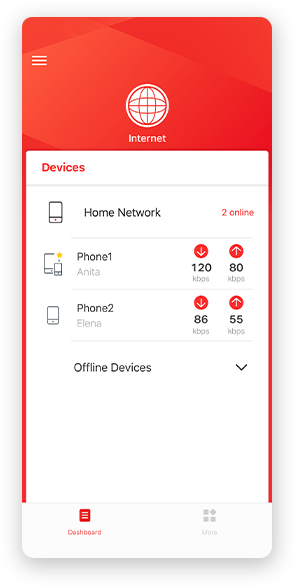
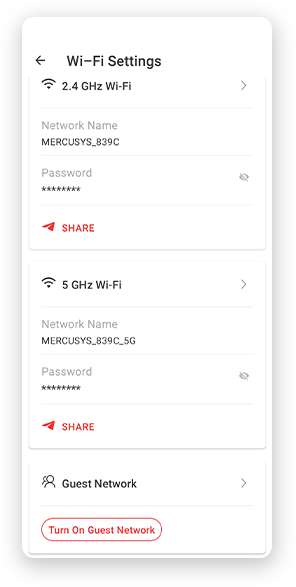
Notă: Imaginile cu aplicația Mercusys sunt cu titlul de prezentare. Cele afișate pot varia în funcție de tipul dispozitivului.
Control parental
Gestionezi ușor conținutul și timpul petrecut online al copiilor tăi, pentru a crea un mediu mai sigur.
-
Profiluri de utilizator
Creează un profil personalizat pentru fiecare membru al familiei. Atribuie dispozitive fiecărui profil și setează drepturi de acces la rețea.
-
Limite de timp online
Poți seta limite pentru accesul zilnic la internet al copiilor tăi, prevenind timpul excesiv în online și construind obiceiuri mai sănătoase.
-
Blocarea site-urilor periculoase
Blochează conținutul nepotrivit și protejează-ți familia.
-
Pauză de la internet
Oprește conexiunea la internet a membrilor familiei tale pentru a oferi o pauză de la lumea virtuală, pentru a vă putea bucura împreună de lumea reală.
Management și securitate pentru rețeaua de acasă
Aplicația Mercusys ofertă un control complet al rețelei, direct de pe telefon sau tabletă, de oriunde te-ai afla.

Statusul dispozitivelor conectate
Vezi detalii despre dispozitive și restricționează-le sau blochează-le în funcție de nevoi.

Quality of Service
Prioritizezi anumite dispozitive pentru a avea parte de performanțe wireless mai bune.

Alerte pentru dispozitive noi
Aplicația trimite notificări atunci când un dispozitiv necunoscut se conectează la rețea și poți alege să-l blochezi instant.

Rețea de vizitatori
Oferă o rețea separată pentru musafiri, pentru a proteja rețeaua principală.
Totul într-o singură aplicație
Control complet pentru toate dispozitivele Mercusys, de la sisteme mesh la routere și range extendere.
Vezi dispozitivele compatibileDispozitive compatibile
Dispozitivele trebuie să dispună de cea mai recentă versiune firmware. Click aici pentru a afla cum poți actualiza firmware-ul unui dispozitiv Mercusys.
Pentru dispozitivele listate, atât versiunile hardware de mai jos, cât și cele ulterioare, sunt și vor fi compatibile cu aplicația Mercusys.
Categorie
-
Sisteme Mesh Wi-Fi
-

Halo H50G V1
AC1900 Whole Home Mesh Wi-Fi System
-

Halo H30G V1
AC1300 Whole Home Mesh Wi-Fi System
-

Halo H80X V1
AX3000 Whole Home Mesh WiFi 6 System
-

Halo H70X V1
AX1800 Whole Home Mesh WiFi 6 System
-

Halo H30 V1
AC1200 Whole Home Mesh Wi-Fi System
-
-
Routere Wi-Fi
-

MR70X V1
AX1800 Dual Band Wi-Fi 6 Router
-

MR80X V1
AX3000 Dual-Band Wi-Fi 6 Router
-

MR50G V1
AC1900 Wireless Dual Band Gigabit Router
-

AC12G V2
AC1300 Wireless Dual Band Gigabit Router
-

MR30G V1
AC1200 Wireless Dual Band Gigabit Router
-
MR1200G V1
AC1200 Wireless Dual Band Gigabit Router
-
MR1900G V1
AC1200 Wireless Dual Band Gigabit Router
-

MR1800X V1
AX1800 Dual-Band WiFi 6 Router
-
-
Range Extendere
-
*More compatible devices are coming soon.
-
Disponibilă în multiple limbi
Prezența globală a brandului Mercusys este regăsită și în cele
26 de limbi disponibile pentru aplicația Mercusys.
-
Engleză
-
Neerlandeză
-
Franceză
-
Germană
-
Italiană
-
Japoneză
-
Coreeană
-
Portugheză
(Europa) -
Spaniolă
(Europa) -
Chineză
(tradițională) -
Rusă
-
Portugheză
(Brazilia) -
Spaniolă
(America Latină) -
Bulgară
-
Ucraineană
-
Poloneză
-
Română
-
Slovenă
-
Thailandeză
-
Turcă
-
Cehă
-
Vietnameză
-
Greacă
-
Malaeză
-
Maghiară
-
Ebraică
-
Cellular

| Standarde Celulare | Cat 6 300/50 Mbps DL/UL |
|---|---|
| Benzi Celulare | EU: FDD-LTE: B1/B3/B5/B7/B8/B20/B28 (2100/1800/850/2600/900/800/700 MHz) TDD-LTE: B38/B40 (2600/2300 MHz) HSPA+/UMTS: B1/B5/B8 (2100/850/900 MHz) |
| SIM | 1× Nano SIM Card Slot |
-
Wireless
| Clasă Wi-Fi | AC1200 |
|---|---|
| Wi-Fi (2.4 GHz) | 300 Mbps |
| Wi-Fi (5 GHz) | 867 Mbps |
| Standarde Wireless | IEEE 802.11ac/a/b/g/n |
| Sensibilitate Receptor | 11g 6 Mbps: -95 dBm 11g 54 Mbps: -77 dBm 11n HT20 MCS7: -74 dBm 11n HT40 MCS7: -71 dBm 11a 6 Mbps: -92 dBm 11a 54 Mbps: -75 dBm 11ac VHT20 MCS8: -70 dBm 11ac VHT40 MCS9: -65 dBm 11ac VHT80 MCS9: -61 dBm |
| Lățime Maximă Canal | 80 MHz |
| MAX Capacity | 64 |
| Limită Recomandată Clienți | 32 |
| Securitate Wireless | WPA-PSK / WPA2-PSK / WPA3-SAE |
| Funcții Wireless | Smart connect WPS Wireless Schedule |
-
Software
| Securitate | IPv4 SPI Firewall Access Control IP & MAC Binding IPv6 Firewall |
|---|---|
| Moduri Operare | 3G/4G Router Wireless Router |
| Mod Celular | 4G Mode 3G Mode |
| APN Celular | Data Roaming Band Search Network Search Profile Create APN Settings ISP File Upgrade PIN Management |
| Mod WAN | Dynamic IP Static IP PPPoE PPTP L2TP |
| DHCP | Server DHCP Client List Address Reservation |
| NAT Forwarding | ALG Virtual Server Port Triggering UPnP DMZ |
| Protocoale | IPv4 IPv6 |
| Rețea Vizitatori | 2.4 GHz Guest Network 5 GHz Guest Network |
| Setări Date | Data Statistics Data Limit |
| Control Parental | Time Control Website Filtering |
| VPN Server | Open VPN |
| DDNS | DynDNS NO-IP |
| VPN Client | Open VPN |
| SMS | Inbox New Message Outbox Drafts |
| QoS | √ |
| Easy Mesh | √ |
| ISP Feature | TR-069 |
| System | Time & Language LED Control Diagnostics Firmware Upgrade Backup&Restore Reboot Administration System Log CWMP Settings |
| LED Management | LED Control Night Mode |
| Administrare Dispozitiv | MERCUSYS APP Web GUI |
| Cloud | Firmware Upgrade over the Cloud Remote Management |
| Limbă afișare | English Deutsch Español Français Italiano Polski Русский |
-
Hardware
| Dimensiuni | 209 × 171.9 × 41.7 mm (8.2 × 6.8 × 1.6 in) |
|---|---|
| Interfață | 1× GE LAN/WAN Port 3× GE LAN Ports 1× Nano SIM Card Slot |
| Antene | 2 External Detachable 4G LTE Antennas 2 External Wi-Fi Antennas |
| Butoane | 1×WPS Button 1×Reset Button |
| Alimentare externă | 12V/1A |
| Instalare | Desktop |
| LED | 1× POWER 1× Internet 1× LAN 3× Signal |
| Retail Package Dimension | 305 × 274 × 60 |
| Units per Carton | 8 |
| Carton Dimension | 555 × 310 × 245 |
-
Altele
| Certificări | CE |
|---|---|
| Servicii Rețea Activate Implicit | Web Server Manage and configure device through web (HTTP/HTTPS) • Port: 80/443 Protocol: TCP DHCP Server IP address assignment (DHCP) • Port: 67 Protocol: UDP DNS proxy Processing DNS packets (DNS) • Port: 53 Protocol: TCP/UDP App management Manage and configure device through app • Port: 20002 Protocol: UDP |
| Conținut Pachet | 4G+ Cat6 AC1200 Wireless Dual Band Gigabit Router (MB235-4G) Power Adapter RJ45 Ethernet Cable Quick Installation Guide |
| Mediu | Operating Temperature: 0 °C~40 °C (32 °F~104 °F) Storage Temperature: -40 °C~60 °C (-40 °F~140 °F) Operating Humidity: 10%~90% Non-Condensing Storage Humidity: 5%~90% Non-Condensing |