Halo H60X [V1] 1-pack | AX1500 Whole Home Mesh WiFi 6 System






Halo H60X
AX1500 Whole Home Mesh WiFi 6 System
- Dual Band WiFi 6 Speeds up to 1500 Mbps – 1201 Mbps on 5 GHz and 300 Mbps on 2.4 GHz.†
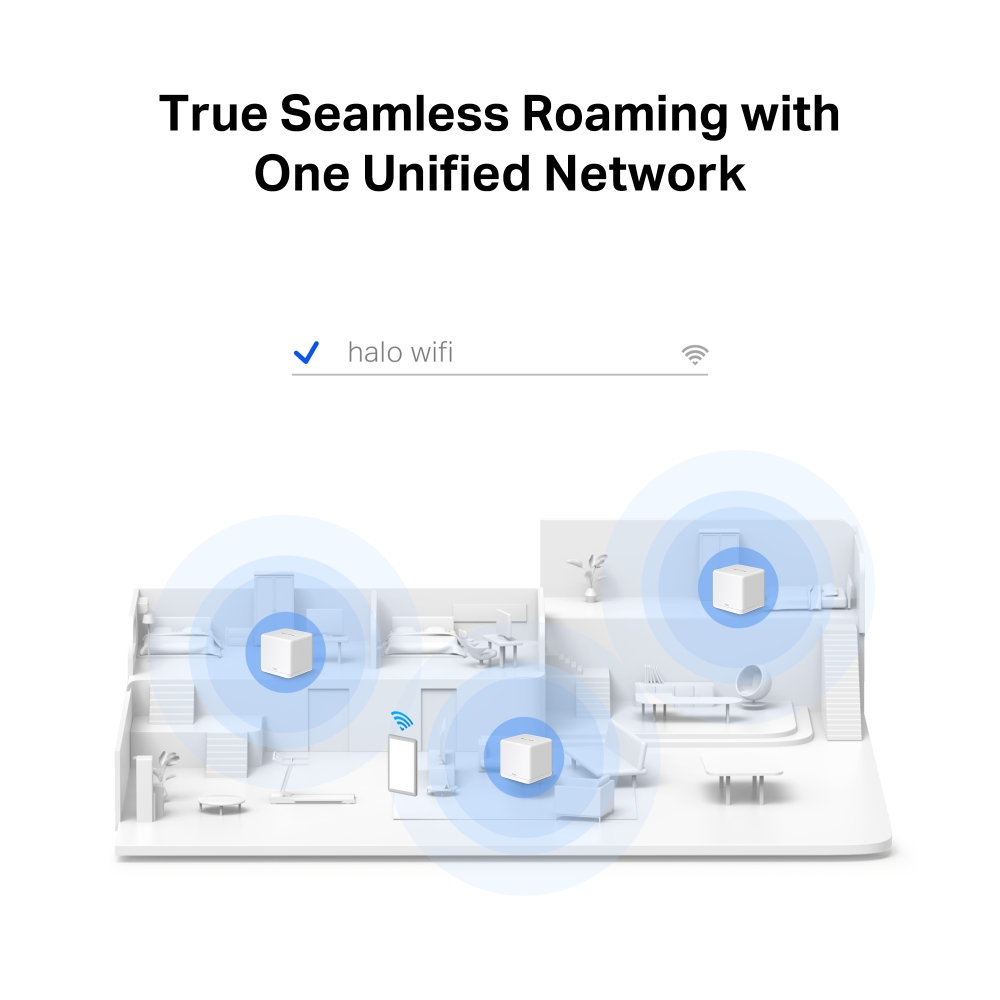
- Seamless Roaming with One Unified Network – Halo units work together to automatically switch between Halos as you move around your home with a single unified WiFi name and password.‡
- Whole Home Coverage – Blanket up to 2,500 ft²/230 m² (ideal for 1-3 bedroom houses) with high-speed WiFi, eliminating WiFi dead zones at your home.†
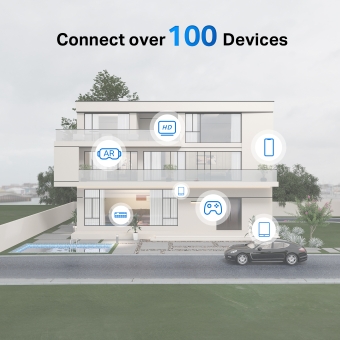
- Connect over 100 Devices – Provide fast and stable connections over 100 devices.†
- Easily Manage Your Home Network – Use the MERCUSYS App to quickly set up and manage your WiFi. You can also manage your kids’ online time and contents.
- Full Gigabit Ports – Gigabit ports for lightning-fast wired connections.**
*Please note that the Halo H series and S series cannot work together.
_1_thumb20240605080655.jpg)
_1_thumb20240605080948.jpg)
1500 Mbps
Coverage up to
2500 ft2 / 230 m2
Seamless
Roaming
One Unified
Network
Easy App
Control
Connect over
100 Devices
Dual Band WiFi 6 Speeds up to 1500 Mbps
Armed with WiFi 6, Halo H60X improves virtually every aspect of your network: speed, efficiency, and capacity.△
-

4× Longer OFDM Symbol
-

MU-MIMO
-

OFDMA
-

BSS Color
-

1024-QAM
A Whole Home WiFi Solution
Nothing’s worse than unreliable connections and internet speeds unable to keep up with your digital lifestyle. Halo works as a unified system to guarantee a strong WiFi signal in every corner of your home, providing an incredibly fast and stable network experience. Interruption and buffering will be a thing of the past.†
-
1-PACK
2500 ft² / 230 m²
-
2-PACK
4000 ft² / 350 m²
-
3-PACK
6000 ft² / 550 m²
True Seamless Roaming with One Unified Network
The Halo system automatically connects your phones or tablets to the fastest node, delivering a truly seamless network experience. No more sudden signal drops or lagging WiFi when you’re walking around the house.‡


-
Powerful Signal Amplifiers
Refined signal amplifiers and receivers cast strong, stable WiFi signals.

-
Beamforming
Supports Beamforming technology to concentrate wireless signal strength towards devices.

-
Self-Healing
Auto-chooses the best connection route between Halos according to the stability of the network.

Powerful Parental Controls
Easily manage your kids’ online time and content to create a safe and healthy online environment.
-
Create User Profiles
Create a profile for each family member you would like to manage. Assign devices to the profile to set access controls and time limits for them.
-
Online Time Limits
Set daily limits on how long your kids spend online and prevent them from accessing the internet on their devices for a long time to build a healthy network habit.
-
Block Inappropriate Websites
Control which sites your kids visit by setting a block list.
-
Pause Internet Connection
Suspend family members’ internet connections to take a break from the virtual world to enjoy some family time.
MERCUSYS App Helps You Set Up in a Few Steps
Without any technical know-how or reading complicated instructions, simply follow the in-app instructions. Set up your mesh network in minutes.
-
Step 1
Find what you’ll need in the box
 Halo Power Cable Ethernet Cable
 -
Step 2
Plug in your devices

-
Step 3
Follow the on-screen directions with the app to configure the main Halo

-
Step 4
Power up the included add-on unit and it will automatically join the network

The MERCUSYS app helps you manage your WiFi anywhere you are through your iOS or Android devices.
-
Check the Status of Connected Devices
-
Quality of Service
-
Guest Network
-
New Device Access Alert
-
Monthly Reports
Improved Capacity
Enhanced by WiFi 6’s OFDMA and MU-MIMO technology, Halo H60X lets you connect over 100 devices at once. Enjoy a more efficient network that loads faster without dragging down performance.†
Connect over
100
Devices
Full Gigabit Ports + WAN/LAN Auto-Sensing
Thanks to WAN/LAN Auto-Sensing, there’s no need to distinguish between WAN/LAN ports. This reduces time and effort, so you can get straight to enjoying Halo H60X’s lightning-fast data transfer to wired devices. With full gigabit ports, your devices will clock 10× faster than standard Ethernet connections.
faster
Halo H60X-Router
H60XR has 3× Gigabit WAN/LAN Ports, and works as a router to access Internet
Easily Extend Your Coverage
The Halo Whole Home WiFi kit includes multiple units to fit any house type. If that’s not enough, you can expand Mesh WiFi coverage anytime by simply adding more Halos.*
*Please note that the Halo H series and S series cannot work together.
Internet
H60X-Router
Work as the main router
H60X-Satellite
H30G
H50G
5 GHz
2.4 GHz
Optional Gigabit Ethernet Backhaul
†Maximum wireless signal rates are the physical rates derived from IEEE Standard 802.11 specifications. Actual wireless data throughput, wireless coverage, and quantity of connected devices are not guaranteed and will vary as a result of network conditions, client limitations, and environmental factors, including building materials, obstacles, volume and density of traffic, and client location.
‡Seamless roaming requires clients to support 802.11k/v/r and may require additional set up. Performance may vary depending on the client device.
△Use of Wi-Fi 6 and other features including OFDMA, MU-MIMO, 1024-QAM, BSS Color requires clients to also support the corresponding features. This product may not support all the mandatory features of IEEE 802.11ax specifications. Further software upgrades for feature availability may be required.
*Please note that the Halo H series and S series cannot work together. Halo H60X is compatible with other units from the Halo H series to form a Mesh network.
**All WAN/L AN ports will operate as either WAN or LAN ports. Only one port can serve as a WAN port at a time.
Actual network speed may be limited by the rate of the product's Ethernet WAN or LAN port, the rate supported by the network cable, Internet service provider factors and other environmental conditions.
MERCUSYS
Приложение MERCUSYS позволит настроить Wi-Fi сеть за пару минут и управлять ею из дома и дистанционно с устройств iOS и Android.


Настройка за пару минут
Чтобы быстро настроить сеть Mesh через приложение MERCUSYS, не нужно обладать никакими глубокими познаниями или читать сложные инструкции — простой следуйте указаниям в приложении.
-
 Halo Шнур питания Кабель Ethernet
Шаг 1
Вытащите содержимое коробки
-

Шаг 2
Подключите устройства
-

Шаг 3
Следуйте указаниям в приложении
Управление Wi-Fi сетью в режиме реального времени
Смотрите, какие устройства подключены к сети, и вносите изменения в сетевые параметры в любое время прямо с устройства iOS или Android.


Интерфейс настройки на разных моделях может выглядеть по-разному.
Родительский контроль
Контролируйте время, проводимое детьми в сети, а также посещаемые ими сайты.
-
Профили
Создавайте профили для членов семьи и добавляйте в профили используемые ими устройства для контроля доступа и установки ограничений по времени.
-
Ограничение времени в сети
Устанавливайте дневные ограничения на время, проводимое детьми онлайн, а также блокируйте для них доступ ночью и на время выполнения уроков.
-
Блокировка сайтов
Создайте список сайтов, к которым у детей не будет доступа.
-
Приостановка подключения
Временно отключайте интернет для членов семьи, чтобы они могли отдохнуть от виртуального мира и вернуться в реальный.
Возможности приложения

Состояние сети
Узнавайте состояние сети каждого модуля Halo, просматривайте списки подключённых к ним устройств и при необходимости блокируйте доступ к сети или присваивайте приоритет нужным устройствам.

Приоритизация
Повышает сетевую производительность выбранных устройств.

Уведомления
При подключении неизвестных устройств будет приходить уведомление — одно нажатие, и доступ к сети для подозрительного устройства будет заблокирован.

Гостевая сеть
Отдельная сеть для гостей ради безопасности основной сети.
Всё в одном приложении
Приложение MERCUSYS позволит настроить множество параметров Mesh-систем и роутеров.
Список совместимых устройствСовместимые устройства
Для работы приложения на устройстве должна быть установлена последняя версия прошивки.
Приложение будет работать не только на указанных, но и на более новых аппаратных версиях указанных устройств.
- Wi-Fi
- Стандарты беспроводной связи
Wi-Fi 6
IEEE 802.11ax/ac/n/a 5 GHz
IEEE 802.11n/b/g 2.4 GHz- Максимальная скорость
1201 Mbps on 5 GHz, 300 Mbps on 2.4 GHz
- Чувствительность (приём)
2.4GHz:
11g 6Mbps:-96.5dBm
11g 54Mbps:-78dBm
5GHz:
11a 6Mbps:-96dBm
11a 54Mbps:-78dBm
11ac VHT20 MCS8:-74.5dBm
11ac VHT40 MCS9:-70.5dBm
11ac VHT80 MCS9:-66.5dBm
11ax HE20 MCS11:-66dBm
11ax HE40 MCS11:-63dBm
11ax HE80 MCS11:-61dBm
- Мощность передатчика
2.4 GHz < 20dBm (EIRP)
5 GHz < 23dBm (EIRP)- Защита беспроводной сети
WPA-PSK/WPA2-PSK/WPA3
- Протокол Mesh
802.11k/v/r
- Программные
- Режимы рабoты
Router, Access Point
- Приоритизация трафика (QoS)
WMM
- Тип WAN
Dynamic IP/Static IP/PPPoE/L2TP/PPTP
- Управление
Local Management, Remote Management, Multi-Managers
- DHCP
Server, Client
- Межсетевой экран
SPI Firewall
- Протоколы
Supports IPv4 and IPv6
- Гостевая сеть
2.4 GHz Guest Network,
5 GHz Guest Network
- Аппаратные
- Размеры (Ш × Д × В)
3.5 × 3.5 × 3.5 in (88 × 88 × 88 mm)
- Интерфейсы
3× Gigabit WAN/LAN Ports
- Кнопки
Reset button
- Прочее
- Сетевые службы включенные по умолчанию
Web Server
Manage and configure device through web (HTTP/HTTPS)
• Port: 80/443; Protocol: TCP
DHCP Server
IP address assignment (DHCP)
• Port: 67; Protocol: UD
DNS
DNS
• Port: 53; Protocol: TCP & UDP
App management
Manage and configure device through app
• Port: 20001; Protocol: TCP
• Port: 20002; Protocol: UDP
- Комплект поставки
3-pack
1× Halo H60XR Unit+ 2× Halo H60XS Units
1× RJ45 Ethernet Cable
3× Power Adapters
Quick Installation Guide2-pack
1× Halo H60XR Unit+ 1× Halo H60XS Unit
1× RJ45 Ethernet Cable
2× Power Adapters
Quick Installation Guide1-pack
1× Halo H60XR Unit
1× RJ45 Ethernet Cable
1× Power Adapters
Quick Installation Guide- Параметры окружающей среды
Operating Temperature: 0°C~40°C (32°F~104°F)
Operating Humidity: 10%~90% Non-Condensing
Storage Humidity: 5%~90% Non-Condensing