Why doesn’t it allow me to pay when I submit an RMA?
If you cannot process the payment when submitting the Advanced RMA request, that is, nothing happens when clicking "Pay" in the Mercusys Product Registration System; please check this FAQ for a possible solution.
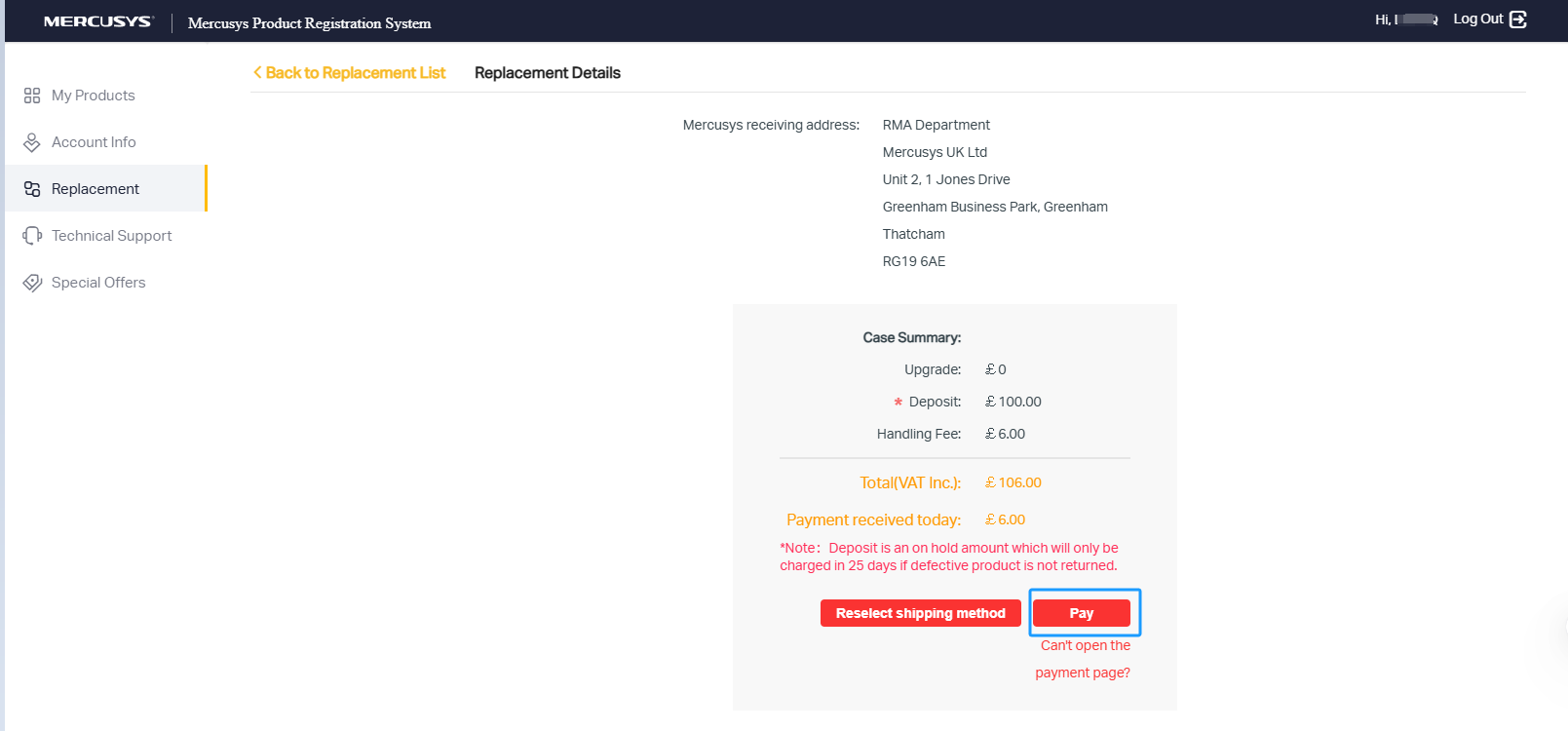
Solution 1. Check if your computer/phone is set to allow pop-up windows to come up. To turn off the pop-up blocker on your device, please select your operating system and check the answer. If the browser you are using is not included, please try to search on Google and see how.
Solution 2. Try a different web browser or delete the browsing history. Log out from myproducts.mercusys.com completely and then try again.
How to Turn off the Pop-Up Blocker on Different Operating Systems
Safari
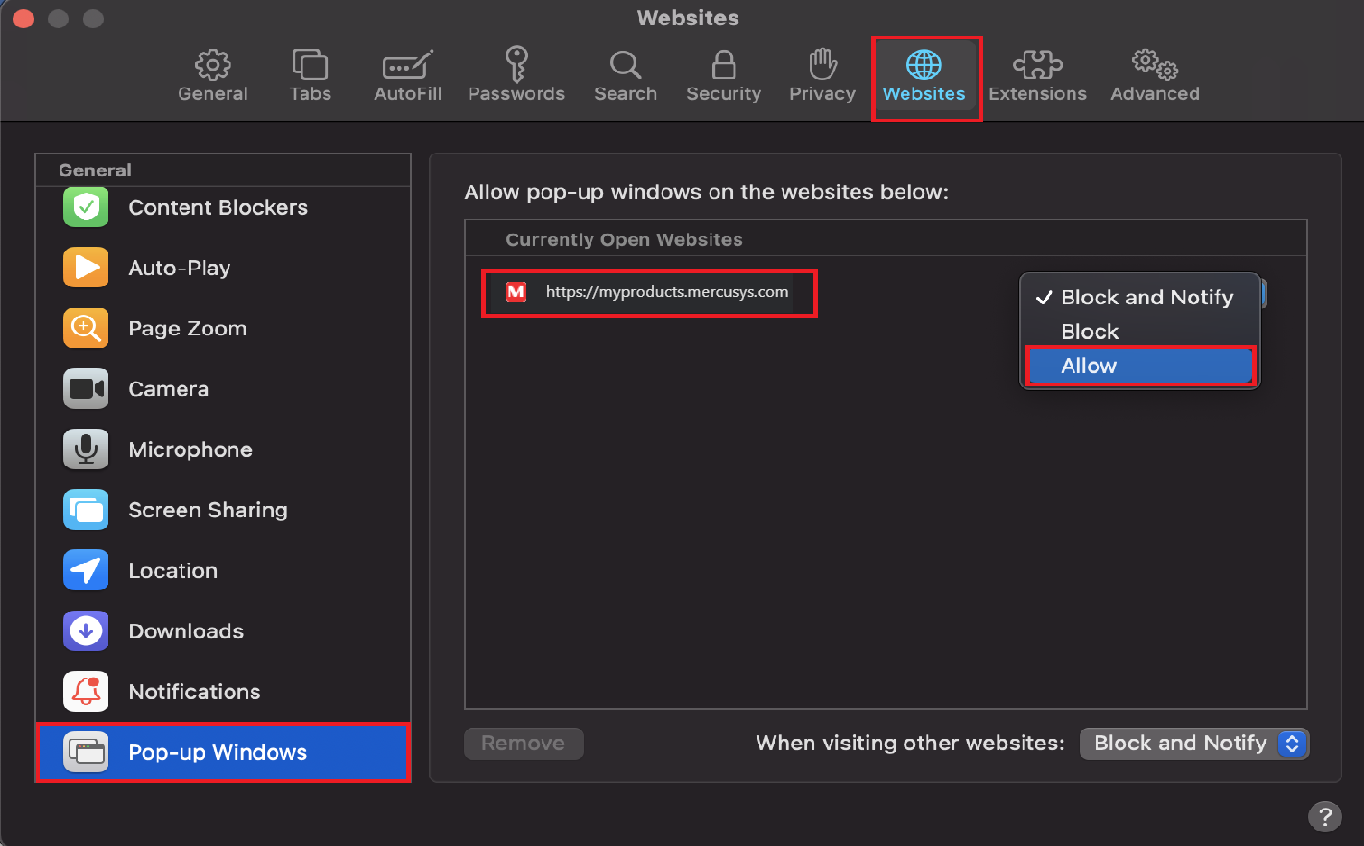
To allow pop-ups in Safari, please go to Safari > Preferences > Websites tab > click Pop-up Windows on the left sidebar. Then please check if pop-ups on “myproducts.mercusys.com” have been blocked. And if that’s the case, please check the “allow” box.
Google Chrome
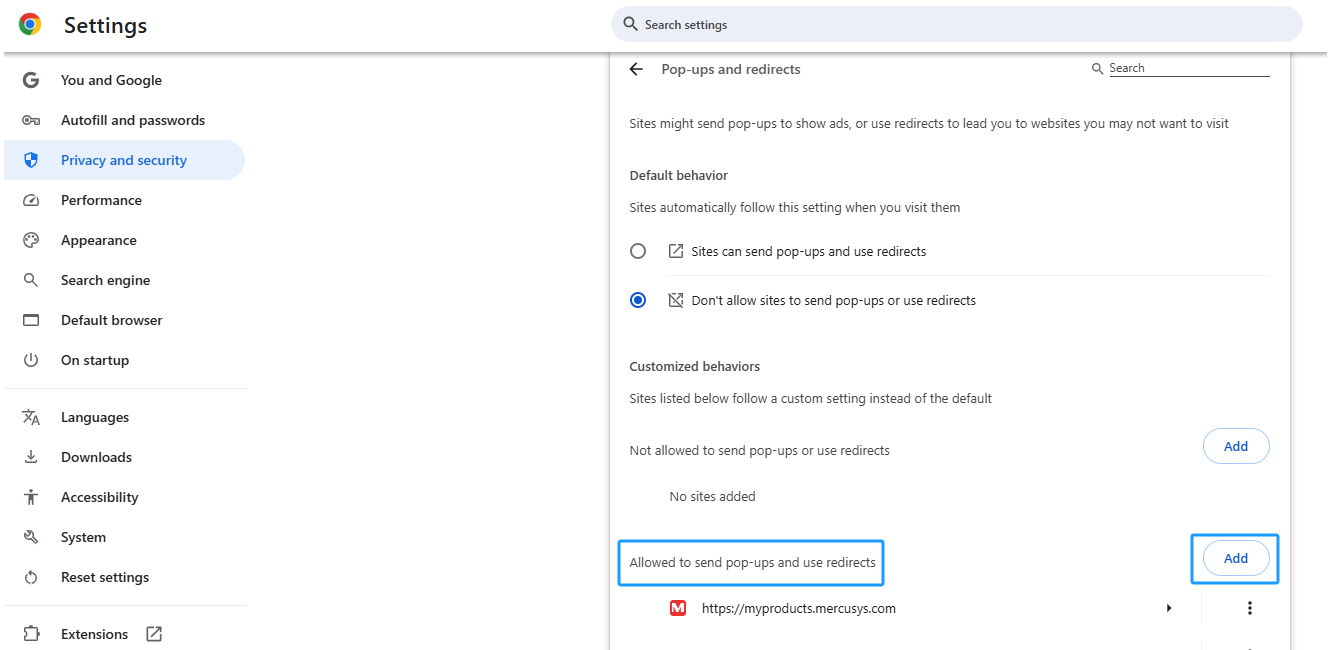
To allow pop-ups in Chrome, please click the three-dots icon ( on the upper right corner of Chrome’s home page), go to Settings > Privacy and security > Site Settings > Pop-ups and Redirects, Add “myproducts.mercusys.com” into Allowed to send pop-ups and use redirects.
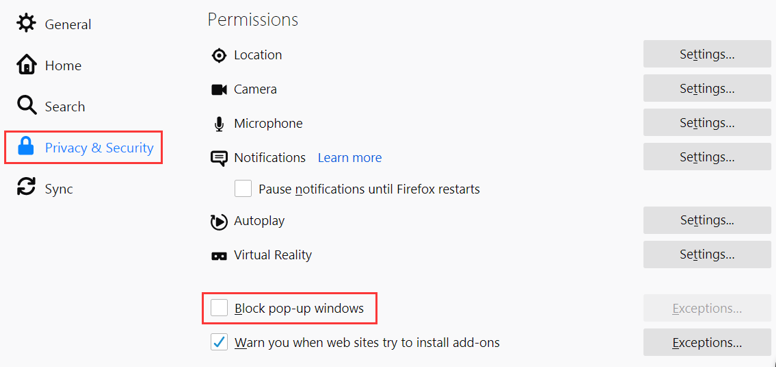
To allow pop-ups in Firefox, please click the three-line icon ( on the upper right corner of Firefox’s home page), choose Options > Privacy and security, and then uncheck the Block pop-up windows option.
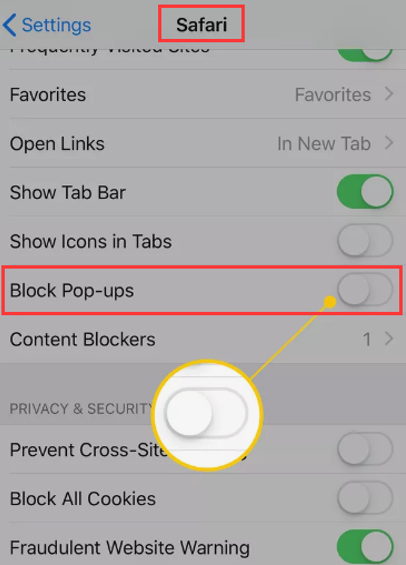
Go to phone Settings on the iPhone or iPad, go to Safari, and tap the Block Pop-ups toggle. It will turn white to indicate it’s turned off.
Get further help. If the above suggestions cannot resolve the issue, please Contact Support.