MERCUSYS
България / български
-
Продукти
Модеми/шлюзовеРазширяване на мрежата
- Поддръжка
- За нас
- Къде да закупя
- България / български
How to use the Pan & Tilt function of the MERCUSYS cameras on the MERCUSYS App
This article will show you how to use the Pan & Tilt function of the MERCUSYS cameras on the MERCUSYS app.
Here we take the MC210 as an example.
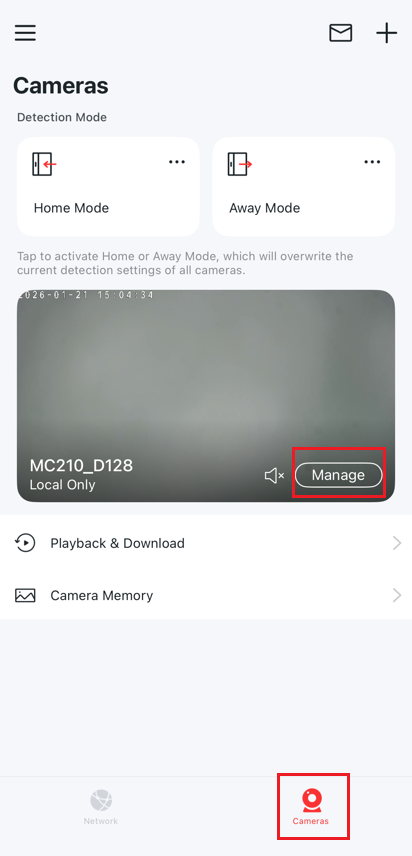
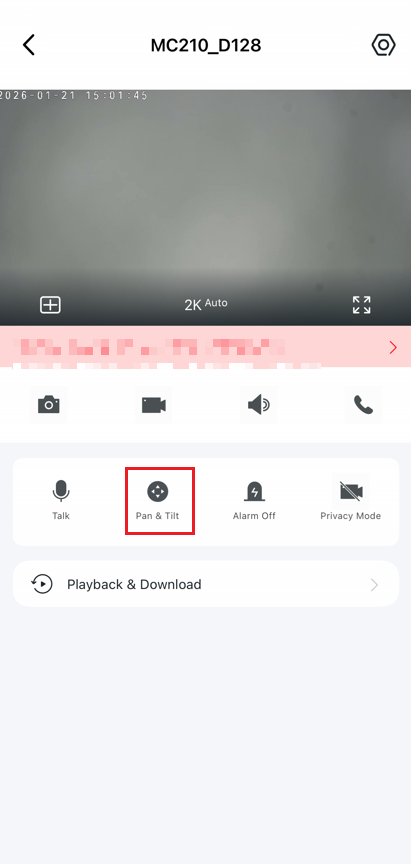
On the MERCUSYS app > Cameras > Manage > Pan & Tilt to enter the control page.
Pan & Tilt feature
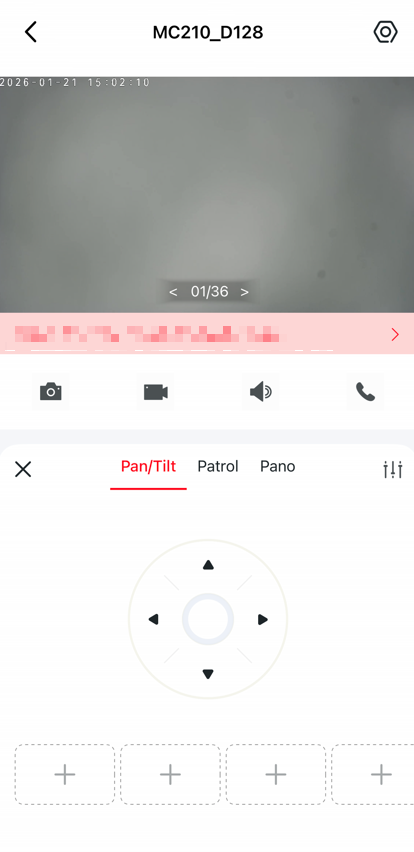
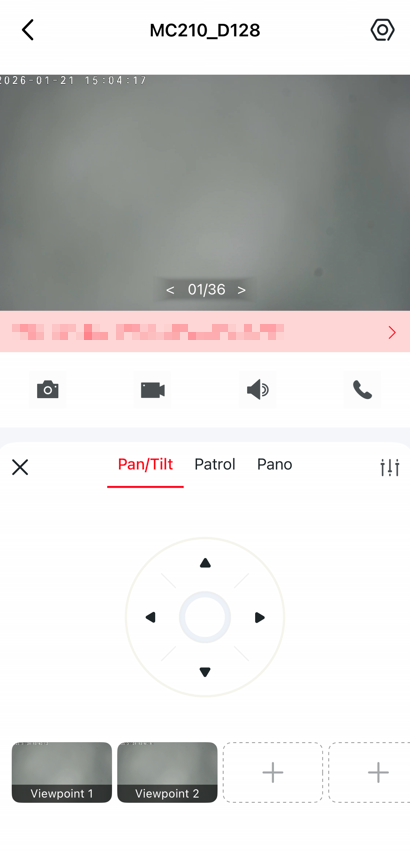
Tap on the Pan & Tilt to control your camera to move.
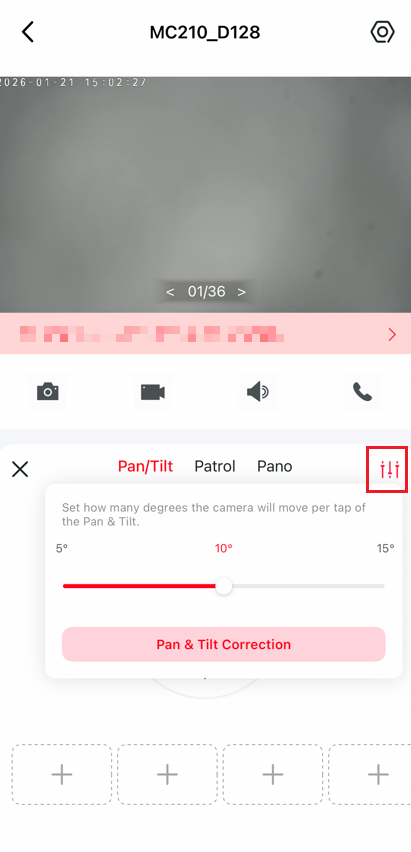
Tap the Settings icon to set how many degrees the camera will move per tap of the Pan & Tilt.
Patrol feature
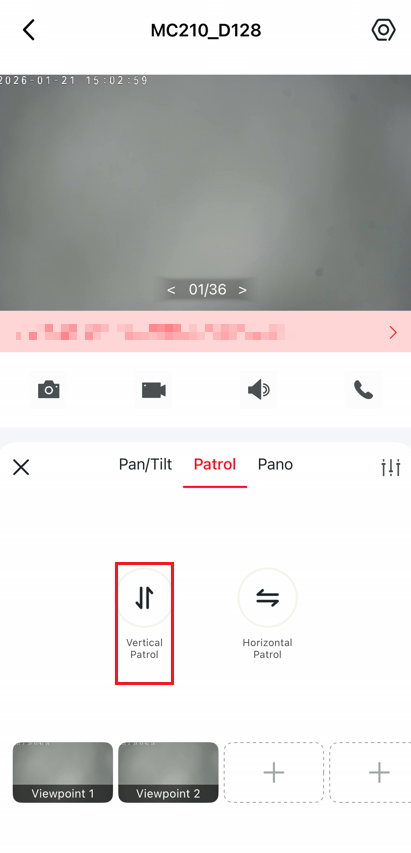
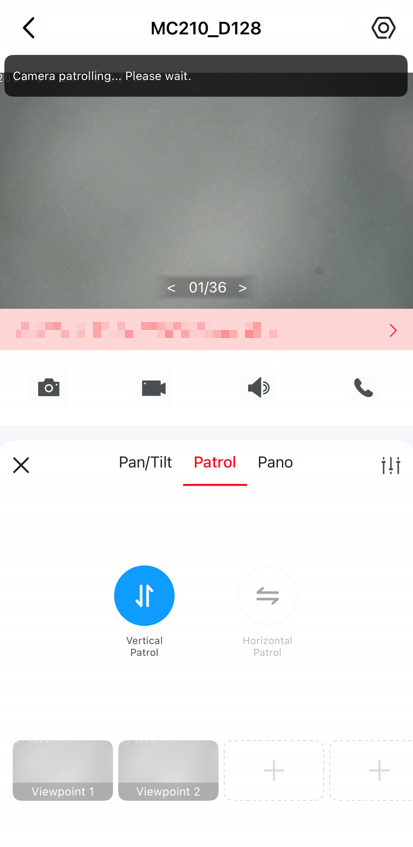
Click Vertical Patrol or Horizontal Patrol to make the camera patrol vertically or horizontally once.
Mark position
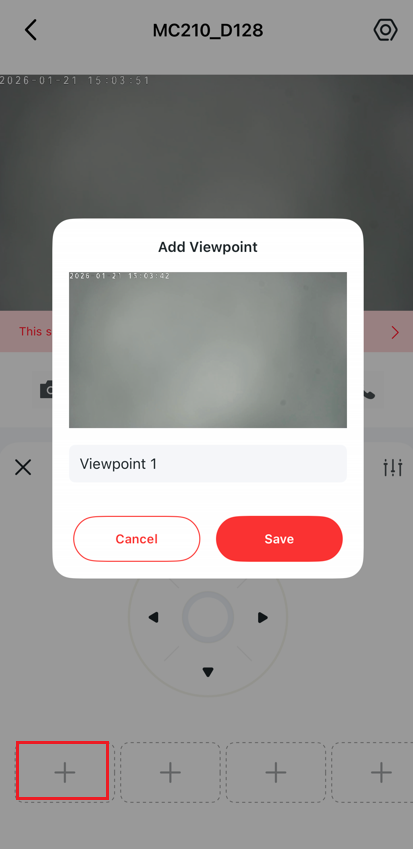
Tap to mark your current position, and then you can quickly rotate your camera to the marked direction with just a tap.
Get to know more details of each function and configuration please go to Support Center to download the manual of your product.