MERCUSYS 앱에서 MERCUSYS 카메라의 팬 & 틸트(Pan & Tilt) 기능을 사용하는 방법
이 글에서는 MERCUSYS 앱에서 MERCUSYS 카메라의 회전형 기능을 사용하는 방법을 안내합니다.
여기서는 MC210을 예시로 사용합니다.
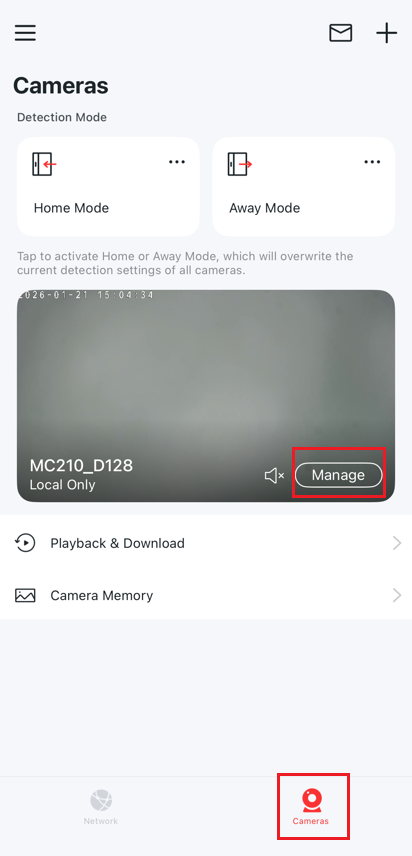
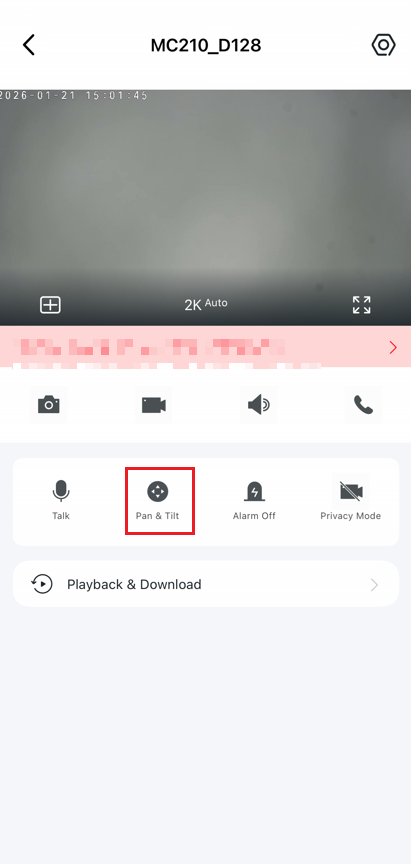
MERCUSYS 앱 > 카메라 > 관리 > 회전형으로 이동하여제어 페이지에 진입합니다.
회전형 기능
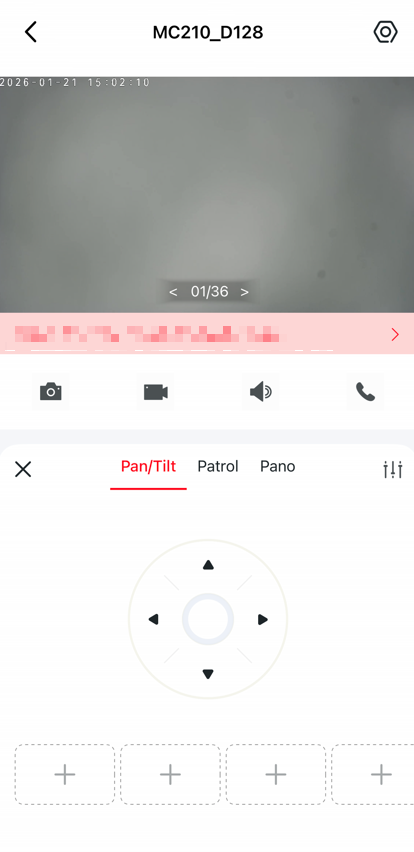
회전형을 탭하여 카메라를 움직이도록 제어합니다.
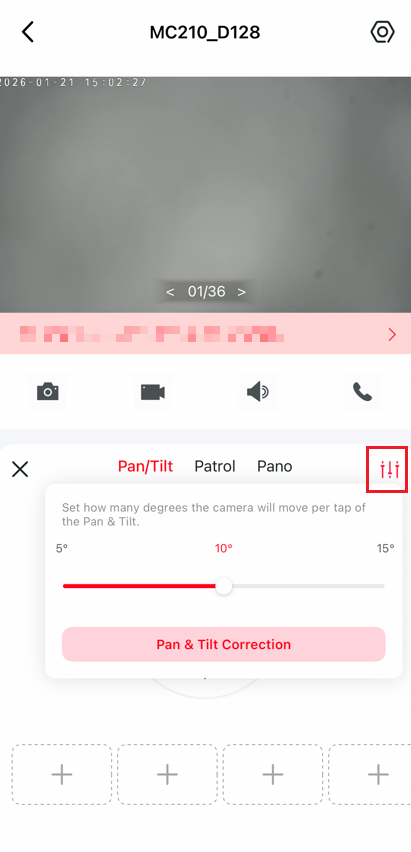
설정 아이콘을 탭하여 회전형 카메라의 탭당 이동 각도를 설정합니다.
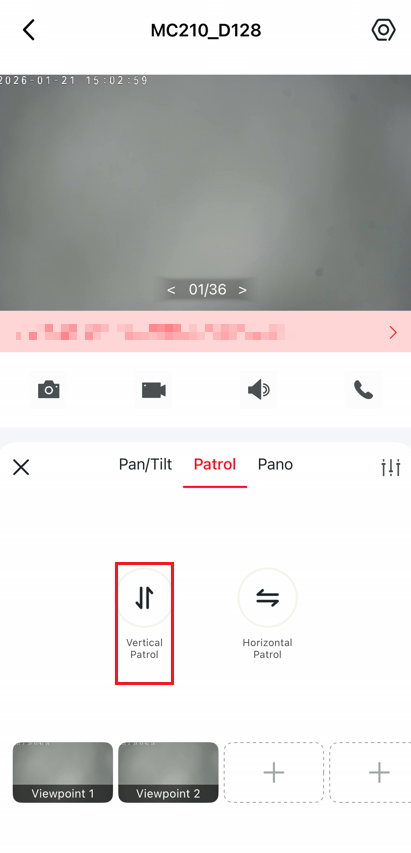
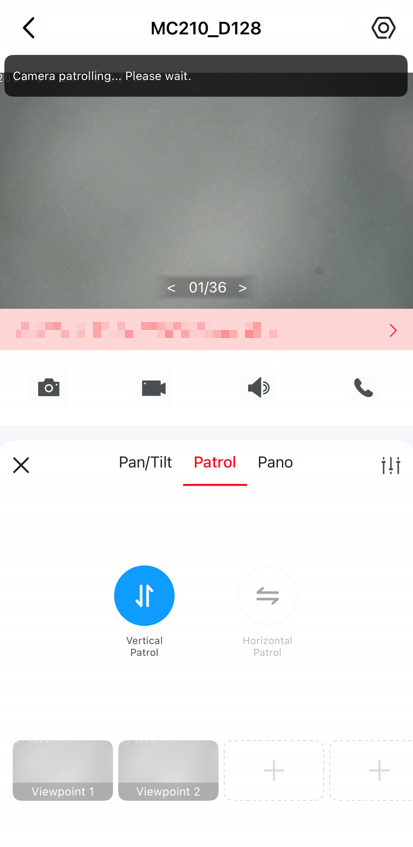
순찰 기능
수직 순찰또는수평 순찰을클릭하면 카메라가 수직 또는 수평으로 한 번 순찰합니다.
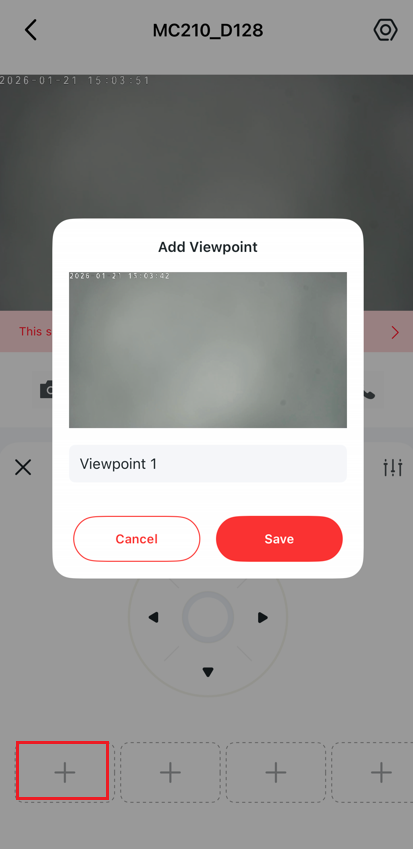
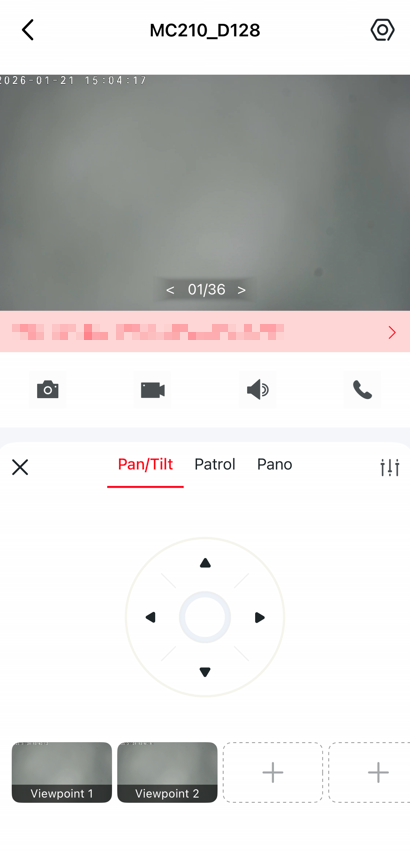
위치 마크
탭하여 현재 위치를 마크하면, 이후 탭 한 번으로 마크된 방향으로 카메라를 빠르게 회전시킬 수 있습니다.
각 기능 및 설정의 자세한 내용은 다음을 참조하십시오. 지원 센터 에서 제품 설명서를 다운로드하시기 바랍니다.
이 문서에는 기계 번역이 적용되었으며, 정확한 내용을 확인하려면 원본 영문 문서를 참고하시기 바랍니다.