MR80X [V1, V2, V2.2] | AX3000 Dual-Band Wi-Fi 6 Router










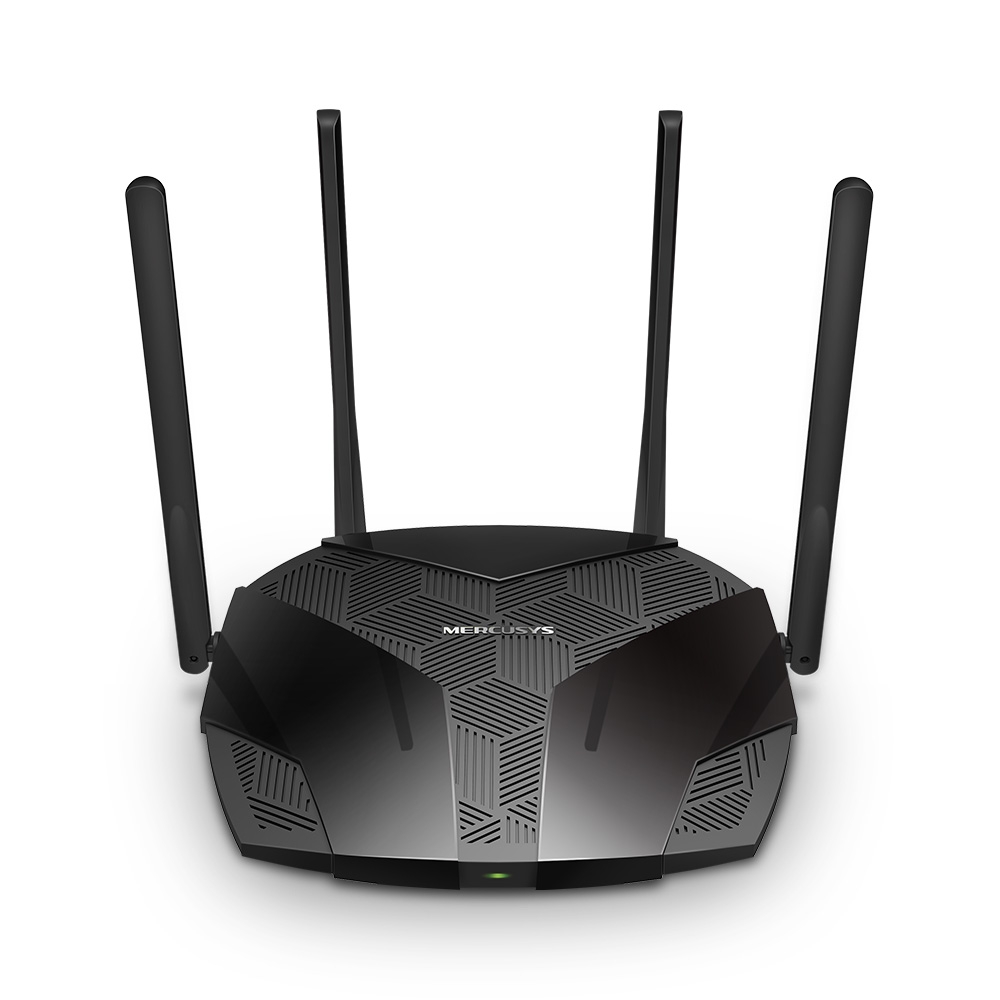





AX3000 Dual-Band Wi-Fi 6 Router
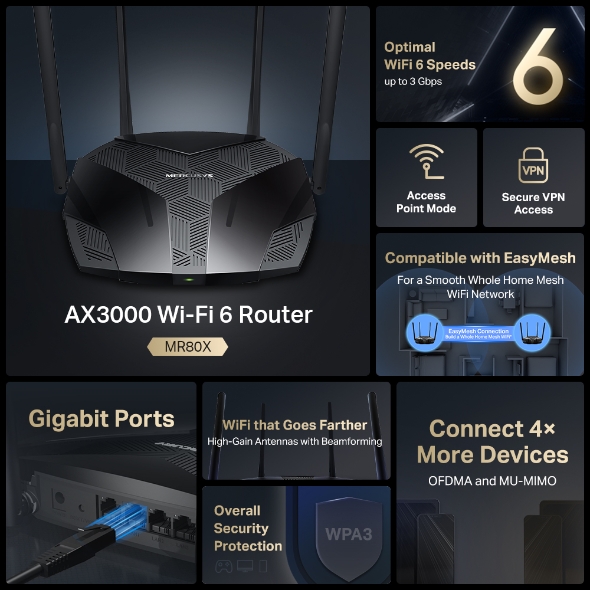
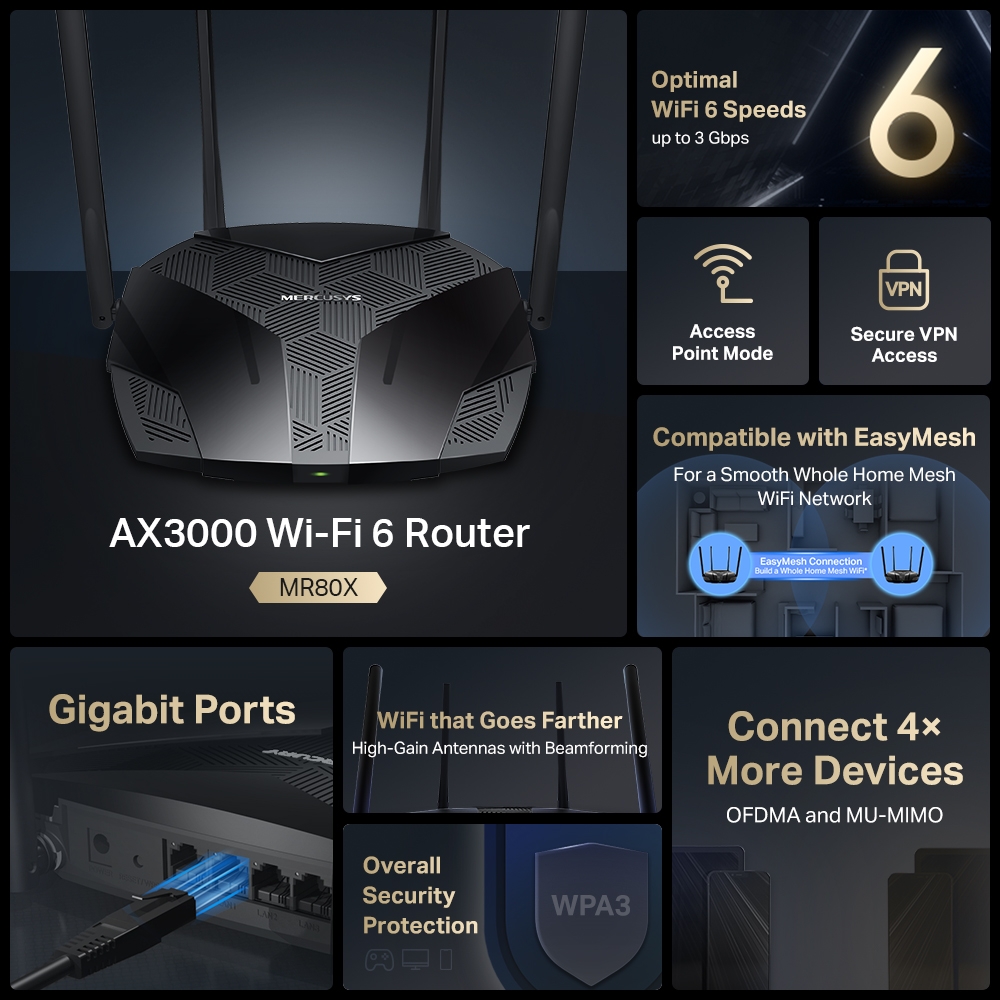
- OPTIMAL WIFI 6 SPEEDS – Optimal WiFi 6 speeds reaching up to 3 Gbps for faster browsing, streamings, and downloading, all at the same time.
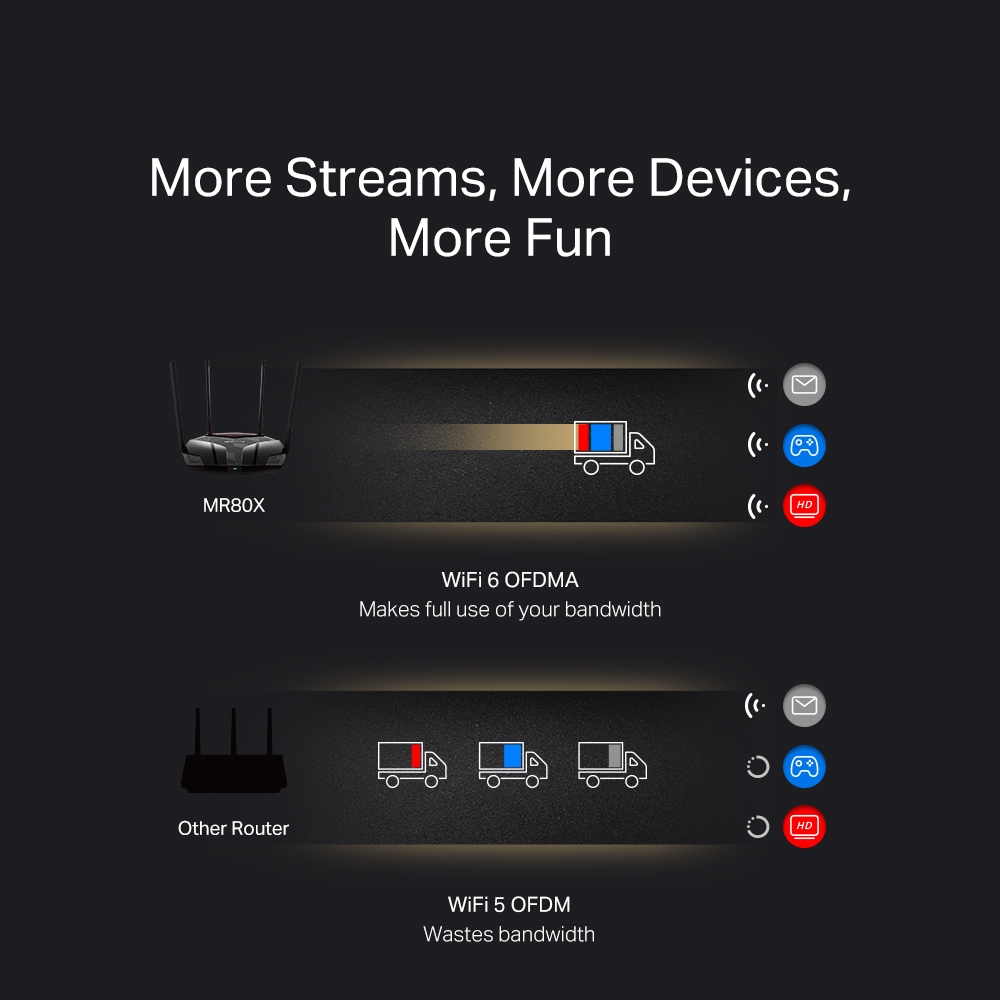
- MORE DEVICES, MORE FUN – Supports MU-MIMO and OFDMA to reduce congestion and quadruple the average throughput.
- WiFi THAT GOES FARTHER – 4× multi-directional high-gain antennas with Beamforming boost stable connections throughout your home for strong WiFi signals in every corner
- OVERALL SECURITY PROTECTION – The latest WPA3 provides improved WiFi security
- GIGABIT WIRED CONNECTIONS – Make full use of your internet access and transfer data at dizzying speeds for peak performance
- ECO-FRIENDLY POWER SAVING – Target Wake Time (TWT) reduces power consumption for your mobile and IoT devices during data transmissions
- LESS WIFI INTERFERENCE – Minimizes the interference from neighboring signals to improve transmission efficiency with BSS coloring
- SMART CONNECT – Intelligently chooses the best available band for each device
-
watch video: Setup Video for MERCUSYS Dual Band Wi Fi 6 Router
Setup Video for MERCUSYS Dual Band Wi Fi 6 Router
-
watch video: Wi-Fi 6 в новом MR80X
Wi-Fi 6 в новом MR80X
Faster Speeds. Broader Access. Higher Capacity.
A New Era of Home WiFi
AX3000 Dual-Band Wi-Fi 6 Router
MR80XOptimal
WiFi 6 Speeds
up to 3 Gbps
WiFi that Goes Farther
High-Gain Antennas with Beamforming
Compatible with EasyMesh
For a Smooth Whole Home
Mesh WiFi Network
Gigabit Ports
Connect 4×
More Devices
OFDMA and MU-MIMO
Overall Security
Protection
Access
Point Mode
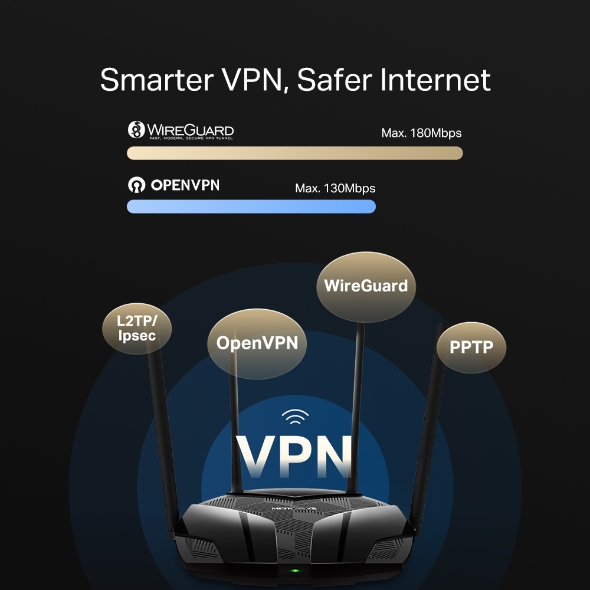
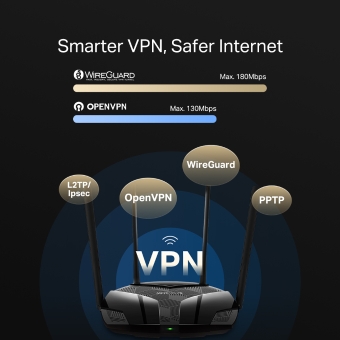
Secure VPN Access
MERCUSYS App
WiFi 6 – The Future is Lagless
-
Faster Speeds
-
Connect More
-
Less Interference
-
Energy Efficient
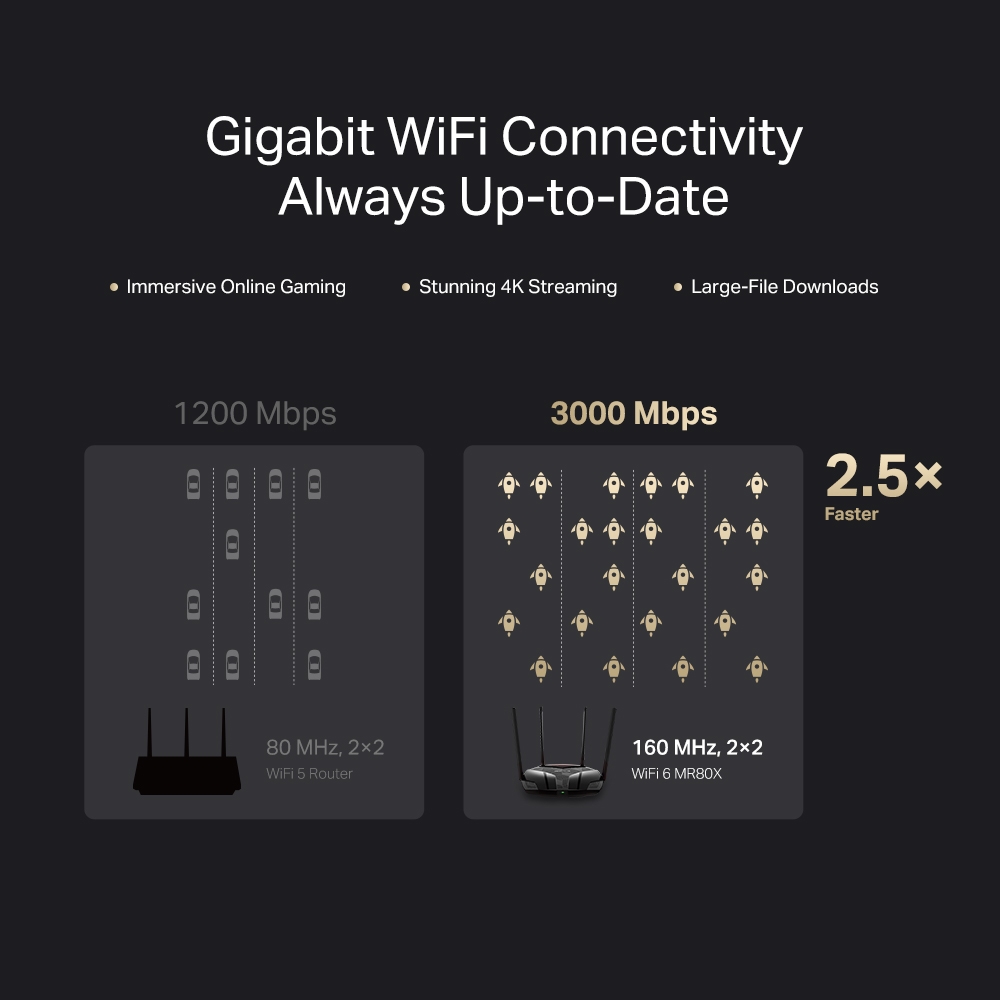
Gigabit WiFi Connectivity, Always Up-to-Date
Doubling the bandwidth with 160 MHz channels,1 MR80X unlocks the limits of the previous channel width and provides next-level speeds for your devices. With WiFi 6 speeds up to 3 Gbps,2 finish large-file downloads in minutes and experience stunning 4K streaming without lag.
1200 Mbps
80 MHz, 2×2
WiFi 5 Router
3000 Mbps
160 MHz, 2×2
WiFi 6 MR80X
2.5×
Faster
More Targeted Signals that Penetrate Walls
Four external high-gain antennas armed with integrated signal amplifiers provide strong WiFi signals that reach farther. Beamforming detects your connected devices and concentrates wireless signal strength towards them, making your connections more stable.
Regular Router
without Beamforming
MR80X
The Latest WPA3 Protects Your Personal Network
The latest security standard, WPA3, offers improved comprehensive WiFi protection to defend your devices and private information against brute-force attacks.4
-
Protect Against Brute-Force Attacks
Delivers robust protection even when you are using a weak password
-
Advanced Forward Secrecy
Prevents data from being snooped even if a cracker compromises a session’s secret keys
-
Unbreakable 128-Bit Encryption
Creates an active defense against security threats and intruders
Smart Connect
Assigns Devices to the Best Band Automatically
Smart Connect allows each of MR80X's wireless bands to use the same wireless settings. MR80X balances network demand and assigns your devices to the band with the best signal and speed. This keeps your devices always running optimally when you walk around your home.
Powerful Qualcomm Chipset Minimizes Buffering and Lag
Powered by a highly integrated Qualcomm WiFi 6 chipset that combines a 64-bit dual-core CPU and an advanced 12-thread programmable network processor, MR80X enables stable connections for up to 256 devices.5 Your network can now handle massive data throughput, allowing numerous bandwidth-intensive tasks to run smoothly at the same time.
Connects up to
256 Devices
Protect Your Kids When They’re Online
Easily manage your kids’ online time and content to create a healthy online environment for all.
-
Create User Profiles
Create a profile for each family member you would like to manage. Assign devices to the profile to set access controls and time limits for them.
-
Online Time Limits
Set daily limits on how long your kids spend online and prevent them from accessing the internet on their devices while doing homework or after bedtime.
-
Block Inappropriate Websites
Simply set a blacklist to block inappropriate sites for your children.
-
Pause Internet Connection
Suspend family members’ internet connections to take a break from the virtual world to enjoy some family time.
Easy Setup and Management via the MERCUSYS App
Without needing technical knowledge or reading installation instructions in advance, just follow the on-screen directions with the MERCUSYS app to set up your router in minutes. The MERCUSYS app helps you set and manage your WiFi at home or away through your iOS or Android devices.


Multi-Mode for Flexible Application
-
 InternetClient
Router Mode
Creates a wireless network for all your WiFi devices
-
 InternetRouterClient
Access Point Mode
Extends a wired network and makes it wireless
Cover Your Whole Home with EasyMesh
MR80X is compatible with EasyMesh, enabling you to set up a whole home mesh network with one WiFi name and password with any other APs that support EasyMesh from multiple vendors. Enjoy flexible, scalable, and seamless mesh WiFi throughout your home!
-
Flexible WiFi Range Expansion
-
Works with Different Vendors
-
Seamless WiFi Connections
-
Traditional Router and Extender
-
Router and Extender Compatible with EasyMesh




Rigorous Testing for High-Quality Products
-
UES Stability Test
≥ 1500 hours
Working in a device-rich environment
-
Power ON/OFF Test
≥ 10,000 test cycles
Cumulative number over 3 scenarios
-
Extreme Environment Test
≥ 7200 hours
Devices work continuously in extreme environments
-
Vibration Test
≥ 100 cycles
Cumulative testing with multiple devices for product endurance
-
Drop Test
≥ 30 cycles
Dropping from 6 surfaces 80 cm high to a concrete floor
-
Memory Stress Test
≥ 900,000 cycles
Consecutive memory read/write tests
* All data is based on MERCUSYS lab testing.
1. Use of 802.11ax (Wi-Fi 6), and features including OFDMA, 160 MHz Channel, MU-MIMO, 1024-QAM, BSS Coloring, and Target Wake Time (TWT) requires clients to also support the corresponding features. Actual power reduction by Target Wake Time may vary as a result of network conditions, client limitations, and environmental factors. The 160 MHz bandwidth may be unavailable in the 5 GHz band in some regions/countries due to regulatory restrictions.
2. Maximum wireless signal rates are the physical rates derived from IEEE Standard 802.11 specifications. Actual wireless data throughput and wireless coverage are not guaranteed and will vary as a result of network conditions, client limitations, and environmental factors, including building materials, obstacles, volume and density of traffic, and client location.
3. The 802.11ax white paper defines standardized modifications to both the IEEE 802.11 physical layers (PHY) and the IEEE 802.11 Medium Access Control (MAC) layer as enabling at least one mode of operation capable of supporting the improvement of at least four times the average throughput per station (measured at the MAC data service access point) in a dense deployment scenario.
4. Use of WPA3 requires clients to also support WPA3.
5. "256 devices" is the combined total connections for 2.4 GHz and 5 GHz under laboratory conditions.
Actual network speed may be limited by the rate of the product's Ethernet WAN or LAN port, the rate supported by the network cable, Internet service provider factors and other environmental conditions.
MERCUSYS
Приложение MERCUSYS позволит настроить Wi-Fi сеть за пару минут и управлять ею из дома и дистанционно с устройств iOS и Android.
Настройка за пару минут
Чтобы быстро настроить сеть Mesh через приложение MERCUSYS, не нужно обладать никакими глубокими познаниями или читать сложные инструкции — простой следуйте указаниям в приложении.
-
 Halo Шнур питания Кабель Ethernet
Шаг 1
Вытащите содержимое коробки
-

Шаг 2
Подключите устройства
-

Шаг 3
Следуйте указаниям в приложении
Управление Wi-Fi сетью в режиме реального времени
Смотрите, какие устройства подключены к сети, и вносите изменения в сетевые параметры в любое время прямо с устройства iOS или Android.


Интерфейс настройки на разных моделях может выглядеть по-разному.
Родительский контроль
Контролируйте время, проводимое детьми в сети, а также посещаемые ими сайты.
-
Профили
Создавайте профили для членов семьи и добавляйте в профили используемые ими устройства для контроля доступа и установки ограничений по времени.
-
Ограничение времени в сети
Устанавливайте дневные ограничения на время, проводимое детьми онлайн, а также блокируйте для них доступ ночью и на время выполнения уроков.
-
Блокировка сайтов
Создайте список сайтов, к которым у детей не будет доступа.
-
Приостановка подключения
Временно отключайте интернет для членов семьи, чтобы они могли отдохнуть от виртуального мира и вернуться в реальный.
Возможности приложения

Состояние сети
Узнавайте состояние сети каждого модуля Halo, просматривайте списки подключённых к ним устройств и при необходимости блокируйте доступ к сети или присваивайте приоритет нужным устройствам.

Приоритизация
Повышает сетевую производительность выбранных устройств.

Уведомления
При подключении неизвестных устройств будет приходить уведомление — одно нажатие, и доступ к сети для подозрительного устройства будет заблокирован.

Гостевая сеть
Отдельная сеть для гостей ради безопасности основной сети.
Всё в одном приложении
Приложение MERCUSYS позволит настроить множество параметров Mesh-систем и роутеров.
Список совместимых устройствСовместимые устройства
Для работы приложения на устройстве должна быть установлена последняя версия прошивки.
Приложение будет работать не только на указанных, но и на более новых аппаратных версиях указанных устройств.
- Wi-Fi
- Класс Wi-Fi
- AX3000
- Wi-Fi (2.4 ГГц)
574Mbps
- Wi-Fi (5 ГГц)
2402Mbps
- Wireless Standards
802.11ax/ac/a/b/g/n
- Максимальная ширина канала
160MHz
- Чувствительность (приём)
5G:
11a 6Mbps:-97dBm
11a 54Mbps:-79dBm
11ac VHT20 MCS8:-75dBm
11ac VHT40 MCS8:-71dBm
11ac VHT80 MCS8:-67dBm
11ax VHT20 MCS11:-67dBm
11ax VHT40 MCS11:-64dBm
11ax VHT80 MCS11:-61dBm2.4G:
11g 6Mbps: -97dBm
11g 54Mbps: -79dBm
11n HT40 MCS7:-74dBm
11n HT20 MCS7:-77dBm- Max Wi-Fi Modulation
1024 QAM
- Защита беспроводной сети
WPA/WPA2/WPA3
- Функции беспроводной сети
Guest Network
Smart Connect
Wireless Schedule
WPS
AP Isolation
Airtime Fairness
- Программные
- Режимы рабoты
Router/AP mode
- Безопасность
SPI Firewall
Access Control
IP & MAC Binding- Режим WAN
Dynamic IP
Static IP
PPPoE
PPTP
L2TP- DHCP
Address Reservation
DHCP Client List
Server- Проброс NAT
Port Forwarding
Port Triggering
DMZ
UPnP- Протоколы
IPv4
IPv6- Гостевая сеть
2.4G Guest Network
5G Guest Network- Родительский контроль
Profile Settings
Time Control
Pause the Internet
Website Filtering- DDNS
MERCUSYS
NO-IP
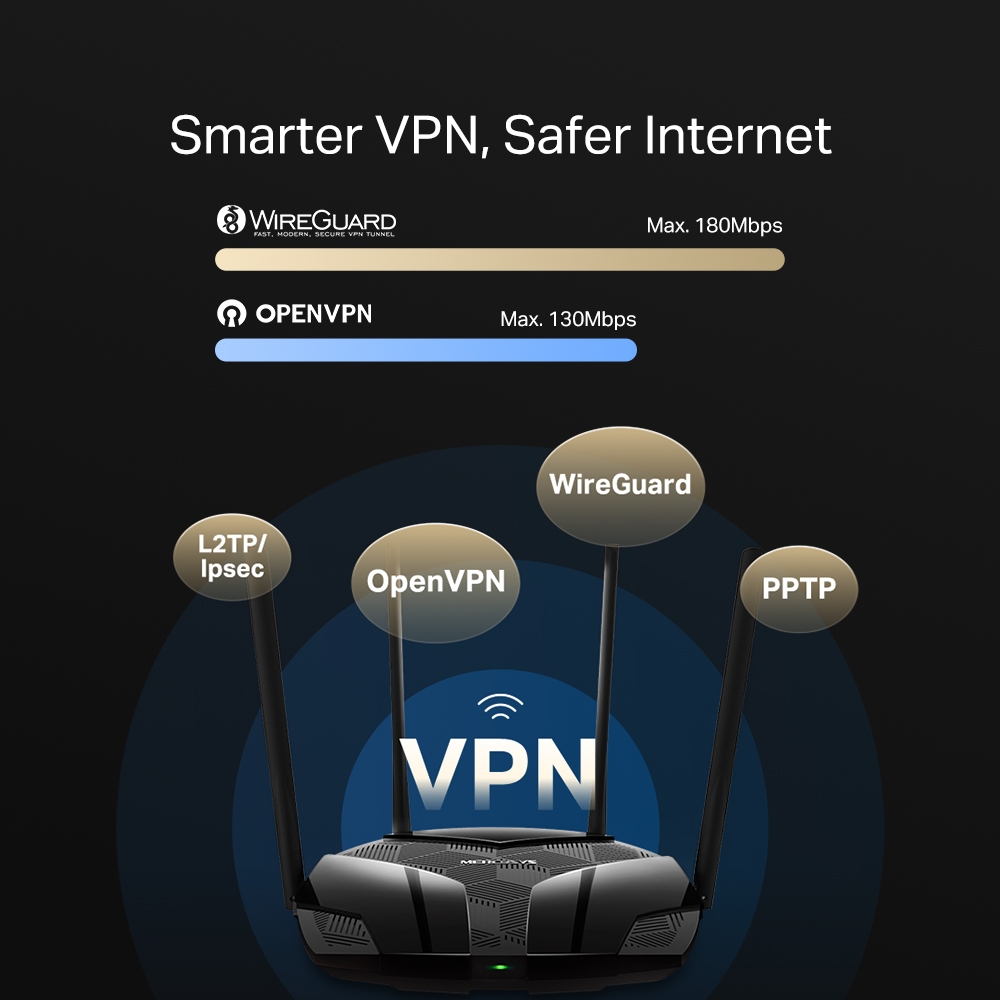
DynDNS- VPN клиент
OpenVPN
PPTP
L2TP/IPSec
WireGuard- Easy Mesh
Easymesh Compatible
- QoS
Time Settings
Priority Control- Kill Switch
Support
- Функции ISP
CWMP
ISP Preset(Agile Config)
Superadmin- Система
Firmware Upgrade
Backup and Restore
Administration
System Log
Time & Language Settings
Reboot- Диагностика
Ping
Traceroute- Управление индикацией LED
LED Control
Night Mode- Управление устройствами
MERCUSYS APP
Webpage- Облако
MERCUSYS ID
- Язык
Bulgarian
Czech
Danish
German
English
Spanish
Finnish
French
Hungarian
Italian
Japanese
Korean
Dutch
Norwegian
Polish
Portuguese
Portuguese - Brazil
Romanian
Russian
Slovak
Swedish
Turkish
Ukrainian
Vietnamese
Chinese - Taiwan- Дополнительные настройки
OFDMA
BSS Color
Beamforming- VPN-сервер
OpenVPN
PPTP
L2TP/IPSec
WireGuard
- Аппаратные
- Размеры (Ш × Д × В)
208.8 × 171.6 × 41.7 mm
(8.2 × 6.8 × 1.6 in)- Антенна
2× 5G External Antennas(5dBi)
2× 2.4G External Antennas(5dBi)- Интерфейсы
1× GE WAN
3× GE LAN- Кнопки
1× WPS/ Reset Button
- Энергопотребление
Input:100~240V, 50/60Hz
Output: 12V/1.5- Установка
Desktop
Wall-mount- Светодиодные индикаторы
1× SYS
- Размеры розничной упаковки
389 × 290 × 67mm
- Количество единиц в коробке
10
- Размеры коробки
590 × 400 × 345mm
- IPTV
IGMP Proxy
IGMP Snooping
Bridge
Tag VLAN
- Прочее
- Сетевые службы включенные по умолчанию
Web Server
Manage and configure device through web (HTTP/HTTPS)
• Port: 80/443; Protocol: TCP
DHCP Server
IP address assignment (DHCP)
• Port: 67; Protocol: UDP
DNS
DNS
• Port: 53; Protocol: TCP & UDP
App management
Manage and configure device through app
• Port: 20001; Protocol: TCP
• Port: 20002; Protocol: UDP
- Комплект поставки
• AX3000 Wi-Fi 6 Router MR80X
• Power Adapter
• Quick Installation Guide
• RJ45 Ethernet Cable- Параметры окружающей среды
• Operating Temperature: 0°C~40°C (32°F~104°F)
• Operating Humidity: 10%~90% Non-Condensing
• Storage Humidity: 5%~90% Non-Condensing