MR27BE [V1, V2] | Двухдиапазонный роутер Wi-Fi 7 BE3600
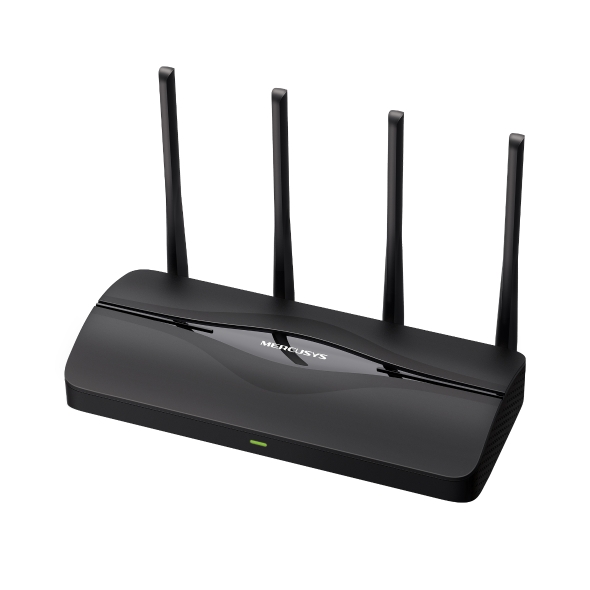
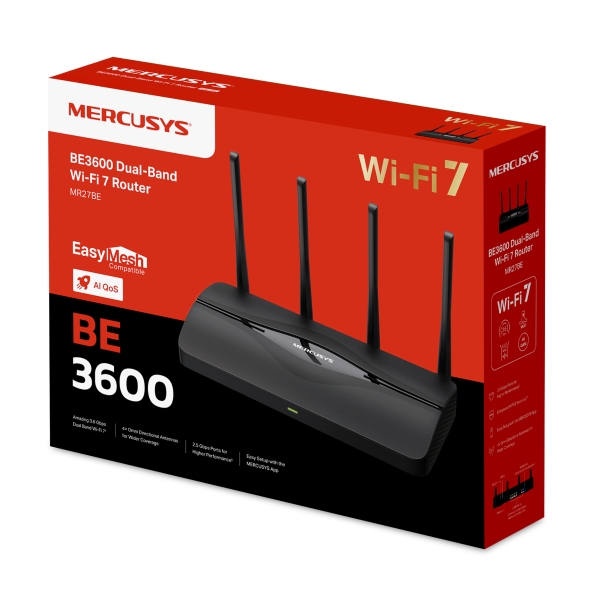
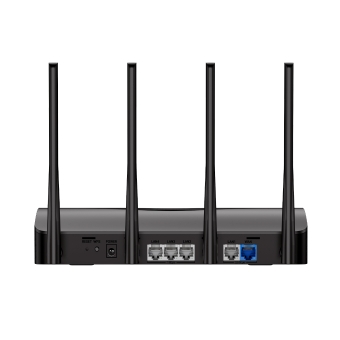
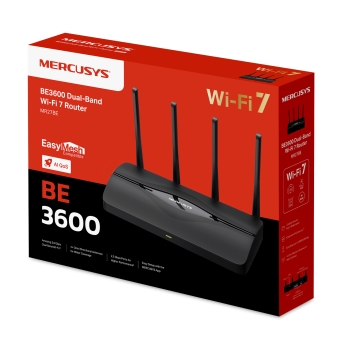
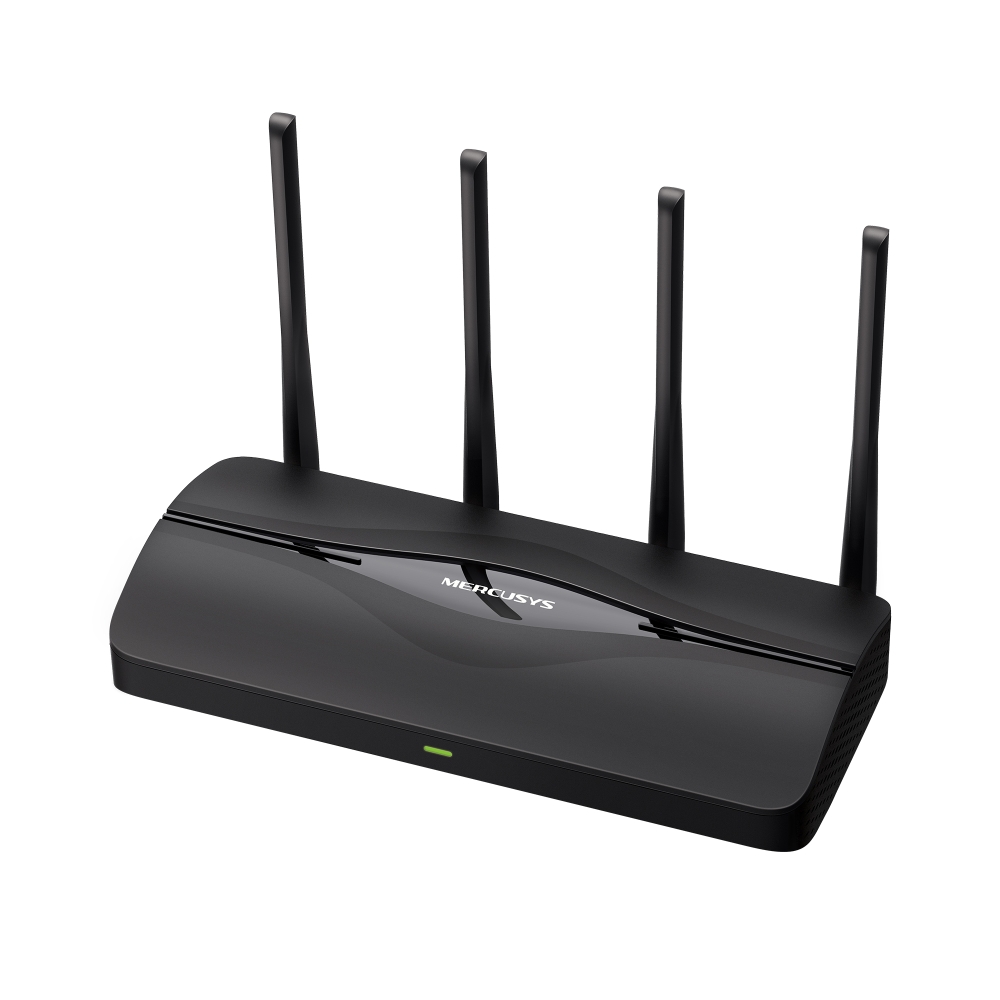
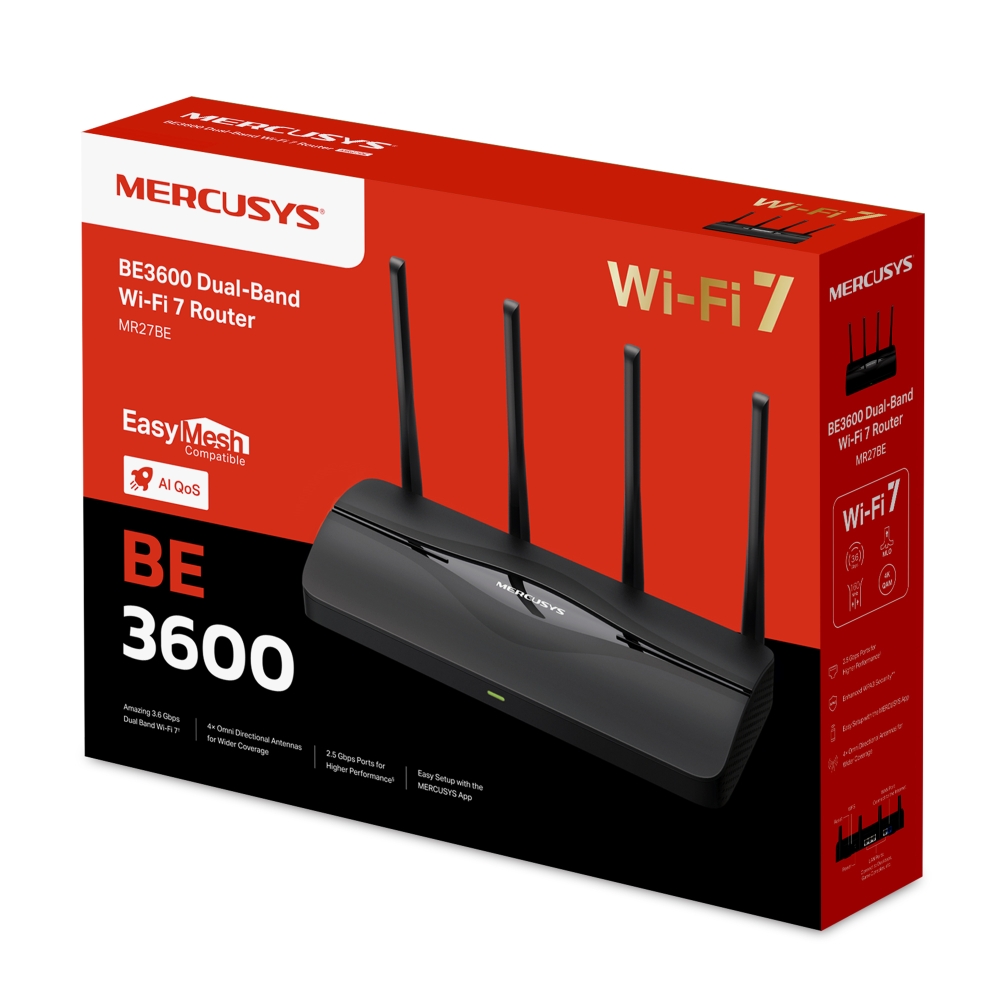
Высокая двухдиапазонная скорость до 3,6 Гбит/с: позволяет устройствам работать на полной скорости. Наслаждайтесь плавным стримингом 4K/8K, захватывающими AR/VR-играми и сверхбыстрой загрузкой файлов.†
Новейший Wi-Fi 7: благодаря ширине канала 160 МГц, 4K-QAM, MLO и другим возможностям Wi-Fi 7 ваша сеть выходит на новый уровень производительности.‡
Multi-Link Operation (MLO): повышает пропускную способность, снижает задержку и улучшает надёжность для современных приложений.‡
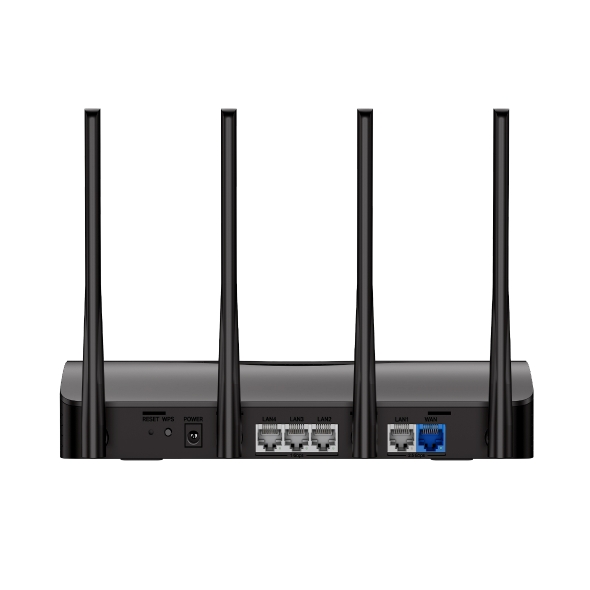
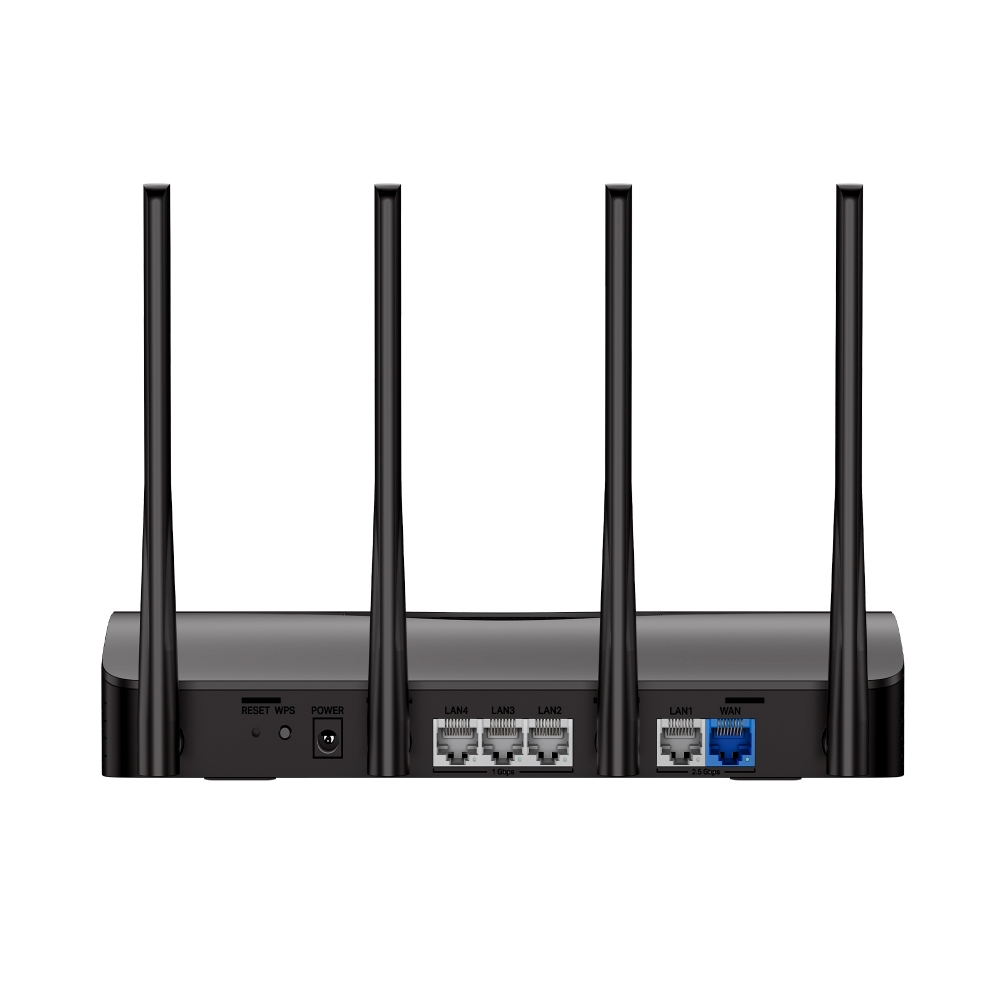
Порты 2,5 Гбит/с: 1× порт WAN 2,5 Гбит/с, 1× порт LAN 2,5 Гбит/с и 3× порта LAN 1 Гбит/с устраняют ограничение в 1 Гбит/с, позволяя устройствам работать с максимальной производительностью.§
Максимальное покрытие: 4× всенаправленных антенны, фирменная оптимизация Wi-Fi и технология Beamforming обеспечивают более широкое покрытие, большую ёмкость сети, более стабильные и надёжные подключения, а также меньше помех.
Безопасное VPN-подключение: легко настраивайте режим VPN-клиента или VPN-сервера непосредственно на роутере. Подходит для безопасного удалённого доступа, конфиденциального просмотра веб-страниц и поддерживает популярные протоколы, включая WireGuard, OpenVPN, L2TP/IPSec и PPTP.
Умный QoS на базе ИИ: алгоритмы искусственного интеллекта в режиме реального времени распознают тип трафика и распределяют сетевые ресурсы. Это снижает задержку и обеспечивает плавную работу онлайн-игр, стриминга и видеозвонков.
Совместимость с EasyMesh: работает с роутерами и усилителями сигнала EasyMesh для создания бесшовной Mesh Wi-Fi сети во всём доме, предотвращая обрывы и задержки при переключении между устройствами.*
Простая настройка и использование: управлять сетью ещё никогда не было так просто благодаря приложению MERCUSYS.
-
watch video: Set Up the MERCUSYS Wi-Fi 7 Router via the MERCUSYS App
Set Up the MERCUSYS Wi-Fi 7 Router via the MERCUSYS App
-
watch video: Set Up the MERCUSYS Wi-Fi 7 Router via the Web Management Page
Set Up the MERCUSYS Wi-Fi 7 Router via the Web Management Page
Новая эра
домашней
сети
Роутер MERCUSYS Wi-Fi 7



Двухдиапазонный Wi-Fi 7 до 3,6 Гбит/с
Умный QoS
на базе ИИ
Безопасное
VPN-подключение
2× порта 2,5 Гбит/с +
3× гигабитных порта
4× всенаправленные антенны с высоким усилением
Совместимость с EasyMesh
Удобное управление
через приложение
Новый стандарт — новые возможности
Благодаря Wi-Fi 7 MR27BE обеспечивает плавный стриминг 8K, работу VR/AR, видеоконференции, онлайн-игры и быструю загрузку файлов. Откройте для своей домашней сети возможности Wi-Fi 7.
Wi-Fi 7 выводит сеть на новый уровень
Wi-Fi 7 — новейший стандарт Wi-Fi с впечатляющей производительностью: более высокой пропускной способностью, меньшей задержкой, лучшей защитой от помех и повышенной эффективностью. Оцените возможности Wi-Fi нового поколения.
Порты 2,5 Гбит/с для высокой производительности сети
MR27BE оснащён 1 портом WAN 2,5 Гбит/с, 1 портом LAN 2,5 Гбит/с и 3 гигабитными портами. Это позволяет максимально использовать скорость вашего интернет-подключения. Подключайте ПК, Smart TV, игровые консоли или NAS-устройства для сверхбыстрого проводного соединения.
2,5 Гбит/с
4 внешние антенны для максимального покрытия
Четыре всенаправленные антенны, фирменная оптимизация Wi-Fi и технология Beamforming обеспечивают более широкое покрытие, большую ёмкость сети, более стабильные и надёжные подключения, а также меньше помех.
MR27BE с Beamforming
Умный QoS на базе ИИ
AI QoS распознаёт, для каких задач каждое устройство использует интернет, и автоматически отдаёт приоритет чувствительным к скорости и задержке приложениям, обеспечивая стабильную работу сети.
полная автоматизация
*Все представленные логотипы и товарные знаки третьих лиц принадлежат соответствующим владельцам и используются исключительно в информационных целях.
Их использование не означает одобрения или наличия связи с соответствующими правообладателями.
Покрытие во всём доме с EasyMesh
MR27BE совместим с EasyMesh и позволяет создать домашнюю Mesh-сеть с единым именем и паролем Wi-Fi вместе с другими точками доступа разных производителей, поддерживающими EasyMesh. Наслаждайтесь гибкой, масштабируемой и бесшовной Mesh Wi-Fi сетью во всём доме!
-
Гибкое расширение покрытия Wi-Fi
-
Работа с устройствами разных производителей
-
Бесшовное подключение Wi-Fi
-
Обычный роутер и усилитель сигнала
-
Роутер и усилитель сигнала с поддержкой EasyMesh
Умнее VPN — безопаснее интернет
Поддерживает OpenVPN, WireGuard, PPTP и L2TP/IPsec и работает с более чем 35 популярными VPN-провайдерами, обеспечивая безопасный и гибкий доступ.****
-

35+
VPN-провайдеров
-

4+
протокола VPN
-

Простая
настройка
-

Высокая
скорость***
-

 До 700 Мбит/с
 -

 До 650 Мбит/с
Защитите детей в интернете
Удобно управляйте временем, которое дети проводят онлайн, и доступным им контентом, создавая безопасную интернет-среду для всей семьи.
-
Профили пользователей
Создайте профиль для каждого члена семьи, которым хотите управлять. Назначьте устройства профилю, чтобы настроить контроль доступа и ограничения по времени.
-
Ограничение времени в сети
Устанавливайте ежедневные ограничения на время, которое дети проводят онлайн, и блокируйте доступ в интернет во время выполнения уроков или после отхода ко сну.
-
Блокировка нежелательных сайтов
Настройте чёрный список, чтобы заблокировать для детей нежелательные сайты.
-
Приостановка подключения
Временно отключайте интернет для членов семьи, чтобы сделать перерыв от виртуального мира и провести время вместе.
Простая настройка и управление через приложение MERCUSYS
Без специальных технических знаний и предварительного изучения инструкций — просто следуйте подсказкам на экране в приложении MERCUSYS, чтобы настроить роутер за несколько минут. Приложение MERCUSYS позволяет настраивать Wi-Fi и управлять им дома или удалённо с устройств iOS и Android.


Надежный WPA3 защищает вашу сеть
Современный стандарт безопасности WPA3 обеспечивает улучшенную комплексную защиту Wi-Fi, помогая защищать ваши устройства и личную информацию от атак методом перебора.4
-
Защита от атак методом перебора
Обеспечивает надёжную защиту даже при использовании
слабого пароля -
Улучшенная прямая секретность
Предотвращает перехват данных, даже если злоумышленник скомпрометирует секретные ключи сеанса
-
Надёжное 128-битное шифрование
Создаёт активную защиту от угроз безопасности и вторжений
†Максимальные скорости беспроводного сигнала являются физическими значениями, рассчитанными на основе спецификаций стандарта IEEE 802.11. Возможность подключения до 150 устройств основана на лабораторных данных, в рамках которых одновременно анализировались подключения различных устройств в диапазонах 5 ГГц и 2,4 ГГц. Эти устройства имитировали типичный домашний сценарий с одновременной работой приложений в одной комнате, включая видео 4K, видео 1080p, видео 720p, загрузку файлов, просмотр веб-страниц, IP-камеры и другие IoT-устройства. Фактическая скорость беспроводной передачи данных, зона покрытия и количество подключённых устройств не гарантируются и могут отличаться в зависимости от факторов интернет-провайдера, условий сети, ограничений клиентских устройств и окружающей среды, включая строительные материалы, препятствия, объём и плотность трафика, а также местоположение клиента. ‡Для использования Wi-Fi 7 (802.11be), Wi-Fi 6 (802.11ax) и таких функций, как Multi-Link Operation (MLO), ширина канала 160 МГц, 4K-QAM, Multi-RUs, OFDMA и MU-MIMO, клиентские устройства также должны поддерживать соответствующие функции. Ширина канала 160 МГц в диапазоне 5 ГГц может быть недоступна в некоторых регионах/странах из-за нормативных ограничений. Данный роутер может не поддерживать все обязательные функции, предусмотренные утверждённой спецификацией IEEE 802.11be. Для доступа к отдельным функциям могут потребоваться дальнейшие обновления программного обеспечения. §Для скорости интернета 2,5 Гбит/с требуются совместимые тарифный план и оборудование. *Устройства с поддержкой EasyMesh могут объединяться в сеть с другими устройствами, использующими EasyMesh. Ошибки подключения могут быть связаны с конфликтами прошивок разных производителей. Функция совместимости с EasyMesh для некоторых моделей всё ещё находится в разработке и будет поддерживаться в последующих обновлениях программного обеспечения. Данный продукт совместим со стандартизированной технологией EasyMesh, но не получил сертификацию Wi-Fi EasyMesh™. ***Тестирование проводилось в локальной сети. Фактическая скорость может отличаться в зависимости от конфигурации сети. ****Подписка на VPN-сервисы приобретается отдельно у соответствующих поставщиков. Поддерживаемые протоколы VPN (OpenVPN/WireGuard) могут различаться в зависимости от поставщика и сценария использования, например при настройке через приложение или роутер. Перед настройкой проверьте совместимость в официальных справочных материалах выбранного VPN-сервиса.
MERCUSYS
Приложение MERCUSYS позволит настроить Wi-Fi сеть за пару минут и управлять ею из дома и дистанционно с устройств iOS и Android.
Настройка за пару минут
Чтобы быстро настроить сеть Mesh через приложение MERCUSYS, не нужно обладать никакими глубокими познаниями или читать сложные инструкции — простой следуйте указаниям в приложении.
-
 Halo Шнур питания Кабель Ethernet
Шаг 1
Вытащите содержимое коробки
-

Шаг 2
Подключите устройства
-

Шаг 3
Следуйте указаниям в приложении
Управление Wi-Fi сетью в режиме реального времени
Смотрите, какие устройства подключены к сети, и вносите изменения в сетевые параметры в любое время прямо с устройства iOS или Android.


Интерфейс настройки на разных моделях может выглядеть по-разному.
Родительский контроль
Контролируйте время, проводимое детьми в сети, а также посещаемые ими сайты.
-
Профили
Создавайте профили для членов семьи и добавляйте в профили используемые ими устройства для контроля доступа и установки ограничений по времени.
-
Ограничение времени в сети
Устанавливайте дневные ограничения на время, проводимое детьми онлайн, а также блокируйте для них доступ ночью и на время выполнения уроков.
-
Блокировка сайтов
Создайте список сайтов, к которым у детей не будет доступа.
-
Приостановка подключения
Временно отключайте интернет для членов семьи, чтобы они могли отдохнуть от виртуального мира и вернуться в реальный.
Возможности приложения

Состояние сети
Узнавайте состояние сети каждого модуля Halo, просматривайте списки подключённых к ним устройств и при необходимости блокируйте доступ к сети или присваивайте приоритет нужным устройствам.

Приоритизация
Повышает сетевую производительность выбранных устройств.

Уведомления
При подключении неизвестных устройств будет приходить уведомление — одно нажатие, и доступ к сети для подозрительного устройства будет заблокирован.

Гостевая сеть
Отдельная сеть для гостей ради безопасности основной сети.
Всё в одном приложении
Приложение MERCUSYS позволит настроить множество параметров Mesh-систем и роутеров.
Список совместимых устройствСовместимые устройства
Для работы приложения на устройстве должна быть установлена последняя версия прошивки.
Приложение будет работать не только на указанных, но и на более новых аппаратных версиях указанных устройств.
-
Wi-Fi

| Класс Wi-Fi | BE3600 |
|---|---|
| Wi-Fi (2.4 ГГц) | 688 Мбит/с |
| Wi-Fi (5 ГГц) | 2880 Мбит/с |
| Стандарты беспроводной связи | 802.11be/ax/ac/a/b/g/n |
| Чувствительность (приём) | 2,4 ГГц: 5 ГГц: |
| Максимальная ширина канала | 160 МГц |
| Max Wi-Fi Modulation | 4k QAM |
| Защита беспроводной сети | WPA/WPA2/WPA3 |
| Функции беспроводной сети | Гостевая сеть |
-
Программные
| Режимы рабoты | Роутер/Точка доступа |
|---|---|
| Безопасность | Межсетевой экран SPI |
| Режим WAN | Динамический IP |
| DHCP | Резервирование адреса |
| Проброс NAT | Переадресация портов |
| Протоколы | IPv4 IPv6 |
| IPTV | IGMP Proxy |
| Гостевая сеть | Гостевая сеть 2,4 ГГц |
| Родительский контроль | Настройки профиля |
| DDNS | MERCUSYS NO-IP DynDNS |
| VPN-клиент | OpenVPN WireGuard PPTP L2TP/IPSec |
| QoS | AI QoS |
| Easy Mesh | Совместим с Easymesh |
| Kill Switch | √ |
| Функции ISP | CWMP |
| Система | Обновление прошивки |
| Диагностика | Пинг |
| Управление индикацией LED | Управление светодиодами |
| Управление устройствами | Приложение MERCUSYS |
| Облако | MERCUSYS ID |
| Язык | Bulgarian |
| Дополнительные настройки | Multi-Link Operation (MLO) Multi-RUs OFDMA MU-MIMO BSS Color Beamforming |
-
Аппаратные
| Размеры (Ш × Д × В) | 250 × 119 × 43.3 мм |
|---|---|
| Интерфейсы | 1× 2.5G WAN 1× 2.5G LAN 3× 1G LAN |
| Антенна | 2× внешние антенны 5 ГГц |
| Кнопки | 1× WPS 1× Reset |
| Источник питания | Входное напряжение: 100–240 В, 50/60 Гц |
| Установка | Настольный |
| Светодиодные индикаторы | 1× SYS |
| Размеры розничной упаковки | 324×256×72 мм |
| Количество единиц в коробке | 6 |
| Размеры коробки | 440×265×330 мм |
-
Прочее
| Сетевые службы включенные по умолчанию | Веб-сервер DNS DHCP-сервер Управление приложением |
|---|---|
| Комплект поставки | • Wi-Fi роутер BE3600 MR27BE |
| Параметры окружающей среды | • Рабочая температура: 0°C~40°C |