MR78X [V1] | AX2700 Dual-Band Wi-Fi 6 Router


MR78X
AX2700 Dual-Band Wi-Fi 6 Router
OPTIMÁLNÍ RYCHLOSTI WI-FI 6 – Optimální rychlosti Wi-Fi 6 dosahující až 2,7 Gb/s pro rychlejší procházení internetu, streamování a stahování, a to vše současně.
VÍCE ZAŘÍZENÍ, VÍCE ZÁBAVY – Podpora technologií MU-MIMO a OFDMA pomáhá snižovat přetížení sítě a až čtyřnásobně zvyšuje průměrnou propustnost.
WI-FI S VĚTŠÍM DOSAHEM – 4× všesměrové antény s technologií Beamforming posilují stabilní připojení v celé domácnosti a zajišťují silný Wi-Fi signál v každém koutě.
BEZPEČNÝ PŘÍSTUP PŘES VPN – Snadno nastavte režim VPN klienta nebo serveru přímo na routeru. Ideální pro bezpečný vzdálený přístup a soukromé procházení internetu s podporou hlavních protokolů včetně WireGuard, OpenVPN, L2TP/IPSec a PPTP.
KOMPLEXNÍ OCHRANA – Nejnovější zabezpečení WPA3 poskytuje vyšší úroveň ochrany Wi-Fi sítě.
GIGABITOVÉ KABELOVÉ PŘIPOJENÍ – Využijte naplno své internetové připojení a přenášejte data vysokou rychlostí pro maximální výkon.
ÚSPORA ENERGIE – Technologie Target Wake Time (TWT) snižuje spotřebu energie mobilních a IoT zařízení při přenosu dat.
MÉNĚ RUŠENÍ WI-FI – Technologie BSS Coloring minimalizuje rušení okolními Wi-Fi sítěmi a zvyšuje efektivitu přenosu.
SMART CONNECT – Inteligentně vybírá nejlepší dostupné frekvenční pásmo pro každé zařízení.
Dvoupásmová Wi-Fi 2 700 Mb/s
Ultrarychlá Wi-Fi
Plně gigabitové porty
Širší pokrytí
EasyMesh
Bezpečný přístup přes VPN
Rodičovská kontrola
Více provozních režimů
Aplikace MERCUSYS
Bohatá nabídka funkcí
Ultrarychlá dvoupásmová Wi-Fi
Užijte si rychlost až 2 402 Mb/s v pásmu 5 GHz pro streamování a hraní a spolehlivých 300 Mb/s v pásmu 2,4 GHz pro procházení internetu a chytrá zařízení. MR78X nabízí ideální kombinaci rychlosti a pokrytí pro celou domácnost.**
Plně gigabitové připojení
Díky 1× gigabitovému portu WAN a 3× gigabitovým portům LAN zajišťuje MR78X stabilní a rychlé kabelové připojení pro počítače, chytré televizory a herní konzole. Bez úzkých míst, pouze plynulý přenos dat.
Internet Access
Bezdrátové připojení
Silnější signál a širší pokrytí
Čtyři antény s vysokým ziskem rozšiřují pokrytí MR78X do každého kouta a zlepšují průchod signálu přes stěny, čímž zajišťují stabilní připojení i mezi místnostmi.
bez Beamformingu
Pokryjte celou domácnost pomocí EasyMesh
MR78X je kompatibilní s technologií EasyMesh, takže můžete vytvořit mesh síť pro celou domácnost s jedním názvem Wi-Fi a heslem společně s dalšími přístupovými body podporujícími EasyMesh od různých výrobců. Užijte si flexibilní, rozšiřitelnou a plynulou mesh Wi-Fi v celé domácnosti.△
-

Flexibilní rozšíření dosahu Wi-Fi
-

Kompatibilita s různými výrobci
-

Plynulé Wi-Fi připojení
-
Tradiční router a extender
-

Router a extender kompatibilní s EasyMesh
Chytřejší VPN, bezpečnější internet
Podporuje OpenVPN, WireGuard, PPTP a L2TP/IPsec — spolupracuje s více než 35 běžnými poskytovateli pro bezpečný a flexibilní přístup†.
-

35+
poskytovatelů služeb
-

4+
flexibilní protokoly
-

Jednorázové
nastavení
-

Vysokorychlostní
výkon‡
Nejnovější WPA3 chrání vaši domácí síť
Nejnovější bezpečnostní standard WPA3 poskytuje vylepšenou ochranu Wi-Fi sítě a pomáhá chránit vaše zařízení a soukromé informace před útoky hrubou silou.
Chraňte své děti při používání internetu
Snadno spravujte čas, který děti tráví online, i dostupný obsah a vytvořte bezpečnější online prostředí pro celou rodinu.
Flexibilní provozní režimy
Snadné nastavení a správa pomocí aplikace MERCUSYS
Bez nutnosti technických znalostí nebo předchozího studování instalačního návodu stačí postupovat podle pokynů na obrazovce v aplikaci MERCUSYS a router nastavíte během několika minut. Aplikace MERCUSYS vám umožňuje nastavovat a spravovat domácí Wi-Fi doma i na cestách prostřednictvím zařízení se systémem iOS nebo Android.
Learn More about the Aplikace MERCUSYS


Použití standardu 802.11ax (Wi-Fi 6) a funkcí včetně OFDMA, MU-MIMO, 1024-QAM, BSS Color a Target Wake Time vyžaduje, aby odpovídající funkce podporovala také klientská zařízení. Skutečná úspora energie díky funkci Target Wake Time se může lišit v závislosti na podmínkách sítě, omezeních klientských zařízení a okolním prostředí. Tento router nemusí podporovat všechny povinné funkce schválené v návrhu Draft 3.0 specifikace IEEE 802.11ax. Pro zpřístupnění některých funkcí mohou být vyžadovány další aktualizace softwaru.
** Maximální rychlosti bezdrátového signálu jsou fyzické rychlosti odvozené ze specifikací standardu IEEE 802.11. Skutečná rychlost bezdrátového přenosu dat ani pokrytí bezdrátové sítě nejsou zaručeny a mohou se lišit v závislosti na 1) okolních podmínkách, včetně stavebních materiálů, fyzických objektů a překážek, 2) podmínkách sítě, včetně místního rušení, objemu a hustoty provozu, umístění produktu, složitosti sítě a režie sítě, a 3) omezeních klientských zařízení, včetně jejich jmenovitého výkonu, umístění, připojení, kvality a stavu. Skutečná rychlost sítě může být omezena rychlostí ethernetového portu WAN nebo LAN produktu, rychlostí podporovanou síťovým kabelem, poskytovatelem internetových služeb a dalšími okolními podmínkami.
*** Dokument 802.11ax definuje standardizované úpravy fyzických vrstev IEEE 802.11 (PHY) i vrstvy řízení přístupu k médiu IEEE 802.11 (MAC), které umožňují alespoň jeden provozní režim schopný zajistit minimálně čtyřnásobné zvýšení průměrné propustnosti na jednu stanici (měřeno v přístupovém bodě datové služby MAC) v prostředí s vysokou hustotou zařízení.
**** Použití WPA3 vyžaduje, aby WPA3 podporovala také klientská zařízení. „256 zařízení“ představuje celkový počet připojení v pásmech 2,4 GHz a 5 GHz v laboratorních podmínkách.
△ Produkty kompatibilní s technologií EasyMesh mohou vytvářet síť s dalšími zařízeními využívajícími EasyMesh. Případné problémy mohou být způsobeny konflikty firmwaru různých výrobců. Funkce kompatibilní s EasyMesh je u některých modelů stále ve vývoji a bude podporována v následujících aktualizacích softwaru. Tento produkt je kompatibilní se standardní technologií EasyMesh, ale nezískal certifikaci Wi-Fi EasyMesh™.
† Testy byly provedeny v lokální síti. Skutečné rychlosti se mohou lišit v závislosti na konfiguraci vaší sítě.
‡ Předplatné služeb VPN je nutné zakoupit samostatně u příslušných poskytovatelů VPN. Podporované protokoly VPN (OpenVPN/WireGuard) se mohou lišit podle poskytovatele a způsobu použití (např. aplikace nebo nastavení routeru). Před konfigurací ověřte kompatibilitu v oficiálních materiálech příslušné VPN služby.
§ Podpora funkce Kill Switch se liší podle modelu zařízení. Podrobnosti naleznete ve specifikacích konkrétního modelu.
APLIKACE MERCUSYS
umožňuje jednoduché nastavení během několika minut a správu Wi-Fi sítě doma i mimo domov prostřednictvím zařízení iOS nebo Android. Aplikace je dostupná v lokálních jazycích, tedy i v češtině a slovenštině.
S aplikací MERCUSYS nastavíte vše potřebné v několika krocích
Nemusíte být technický znalec ani číst složité návody, stačí postupovat podle pokynů v aplikaci. Vytvořte mesh síť za několik minut.
-
 Halo Napájecí kabel Ethernet kabel
Krok 1
Vše potřebné najdete v krabici se sadou
-

Krok 2
Zapojte vaše zařízení
-

Krok 3
Postupujte podle pokynů v aplikaci MERCUSYS
Správa Wi-Fi v reálném čase
S aplikací MERCUSYS můžete spravovat síť v reálném čase. Mějte přehled, kdo se připojuje k vaší síti, a kdykoli ji spravujte prostřednictvím zařízení iOS nebo Android.
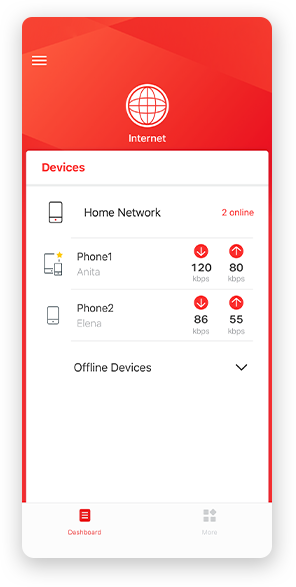
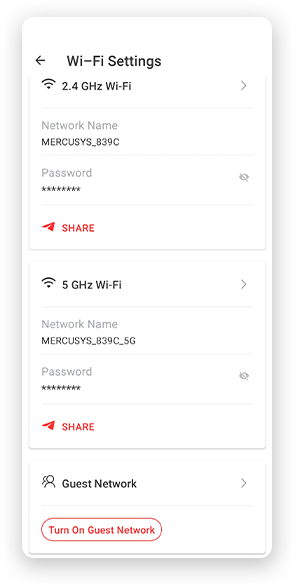
Upozornění: Konfigurační stránka různých modelů se může lišit.
Robustní rodičovská kontrola
Mějte celý čas pod kontrolou obsah, který děti sledují na internetu, a vytvořte bezpečné on-line prostředí.
-
Tvorba uživatelských profilů
Vytvořte profil pro každého člena rodiny, kterého chcete spravovat. Přiřaďte zařízení k profilu a nastavte pro ně řízení přístupu a časové limity.
-
Omezení času stráveného na internetu
Nastavte denní limity pro dobu, kterou děti stráví online, a zabraňte jim v dlouhodobém přístupu k internetu na jejich zařízeních, aby si vytvořily zdravý návyk na používání sítě.
-
Blokování nevhodných webových stránek
Kontrola stránek, které vaše děti navštěvují, nastavením seznamu blokování.
-
Pozastavení připojení k internetu
Přerušte připojení členů rodiny k internetu, abyste si mohli odpočinout od virtuálního světa a užít si čas strávený s rodinou.
Správa a zabezpečení domácí sítě
Aplikace MERCUSYS vám pomůže se správou vaší Wi-Fi sítě doma nebo na cestách prostřednictvím zařízení iOS nebo Android.

Kontrola stavu připojených zařízení
Mějte přehled o provozním stavu sítě Halo a sledujte, jaká zařízení jsou v ní připojena. Podle potřeby upřednostněte nebo zablokujte připojená zařízení.

Technologie Quality Of Service
Umí upřednostnit zvolená zařízení a zvýšit jejich výkon.

Upozornění na připojení nového zařízení
Aplikace MERCUSYS vám automaticky odešle upozornění, jestliže se k síti připojí neznámé zařízení. Klepnutím můžete zařízení zablokovat, pokud ohrožuje bezpečnost.

Nastavení sítě pro hosty
Vytvořte oddělenou síť pro vaše hosty a zabezpečte a ochraňte své soukromí.
Vše v jedné aplikaci
Ať už chcete ovládat širokou škálu routerů MERCUSYS, extenderů, nebo mesh systémů Halo, vše potřebné najdete v aplikaci.
Prohlédněte si kompatibilní produktyKompatibilní produkty
Poznámka: Firmware zařízení vyžaduje nejnovější verzi. Kliknutím sem se dozvíte, jak aktualizovat firmware.
Poznámka: Uvedené a vyšší hardwarové verze těchto modelů jsou kompatibilní s aplikací MERCUSYS.
KATEGORIE
-
Halo Mesh
-

Halo H50G V1
AC1900 Whole Home Mesh Wi-Fi System
-

Halo H30G V1
AC1300 Whole Home Mesh Wi-Fi System
-

Halo H80X V1
AX3000 Whole Home Mesh WiFi 6 System
-

Halo H70X V1
AX1800 Whole Home Mesh WiFi 6 System
-

Halo H30 V1
AC1200 Whole Home Mesh Wi-Fi System
-

Halo H90X V1
AX6000 Whole Home Mesh Wi-Fi System
-
-
Wi-Fi Routery
-

MR70X V1
AX1800 Dual Band Wi-Fi 6 Router
-

MR80X V1
AX3000 Dual-Band Wi-Fi 6 Router
-

MR50G V1
AC1900 Wireless Dual Band Gigabit Router
-

AC12G V2
AC1300 Wireless Dual Band Gigabit Router
-

MR30G V1
AC1200 Wireless Dual Band Gigabit Router
-
MR1200G V1
AC1200 Wireless Dual Band Gigabit Router
-
MR1900G V1
AC1200 Wireless Dual Band Gigabit Router
-

MR1800X V1
AX1800 Dual-Band WiFi 6 Router
-

MR90X V1
AX6000 8-Stream Wi-Fi 6 Router
-
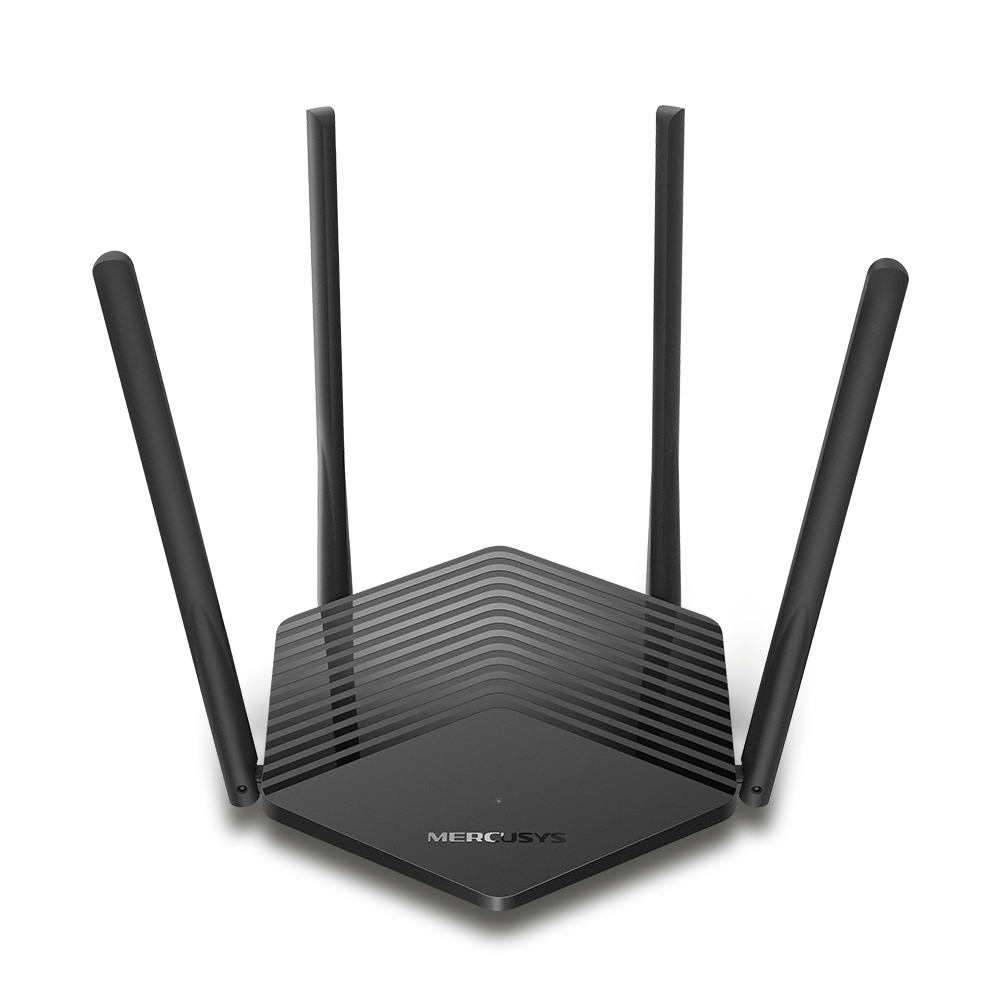
MR60X V2
AX1500 Wi-Fi 6 Router
-
2.0_01_large20200513030154.jpg)
AC12 V3
AC1200 Dual Band Wireless Router
-
1.0_01_large20200616070042.jpg)
AC10 V1
AC1200 Wireless Dual Band Router
-

MW325R V3
300Mbps Enhanced Wireless N Router
-
_1906_02_large20200513090024.jpg)
MW305R V3
300Mbps Wireless N Router
-
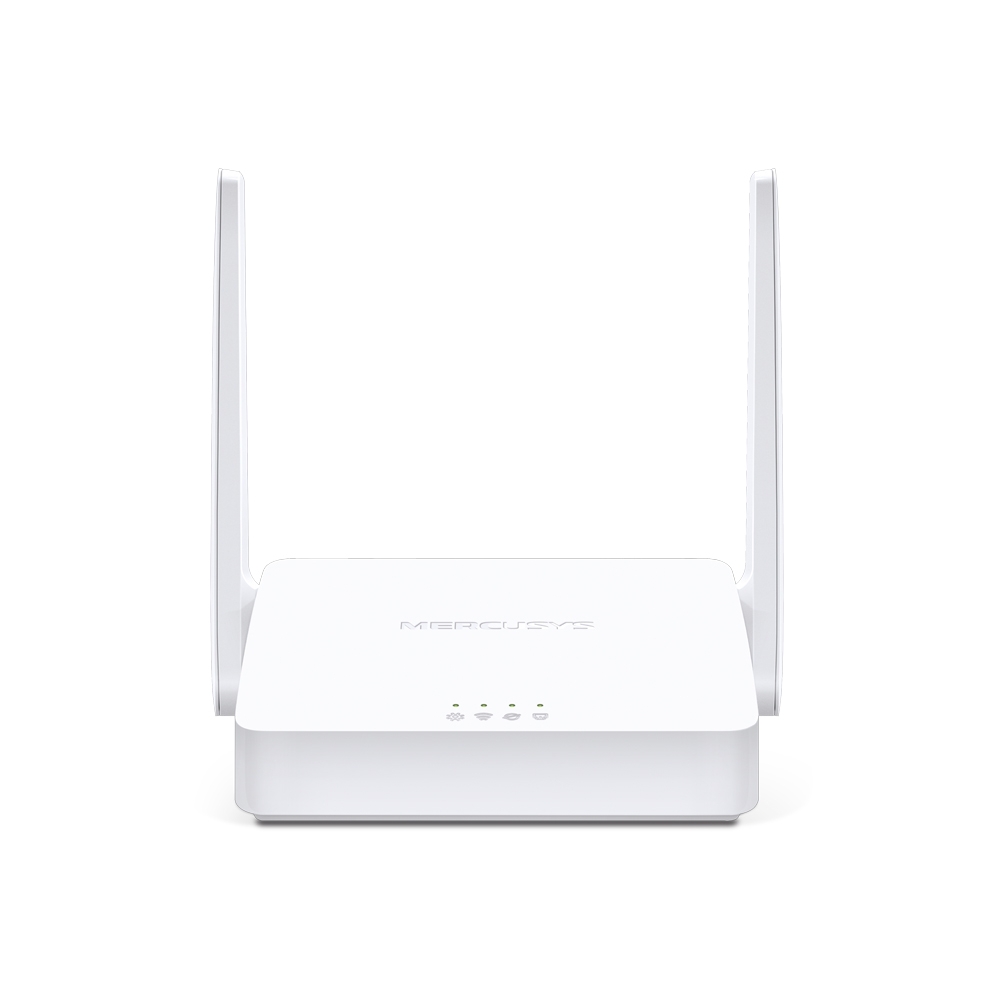
MW301R V3
300Mbps Wireless N Router
-
-
Extendery
-

ME70X V1
AX1800 Wi-Fi 6 Range Extender
-

ME50G V1
AC1900 Wi-Fi Range Extender
-

ME30 V1
AC1200 Wi-Fi Range Extender
-
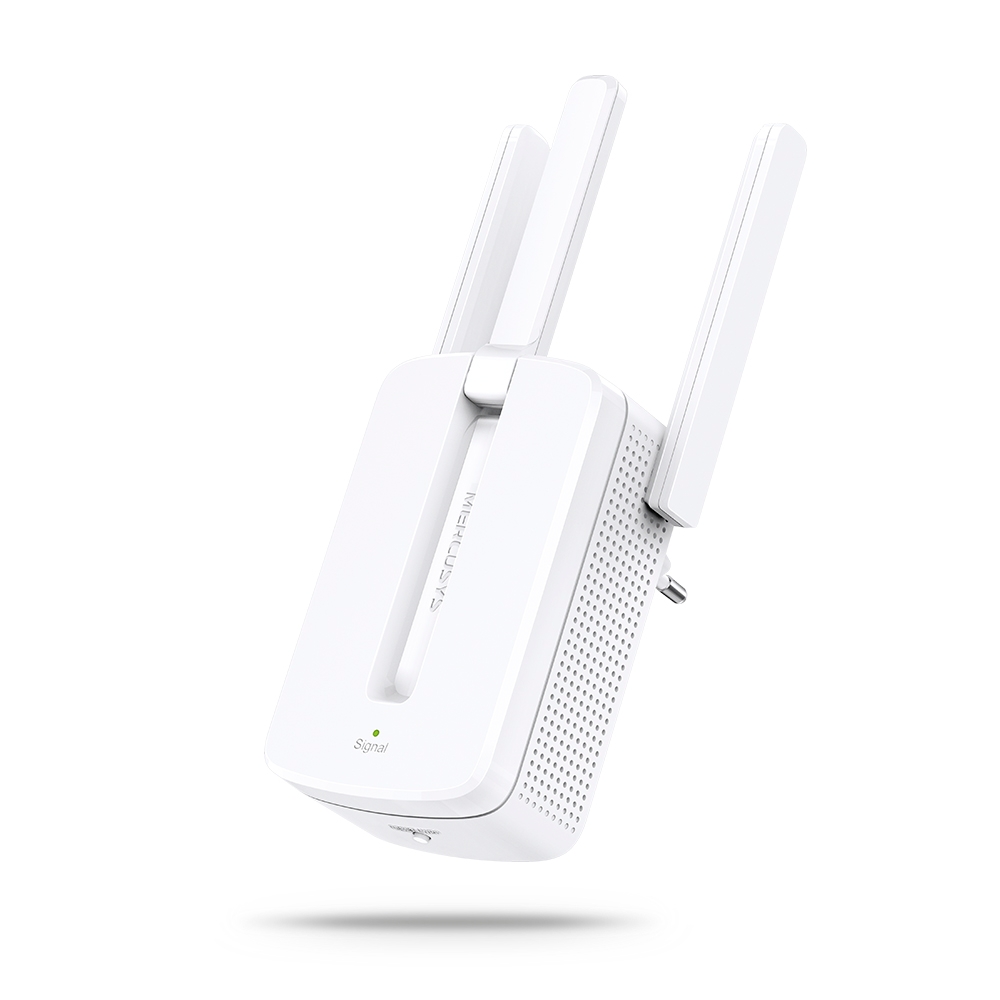
MW300RE V4
300Mbps Wi-Fi Range Extender
-
Podpora několika jazyků
Aplikace MERCUSYS podporuje až 26 jazyků, což umožňuje snadnou správu sítí uživatelům po celém světě.
-
English
-
Nederlands
-
Français
-
Deutsch
-
Italiano
-
日本語
-
한국어
-
Português
-
Español
-
繁體中文
-
Русский язык
-
Português Brasil
-
Español
(Latinoamérica) -
Български
-
Українська мова
-
Polski
-
Română
-
Slovenčina
-
ไทย
-
Türkçe
-
Čeština
-
Tiếng Việt
-
Eλληνικά
-
Bahasa Melayu
-
Magyar
-
עברית
-
Wireless

| Wi-Fi Class | AX2700 |
|---|---|
| Wi-Fi (2.4 GHz) | 300Mbps |
| Wi-Fi (5 GHz) | 2402Mbps |
| Wireless Standards | 802.11ax/ac/a/b/g/n |
| Reception Sensitivity | 5G: 2.4G: |
| Max Channel Width | 160MHz |
| Max Wi-Fi Modulation | 1024 QAM |
| Wireless Security | WPA/WPA2/WPA3 |
| Wireless Functions | Guest Network |
-
Software
| Operation Modes | Router/AP |
|---|---|
| WAN Mode | Dynamic IP |
| DHCP | Address Reservation |
| NAT Forwarding | Port Forwarding |
| Protocols | IPv4 |
| IPTV | IGMP Proxy |
| Guest Network | 2.4G Guest Network |
| Parental Controls | Profile Settings |
| VPN Sever | OpenVPN |
| DDNS | MERCUSYS |
| VPN Client | OpenVPN |
| QoS | Time Settings |
| Easy Mesh | Easymesh Compatible |
| Security | SPI Firewall |
| Kill Switch | Support |
| System Settings | Firmware Upgrade |
| ISP Feature | CWMP |
| Diagnostics | Ping |
| LED Management | LED Control |
| Device Management | MERCUSYS APP |
| Cloud | MERCUSYS ID |
| Language | Bulgarian |
| Advanced Features | OFDMA |
-
Hardware
| Dimensions (W X D X H) | 175.6 × 157.4× 45 mm |
|---|---|
| Interfaces | 1× GE WAN |
| Antenna | 2× 5G External Antennas |
| Button | 1× WPS Button |
| Installation | Desktop |
| LED | 1× SYS |
| Retail Package Dimension | 310 × 221 × 69 mm |
| Units per Carton | 10 |
| Carton Dimension | 460 × 330 × 370 mm |
| Power Consumption | Input:100~240V, 50/60Hz |
-
Others
| Network Services Enabled by Default | Web Server |
|---|---|
| Package Contents | • AX2700 Wi-Fi 6 Router MR78X |
| Environment | • Operating Temperature: 0°C~40°C (32°F~104°F) |