ME25BE [V1] | BE3600 Wi-Fi 7 Range Extender
ME25BE
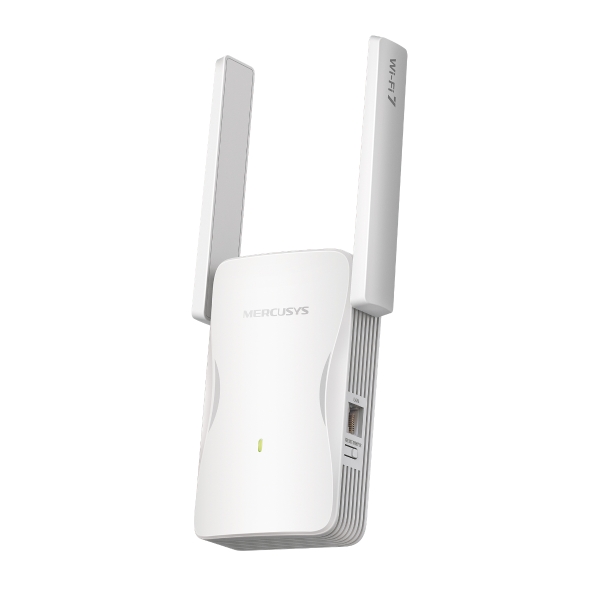
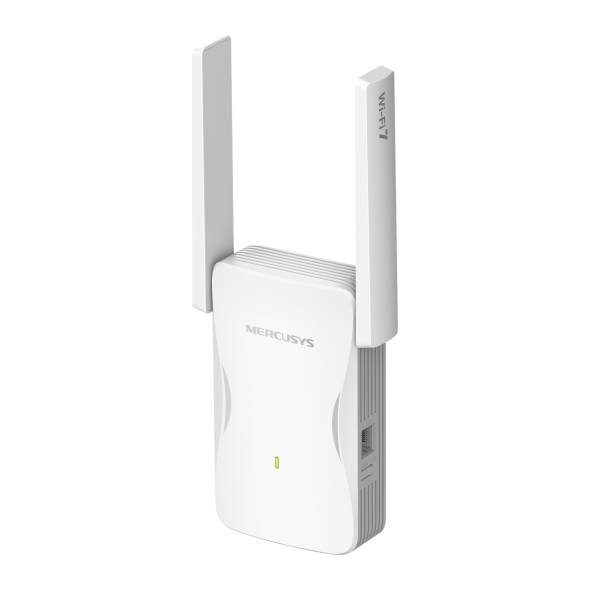
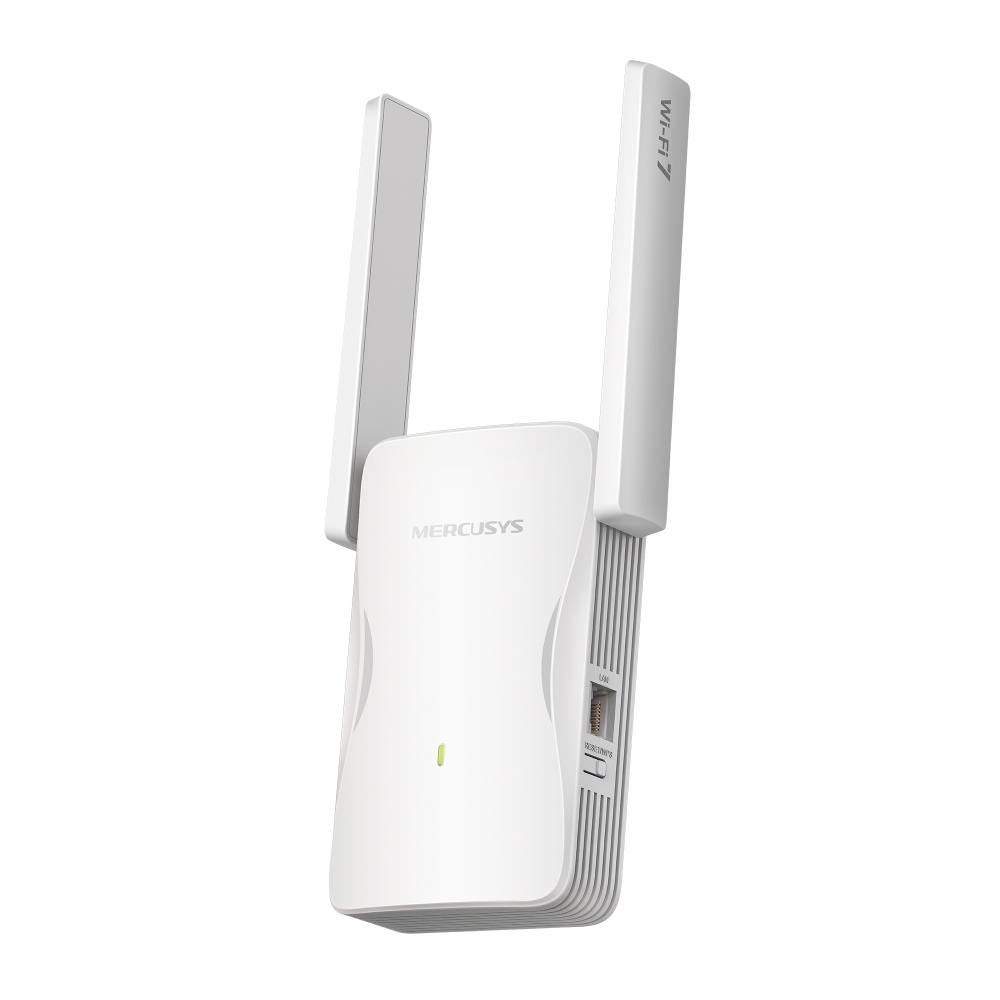
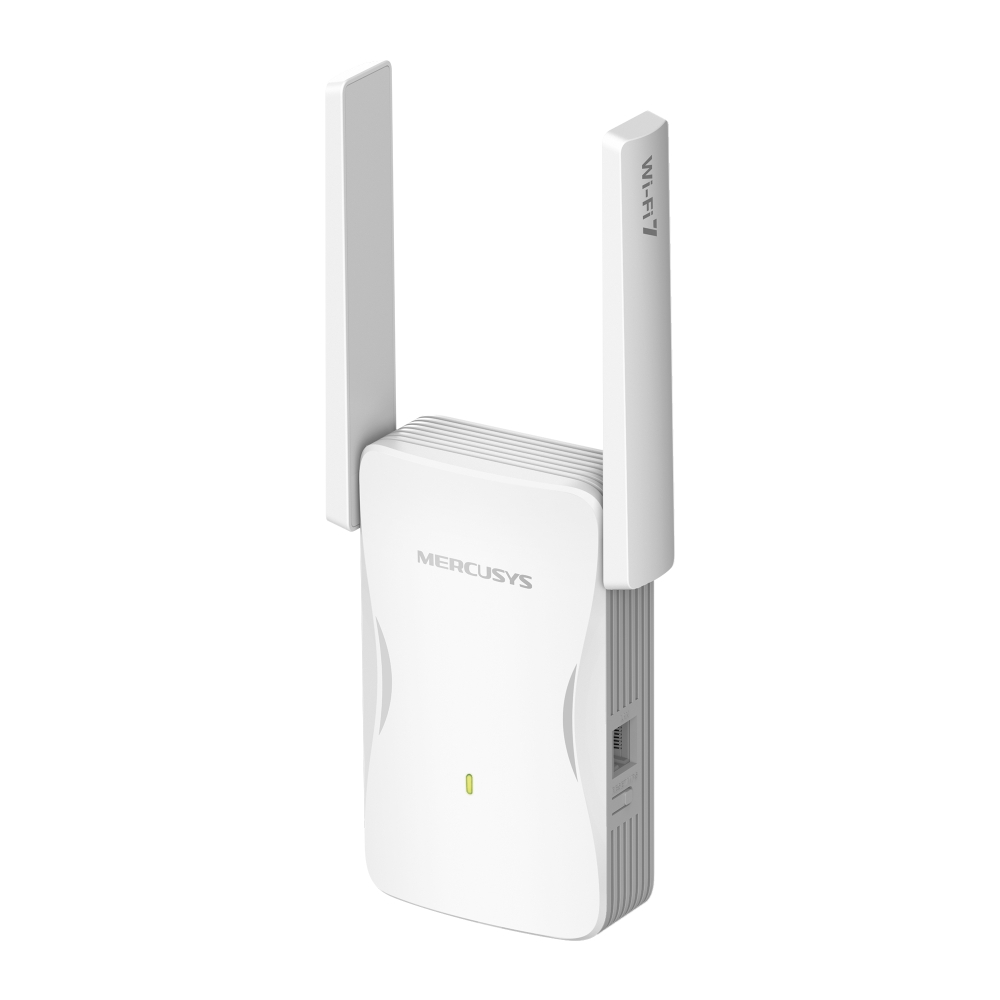
BE3600 Wi-Fi 7 Range Extender
- Eliminate WiFi Dead Zones — Boosts WiFi signals to previously unreachable or hard-to-wire areas flawlessly.
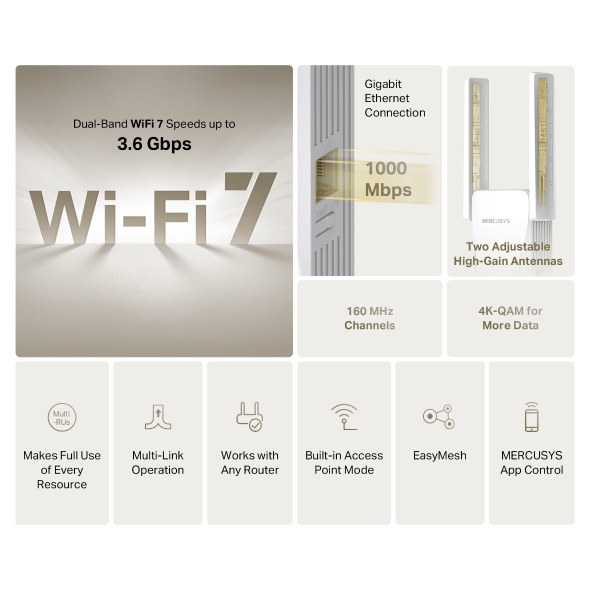
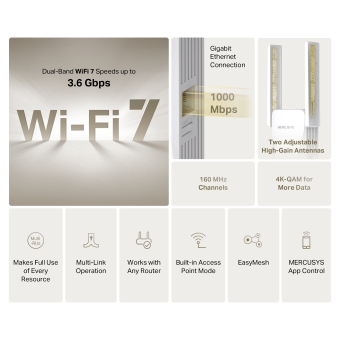
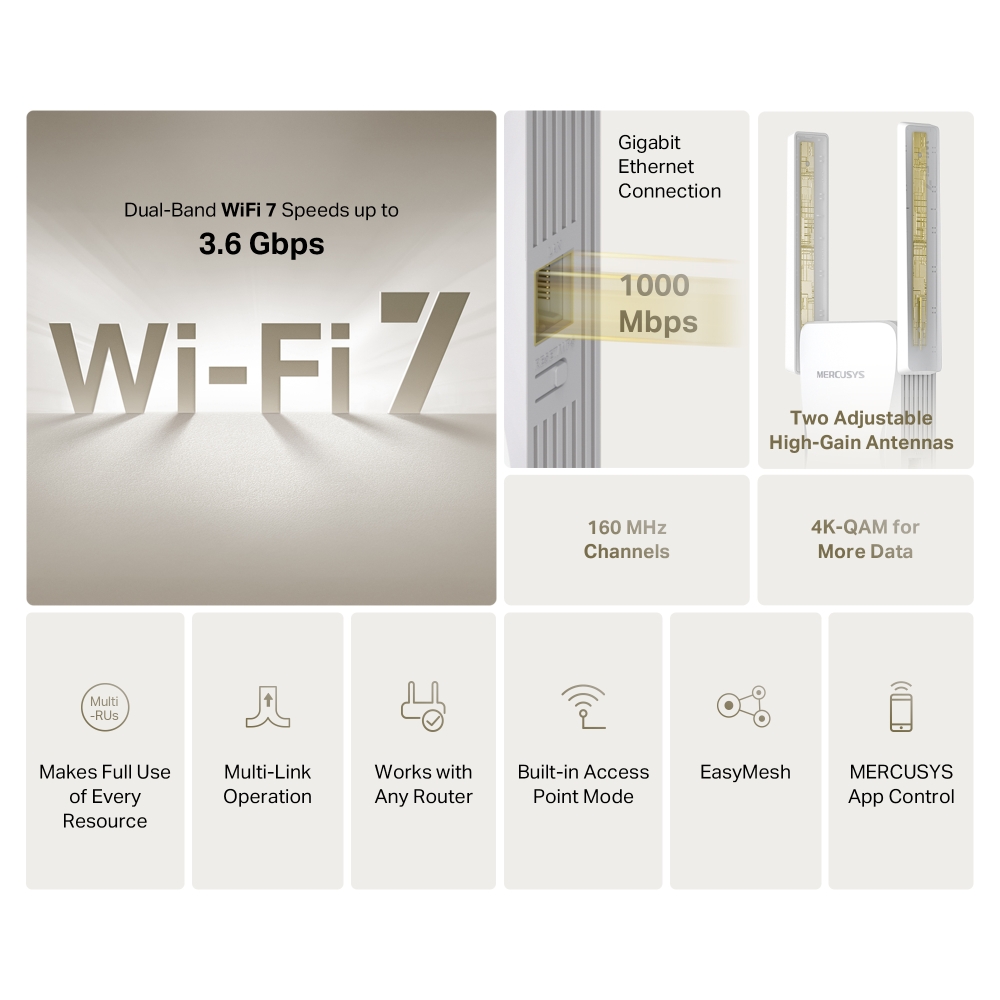
- BE3600 Dual Band WiFi — Keep your whole home connected with strong WiFi expansion at a combined speed of up to 3600 Mbps.†
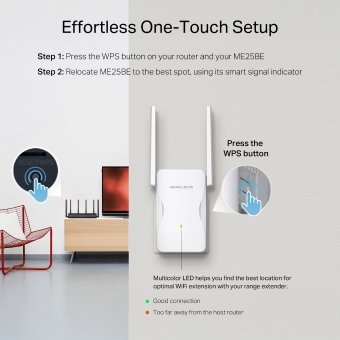
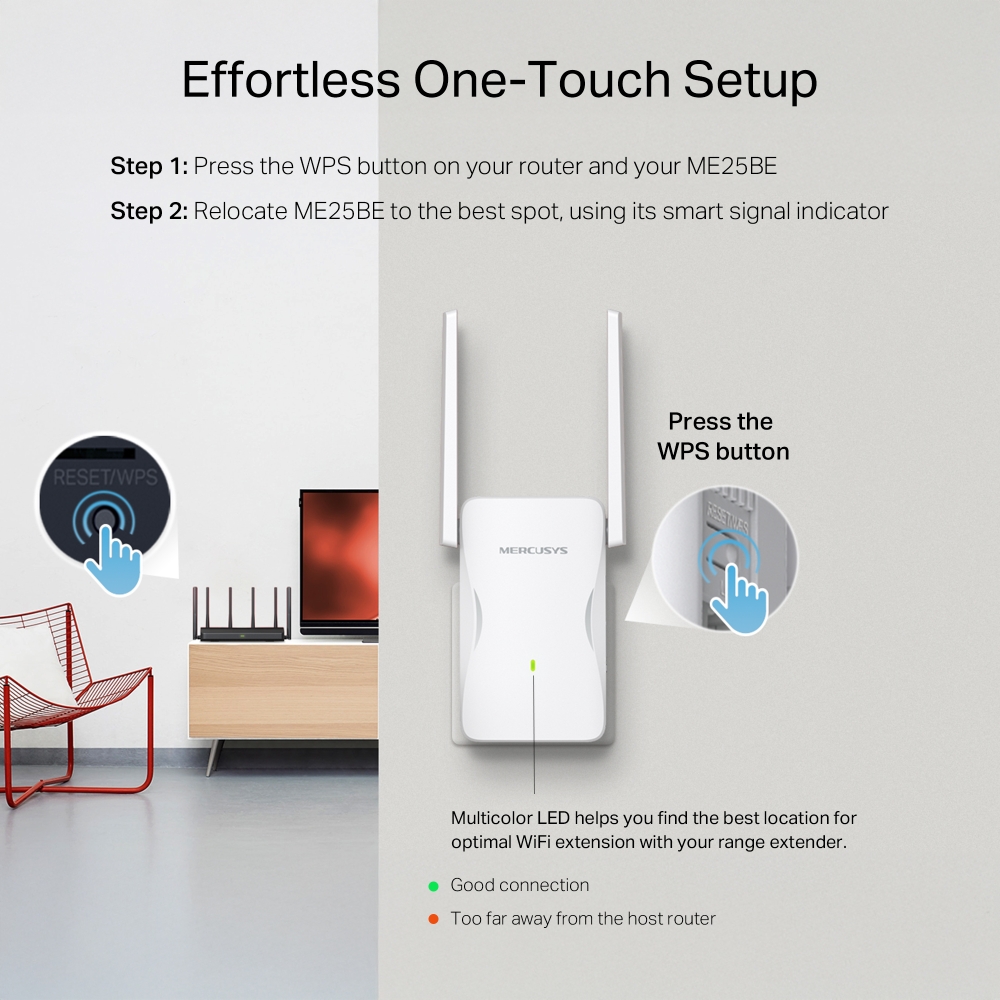
- Easy One-Touch Setup — Simply press the WPS button to expand your WiFi coverage in seconds.
- EasyMesh-Compatible — Compatible with EasyMesh routers and range extenders, this technology creates a seamless whole-home Mesh Wi-Fi network, effectively preventing interruptions and lag when transitioning between signals.
- Signal Indicator — Multicolor LED helps you find the right location for your range extender for the best WiFi extension.
- Fast 1000 Mbps Port — Provides speedy wired connections for PCs, IPTVs, and game consoles.
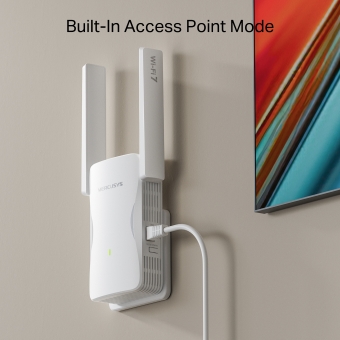
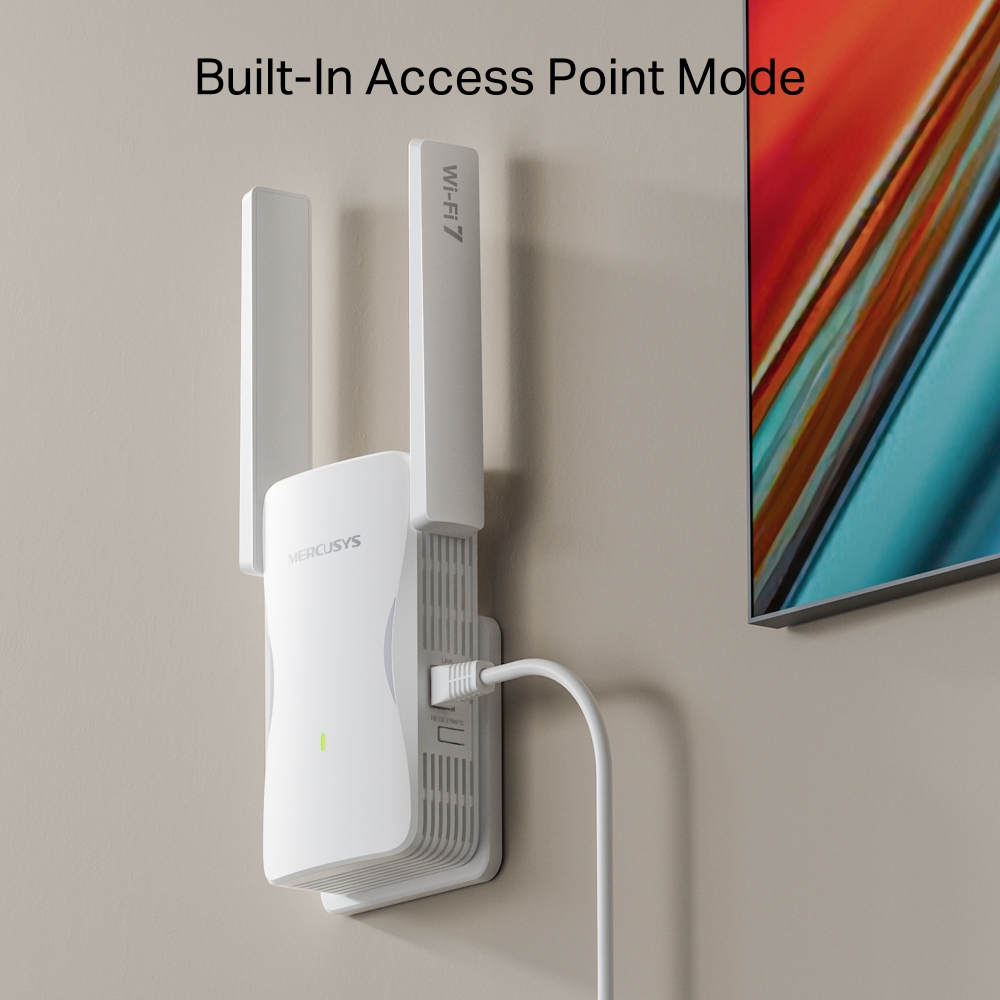
- Works with Any Router or Wireless Access Point — ME25BE is more than a WiFi range extender. Connect it to your wired internet via Ethernet to transform it into a dual-band WiFi access point.
-
watch video: How to Set Up Your MERCUSYS Range Extender via Web Browser(ME30, etc.)
How to Set Up Your MERCUSYS Range Extender via Web Browser(ME30, etc.)
-
watch video: Set Up MERCUSYS Range Extender via App
Set Up MERCUSYS Range Extender via App
-
watch video: Set Up a MERCUSYS Range Extender via Management Page on your Smartphone
Set Up a MERCUSYS Range Extender via Management Page on your Smartphone
BE3600
MERCUSYS Wi-Fi 7 Range Extender
Channels
More Data
Mbps
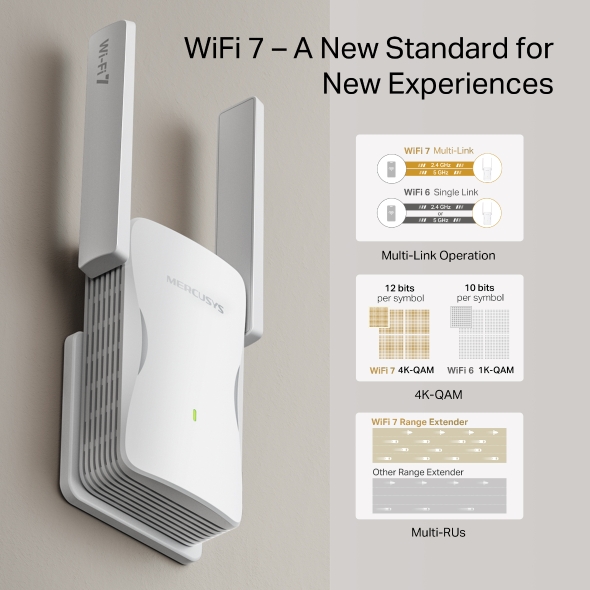
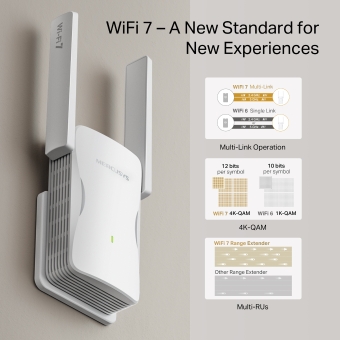
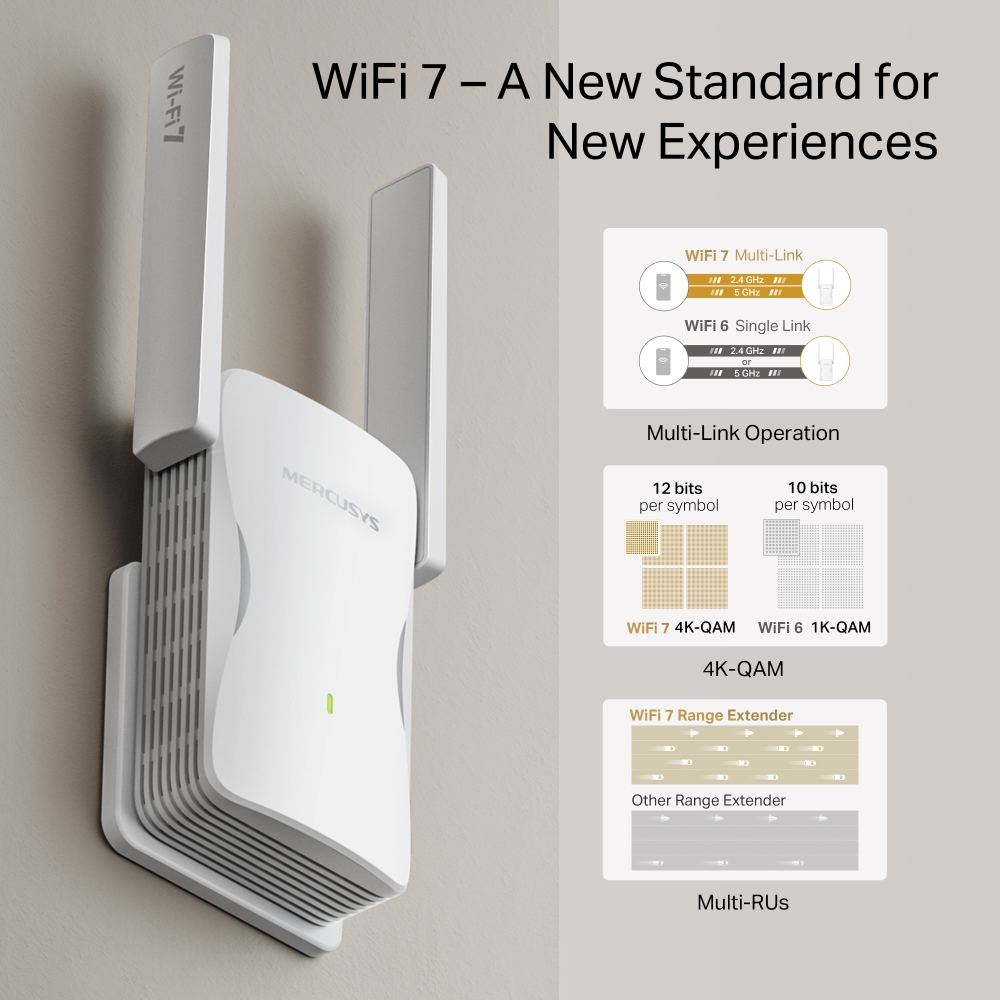
WiFi 7 – A New Standard for New Experiences
WiFi 7, the latest WiFi standard, has arrived with jaw-dropping performance—offering accelerated throughput, lower latency, stronger anti-jamming, and higher efficiency. Armed with WiFi 7 , ME25BE improves virtually every aspect of your network: speed, efficiency, and capacity. ‡
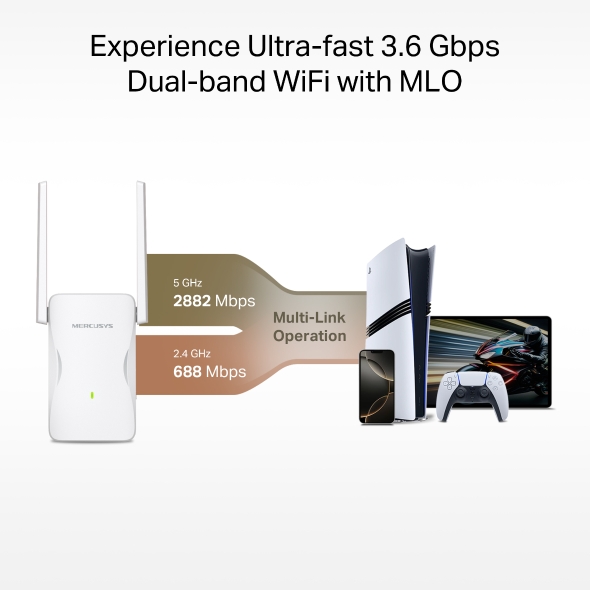
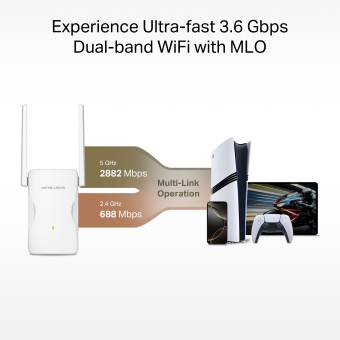
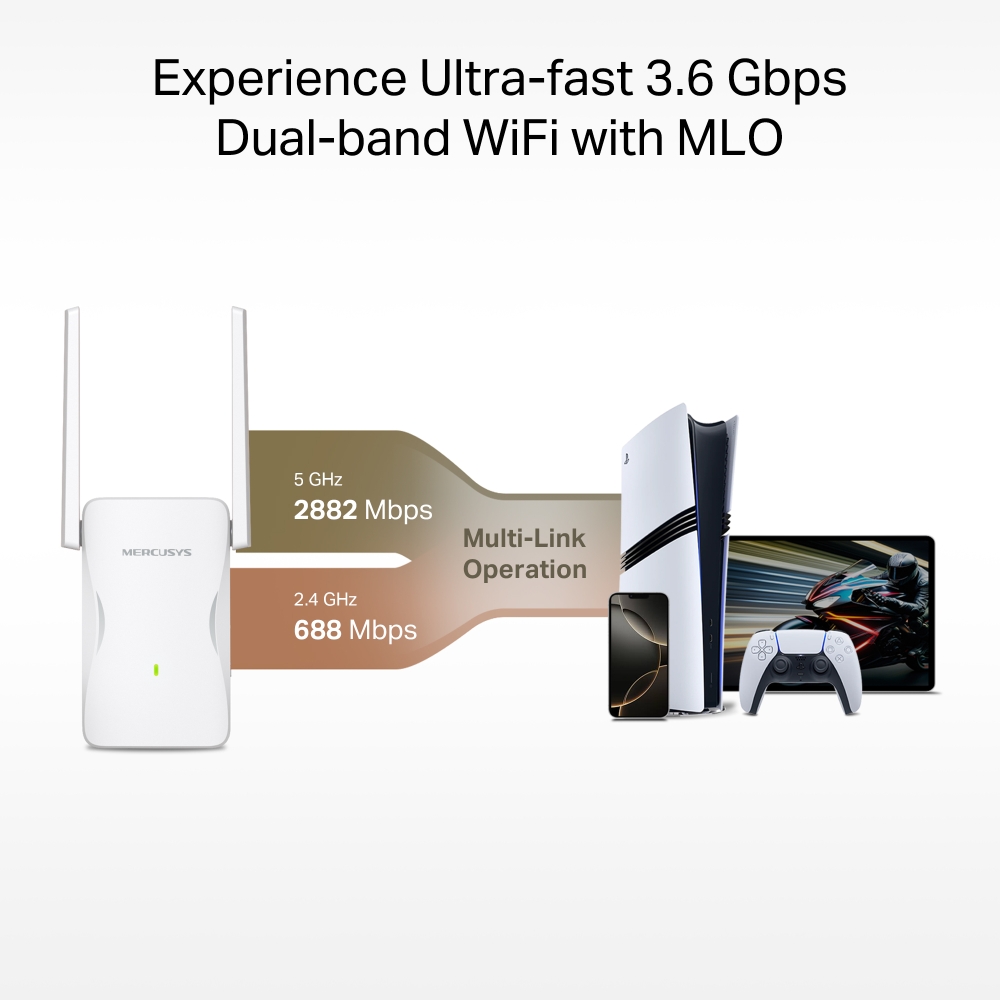
Experience Ultra-fast 3.6 Gbps Dual-band WiFi with MLO
Multi-Link Operation allows devices to simultaneously send and receive data across different WiFi bands. With MLO, Premium Dual-Band WiFi 7 extender delivers lightning-fast speeds of up to 3.6 Gbps.† Enjoy seamless, high-performance connectivity for every device in your household. †
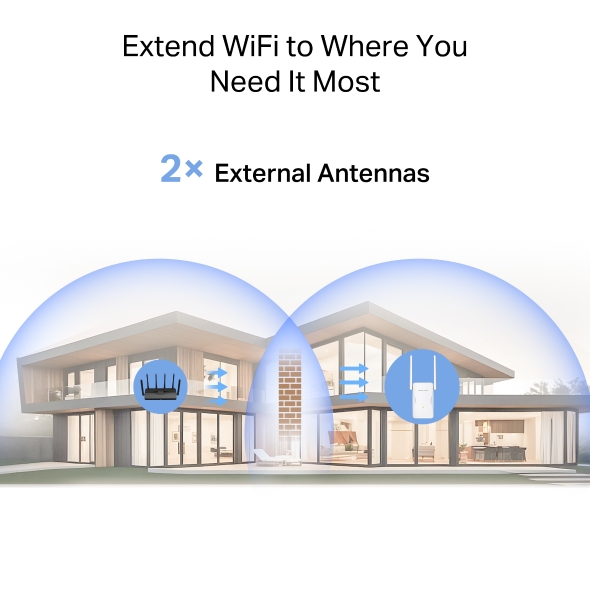
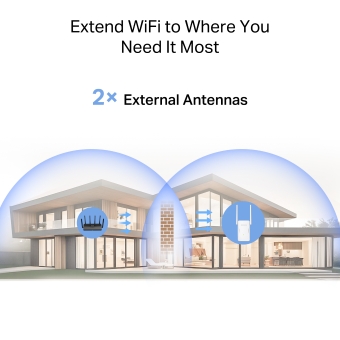
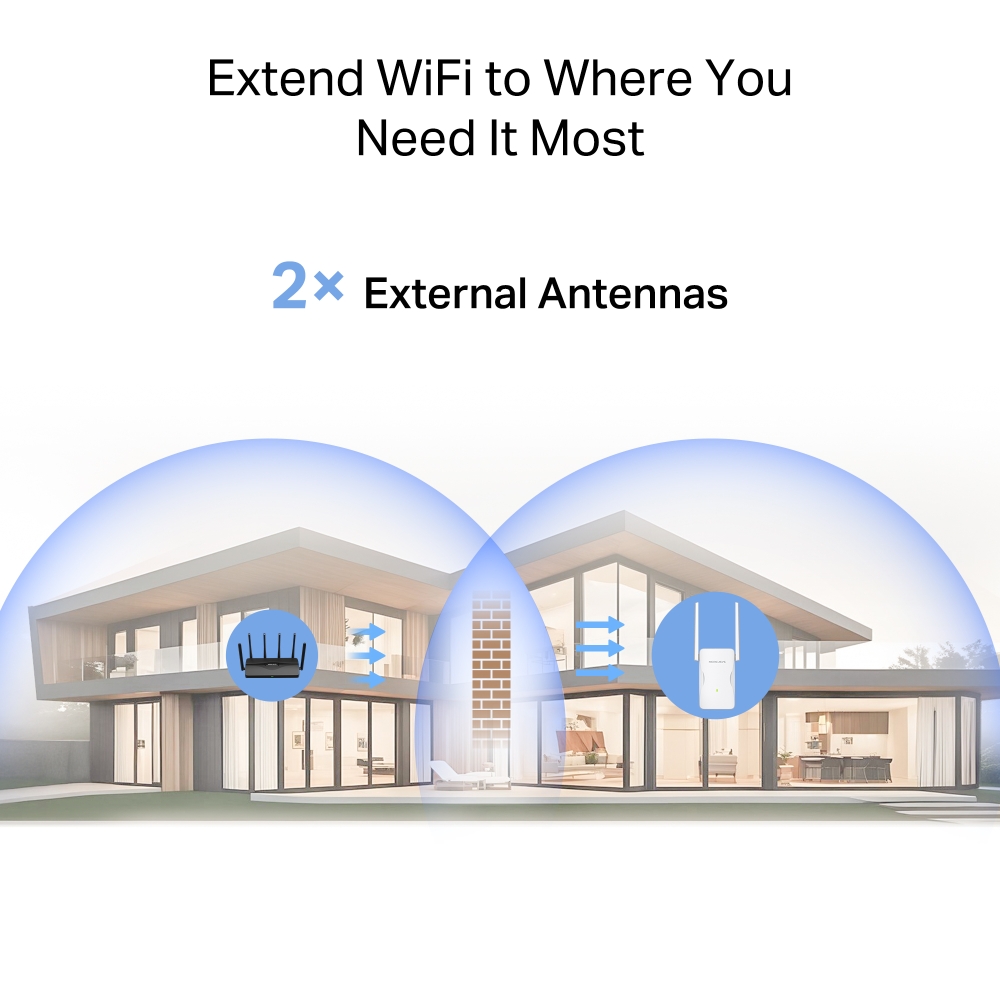
Extend WiFi to Where You Need It Most
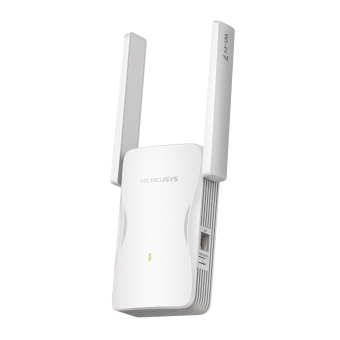
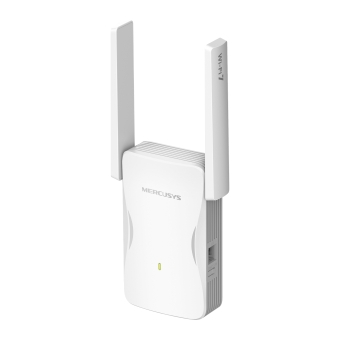
Extend your router’s coverage. This BE3600 range extender, with two adjustable high-gain antennas, boosts WiFi to hard-to-reach areas and is compatible with older WiFi standards (11b/g/n/a/ac/ax) and all connected devices.
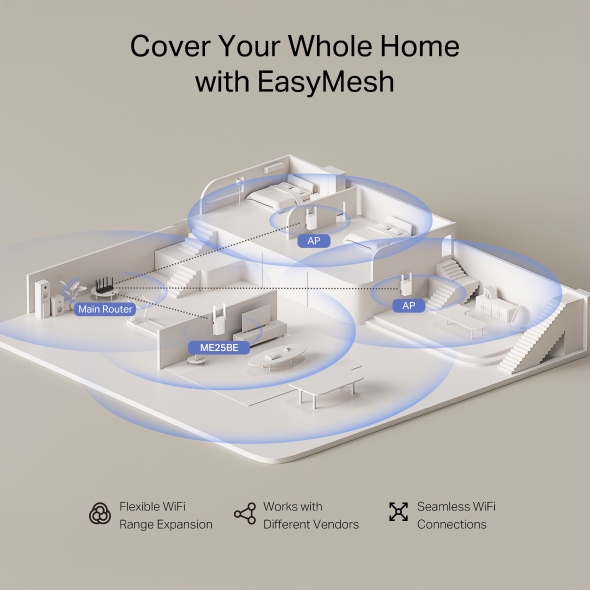
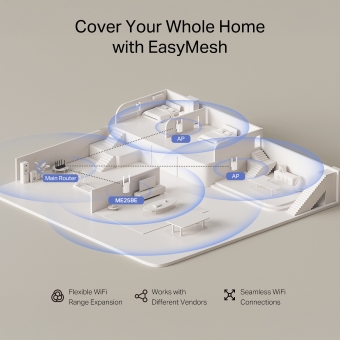
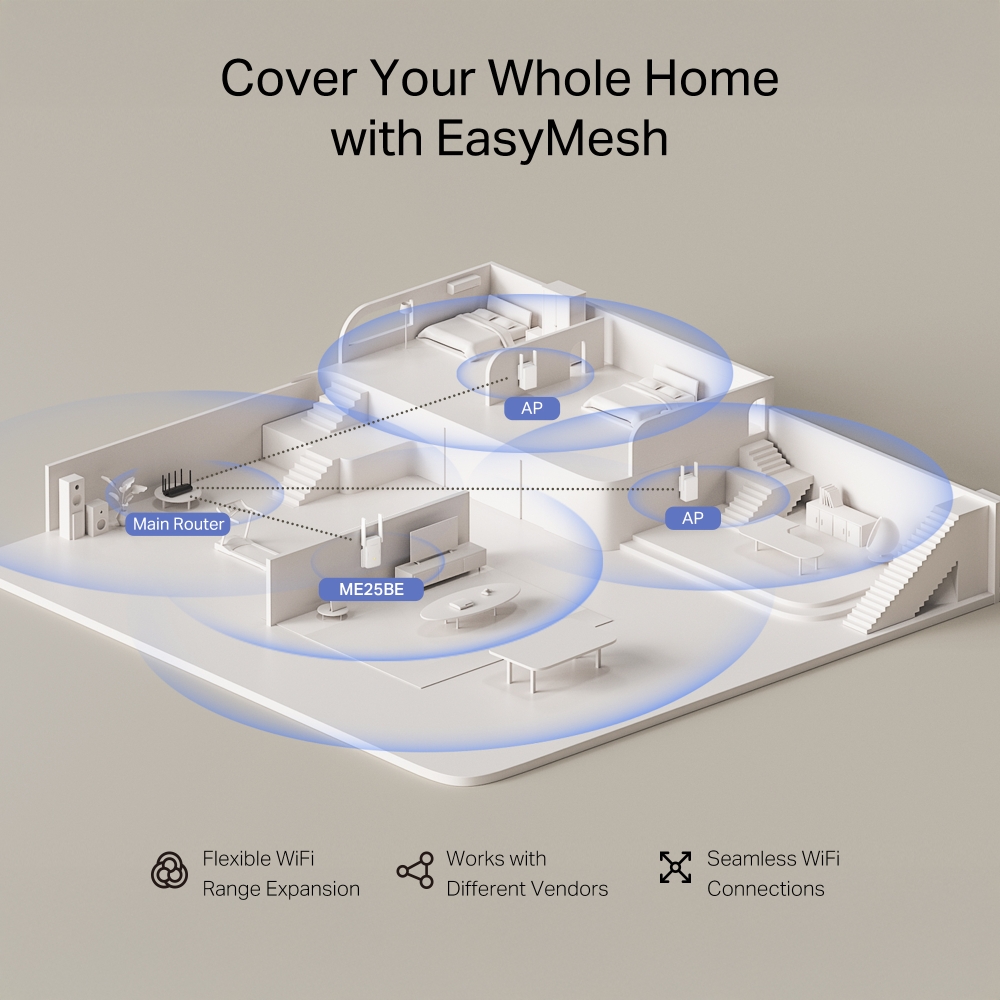
Cover Your Whole Home with EasyMesh
ME25BE is compatible with EasyMesh, enabling you to set up a whole home mesh network with one WiFi name and password with any other APs that support EasyMesh from multiple vendors. Enjoy flexible, scalable, and seamless mesh WiFi throughout your home!**


Enjoy Seamless WiFi Wherever You Walk



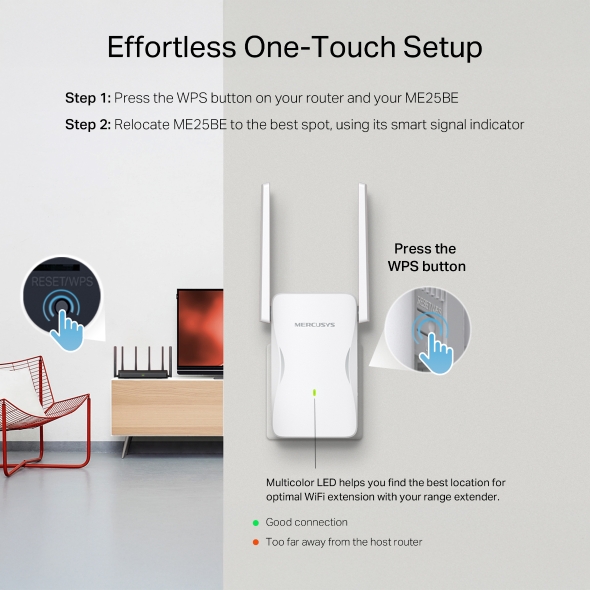
Effortless One-Touch Setup
Press the WPS button on your router and the WPS button on your extender to expand your WiFi coverage in seconds.
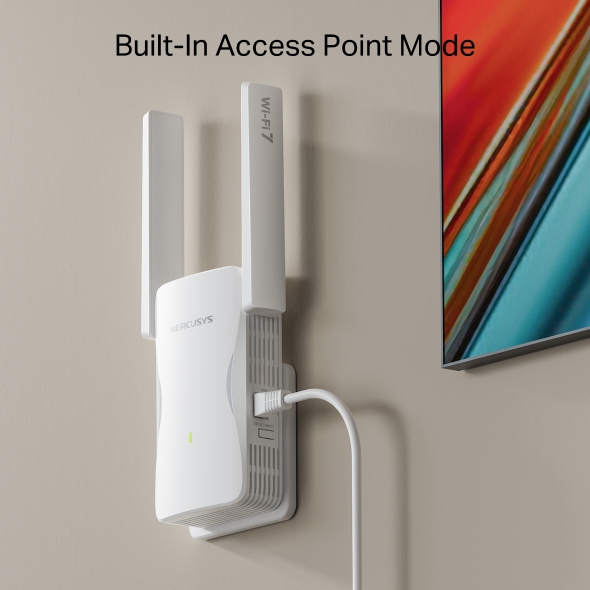
Built-In Access Point Mode
ME25BE is more than a WiFi range extender. Connect it to your wired internet via Ethernet to transform it into a dual-band WiFi access point.
Control at Your Fingertips
Set up and manage your WiFi through the MERCUSYS app from your smartphone (Android, iOS).
†Maximum wireless signal rates are the physical rates derived from IEEE Standard 802.11 specifications. Actual wireless data throughput, wireless coverage, and connected devices are not guaranteed and will vary as a result of internet service provider factors, network conditions, client limitations, and environmental factors, including building materials, obstacles, volume and density of traffic, and client location. ‡Use of Wi-Fi 7 (802.11be), Wi-Fi 6 (802.11ax), and features including Multi-Link Operation (MLO), 160 MHz Bandwidth, 4K-QAM, Multi-RUs, OFDMA, and MU-MIMO requires clients to also support the corresponding features. The 160 MHz bandwidth on the 5 GHz band may be unavailable in some regions/countries due to regulatory restrictions. This router may not support all the mandatory features as ratified in the IEEE 802.11be specification. Further software upgrades for feature availability may be required. *The product may not be compatible with routers or gateways with firmware that has been altered, is based on open source programs, or is non-standard or outdated. **EasyMesh-compatible products can network with other devices that use EasyMesh. Failed connections may be due to firmware conflicts of different vendors. The EasyMesh-compatible function is still being developed on some models and will be supported in subsequent software updates. This product is compatible with standardized EasyMesh technology but has not obtained the Wi-Fi EasyMeshTM certification. △Actual network speed may be limited by the rate of the product‘s Ethernet WAN or LAN port, the rate supported by the network cable, internet service provider factors, and other environmental conditions.
MERCUSYS
A aplicação MERCUSYS oferece a forma mais simples de configurar em poucos minutos e gerir o seu Wi-Fi em casa ou fora, através dos seus dispositivos iOS ou Android.


A MERCUSYS Ajuda-o a Configurar em Poucos Passos
Sem conhecimentos técnicos ou instruções complicadas, basta seguir as indicações na aplicação. Configure a sua rede mesh em minutos.
-
 Halo Cabo de Alimentação Cabo Ethernet
Passo 1
Encontre o que precisa na caixa
-

Passo 2
Ligue os seus dispositivos
-

Passo 3
Siga as instruções no ecrã com a app MERCUSYS
Gira o Seu Wi-Fi em Tempo Real
Com a aplicação MERCUSYS, experimente gestão da rede em tempo real. Veja quem está ligado à sua rede e faça a gestão a qualquer momento com os seus dispositivos iOS ou Android.


Aviso: A página de configuração pode variar consoante o modelo. Por favor, consulte a versão do seu dispositivo.
Controlo Parental Potente
Faça a gestão do tempo online e do conteúdo dos seus filhos para criar um ambiente online seguro e saudável.
-
Criar Perfis de Utilizador
Crie um perfil para cada membro da família que pretende gerir. Atribua dispositivos ao perfil para definir controlos de acesso e limites de tempo.
-
Limites de Tempo Online
Defina limites diários para o tempo que os seus filhos passam online e evite que acedam à internet por períodos prolongados, promovendo hábitos digitais saudáveis.
-
Bloquear Sites Inadequados
Controle os sites que os seus filhos visitam definindo uma lista de bloqueio.
-
Pausar a Ligação à Internet
Interrompa a ligação à internet dos membros da família para fazerem uma pausa do mundo virtual e desfrutarem de tempo em família.
Gira e Proteja a Sua Rede Doméstica
A aplicação MERCUSYS ajuda-o a gerir o seu Wi-Fi em casa ou fora, através dos seus dispositivos iOS ou Android.

Verificar o Estado dos Dispositivos Ligados
Veja de forma intuitiva o estado de funcionamento da sua rede Halo e o que está ligado. Priorize ou bloqueie dispositivos conforme necessário.

Qualidade de Serviço
Prioriza os dispositivos que selecionar para terem melhor desempenho.

Alerta de Acesso de Novo Dispositivo
A aplicação MERCUSYS envia proativamente um alerta quando um dispositivo desconhecido se liga. Toque para bloquear o dispositivo se representar um risco de segurança.

Configurar uma Rede de Convidados
Fornece uma rede separada para convidados, garantindo a sua segurança e privacidade.
Tudo Numa Só App
Quer pretenda controlar uma ampla gama de routers, extensores ou sistemas mesh Halo da MERCUSYS, encontra tudo na aplicação.
Veja o que é compatívelProdutos Compatíveis
Nota: O firmware do dispositivo requer a versão mais recente. Clique aqui para saber como atualizar o seu firmware.
Nota: As versões de hardware indicadas e superiores destes modelos são compatíveis com a aplicação MERCUSYS.
Suporte para Múltiplas Línguas
A aplicação MERCUSYS suporta até 26 línguas, permitindo uma gestão de rede simples para utilizadores em todo o mundo.
-
English
-
Nederlands
-
Français
-
Deutsch
-
Italiano
-
日本語
-
한국어
-
Português
-
Español
-
繁體中文
-
Русский язык
-
Português Brasil
-
Español
(Latinoamérica) -
Български
-
Українська мова
-
Polski
-
Română
-
Slovenčina
-
ไทย
-
Türkçe
-
Čeština
-
Tiếng Việt
-
Eλληνικά
-
Bahasa Melayu
-
Magyar
-
עברית
-
Wireless

| Wi-Fi Class | BE3600 |
|---|---|
| Wi-Fi (2.4 GHz) | 688Mbps |
| Wi-Fi (5 GHz) | 2882Mbps |
| Padrões Wireless | 802.11be/ax/ac/a/b/g/n |
| Max Channel Width | 160MHz |
| Sensibilidade de Recepção | 5GHz: 11BE EHT160 MCS13<-51dBm 11A 6M<-96dBm 2.4GHz: 11BE EHT40 MCS13<-59dBm 11G 6M<-97dBm |
| Max Wi-Fi Modulation | 4096 QAM |
| Segurança Wireless | WPA-PSK/WPA2-PSK/WPA3 |
| Funções Wireless | MLO Multi-Rus EasyMesh Beamforming |
-
Software
| Modo de Funcionamento | RE/AP |
|---|---|
| WAN Mode | / |
| DHCP | Server DHCP Client List |
| NAT Forwarding | / |
| IPTV | / |
| Protocolos | IPv4/IPv6 |
| Rede para Convidados | 2.4G Guest Network 5G Guest Network |
| Parental Controls | / |
| DDNS | / |
| Easy Mesh | Wire EasyMesh Wireless EasyMesh Search Add |
| QoS | / |
| Segurança | Access Control |
| ISP Feature | / |
| System | Time Settings LED Control Firmware Upgrade Backup&Restore Reboot Administration System Log ECO Mode |
| Diagnostics | / |
| LED Management | LED Control Night Mode |
| Device Management | MERCUSYS APP Webpage |
| Cloud | MERCUSYS ID Auto Update Online Update |
| Language | Bulgarian Czech Danish German Greek English Spanish Finnish French Hungarian Indonesian Italian Japanese Korean Dutch Norwegian Polish Portuguese Portuguese - Brazil Romanian Russian Slovak Swedish Turkish Ukrainian Vietnamese Chinese - Taiwan |
| Advanced Features | / |
-
Hardware
| Dimensões | 100.3×33×132 mm |
|---|---|
| Antenna | 2× External Antennas |
| Interfaces | 1 Gigabit Ethernet Port |
| Botões | 1× RESET/WPS Button |
| Power Supply | 13.2W |
| Installation | / |
| LED | 1× SYS |
| Retail Package Dimension | 202*125*83 mm |
| Units per Carton | 24 |
| Carton Dimension | 415*390*340 mm |
-
Outros
| Network Services Enabled by Default | Web Server Manage and configure device through web (HTTP/HTTPS) • Port: 80/443 Protocol: TCP DHCP Server IP address assignment (DHCP) • Port: 67 Protocol: UDP App management Manage and configure device through app • Port: 20001 Protocol: TCP • Port: 20002 Protocol: UDP |
|---|---|
| Conteúdo da Embalagem | • Wi-Fi Range Extender ME25BE • Quick Installation Guide |
| Ambiente | • Operating Temperature: 0°C~40°C (32°F~104°F) • Operating Humidity: 10%~90% Non-Condensing |