MR39-HP [V1] | AC1200 High Power Wireless Dual-Band Router
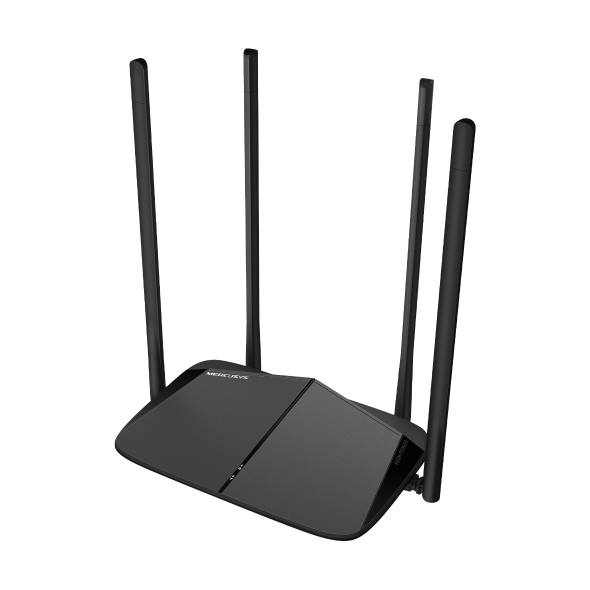


MR39-HP
AC1200 High Power Wireless Dual-Band Router
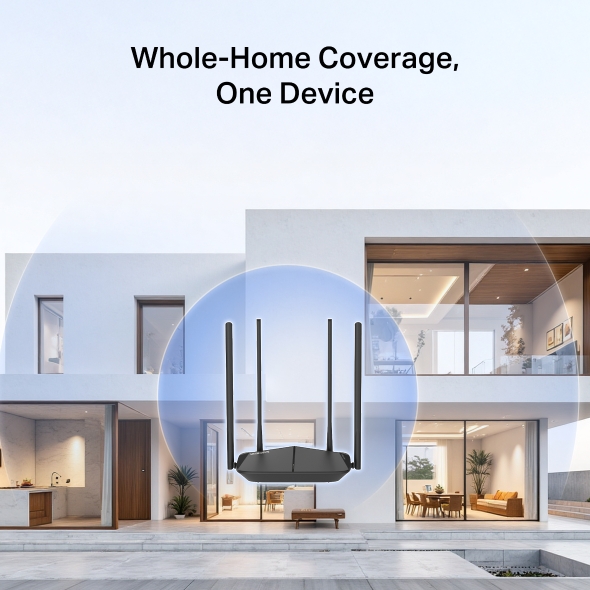
Whole-Home Coverage, One Device
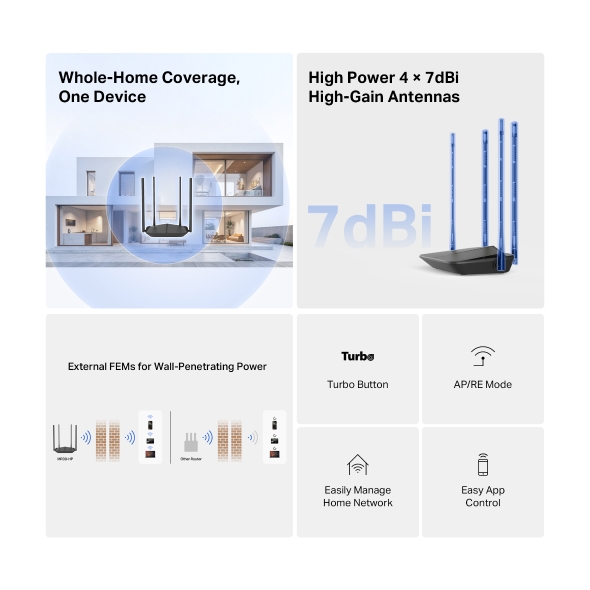
Imagine streaming movies in the living room, video-calling in your bedroom—all from one powerful router. Thanks to its 7dBi high-gain antennas, external FEM, and Turbo button, you get fast, stable Wi-Fi in every corner, on every device.


High Power 4 × 7dBi
High-Gain Antennas
Four powerful 7dBi antennas work together to push your Wi-Fi further and stronger than ever. Whether you’re in the attic, balcony, or behind thick walls, enjoy seamless internet with no interruptions.
More than a Router
In addition to serving as a wireless router, the MR39-HP can also function as a range extender or wireless access point, providing you with the flexibility you need in any situation.
Easily Manage Your Home Network
-

Parental Controls
Establish appropriate policies to protect children for responsible, safe internet access
-

Guest Network
Allows guests to join your WiFi network—all while protecting your privacy—making sharing easy and secure
-

Quality of Service
Prioritizes devices you select to perform better
Easy Setup and Management via MERCUSYS App
Without understanding technical knowledge or reading installation instructions in advance, just follow the on-screen directions with the MERCUSYS app to set up your Router in minutes. The MERCUSYS app helps you set up in minutes and manage your Wi-Fi through your iOS or Android devices.


*Maximum wireless signal rates are the physical rates derived from IEEE Standard 802.11 specifications. Actual wireless data throughput and wireless coverage are not guaranteed and will vary as a result of 1) environmental factors, including building materials, physical objects, and obstacles, 2) network conditions, including local interference, volume and density of traffic, product location, network complexity, and network overhead, and 3) client limitations, including rated performance, location, connection, quality, and client condition. Actual network speed may be limited by the rate of the product's Ethernet WAN or LAN port, the rate supported by the network cable, Internet service provider factors and other environmental conditions.
MERCUSYS
The MERCUSYS app provides the easiest way for you to set up in minutes and manage your WiFi at home or away through your iOS or Android devices.
MERCUSYS Helps You Set Up in A Few Steps
Without any technical know-how or reading complicated instructions, simply follow the in-app instructions. Set up your mesh network in minutes.
-
 Halo Power Cable Ethernet Cable
Step 1
Find what you’ll need in the box
-

Step 2
Plug in your devices
-

Step 3
Follow the on-screen directions with the MERCUSYS app
Manage Your WiFi in Real Time
With the MERCUSYS app, experience live network management. See who’s connecting to your network and manage it at any time with your iOS or Android devices.


Notice: The configuration page of different models may be different, please refer to the actual one.
Powerful Parental Controls
Easily manage your kids’ online time and content to create a safe and healthy online environment.
-
Create User Profiles
Create a profile for each family member you would like to manage. Assign devices to the profile to set access controls and time limits for them.
-
Online Time Limits
Set daily limits on how long your kids spend online and prevent them from accessing the internet on their devices for a long time to build a healthy network habit.
-
Block Inappropriate Websites
Control which sites your kids visit by setting a block list.
-
Pause Internet Connection
Suspend family members’ internet connections to take a break from the virtual world to enjoy some family time.
Manage and Secure Your Home Network
The MERCUSYS app helps you manage your WiFi at home or away through your iOS or Android devices.

Check the Status of Connected Devices
Intuitively view the working status of your Halo network and see what is connected. Prioritize or block devices as needed.

Quality of Services
Prioritizes devices you select to perform better.

New Device Access Alert
The MERCUSYS app proactively sends out an alert to inform you when an unfamiliar device is connected. Tap to block the device if it is a security risk.

Set Up a Guest Network
Provides a separate network for guests to ensure your security and privacy.
Everything in One App
Whether you’re looking to control a wide range of MERCUSYS routers, extenders, or Halo mesh systems, find it all on the app.
See what’s compatibleCompatible Products
Note: The device's firmware requires the latest version. Click here to learn how to upgrade your firmware.
Note: Both listed and higher hardware versions of these models are compatible with the MERCUSYS app.
Supporting Multiple Languages
MERCUSYS app supports up to 26 languages, enabling easy network management for users all over the world.
-
English
-
Nederlands
-
Français
-
Deutsch
-
Italiano
-
日本語
-
한국어
-
Português
-
Español
-
繁體中文
-
Русский язык
-
Português Brasil
-
Español
(Latinoamérica) -
Български
-
Українська мова
-
Polski
-
Română
-
Slovenčina
-
ไทย
-
Türkçe
-
Čeština
-
Tiếng Việt
-
Eλληνικά
-
Bahasa Melayu
-
Magyar
-
עברית
- Wireless
- Wi-Fi Class
AC1200
- Wi-Fi (2.4 GHz)
300Mbps
- Wi-Fi (5 GHz)
867Mbps
- Wireless Standards
IEEE 802.11a/n/ac 5GHz,
IEEE 802.11b/g/n 2.4GHz- Max Channel Width
80MHz
- Reception Sensitivity
5G:
11ac VHT20 MCS0:-96dBm
11ac VHT20 MCS8:-74dBm
11ac VHT40 MCS9:-69dBm
11ac VHT80 MCS9:-65dBm2.4G
11g 6Mbps: -96dBm
11g 54Mbps: -78dBm
11n HT40 MCS7:-74dBm
11n HT20 MCS7:-77dBm- Max Wi-Fi Modulation
1024 QAM
- Wireless Security
WPA/WPA2/WPA3
- Wireless Functions
Guest Network
Wireless Schedule
WPS
AP Isolation
- Hardware
- Dimensions
215.80x140.33x50.45mm
- Interfaces
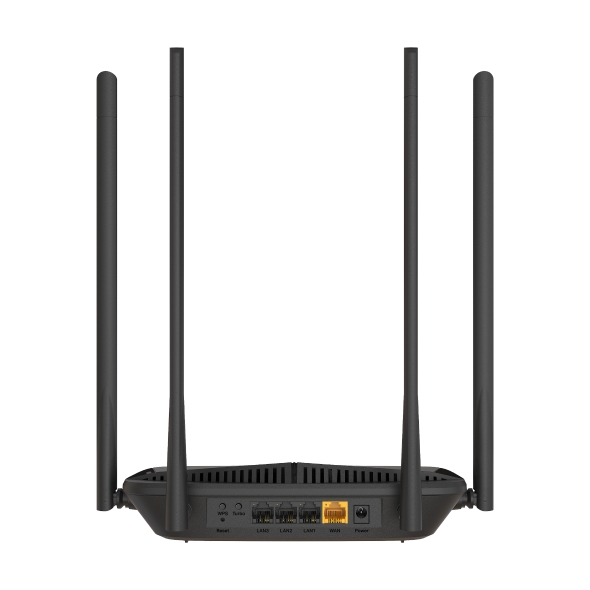
1× 10/100 Mbps WAN Port
3× 10/100 Mbps LAN Ports- Antenna
2× 5G External Antennas(7dBi)
2× 2.4G External Antennas(7dBi)- Button
1× WPS Button
1× Reset Button
1× Turbo Button- Retail Package Weight
773g
- Installation
Desktop
Wall-mount- LED
1× SYS
1× Turbo
3× LAN
1× WAN- Retail Package Dimension
413x295x65mm
- Retail Package Dimension
413x295x65mm
- Units per Carton
10
- Carton Dimension
595x420x330mm
- Power
Input:100~240V, 50/60Hz
Output: 12V/1A
- Software
- Operation Mode
Router/AP/Range Extender
- WAN Mode
Dynamic IP
Static IP
PPPoE
PPTP
L2TP- NAT Forwarding
Port Forwarding
Port Triggering
DMZ
UPnP- Protocols
IPv4
IPv6- IPTV
IGMP Proxy
IGMP Snooping
Bridge
Tag VLAN- Guest Network
2.4G Guest Network
5G Guest Network- Parental Controls
Profile Settings
Time Control
Pause the Internet
Website Filtering- DHCP
Address Reservation
DHCP Client List
Server- DDNS
NO-IP
DynDNS- QoS
Time Settings
Priority Control- Security
SPI Firewall
Access Control
IP & MAC Binding- ISP Feature
ISP Preset(Agile Config)
- System
Firmware Upgrade
Backup and Restore
Administration
System Log
Time & Language Settings
Reboot- Diagnostics
Ping
Traceroute- LED Management
LED Control
Night Mode- Device Management
MERCUSYS APP
Webpage- Language
English
Spanish - Mexico
Portuguese - Brazil
Russian- Advanced Features
Beamforming
- Others
- Package Contents
• AC1200 Wi-Fi 5 Router MR39-HP
• Power Adapter
• Quick Installation Guide
• RJ45 Ethernet Cable- Environment
• Operating Temperature: 0°C~40°C (32°F~104°F)
• Operating Humidity: 10%~90% Non-Condensing
• Storage Humidity: 5%~90% Non-Condensing