How to configure UPnP on my MERCUSYS camera for better video streaming
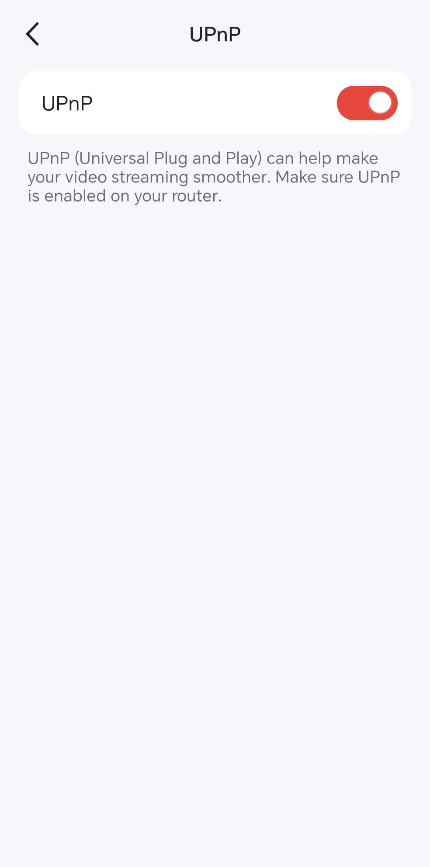
UPnP (Universal Plug and Play) allows your camera to communicate with the Internet and open the necessary network ports automatically for video streaming. With UPnP enabled, your camera video streaming can be smoother and more reliable. UPnP is disabled by default on MERCUSYS camera, you may refer to the steps below to enable UPnP feature.
Note: Please ensure UPnP is enabled on both your router and camera.
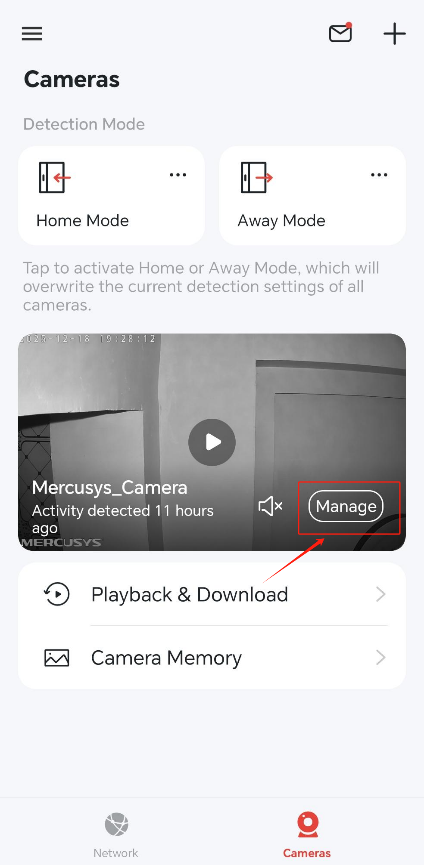
1. Log in to the MERCUSYS App, go to Camera page and tap Manage.
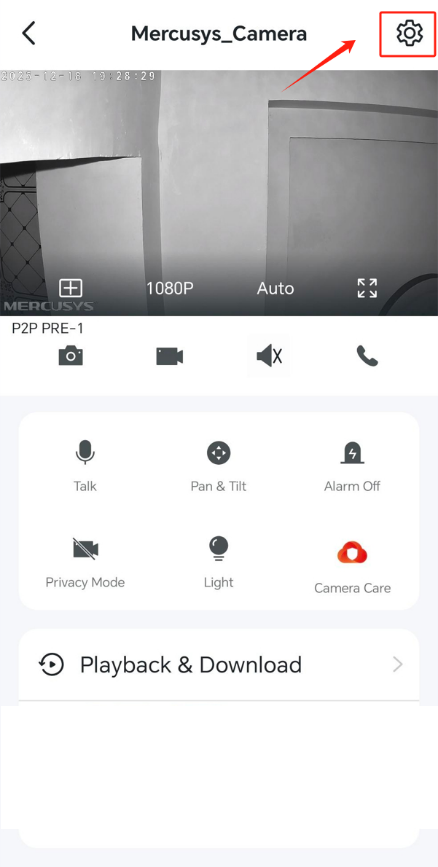
2. Tap the gear icon in the upper left corner to enter the Device Settings page.
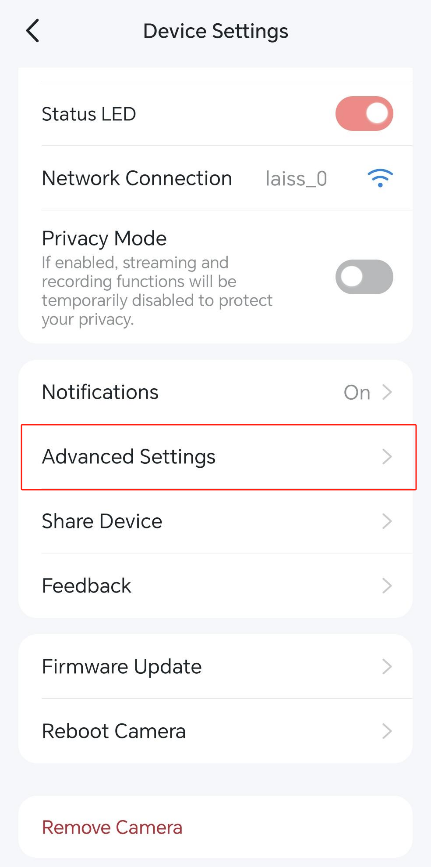
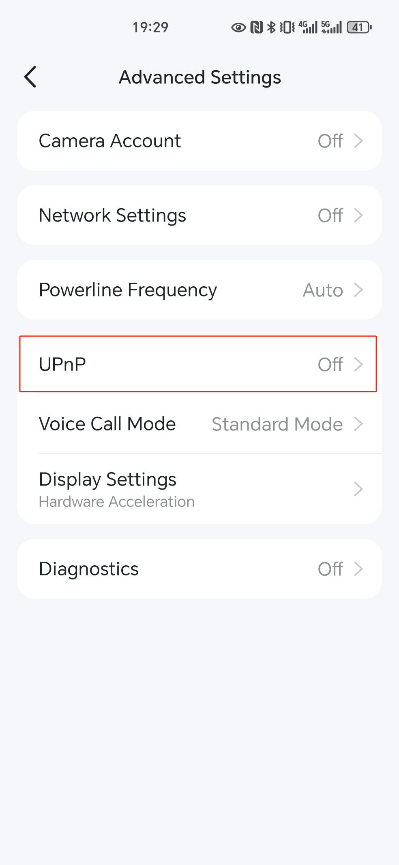
2. Tap Advanced Settings > UPnP, enable the UPnP function of your camera.
Get to know more details of each function and configuration please go to Support Center to download the manual of your product.