How to submit a replacement request on MERCUSYS Product Registration System
Before you submit a replacement request, please ensure that you have completed troubleshooting your product with Mercusys technical support. When Mercusys technical support confirms your product is defective under warranty, they will start an RMA case for your product. At this point, you can submit a replacement request by following the steps below.
1. Visit https://myproducts.mercusys.com/ and log in with your Mercusys ID.
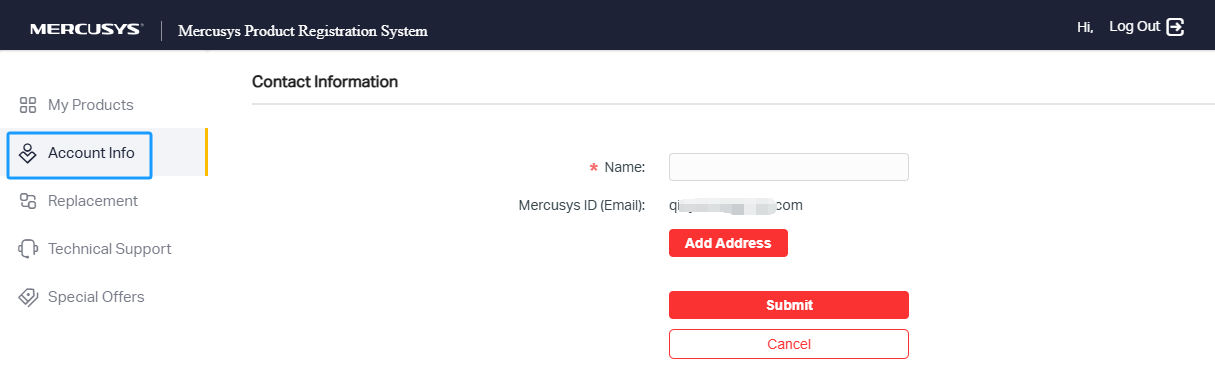
2. Go to Account Info to edit your name and shipping address.
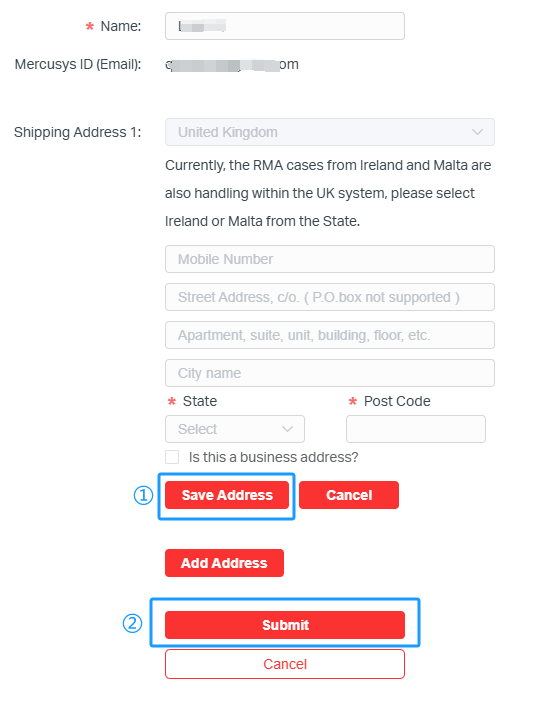
3. Click Add Address, fill in your physical shipping address, click Save Address, and then click Submit.
Please ensure to enter a physical address; a PO Box address is not acceptable.
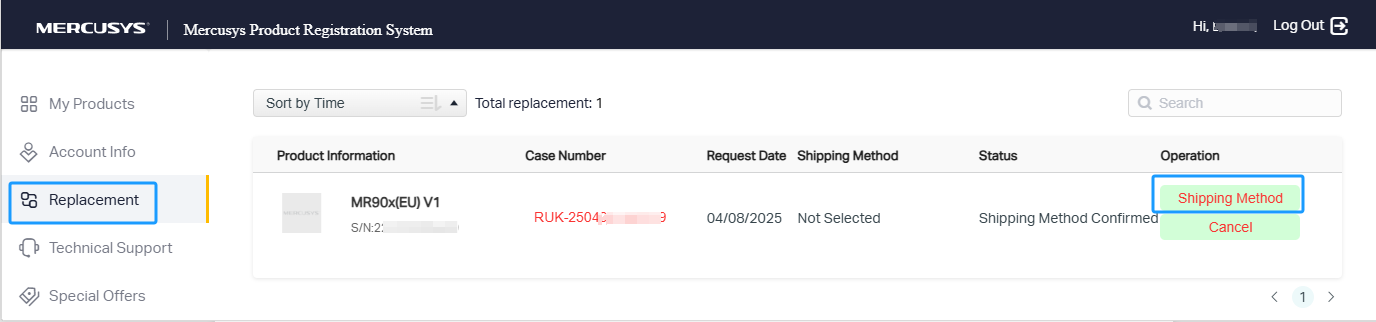
4. Go to Replacement on the left sidebar. You will see an RMA case for the defective product; please click Shipping Method.
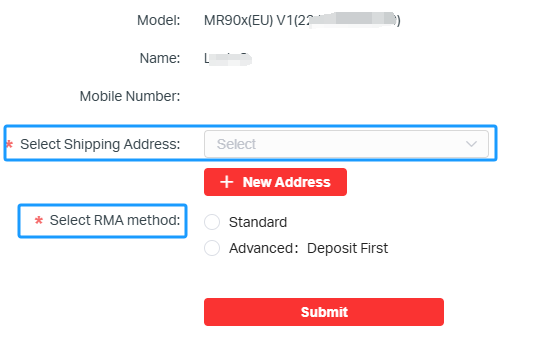
5. Select your shipping address and choose your RMA Method.
For more information, please refer to Mercusys UK Shipping Methods Explained.
6. Once submitted, if applicable, click 'Pay’ to be redirected to PayPal to complete the payment process.
If nothing happens when you click "Pay," please refer to Why doesn’t it allow me to pay when I submit an RMA?
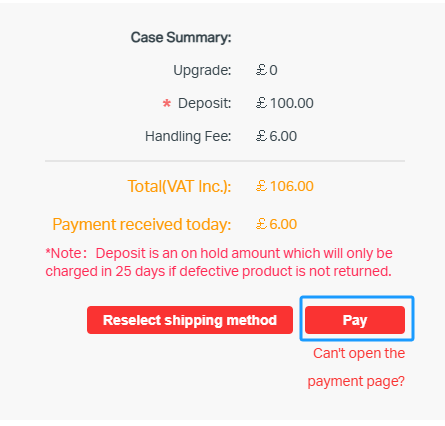
7. Sign in to your PayPal account on the pop-up page to complete the payment.
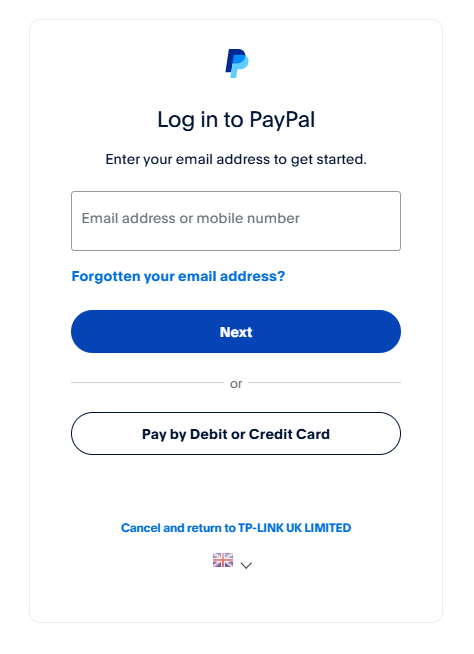
8. Once you have completed the payment form, you will be redirected back to the Product Registration System, where you can view the status under the Replacement page.
