MR27BE [V2] | Router Wi-Fi 7 de Doble Banda BE3600

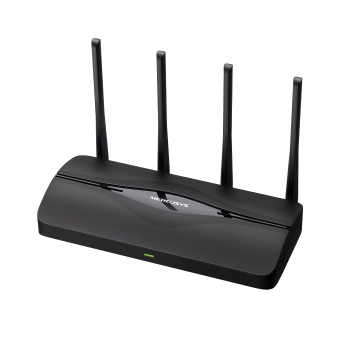



MR27BE
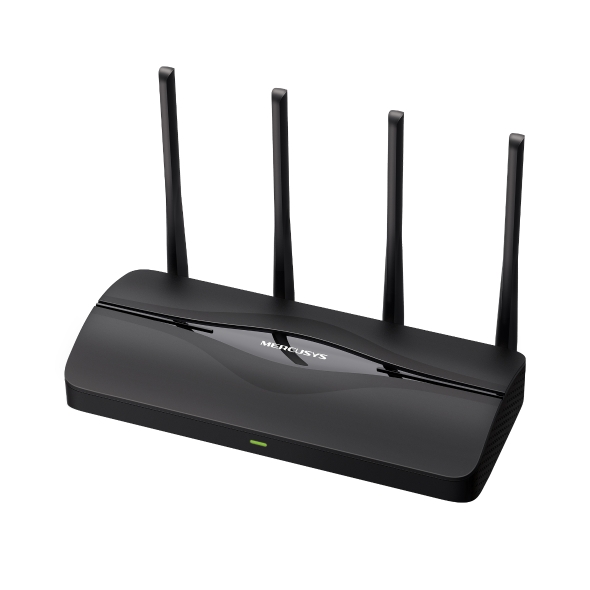
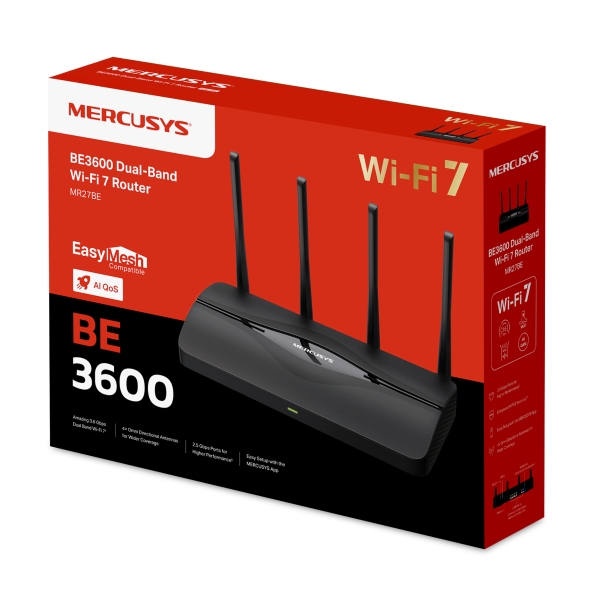
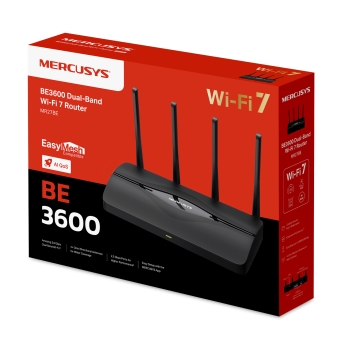
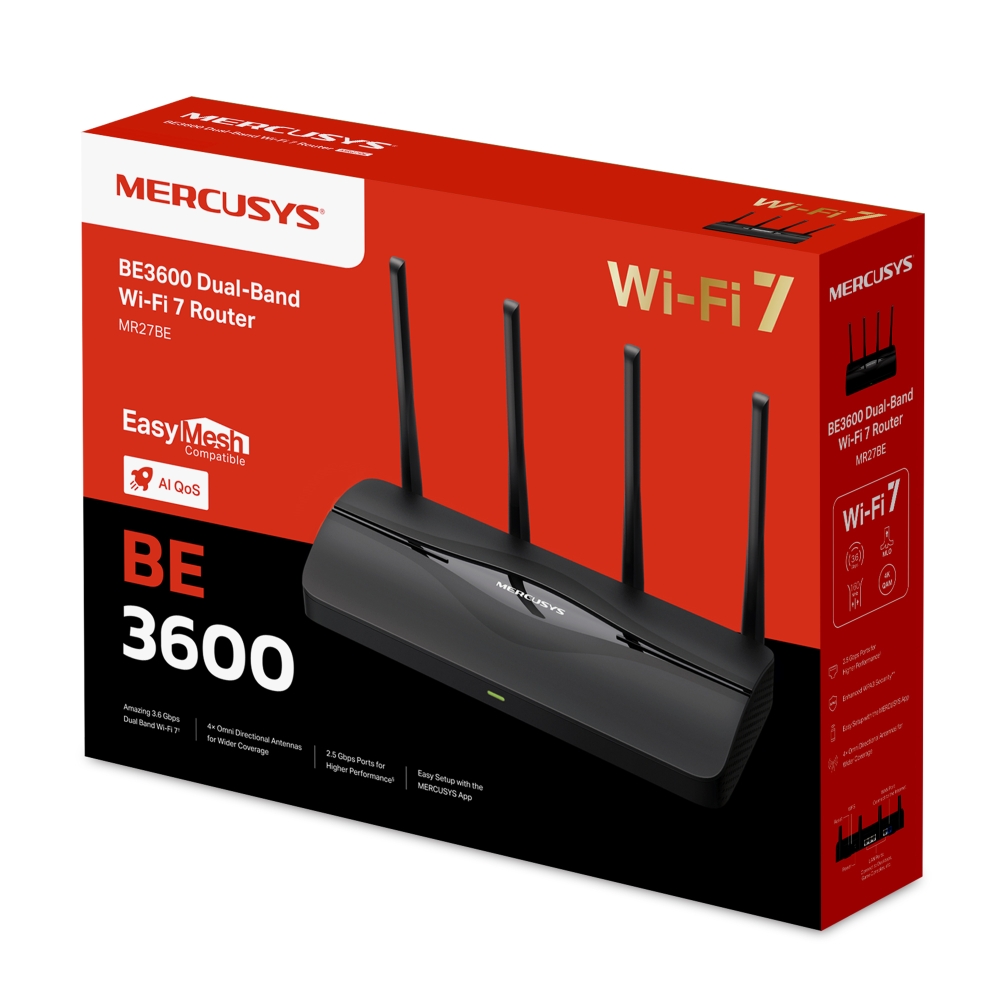
Router Wi-Fi 7 de Doble Banda BE3600
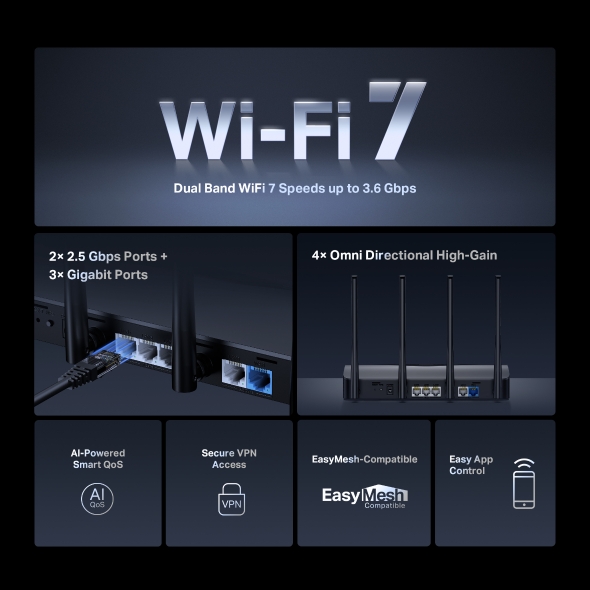
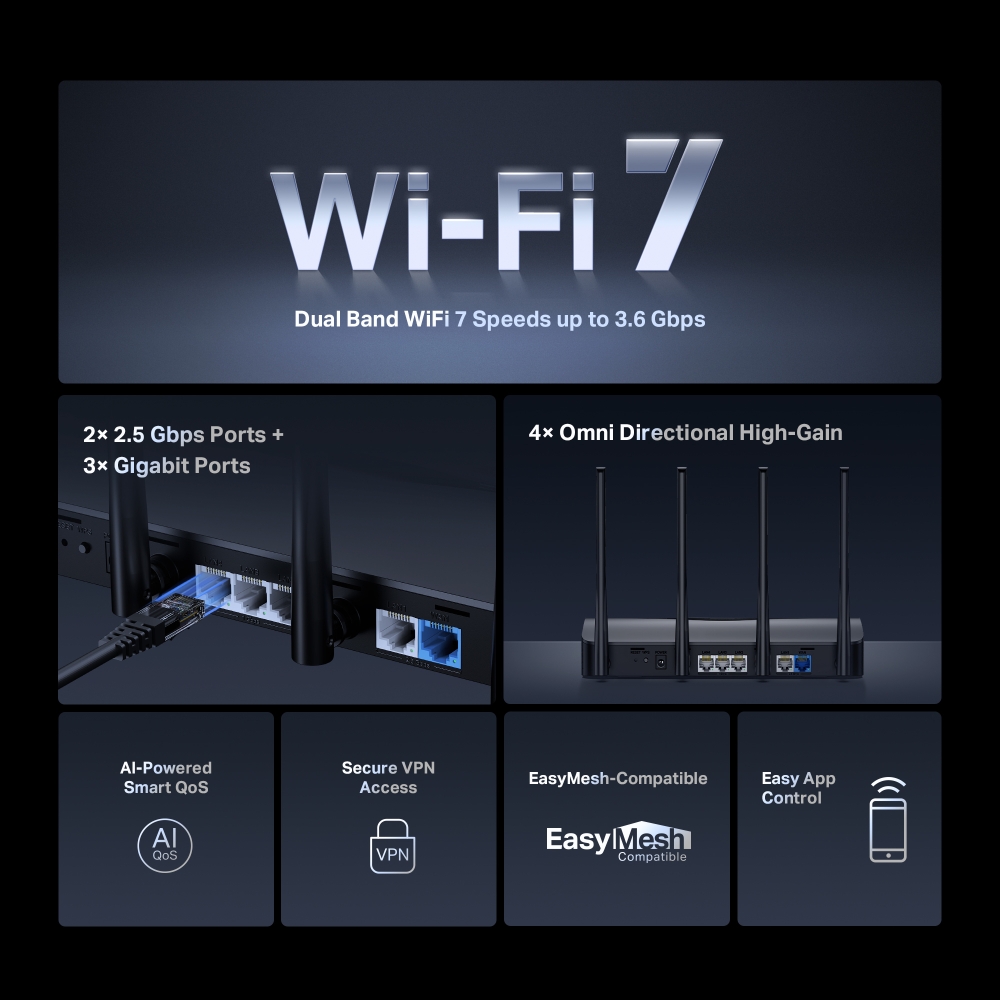
Rápida Velocidad de Doble Banda de 3,6 Gbps: Permite que tus dispositivos funcionen a máxima velocidad. Disfruta de transmisiones 4K/8K fluidas, juegos AR/VR inmersivos y descargas ultrarrápidas.†
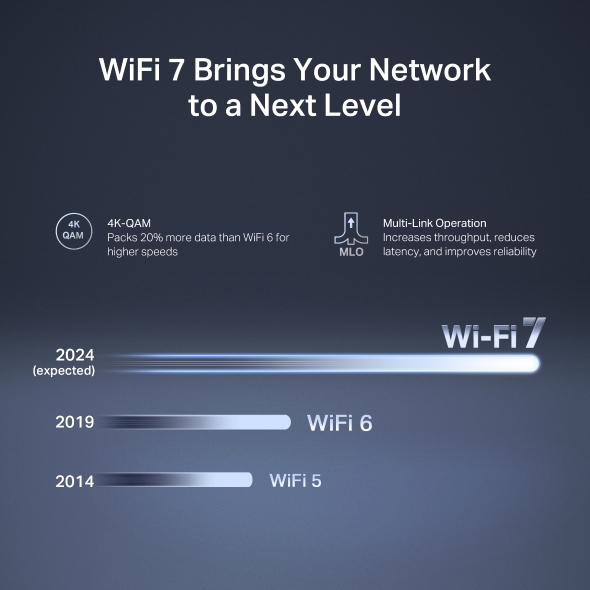
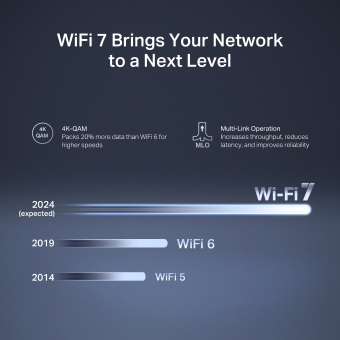
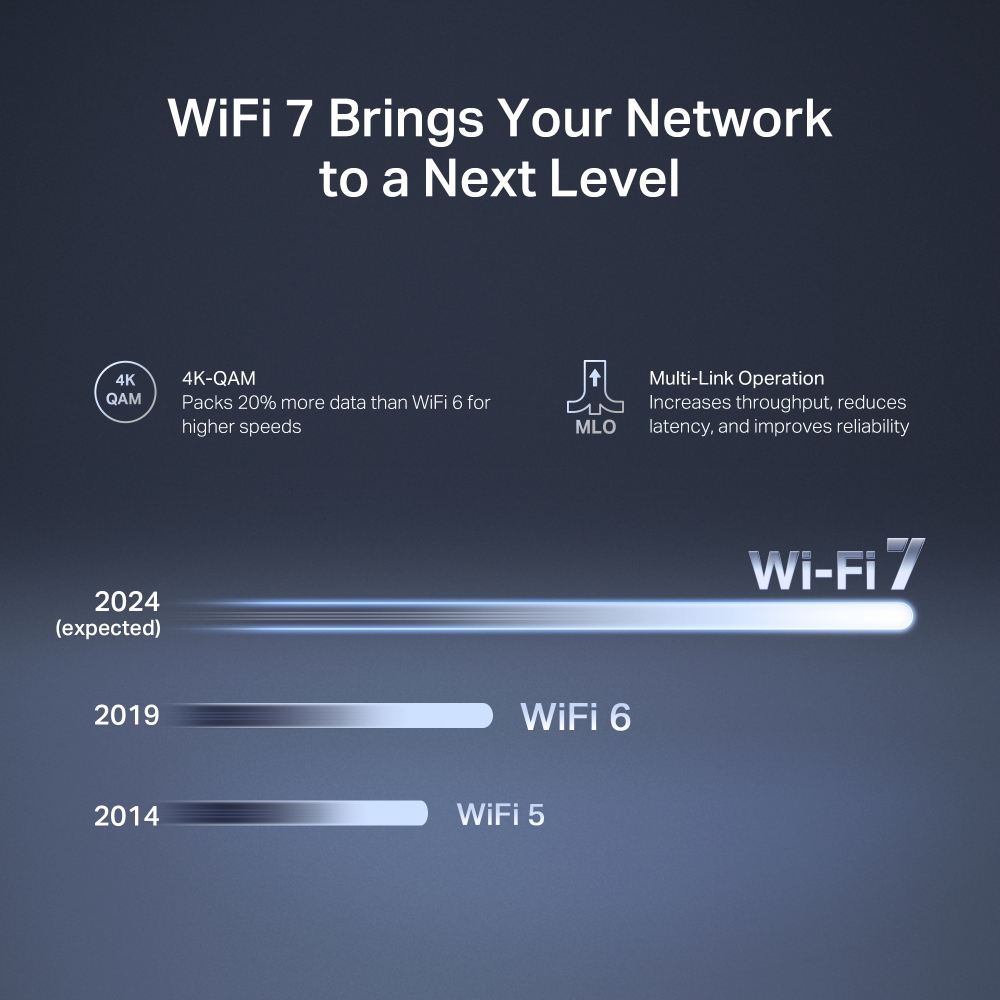
El nuevo Wi-Fi 7: Equipado con canales de 160 MHz, 4K-QAM, MLO y otras características que ofrece Wi-Fi 7, tu red alcanzará un rendimiento asombroso.‡
Multi-Link Operation (MLO): Incrementa el rendimiento, reduce la latencia y mejora la estabilidad para las nuevas aplicaciones.‡
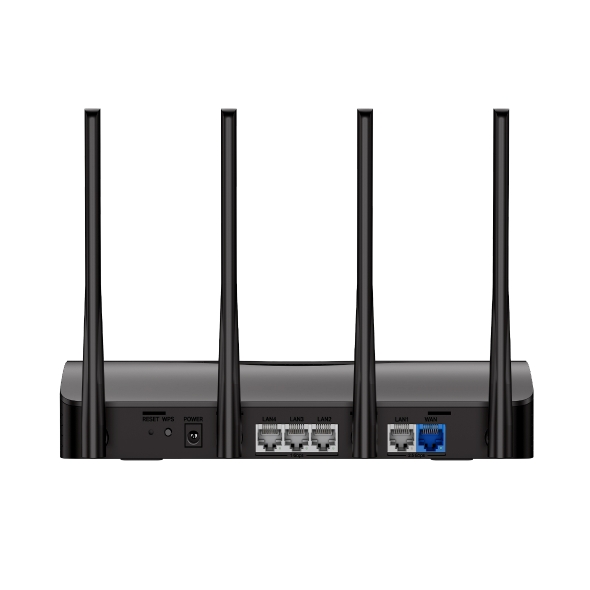
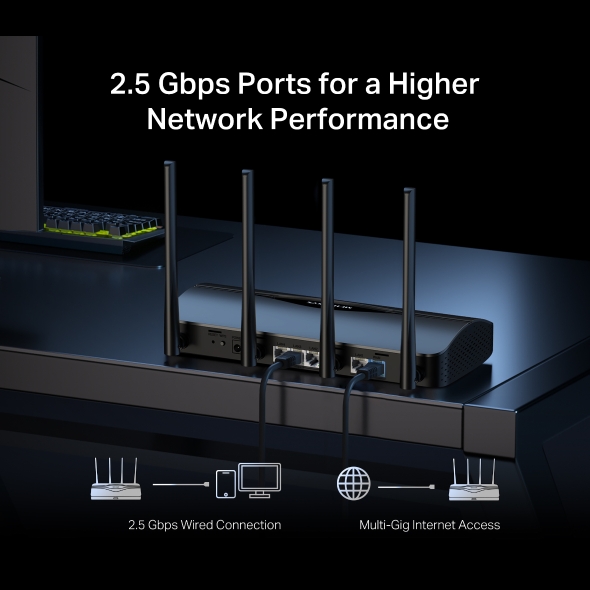
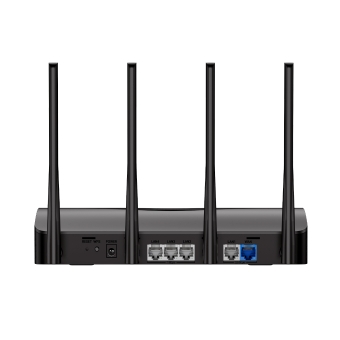
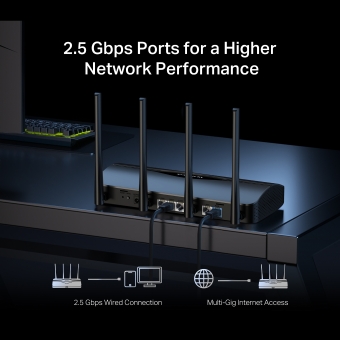
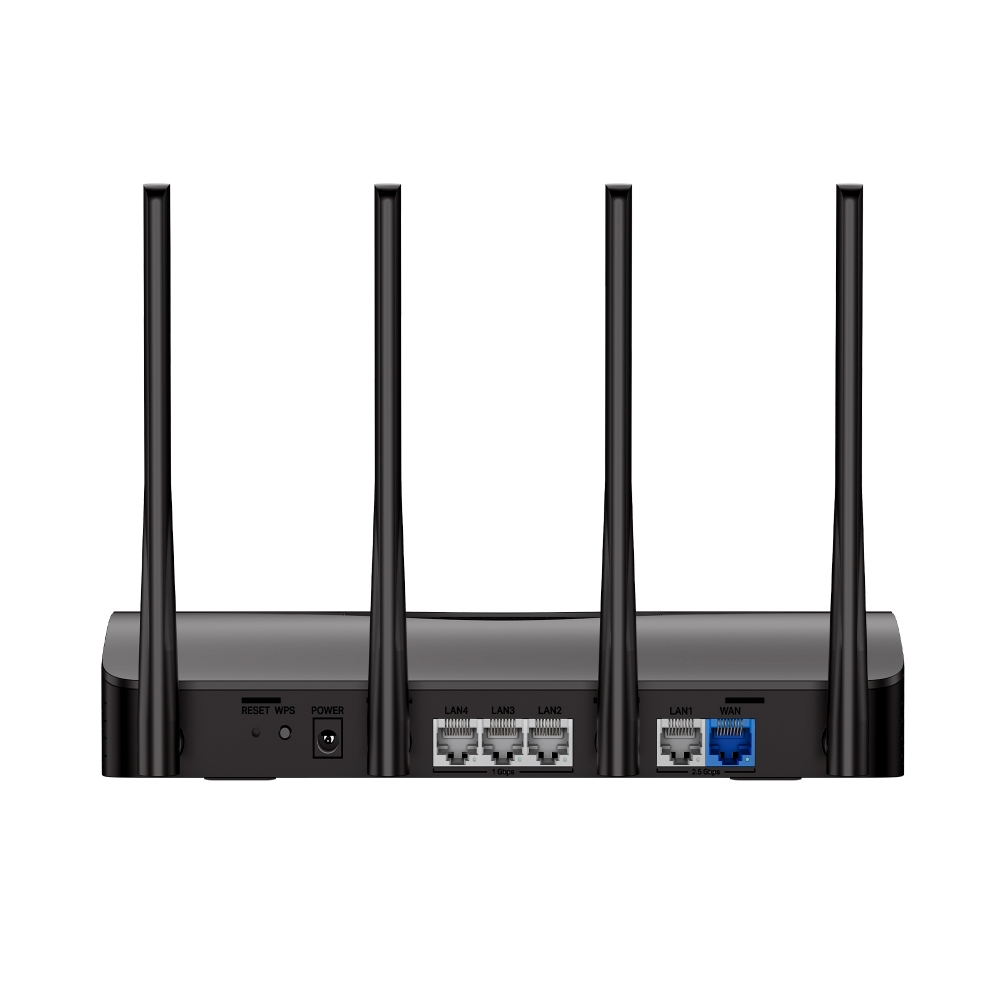
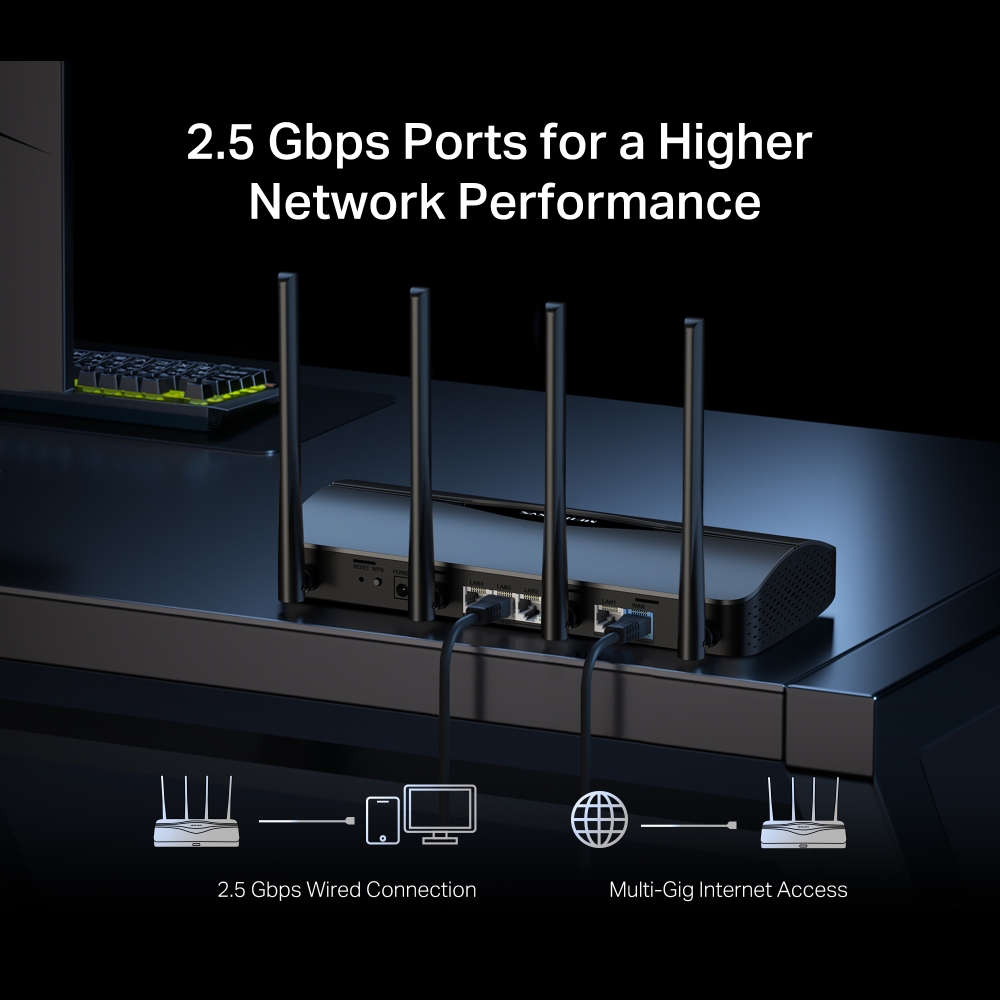
Puertos de 2.5G: 1× puerto WAN de 2.5 Gbps, 1× puerto LAN de 2.5 Gbps y 3× puertos LAN Gigabit superan el cuello de botella de 1G, llevando tus dispositivos al máximo rendimiento.§
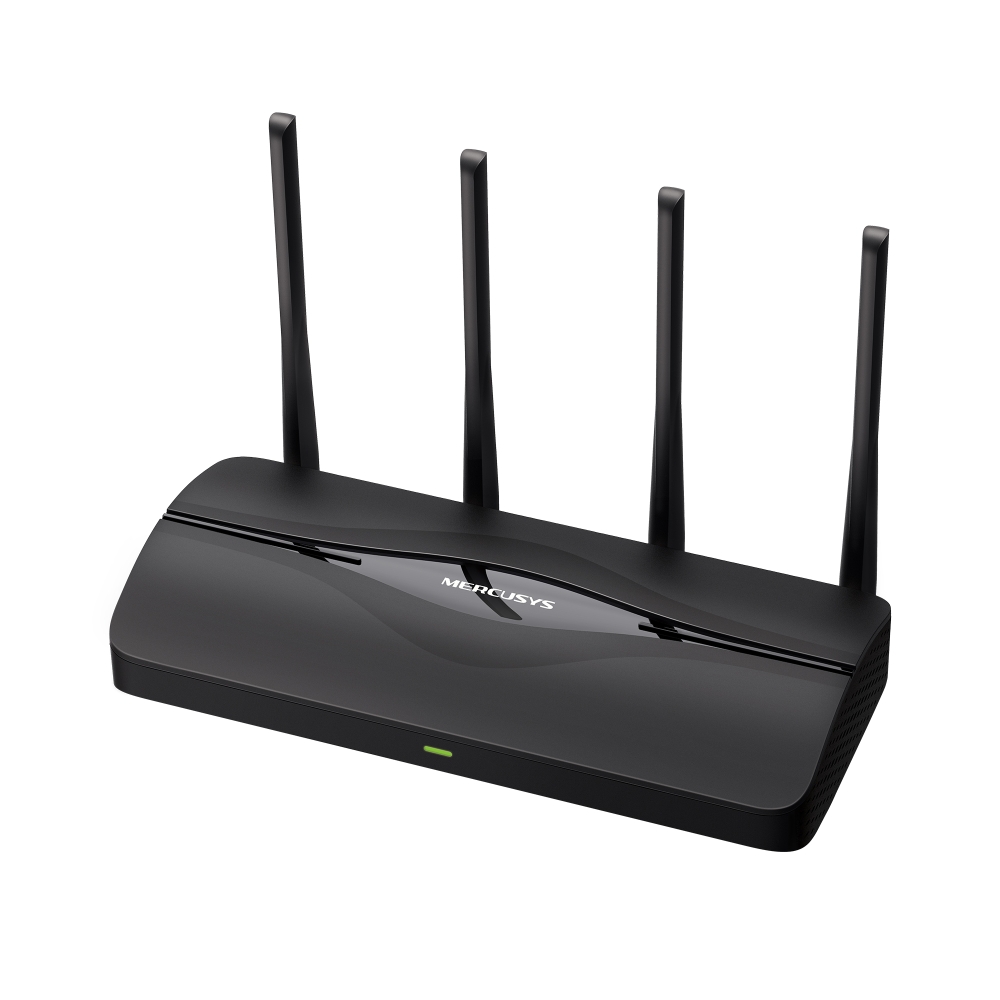
Cobertura Maximizada: 4× antenas omnidireccionales, optimización Wi-Fi patentada y tecnología Beamforming ofrecen una mayor cobertura, más capacidad, conexiones más fuertes y fiables, y menos interferencias.
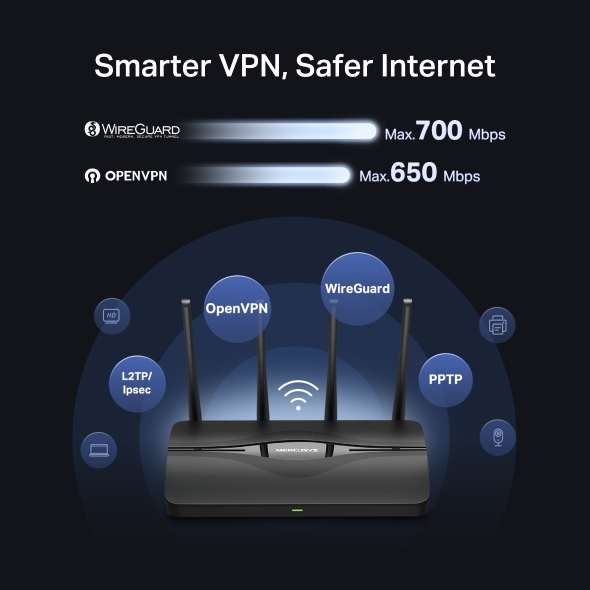
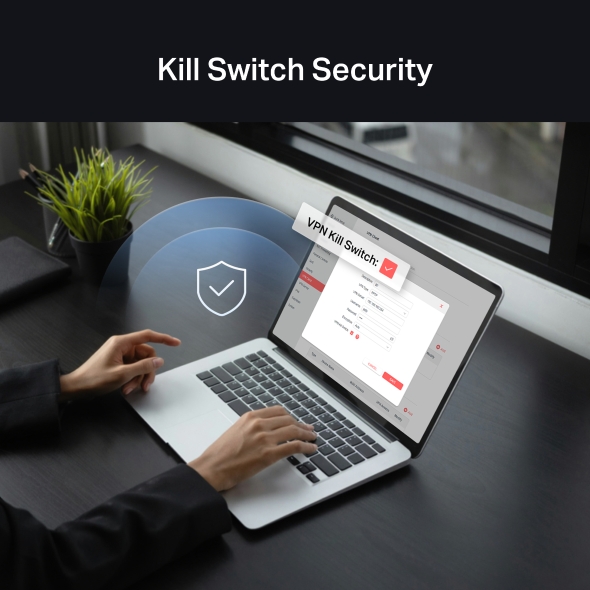
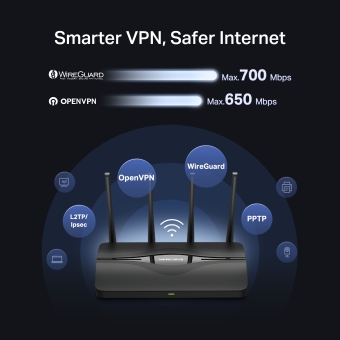
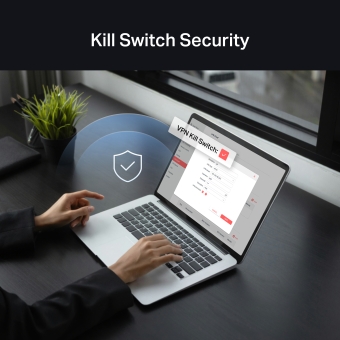
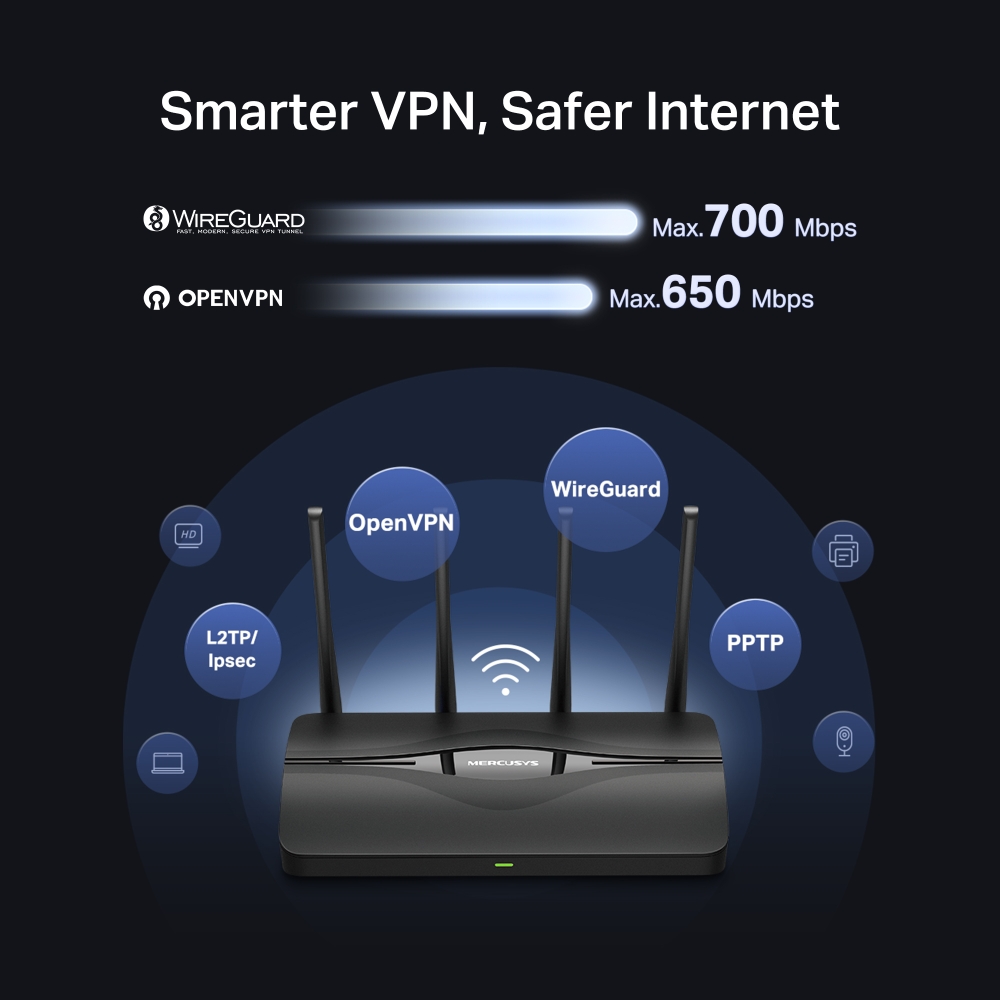
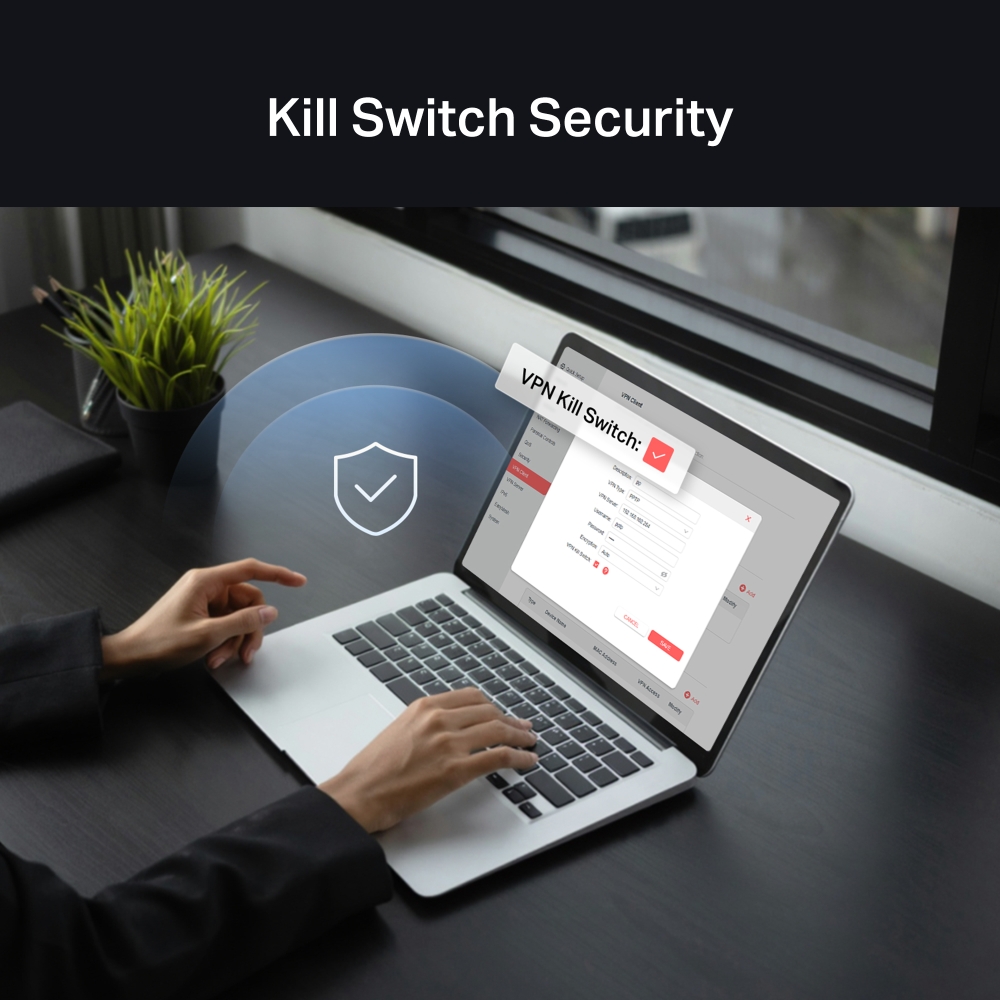
Acceso VPN Seguro: Configura fácilmente los modos de cliente o servidor VPN directamente en el router. Ideal para un acceso remoto seguro, navegación privada y compatibilidad con los principales protocolos, incluyendo WireGuard, OpenVPN, L2TP/IPSec y PPTP.
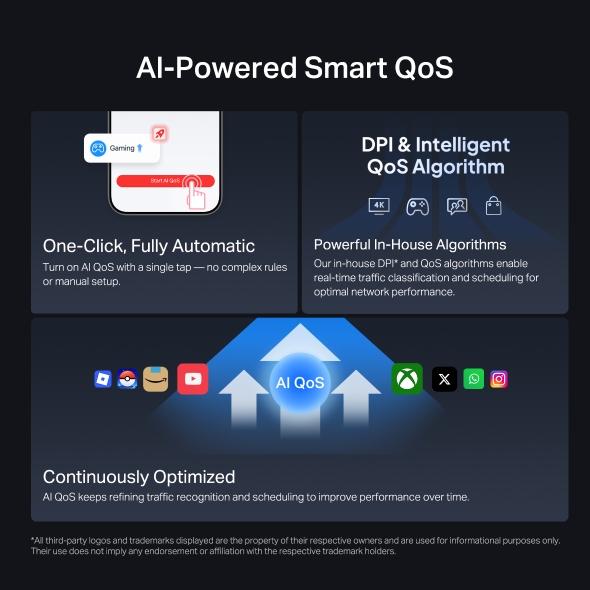
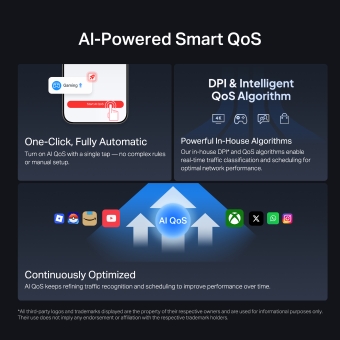
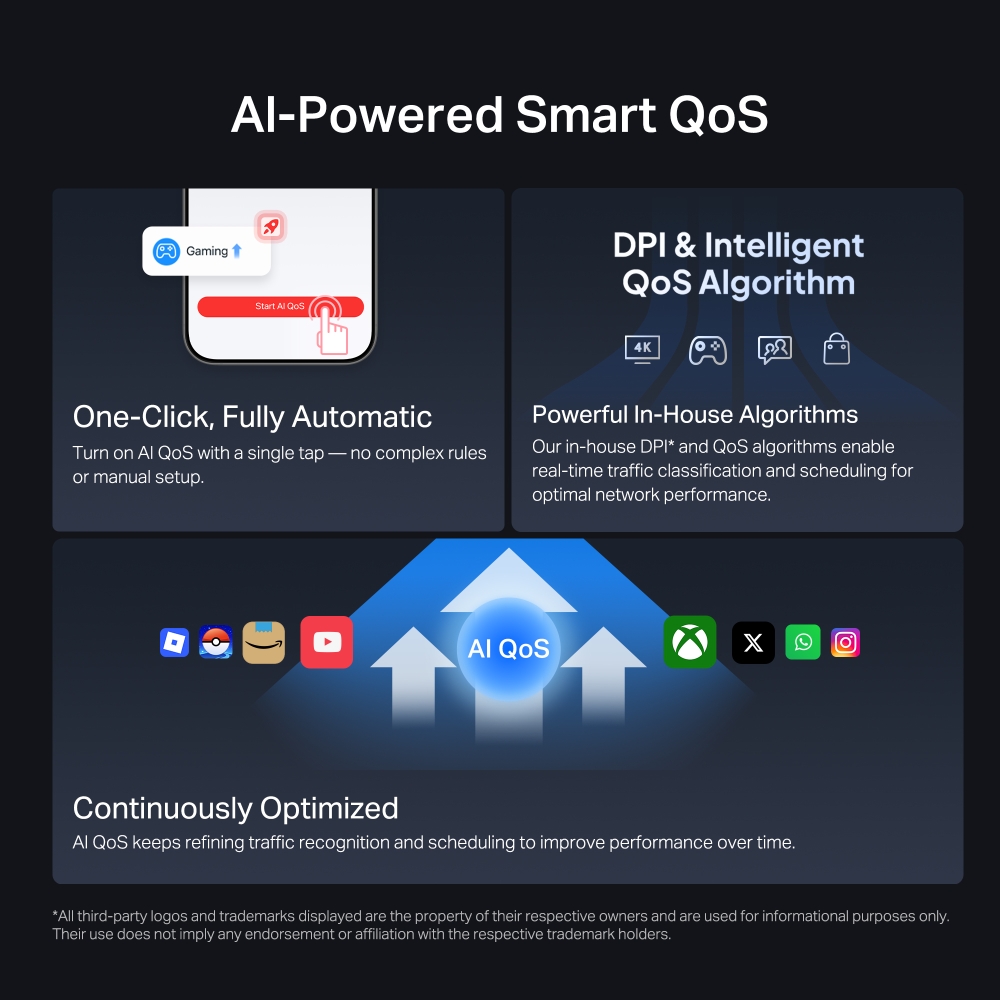
QoS Inteligente impulsado por IA: Impulsado por algoritmos de IA para identificar inteligentemente el tráfico en tiempo real y asignar los recursos de la red. Minimiza la latencia para conexiones más fluidas, manteniendo los juegos, el streaming y las videollamadas al máximo rendimiento.
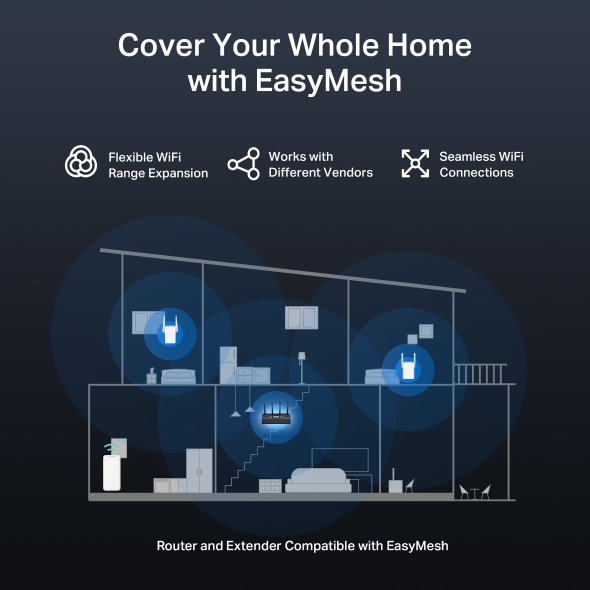
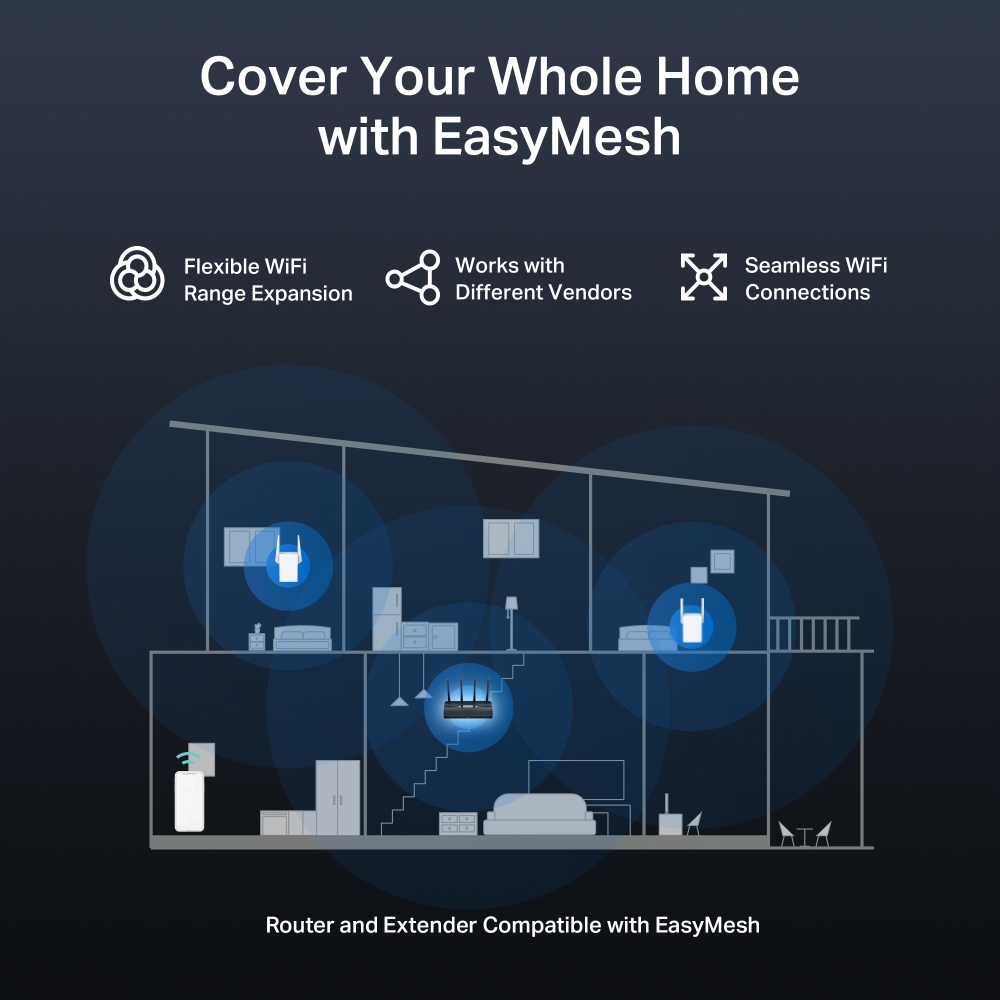
Compatible con EasyMesh: Funciona con routers y extensores de red EasyMesh para formar una red Wi-Fi Mesh fluida en todo el hogar, evitando caídas y lag al moverse entre las señales.*
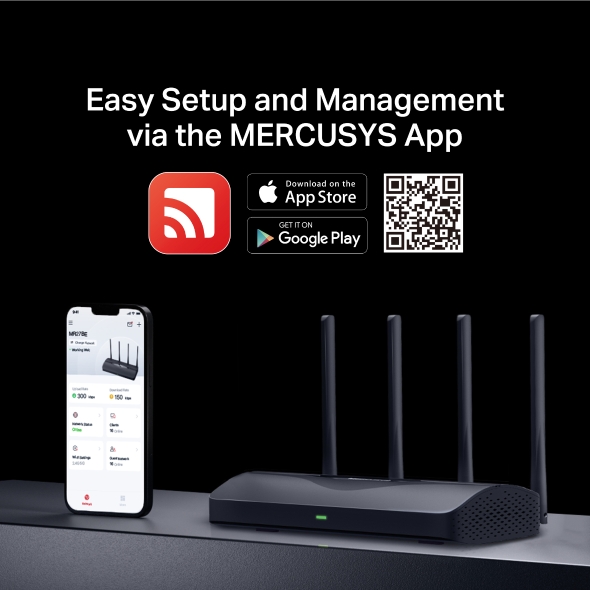
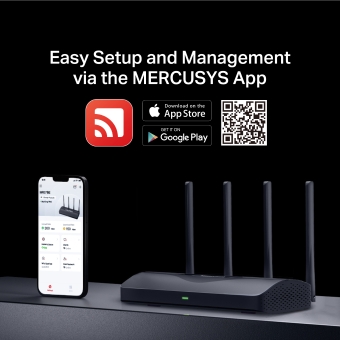
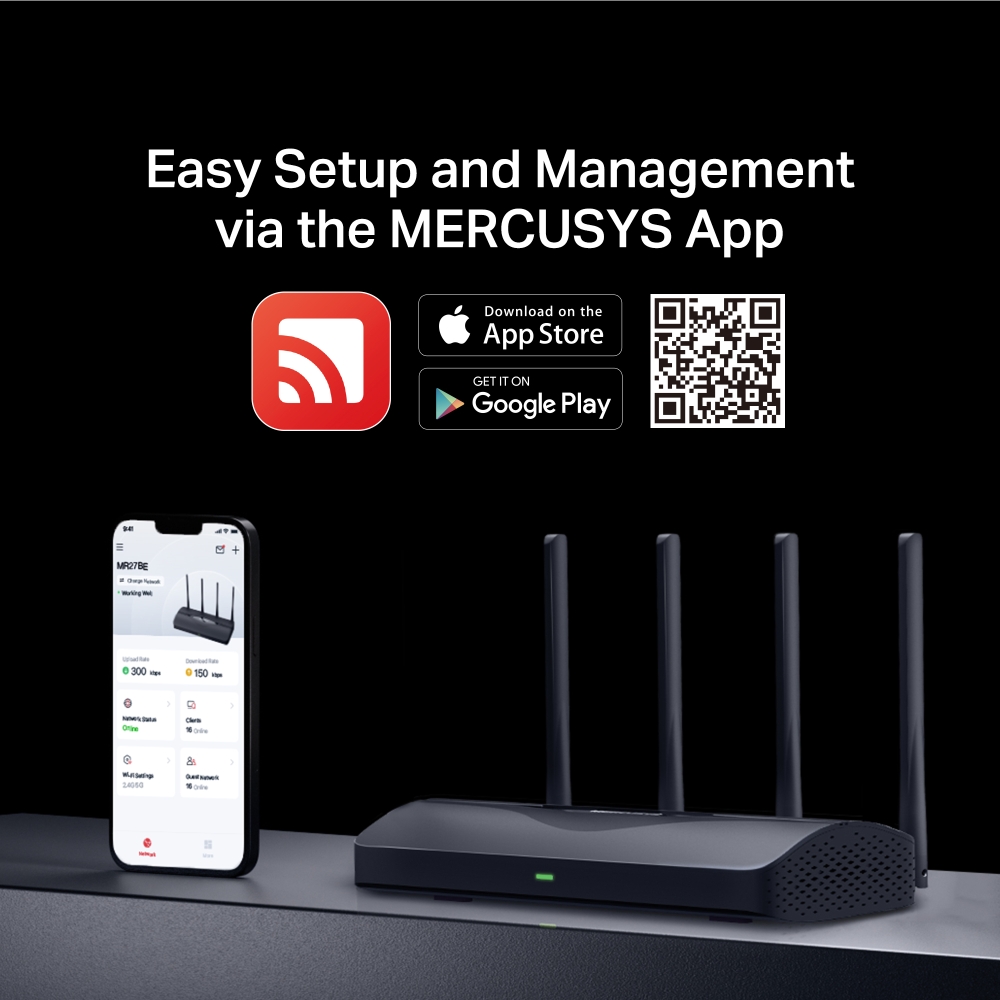
Fácil Configuración y Control: La gestión de la red nunca ha sido tan sencilla gracias a la App MERCUSYS.
-
watch video: Set Up the MERCUSYS Wi-Fi 7 Router via the MERCUSYS App
Set Up the MERCUSYS Wi-Fi 7 Router via the MERCUSYS App
-
watch video: Set Up the MERCUSYS Wi-Fi 7 Router via the Web Management Page
Set Up the MERCUSYS Wi-Fi 7 Router via the Web Management Page
-
watch video: MERCUSYS BE3600 Dual Band Wi-Fi 7 Router丨MR27BE
MERCUSYS BE3600 Dual Band Wi-Fi 7 Router丨MR27BE
Haz que la Red de
tu Hogar entre en una
Nueva Era
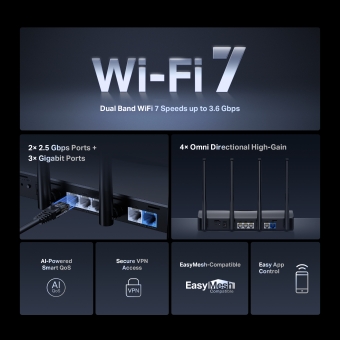
Router Wi-Fi 7 MERCUSYS



Velocidad Wi-Fi 7 de Doble Banda hasta 3.6 Gbps
QoS Inteligente
impulsado por IA
Acceso VPN
Seguro
2× Puertos de 2.5 Gbps +
3× Puertos Gigabit
4× Antenas Omnidireccionales de Alta Ganancia
Compatible con EasyMesh
Fácil Control
por App
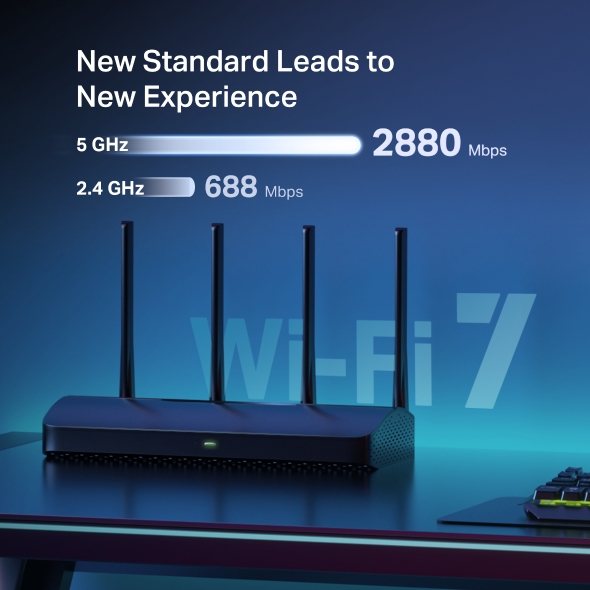
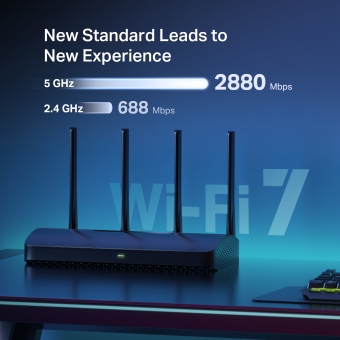
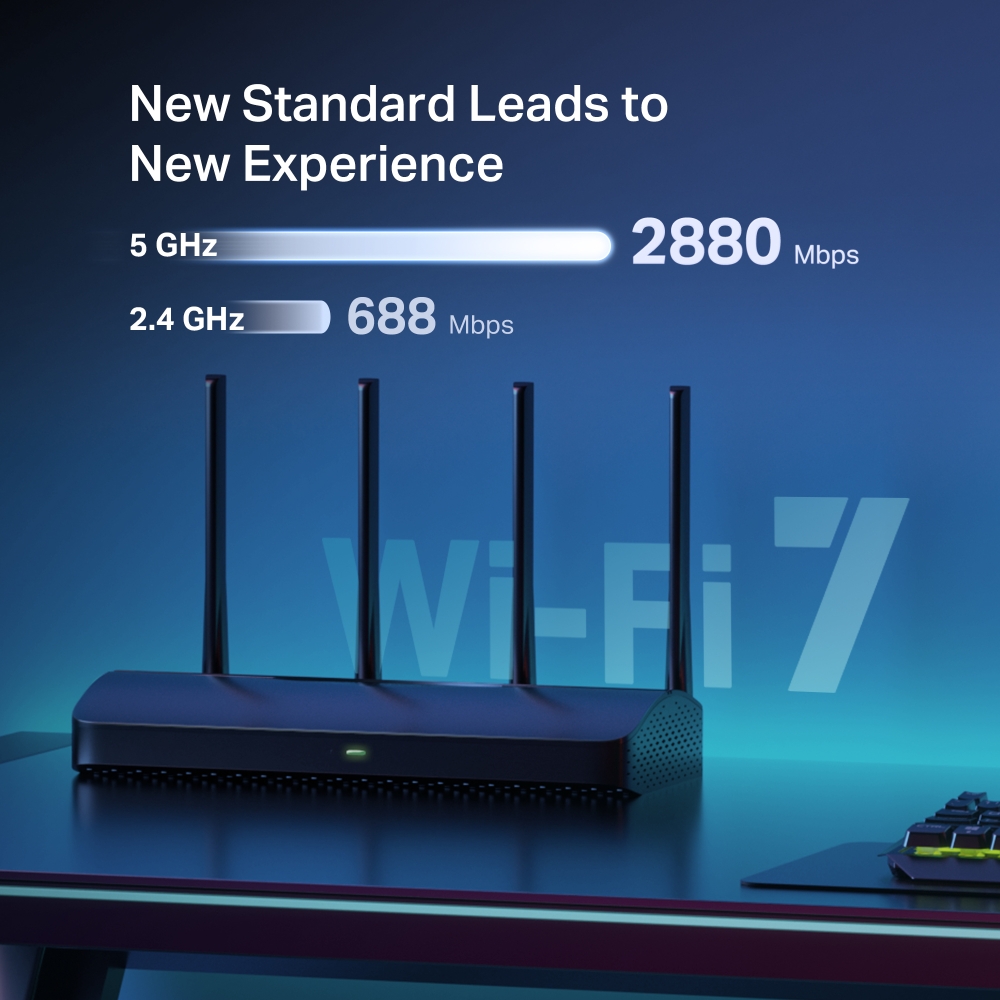
El Nuevo Estándar Lleva a una Nueva Experiencia
Equipado con Wi-Fi 7, MR27BE te permite disfrutar de streaming 8K fluido, VR/AR, videoconferencias, juegos online y descargas rápidas. Lleva fácilmente la red de tu hogar al mundo del Wi-Fi 7.
Wi-Fi 7 lleva tu red al siguiente nivel
Wi-Fi 7, el último estándar Wi-Fi, ha llegado con un rendimiento asombroso: ofrece mayor rendimiento, menor latencia, mayor resistencia a las interferencias y mayor eficiencia. Únete a los profesionales y experimenta el rendimiento absoluto de la próxima generación de Wi-Fi.
Puertos de 2.5 Gbps para un mayor rendimiento de red
Equipado con 1× puerto WAN de 2.5 Gbps, 1× puerto LAN de 2.5 Gbps y 3× puertos Gigabit. MR27BE te permite aprovechar al máximo la velocidad de tu conexión a internet. Conecta tus PCs, Smart TVs, consolas de juegos o dispositivos NAS a los puertos para obtener conexiones por cable ultrarrápidas.
4 Antenas Externas para una Cobertura Extrema
4 antenas omnidireccionales, optimización Wi-Fi patentada y tecnología Beamforming ofrecen una mayor cobertura, más capacidad, conexiones más fuertes y fiables, y menos interferencias.
MR27BE con Beamforming
QoS Inteligente impulsado por IA
El QoS por IA entiende qué está haciendo cada dispositivo en línea y prioriza automáticamente las actividades sensibles a la velocidad y la latencia para que todo funcione sin problemas.
Totalmente Automático
*Todos los logotipos y marcas comerciales de terceros mostrados son propiedad de sus respectivos dueños y se utilizan únicamente con fines informativos. Su uso no implica ningún respaldo o afiliación con los respectivos titulares de las marcas.
Da cobertura a toda tu casa con EasyMesh
MR27BE es compatible con EasyMesh, lo que te permite configurar una red Mesh para todo el hogar con un solo nombre y contraseña de Wi-Fi usando cualquier otro punto de acceso que soporte EasyMesh de múltiples fabricantes. ¡Disfruta de un Wi-Fi Mesh flexible, escalable y sin cortes en toda tu casa!
-
Expansión Flexible de la Cobertura Wi-Fi
-
Funciona con Diferentes Fabricantes
-
Conexiones Wi-Fi Sin Cortes
-
Router y Extensor Tradicional
-
Router y Extensor Compatibles con EasyMesh
VPN Más Inteligente, Internet Más Seguro
Soporta OpenVPN, WireGuard, PPTP y L2TP/IPsec; funciona con más de 35 proveedores principales para un acceso seguro y flexible***.
-

35+
Proveedores de Servicio
-

4+
Protocolos Flexibles
-

Configuración
Única
-

Rendimiento
de Alta Velocidad****
-

 Máx. 700 Mbps
 -

 Máx. 650 Mbps
Protege a tus hijos en internet
Gestiona fácilmente el tiempo y el contenido en línea de tus hijos para crear un entorno de red saludable para todos.
-
Crear Perfiles de Usuario
Crea un perfil para cada miembro de la familia que desees gestionar. Asigna dispositivos al perfil para establecer controles de acceso y límites de tiempo para ellos.
-
Límites de Tiempo en Línea
Establece límites diarios de tiempo de conexión para tus hijos y evita que accedan a internet en sus dispositivos mientras hacen los deberes o después de la hora de dormir.
-
Bloquear Sitios Web Inapropiados
Simplemente configura una lista negra para bloquear sitios inapropiados para tus hijos.
-
Pausar Conexión a Internet
Suspende las conexiones a internet de los miembros de la familia para tomar un descanso del mundo virtual y disfrutar de tiempo en familia.
Fácil configuración y control a través de la App MERCUSYS
Sin necesidad de tener conocimientos técnicos ni de leer las instrucciones de instalación previamente, solo tienes que seguir las indicaciones en pantalla de la App MERCUSYS para configurar tu router en minutos. La App MERCUSYS te ayuda a configurar y gestionar tu red Wi-Fi desde casa o fuera a través de tus dispositivos iOS o Android.


El Último WPA3 Protege tu Red Personal
El último estándar de seguridad, WPA3, ofrece una protección Wi-Fi integral mejorada para defender tus dispositivos e información privada contra ataques de fuerza bruta.4
-
Protección Contra Ataques de Fuerza Bruta
Ofrece una protección sólida incluso si utilizas una contraseña débil
-
Secreto Hacia Adelante Avanzado
Evita que los datos sean espiados incluso si un atacante compromete las claves secretas de una sesión
-
Cifrado Inquebrantable de 128 Bits
Crea una defensa activa contra amenazas de seguridad e intrusos
†Las tasas máximas de señal inalámbrica son las velocidades físicas derivadas de las especificaciones del estándar IEEE 802.11. La conexión de hasta 150 dispositivos se basa en datos de pruebas de laboratorio, que analizaron las conexiones de diferentes dispositivos en las bandas de 5 GHz y 2,4 GHz de forma simultánea. Estos dispositivos simularon un escenario doméstico típico ejecutando aplicaciones simultáneas en la misma habitación que incluían vídeo 4K, vídeo 1080p, vídeo 720p, descarga de archivos, navegación web, cámaras IP y otros dispositivos IoT. El rendimiento real de datos inalámbricos, la cobertura inalámbrica y los dispositivos conectados no están garantizados y variarán como resultado de factores del proveedor de servicios de internet, condiciones de la red, limitaciones del cliente y factores ambientales, incluyendo materiales de construcción, obstáculos, volumen y densidad de tráfico, y la ubicación del cliente. ‡El uso de Wi-Fi 7 (802.11be), Wi-Fi 6 (802.11ax) y funciones que incluyen Operación Multi-Enlace (MLO), Ancho de banda de 160 MHz, 4K-QAM, Multi-RUs, OFDMA y MU-MIMO requiere que los clientes también admitan las características correspondientes. Es posible que el ancho de banda de 160 MHz en la banda de 5 GHz no esté disponible en algunas regiones/países debido a restricciones regulatorias. Es posible que este router no admita todas las características obligatorias ratificadas en la especificación IEEE 802.11be. Es posible que se requieran futuras actualizaciones de software para la disponibilidad de las funciones. §Las velocidades de internet de 2,5 Gbps requieren planes de servicio y equipos compatibles. *Los productos compatibles con EasyMesh pueden conectarse en red con otros dispositivos que utilicen EasyMesh. Los fallos de conexión pueden deberse a conflictos de firmware de diferentes fabricantes. La función compatible con EasyMesh todavía se está desarrollando en algunos modelos y será compatible en futuras actualizaciones de software. Este producto es compatible con la tecnología EasyMesh estandarizada, pero no ha obtenido la certificación Wi-Fi EasyMeshTM. ***Pruebas realizadas en una red local. Las velocidades reales pueden diferir dependiendo de la configuración de tu red. ****Las cuotas de suscripción a los servicios VPN deben adquirirse por separado a través de sus respectivos proveedores de VPN. Los protocolos VPN soportados (OpenVPN/WireGuard) pueden diferir según el proveedor y el escenario de uso (por ejemplo, configuración mediante app o router). Por favor, verifica la compatibilidad en los canales oficiales de cada servicio VPN antes de realizar la configuración.
Sencillo y Funcional
Ver lo que es compatibleMERCUSYS
La aplicación MERCUSYS proporciona la manera más fácil de configurar en minutos y administrar su WiFi en casa o fuera a través de sus dispositivos iOS o Android.
MERCUSYS lo ayuda a configurar en unos pocos pasos
Sin ningún conocimiento técnico ni leer instrucciones complicadas, simplemente siga las instrucciones de la aplicación. Configure su red de malla en minutos.
-
 Cable de alimentación Halo Cable Ethernet
Paso 1
Encuentra lo que necesitarás en la caja
-

Paso 2
Conecta tus dispositivos
-

Paso 3
Siga las instrucciones en pantalla con la aplicación MERCUSYS
Administre su WiFi en tiempo real
Con la aplicación MERCUSYS, experimente la gestión de red en vivo. Vea quién se está conectando a su red y adminístrelo en cualquier momento con sus dispositivos iOS o Android.


Aviso: la página de configuración de diferentes modelos puede ser diferente, consulte la actual.
Potentes controles parentales
Administre fácilmente el tiempo y el contenido en línea de sus hijos para crear un entorno en línea seguro y saludable.
-
Crear perfiles de usuario
Cree un perfil para cada miembro de la familia que le gustaría administrar. Asigne dispositivos al perfil para establecer controles de acceso y límites de tiempo para ellos.
-
Límites de tiempo en línea
Establezca límites diarios sobre el tiempo que sus hijos pasan en línea y evite que accedan a Internet en sus dispositivos durante mucho tiempo para desarrollar un hábito de red saludable.
-
Bloquear sitios web inapropiados
Controle qué sitios visitan sus hijos configurando una lista de bloqueo.
-
Pausar la conexión a Internet
Suspender las conexiones a Internet de los miembros de la familia para tomar un descanso del mundo virtual y disfrutar de un tiempo en familia.
Administre y proteja su red doméstica
La aplicación MERCUSYS lo ayuda a administrar su WiFi en casa o fuera a través de sus dispositivos iOS o Android.

Comprobar el estado de los dispositivos conectados
Vea intuitivamente el estado de funcionamiento de su red Halo y vea qué está conectado. Priorice o bloquee los dispositivos según sea necesario.

Calidad de Servicios
Prioriza los dispositivos que seleccione para un mejor rendimiento.

Alerta de acceso a nuevo dispositivo
La aplicación MERCUSYS envía de manera proactiva una alerta para informarle cuando se conecta un dispositivo desconocido. Toque para bloquear el dispositivo si es un riesgo de seguridad.

Configurar una red de invitados
Proporciona una red separada para invitados para garantizar su seguridad y privacidad.
Todo en una aplicación
Ya sea que esté buscando controlar una amplia gama de enrutadores, extensores o sistemas de malla Halo MERCUSYS, encuéntrelo todo en la aplicación.
Ver lo que es compatibleProductos compatibles
Nota: Tanto las versiones de hardware enumeradas como las superiores de estos modelos son compatibles con la aplicación MERCUSYS.
CATEGORÍA
-
Malla de halo
-

Halo H50G V1 UE
Sistema Wi-Fi en malla para todo el hogar AC1900
-

Halo H30G V1 UE
Sistema Wi-Fi en malla para todo el hogar AC1300
-
-
Enrutadores Wi-Fi
-

MR30G V1 BR
Enrutador Gigabit inalámbrico de doble banda AC1200
-

MR70X V1 UE/EE. UU.
Enrutador Wi-Fi 6 de doble banda AX1800
-

MR50G V1 UE/EE. UU./RU
Enrutador Gigabit inalámbrico de doble banda AC1900
-
Próximamente

MR30G V1 UE/EE. UU./RU
Enrutador Gigabit inalámbrico de doble banda AC1200
-
-
Extensores de rango
-
* Próximamente habrá más dispositivos compatibles.
-
Compatible con varios idiomas
La aplicación MERCUSYS admite hasta 26 idiomas, lo que permite una fácil administración de la red para usuarios de todo el mundo.
-
inglés
-
Holandés
-
Francés
-
Alemán
-
Italiano
-
japonés
-
coreano
-
portugués
-
Español
-
chino tradicional
-
idioma ruso
-
Portugués - Brasil
-
Español
(Latinoamérica) -
búlgaro
-
Lenguaje Ukraniano
-
Polaco
-
Rumania
-
eslovena
-
tailandés
-
turco
-
checo
-
vietnamita
-
Eλληνικά
-
malayo
-
húngaro
-
abrí
-
Inalámbrico

| Clase Wi-Fi | BE3600 |
|---|---|
| Wi-Fi (2,4 GHz) | 688Mbps |
| Wi-Fi (5 GHz) | 2880Mbps |
| Estándares Inalámbricos | 802.11be/ax/ac/a/b/g/n |
| Sensibilidad de Recepción | 2.4G: 11be EHT20 MCS0: -96dBm 11be EHT20 MCS13: -61dBm 11be EHT40 MCS0: -94dBm 11be EHT40 MCS13: -58dBm 5G: 11be EHT20 MCS0: -95dBm 11be EHT20 MCS13: -61dBm 11be EHT40 MCS0: -93dBm 11be EHT40 MCS13: -58dBm 11be EHT80 MCS0: -91dBm 11be EHT80 MCS13: -54dBm 11be EHT160 MCS0: -88dBm 11be EHT160 MCS13: -52dBm |
| Ancho de Canal Máximo | 160MHz |
| Modulación Wi-Fi Máxima | 4k QAM |
| Seguridad Inalámbrica | WPA/WPA2/WPA3 |
| Funciones Inalámbricas | Red para invitados |
-
Funciones de Software
| Modos de Funcionamiento | Router/AP |
|---|---|
| Modo WAN | IP dinámica |
| DHCP | Reserva de direcciones |
| Reenvío NAT | Reenvío de puertos |
| Protocolos | IPv4 IPv6 |
| IPTV | Proxy IGMP |
| Red de Invitados | Red para invitados de 2.4 GHz |
| Control Parental | Configuración del perfil |
| DDNS | MERCUSYS NO-IP DynDNS |
| Cliente VPN | OpenVPN WireGuard PPTP L2TP/IPSec |
| QoS | AI QoS |
| EasyMesh | Compatible con Easymesh |
| Seguridad | SPI Firewall Access Control IP & MAC Binding |
| Kill Switch | √ |
| Función ISP | CWMP |
| Sistema | Actualización del firmware |
| Diagnósticos | Ping Traceroute |
| Gestión de LED | Control de LED |
| Gestión de Dispositivos | MERCUSYS APP Página web |
| Nube | MERCUSYS ID |
| Idioma | Búlgaro |
| Funciones Avanzadas | Multi-Link Operation (MLO) Multi-RUs OFDMA MU-MIMO BSS Color Beamforming |
-
Características de Hardware
| Dimensiones (An x Pr x Al) | 250 × 119 × 43,3 mm |
|---|---|
| Interfaces | 1× 2.5G WAN 1× 2.5G LAN 3× 1G LAN |
| Antena | 2 antenas externas 5G |
| Botón | 1× WPS 1× Reset |
| Alimentación | Entrada: 100-240 V, 50/60 Hz |
| Instalación | De sobremesa |
| LED | 1× SYS |
| Dimensiones del Paquete | 324×256×72mm |
| Unidades por Caja | 6 |
| Dimensiones de la Caja | 440×265×330mm |
-
Otros
| Servicios de Red Habilitados por Defecto | Servidor web DNS Servidor DHCP Gestión de aplicaciones |
|---|---|
| Contenido del Paquete | • Router Wi-Fi 7 BE3600 MR27BE |
| Entorno Operativo | • Temperatura de funcionamiento: 0 °C a 40 °C (32 °F a 104 °F) |